

How much time do you spend building employee schedules every week?
Think about it. Maybe 30 minutes every day to create and finalize the schedule? Then maybe another 15 minutes to change it again, because now someone wants to swap shifts, put in time off requests, or call in sick unexpectedly.
That’s 3-4 hours of your week gone, just like that. That’s 3 hours a week you’d rather spend on your team, your customers, or your restaurant growth.
Scheduling may seem like a small part of running a café, but its impact is bigger than that. It affects labor costs, payroll accuracy, employee satisfaction, and even the customer experience during busy shifts.
That’s why many cafés now manage scheduling through their POS system. When schedules, attendance, labor data, and payroll information stay connected, that means less manual work and better coordination between your staff.
This blog will explore the challenges of staff management restaurants face, how you can go about employee scheduling with a cafe POS system, and what implementation involves.
What you will learn
- What are the challenges of employee scheduling, and why does POS integration help?
- How do point-of-sale systems streamline cafe employee scheduling?
- Steps to implement your integrated system within the cafe
What Is Employee Scheduling With Cafe POS Systems?
Employee scheduling with cafe POS involves managing staff schedules from the same POS software that you use to run your café.
But why? Say you’re using a standalone scheduling tool. So, your employee schedules, time-off requests, or attendance live in one system while your sales, operational, and labor data are within the POS. And when you want to create schedules, you’ll consistently have to switch between tools to compare reports, determine demand, and manually figure out your staffing needs.
Safe to say, it is highly inefficient. An integrated cafe POS system brings those functions together.
When integrated with your point-of-sale system, you’ll see employee availability, shift assignments, attendance records, labor costs, and sales data together in one place. For example, you can-
- Create schedules based on historical sales trends and peak business hours
- Track labor costs while building employee schedules
- Monitor employee clock-ins and clock-outs within the POS system
- Manage shift changes, availability updates, and time-off requests from one platform
- Compare labor costs against sales performance through centralized reports
This connection between scheduling and operational data helps cafés make more informed staffing decisions while reducing the administrative work involved in managing employees.
Employee Scheduling Challenges that Cafes Face
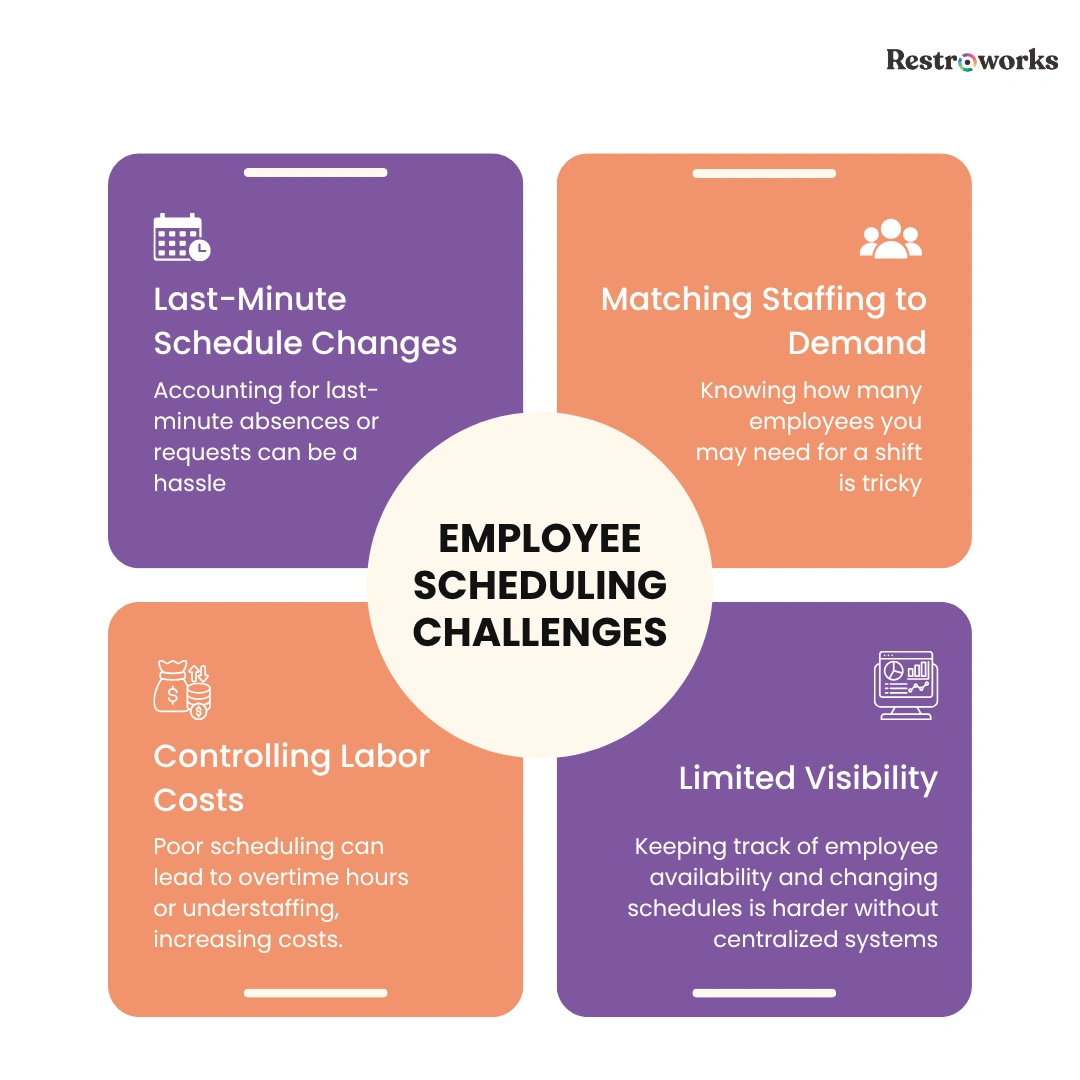
Creating a schedule is one thing. But creating one that perfectly caters to employee availability, customer demand, labor costs, and last-minute changes is where things get complicated. As your café grows, scheduling becomes more about coordinating people, costs, and daily operations.
Managing Last-Minute Schedule Changes
When you manage schedules through spreadsheets, paper rosters, or team messaging apps, even small changes can create confusion. For instance, if someone you scheduled for a busy evening calls in sick for 3 days, you’ll first have to approve their time off requests manually. Then, you’ll probably edit your schedule to eliminate their shifts for those 3 days.
Then you’ll need to review the schedule again, check each employee’s availability, adjust it, and communicate the changes to the relevant team members.
Matching Staffing Levels to Customer Demand
One of the most difficult scheduling decisions is determining how many employees you actually need on a shift.
If you schedule too few people, it will impact service speed. And if you schedule too many, labor costs will increase without improving productivity.
The challenge is that customer traffic isn’t always predictable. Demand can vary by day, season, local events, promotions, or even weather conditions, making it difficult to build schedules based on instinct alone.
Controlling Labor Costs
Labor is one of the largest operating expenses for most cafés.
Every scheduling decision is connected to payroll costs, overtime hours, and overall profitability. Without visibility into labor spending, you may overschedule employees or approve additional shift requests that increase costs.
Keeping Track of Employee Availability
Employee availability is never consistent. You may have part-time students who can only work evenings, part-timers juggling another job, and team members with personal obligations and unpredictable availability. Keeping track of those changes is manageable when you have five employees. It’s a very different story when you have fifteen.
And this becomes more difficult if you’re tracking this through 10 different channels, with no central visibility.
Limited Visibility Across Scheduling and Operations
To build effective schedules, you need to understand actual sales patterns, peak business hours, labor costs, and staffing performance. When this information is spread across different systems, it becomes harder to make informed decisions.
The result? Higher chances of overstaffing, understaffing, or inefficient labor allocation.
Why Integrate Employee Scheduling with your POS?
At this point, you might be thinking: scheduling has always been tricky. So what changes when it’s connected to your POS?
It’s the quality of the decisions you’re able to make. Here’s why integrating employee scheduling with POS helps-
- Accurate and faster staff allocation: Your POS system already has all the sales and demand data to make accurate predictions. Staff schedules based on these insights are likely to be more accurate, plus you will save time.
- Better business decisions: When scheduling is tied to the same system that tracks sales and operations, it’s easier to understand the impact those decisions have on the business and adjust accordingly.
- Greater operational visibility: With integrated scheduling, you’ll have a more comprehensive view of employee schedules, time-offs, peak sales hours, and more.
- Less reliance on guesswork: Integrating scheduling with your POS allows you to support those decisions with actual business data, reducing the chances of repeatedly overstaffing, understaffing, or misallocating labor.
How Do POS Systems Help in Efficient Employee Scheduling?
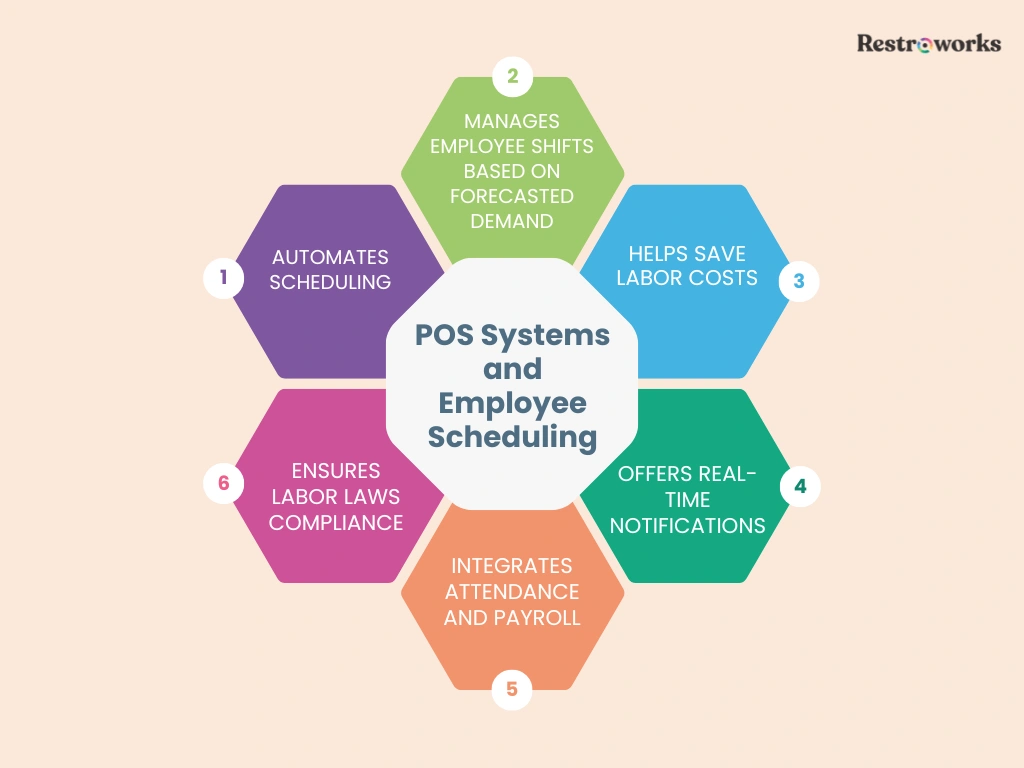
1. Automates Scheduling
Building a staff schedule isn’t a one-and-done thing. You create it, review availability, account for time-off requests, make adjustments, and then spend the next few days dealing with changes. Whether you like it or not, scheduling becomes a recurring administrative task that consumes more time than it should.
Modern POS systems help remove much of that repetitive work.
Instead of manually entering shifts every week, you use predefined schedules, recurring shift trends, employee availability settings, and staffing rules to create schedules faster. This way, automation will help you-
- Create schedules faster using recurring shift templates and patterns
- Reduce manual data entry and repetitive, basic scheduling tasks
- Factor employee availability into schedules automatically
- Minimize scheduling conflicts
The biggest benefit is the time you get back. As your team expands, automation will ensure that you can manage scheduling easily without requiring significantly more effort.
At the same time, this doesn’t mean you have to give up control over scheduling decisions. It just means you’ll now spend less time manually coordinating and more time refining the final schedule.
2. Manages Employee Shifts Based on Forecasted Demand
One of the biggest scheduling mistakes you can make is thinking every week is going to be the same.
Because the reality is much different and not always predictable. For instance, you may prepare for a busy Saturday night because that’s how it usually is. But it rains, and half of the reservations get canceled, while most people don’t show up.
Subsequently, you see a sudden increase in delivery orders, which you weren’t prepared for. As a result, you’re short on delivery staff while being overstaffed on the floor. Similarly, holidays, local events, seasonal trends, and promotions all influence how many customers walk into your café.
The challenge is knowing what’s coming before it happens, until you leverage your POS system.
POS systems help by turning historical sales data into demand forecasts. The tool will analyze past sales and customer traffic to identify demand patterns. And once you know which days will drive more customer footfall and which won’t, it’ll be easier to schedule the right number of people.
- Schedule additional staff during busy services
- Avoid overstaffing during slower shifts
- Prepare for holidays, promotions, and local events
- Distribute workloads more evenly across the team
- Align employee hours with labor costs
3. Helps Save Labor Costs
Adding one extra employee to a shift may not seem like a big expense. Or extending a shift by an hour may be a last-minute decision that you didn’t think much about.
Now add that over multiple days or employees over the course of a week or month. And you’ll realize how tricky it is to control labor costs as they rise. That’s another place your POS can help.
Because you’ve already connected scheduling with sales and labor data, you can see if the staffing levels match the demand. And if you identify overstaffing during some slow shifts, you can adjust schedules to control costs and improve profit margins.
Labor reporting with POS helps you-
- Track and control labor costs alongside sales performance
- Identify shifts that regularly have more staff than needed
- Monitor overtime hours more closely
- Create staffing plans that fit your labor budget
Ultimately, cutting labor costs doesn’t always mean you have to reduce ot let go of staff. Sometimes it just means having the right number of people on the floor at the right time.
4. Offers Real-Time Notifications
Creating a schedule is only half the job. Making sure everyone sees it is the other half.
Think about how many scheduling changes happen in a typical week. If you only share those changes through calls, texts, or WhatsApp groups, it’s easy for people to miss important updates.
POS systems help keep everyone on the same page by sending notifications whenever schedules change.
So no more reaching out to employees one-by-one. You can share updates instantly across the team. Plus, employees will have access to the complete schedule, so they can see when shifts are assigned, changed, or approved, reducing confusion and unnecessary back-and-forth.
5. Integrates Attendance and Payroll
 Attendance is another staffing aspect you have to manage. After all, payroll depends on the number of hours your employees have clocked in.
When you integrate attendance and even payroll into your POS with labor reporting, the system automatically records employee hours, with real-time alerts for early clock-ins and clock-outs. That information will then flow directly into payroll calculations, eliminating any manual effort on your part.
This way, you can automatically account for overtime, reduce payroll errors and disputes, and keep employee records cleaner. You can also keep employee costs below the recommended target of 30% of sales.
All in all, integrated employee scheduling software simplifies your payroll processing, which is also good for employee morale and productivity.
6. Labor Laws Compliance
In the midst of planning the upcoming shifts, approving time-off requests, or handling absences, don’t forget that you also have labor laws to comply with.
While labor laws vary by country and state, their primary purpose is to protect employees’ interests with optimal working hours, breaks, and fair pay. These include-
- Overtime regulations: Under the Fair Labor Standards Act (FLSA), most non-exempt employees must receive overtime pay at 1.5 times their regular rate for any hours worked beyond 40 hours in a workweek. Without proper tracking, you may schedule employees for overtime, leading to unexpected payroll expenses or labor compliance issues.
- Meal break requirements: If you’re operating in California, you’re legally required to provide a 30-minute meal break to employees every 5 hours on a shift. Failing to provide these breaks can result in penalties and employee disputes.
- Rest Break Requirements: California also requires you to provide a paid 10-minute rest break for every four hours worked, or a major fraction thereof. Missing these breaks will also result in additional pay obligations for you.
- Working hours: Some jurisdictions limit how many hours an employee can work per day or week. If you have part-time workers, young employees, and specific worker categories at your cafe, this is a key requirement impacting labor compliance and payroll.
- Weekly rest day requirements (New York): For cafes operating in New York, the ‘One Day of Rest in Seven’ law requires you to provide at least 24 consecutive hours of rest in each calendar week to your employees.
- Recordkeeping requirements (Federal U.S. Law): Employers covered by the FLSA must maintain accurate records of employee hours worked, wages earned, overtime, and payroll information.
Now comes the harder part. Tracking each of these laws and ensuring labor compliance. Manually, it can be tricky. On the other hand, a POS system can help you-
- Monitor employee working hours
- Track overtime automatically
- Maintain accurate attendance records
- Review break and shift data
- Create schedules that align with workplace policies
- Reduce compliance-related payroll errors
How Does It Benefit Employees?
So far, employee scheduling has been discussed from a management perspective. But it’s your employees who feel the direct impact of scheduling decisions every day.
Think from an employee’s perspective for a second. How frustrating it can be to discover your shift changed and nobody told you. Or realizing your availability wasn’t considered when the schedule was created.
That’s why communication matters just as much as scheduling. Craig Dunaway, COO of Penn Station East Coast Subs, summed it up well-
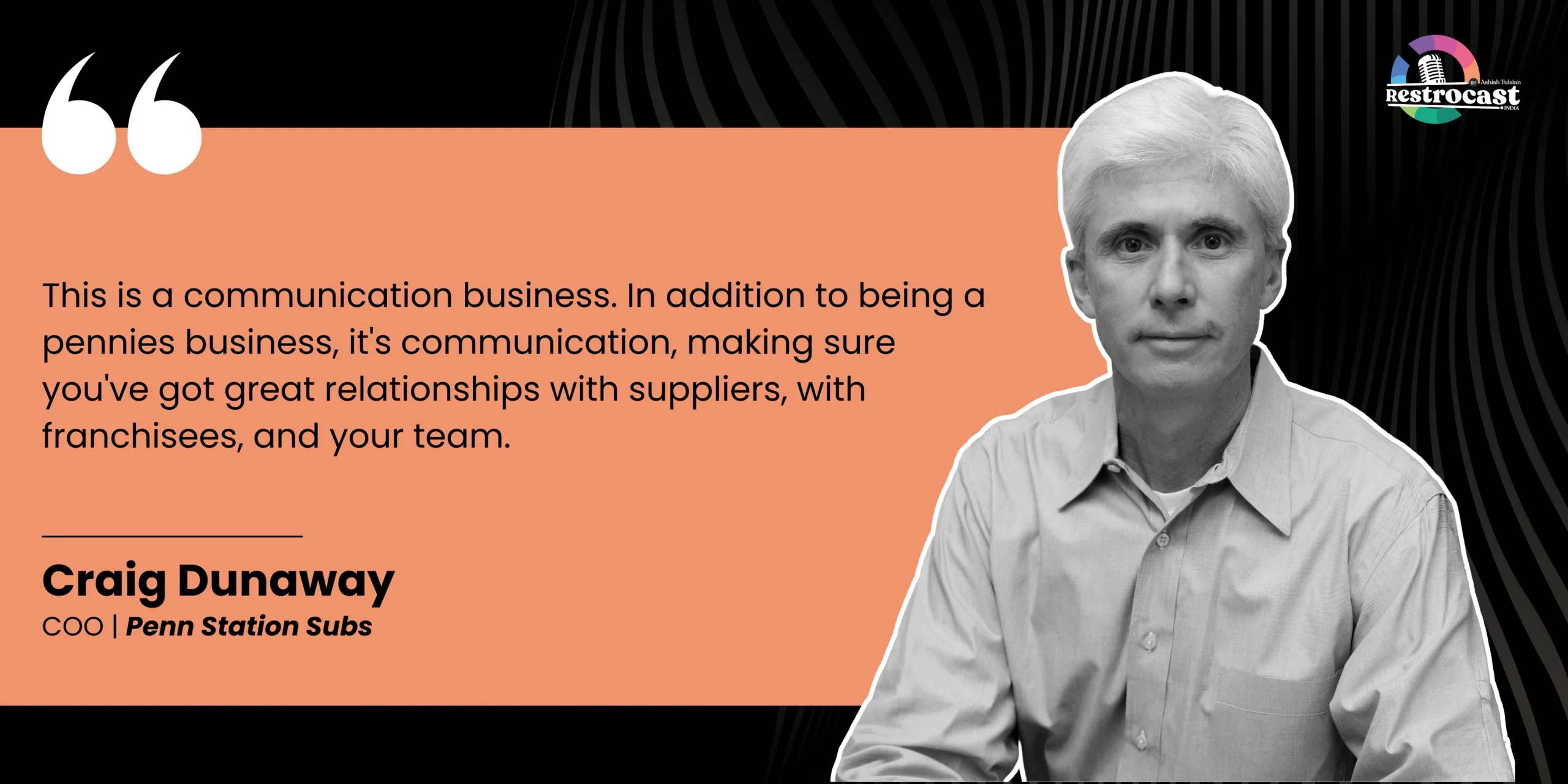
Employee scheduling with the cafe POS system brings that transparency into the communication. Here’s how employees benefit-
- Better visibility: Employees can check upcoming shifts, timings, and updates whenever they need to. Instead of chasing updates on texts or waiting for restaurant managers to confirm details, they have access to the latest information.
- Fewer surprises: Schedule changes are inevitable. The only important thing is that employees know about it on time. When you centralize schedules and communication, staff members can receive updates as they happen, making it much less likely that they miss an important change.
- Smoother process for time-off requests: Let’s be real, nobody enjoys chasing managers or coworkers to coordinate schedule changes. Scheduling apps make it easier for employees to request time off, update availability, or manage shift swaps without too much back-and-forth. And the POS integration will instantly share those changes with you, simplifying scheduling.
- Greater confidence in payroll: Employees want to know they’re being paid correctly for the hours they’ve worked. With attendance, working hours, tip management, and payroll records connected, there’s less room for confusion and fewer payroll disputes.
- Fair schedules: Employees have lives outside work. They all have to factor in their college classes, family commitments, second jobs, and personal responsibilities when they come in to work for you. Modern scheduling tools make it easier to account for those factors when creating schedules.
From an employee’s point of view, all they want is clear communication, fair schedules, and accurate pay. A POS-integrated scheduling system helps create that experience.
Implementation Guide: Setting Up Your Integrated System
First things first. Is your scheduling tool actually built to work with your POS system? Pick a compatible tool that connects employee availability, attendance, payroll, labor costs, tip management, and shift management in one place.
Once you’ve selected the best restaurant scheduling software that fits your café’s needs, the next step is getting everything set up correctly.
Which isn’t a complicated process, honestly. Most POS integrations take only a few minutes to establish, and you can even request integration support from your POS vendor. That said, the important part is ensuring your employee information, restaurant scheduling rules, and attendance settings are configured correctly from the start.
Here are the different steps involved-
1. Connect Your Accounts
The first step is simply getting both systems talking to each other.
Most modern employee scheduling software provides built-in integrations with leading POS systems. In many cases, you’ll just need to log in, authorize the connection, and select the locations or accounts you want to link.
The exact process will vary depending on the platforms you’re using, but it has the same goal: to establish a secure connection between your POS and restaurant scheduling software.
Again, before you move forward, check that both systems are compatible and review any integration requirements from your POS provider.
2. Migrate and Sync Data
With the connection in place, it’s time to bring your data into the new system.
Start with the essentials: your employee information, job roles, availability, pay rates, attendance records, and scheduling templates. Alongside, map your cafe locations and employee roles within the new system.
And while doing so, also take a moment to review the data. See that there are no duplicate employee profiles, outdated contact information, or old records that can later impact your scheduling or payroll.
Next, decide who can access the system and what they can do within it. For example, restaurant managers may need permission to edit schedules, while employees only need mobile access to view shifts, put in time-off requests, and make changes to them.
At the end, your restaurant scheduling platform should have the information it needs to create schedules, do time tracking, and support payroll processes without constant manual updates.
3. Test the Integration

Don’t be in a hurry to implement the scheduling system just yet. Give it a trial run.
Create a sample schedule. Clock an employee in and out. Approve a shift change. Review an attendance report. As you go through each check, you’ll quickly identify if everything is working as expected.
Carry out complete processes as a practice service before opening your café for the day. Because you’d rather catch a problem early instead of discovering it during a busy week, right?
At the same time, pay special attention to information sync between systems. Make sure your employee hours, schedule updates, and attendance records appear correctly wherever they’re needed.
4. Train Your Employees
“The quicker you can bring enthusiastic people on board and help them learn, the easier your job becomes.”- Andy Holman, Managing Partner, Advanced Restaurant Consultants.
With everything in place, now focus on employee training. Offer comprehensive and practical training on how to access and use the system. This involves viewing schedules, updating own availability, requesting time off, shift swapping, and accessing schedule notifications.
In your training sessions, share short demonstrations and real examples to help them understand the real value of the integration.
It’s also a good idea to encourage feedback during the first few weeks. The faster employees feel comfortable using the system, the faster you’ll see the benefits of better communication, fewer scheduling misunderstandings, and smoother day-to-day operations.
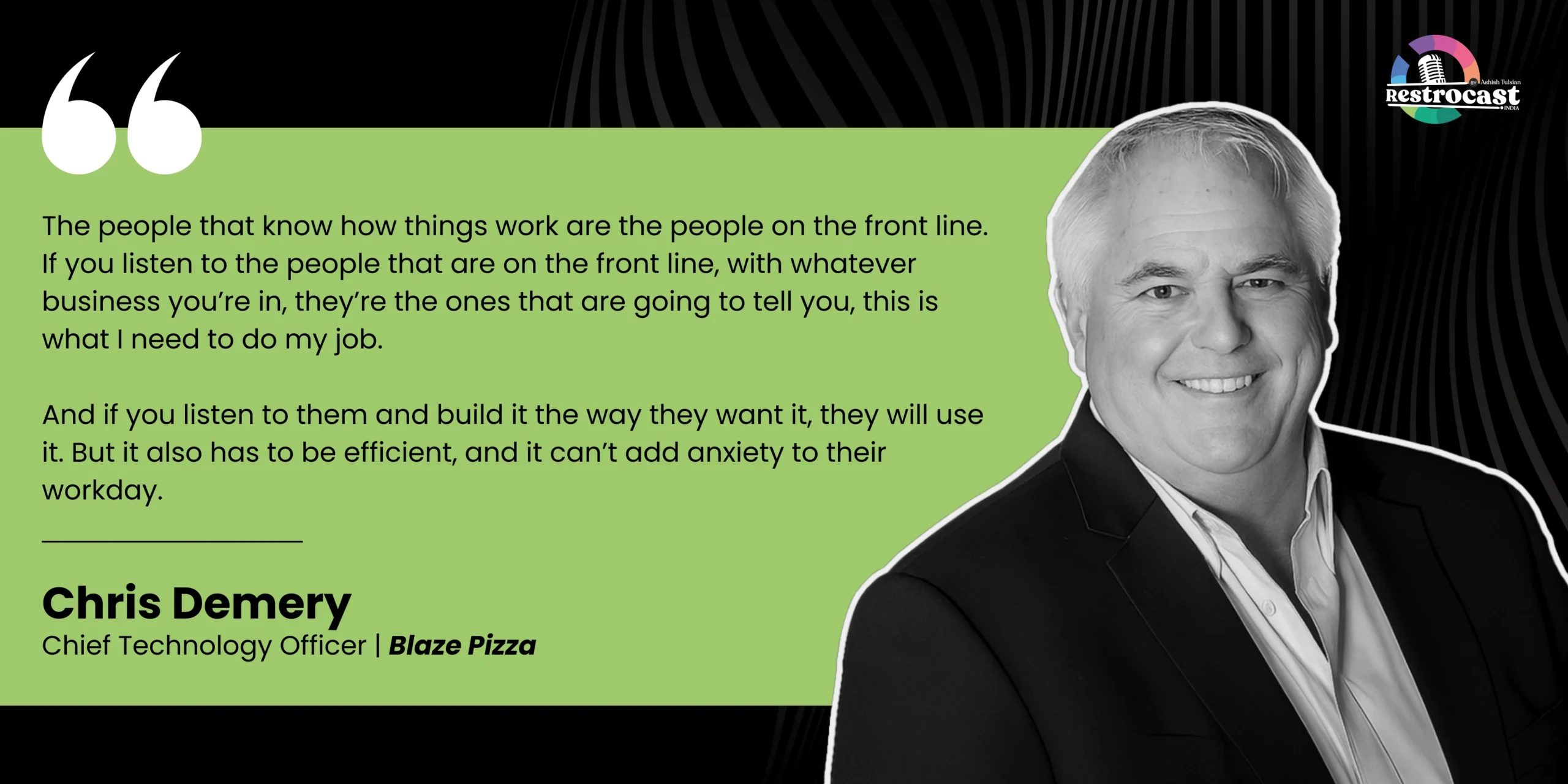
As Chris Demery, CTO of Blaze Pizza, points out-
Restaurant Employee Scheduling Tips
Even with the right point-of-sale system in place, good scheduling still comes down to good planning. Technology can help you build and manage schedules more efficiently, but it won’t replace sound staffing decisions.
Here are a few practical tips that can help you create schedules your team can actually work with.
1. Set the Work Schedule in Advance
Nobody likes finding out their schedule at the last minute.
Publish and communicate schedules at least 1-2 weeks in advance to give employees time to plan their personal commitments, arrange transportation, and request changes if needed. It also gives you more time to address conflicts before the schedule goes live.
Plus, this works best when you’re planning for the holiday season or a local event, as you can ensure staff availability in advance.
2. Create an On-Call Shift Pool
Unexpected absences are part of restaurant operations.
Instead of scrambling to find replacements every time someone calls in sick, consider creating a small pool of employees who are willing to pick up additional shifts when needed.
3. Consider Employee Requests
Your schedules will work best when they take real-life commitments into account.
Employees may have classes, family responsibilities, second jobs, or other obligations that affect their availability. While it’s not always possible to accommodate every request, make an effort to take their preferences and availability into account.
More importantly, encourage open and honest communication so employees feel comfortable coming to you with such requests. This is also a simple way to improve morale and reduce scheduling conflicts.
4. Account for Holidays
Holiday schedules deserve special attention. During the Christmas or Thanksgiving week, you may see higher customer traffic because everyone wants to enjoy their holidays. And this is the same for long weekends, local events, and seasonal celebrations.
Plus, the holiday season can get super busy for employees personally as well. So it’s best to start planning months in advance. Review past sales data, preferences, and plan staffing levels accordingly. Waiting until the last minute often leads to either understaffing or unnecessary labor costs.
5. Be Flexible
Always leave room for adjustments. That’s employee scheduling 101.
Because if you treat your staff schedule as a fixed document, you may not be able to better account for any changes in employee availability or customer demand. So, when planning the next week’s schedule, map out different shifts and the number of servers or kitchen staff you’ll want.
Additionally, you can-
- Establish deadlines for time-off or shift swap requests
- Plan staggered shifts to avoid having the entire staff clock in and clock out at the same time
- Include on-call staff in your schedule, whom you can call when needed
Employee scheduling directly impacts labor costs, service quality, and employee satisfaction. The right point-of-sale system can make the process easier as it brings scheduling, attendance, payroll, and workforce management into one place.
But technology is only one side of the coin. Clear communication, thoughtful planning, and a willingness to adapt are just as important. When you combine smart scheduling practices with the right tools, you will spend less time filling shifts and more time focusing on delivering a great customer experience.
KEY TAKEAWAYS