


From a customer’s perspective, ice cream shops may look simple from the outside. But for ice cream shop owners on the other side, it’s a different story.
You’re managing multiple flavors and toppings in a single order, different scoop sizes, seasonal specials, discounts, and bill splits for a large group. And that’s just at the counter. The kitchen and inventory have their own processes.
An ice cream POS system is what keeps all of that from falling apart. Along with processing transactions, it helps you manage your menu, define pricing structures, set portion sizes and add-ons, map inventory, and so much more.
But that’s only possible when you get the configurations right from the start. The right setup will help improve service flow, simplify operations, and enhance customer experience.
Not sure where to get started with your new POS system? This guide explains how to use a POS in an ice cream shop and the value it brings to your ice cream business.
What you will learn
- The importance of a POS system for your ice cream shop
- How ice cream shops can use POS systems in their operations
- Step-by-step process to set up your POS solution
Why Do You Need a POS Software for Your Ice Cream Business?
Even with a small menu, you have multiple variables to work with in your menu. One customer can ask for different flavors in a single order, while the other wants every single topping on a hot summer day.
Managing that level of customization manually creates challenges across the business. Staff members need to enter orders accurately, inventory usage becomes harder to track, or promotions become more difficult to manage.
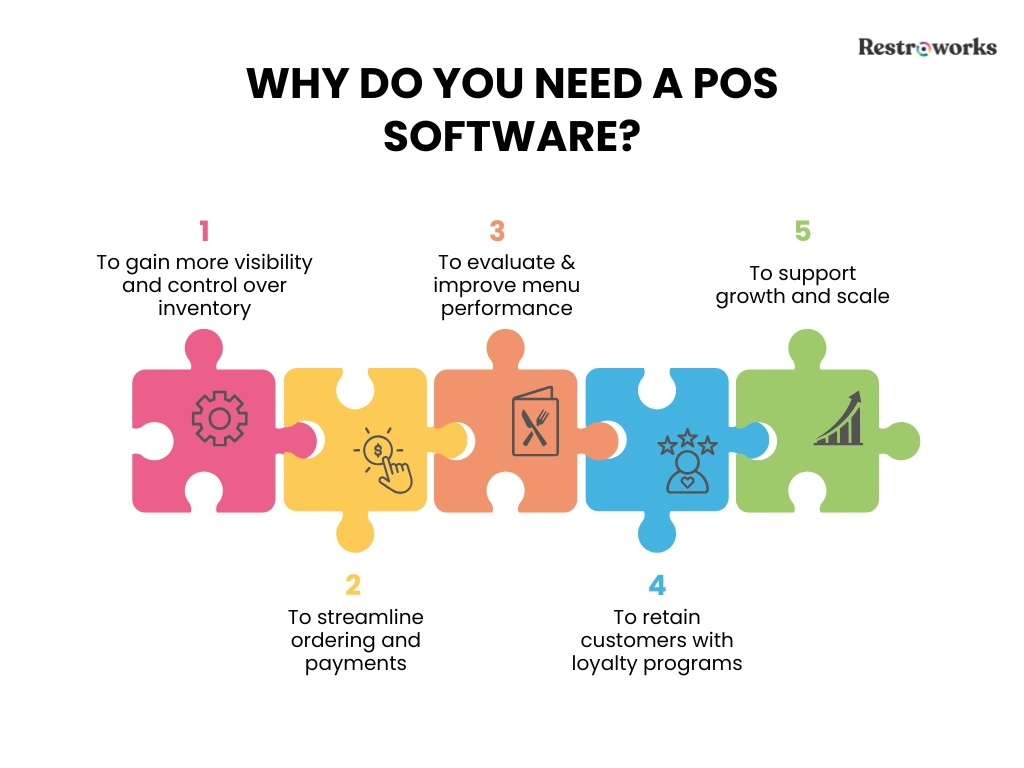
A POS system connects all these moving parts in an integrated system, while giving ice cream shop owners greater control over daily operations.
- Stronger Inventory Control: You can map your menu items to specific inventory, which means every scoop, topping, syrup, and cone is accounted for. The POS will connect sales to inventory usage, helping you maintain optimal stock levels and reduce unnecessary waste.
- Faster Service: A POS system streamlines the ordering and payment process, helping your team serve more customers quickly.
- Smarter Menu Decisions: With POS systems, you have access to detailed sales data, customer preferences, inventory usage, waste, and more, which helps you identify customers’ favorite ice creams, evaluate menu performance, and make data-driven decisions.
- Improved Customer Retention: POS systems for your ice cream shop can support customer loyalty programs, rewards, and personalized offers that encourage repeat business.
- Scalability: The best part about implementing a POS solution is that it is flexible enough to grow with your business. So, you can introduce online ordering, expand your product range, or open another location, and the POS system will easily support that growth.
When used effectively, a POS system can influence everything from service speed to sales performance. And that’s exactly what Chris Incorvati saw too. In a Restrocast conversation, he shared how introducing an enterprise POS system improved both guest experience and business performance-

How to Use POS in an Ice Cream Shop: Daily Operations and Restaurant Management
Knowing how to use your POS system is important to help your team work faster, maintain accuracy during busy periods, and keep operations running smoothly.
1. Process Customer Orders and Payments
The POS serves as the transaction hub for every sale in your ice cream shop. Your staff will use it to punch in the menu items, apply modifiers, build the order, process payments, and record sales data.
Say, a group of 3 people comes in with different orders: 2 scoop strawberry ice cream with sprinkles, a chocolate milkshake, and a waffle cone sundae. Here’s what the ordering process would look like-
- Select the product category, such as ice cream, sundaes, shakes, or frozen yogurt
- For the first item, click on the ice cream category and select the strawberry flavor
- Choose the serving size: 2 scoops.
- Add toppings, syrups, mix-ins, and other modifiers
- The system will calculate the price automatically
- Similarly, punch in the order for milkshake and sundae by choosing the respective categories and any add-ons
- Apply discounts, promotions, or loyalty program rewards when applicable
- Add the customer details, such as name and contact information
- Review the order and confirm the final price
- Process payment through cash, debit card, digital wallet, mobile payments, or other supported methods
- Complete the transaction and issue a receipt
Now, once the sale gets recorded in the system, whether in-store or through online ordering, it will automatically record revenue, update your inventory, and store transaction and customer data for reporting.
2. Manage Multiple Flavors and Toppings
Every ice cream business runs on extensive menu variety. But it can also create operational complexity. You may offer different serving sizes, along with dozens of possible combinations for toppings, syrups, and mix-ins.
The best POS system allows you to organize these options through modifiers and product categories with its user-friendly interface. Instead of entering custom requests manually, your staff can select from predefined choices directly within the ordering screen.
This helps you-
- Ensure pricing consistency across flavor and topping combinations.
- Reduce mistakes while entering the order
- Monitor ingredient usage accurately.
- Update seasonal or limited-time offerings with minimal effort.
As your menu evolves, a well-organized POS setup makes it easier to introduce new products without disrupting existing workflows.
3. Handle Refunds and Discounts
Refunds and discounts are part of day-to-day operations. A customer may receive the wrong flavor, the bill may show a duplicate charge, or the cashier may forget to apply a loyalty program discount during checkout.
Guess what? Your POS system makes it easy to process these adjustments. Not to mention, it keeps accurate records of it and gives managers visibility into why certain changes occurred. Most POS systems allow you to process and track-
- Full and Partial Refunds: Locate the original transaction and issue refunds directly through the system while maintaining accurate sales records.
- Voided Transactions: Cancel any incorrect orders or bills to prevent discrepancies in reporting.
- Promotional Discounts: Apply percentage-based discounts, fixed-value offers, happy-hour specials, or limited-time promotions automatically at checkout. You can easily pre-define these discount categories and amounts in the system, so the staff doesn’t have to do it manually.
- Loyalty Program Rewards: Redeem points, rewards, or member-exclusive offers without requiring manual calculations from staff.
And that’s not all. Recording these adjustments within the POS gives you greater visibility into how your promotions are performing, how often discounts are used, and how to identify common refund reasons.
4. Coordinate with the Kitchen
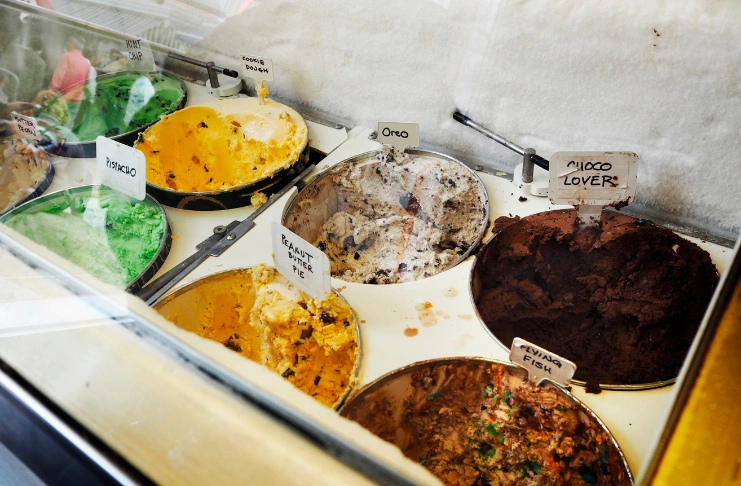
For many ice cream shop owners, the entire ordering, payment, and delivery process happens at the counter. But if you offer an extensive menu with drinks and desserts like milkshakes, waffles, pancakes, coolers, fries, and more, swift kitchen communication becomes important.
Here, your POS will act as the single source of truth for every order. The moment your staff punches in the order within the system and processes the payment, complete order details will appear on the kitchen display system (KDS).
This ensures-
- The kitchen knows about every add-on and modification on the order.
- There are no mistakes in communication, which usually happens in case of handwritten notes or verbal communication.
- The kitchen can prioritize orders
- Staff can track order status from preparation to pickup.
5. Manage Inventory and Waste
Inventory management becomes much easier when your sales trends and stock levels are connected. Your POS system does that — deducting ingredients automatically with every sale to give you a more accurate view of consumption across flavors, toppings, cones, syrups, and other supplies.
You can use your POS system to-
- Monitor ingredient consumption by linking menu items to the inventory they use.
- Track inventory levels in real time and identify products that require replenishment.
- Record spoilage and waste so inventory counts remain accurate.
- Compare inventory usage against sales data to identify variance and potential portion-control issues.
- Analyze menu item demand to prepare for seasonal fluctuations and high-volume periods.
This data helps you maintain proper stock levels, reduce unnecessary waste, and control costs.
6. End-of-Day Closing Procedures
The end of the day is a busy time, operationally. It’s when you verify the day’s sales, inventory, payments, and operational records to ensure everything matches. These workflows include-
- Reviewing daily sales to match revenue, order volume, and transaction activity.
- Reconciling cash drawers against recorded cash sales.
- Verifying payment totals across cash, cards, digital wallets, gift cards, and other mobile payment methods.
- Checking refunds, voids, and discounts applied during the day.
- Recording inventory levels and adjustments for waste, spoilage, or damaged products.
- Generate daily reports for management review and recordkeeping.
You can use your POS system to simplify this. Since your POS already records everything, from orders and basic transactions to stock, it’s easier to verify the data.
7. Reporting and Analytics
Your POS collects data from every transaction, but the real value comes from using that information to make better-informed decisions.
For example, your sales data shows that coconut is your best-selling flavor, but cost analysis shows it generates lower margins than expected. Similarly, you see that a seasonal promotion attracted more orders, but without a similar increase in revenue.
The source of all these insights? Your POS system. You can use it to monitor things like-
- Top-selling flavors and products to understand customer preferences.
- Peak sales periods to make better staffing decisions.
- Average order value to evaluate upselling opportunities and menu performance.
- Inventory usage to improve purchasing and stock planning.
- Discount and promotion performance to measure campaign success.
- Employee sales and productivity metrics to support scheduling and performance management.
All in all, your POS solution helps you make the most of your data.
Step-by-Step POS Setup for Ice Cream Parlors
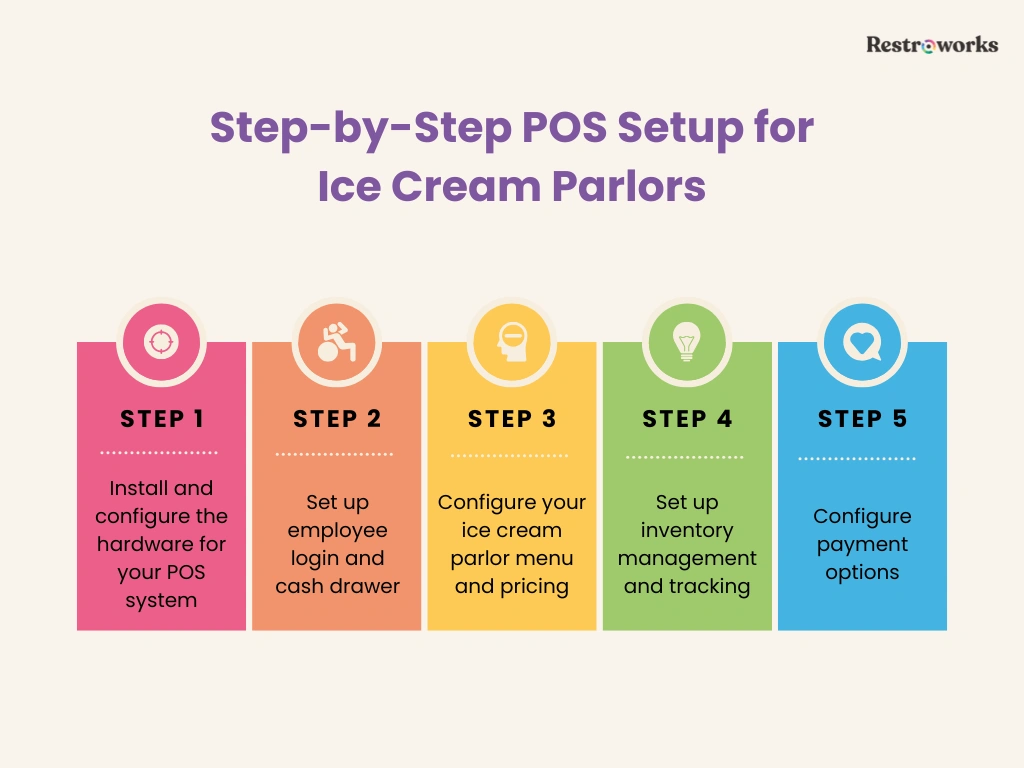
A POS system can only support your operations if it’s configured correctly from the start. Consider this phase as building the foundation for everything that happens after the ice cream shop opening.
So, the way you configure your menu, inventory management, employee access, and payment processes will impact operational efficiency and visibility. Not to mention, your team can focus on customer experience instead of working around the system.
Here’s how to set up your POS system-
1. Install and Configure the Hardware for the Ice Cream Parlor POS System
Start by installing the hardware components required for daily operations, including the POS terminal, receipt printer, barcode scanner, kitchen display system (if applicable), and payment devices.
In most cases, your POS software vendor will help you set up and connect everything to ensure a smooth process. That said, do focus on things like-
- Installing the POS terminals in easily accessible locations.
- Receipt printers, payment devices, and customer displays are connected properly.
- Test internet connectivity and system performance.
- Verify that all hardware communicates properly before launch.
2. Set Up Employee Login and Cash Drawer
Every employee in your ice cream parlor must have an individual login. Why? Because it’s easier to track sales activity, refunds, discounts, and other actions by user this way.
Plus, it’s also important to configure new employee permissions based on responsibilities, ensuring managers have access to sensitive functions while cashiers only see the tools they need. Finally, assign and test cash drawer settings for accurate cash management.
3. Add Your Ice Cream Parlor Menu and Pricing

Next, update your menu, recipes, and portions within the integrated inventory management system to manage it better. This includes adding categories such as scoops, sundaes, milkshakes, frozen yogurt, and beverages, then configuring popular flavors, sizes, toppings, and other modifiers.
At the same time, set pricing rules for upgrades, premium flavors, and add-ons to ensure the system calculates totals automatically. A well-organized menu reduces order-entry errors and speeds up service during peak hours.
4. Inventory Management Setup
Now that you’ve added the menu items, map those to their specific ingredients and supplies. So the POS system can deduct inventory automatically after every sale. For instance, you have an Oreo milkshake on the menu that consumes-
- 250 ml milk
- 1.5 scoops vanilla ice cream
- 25 ml chocolate syrup
- 3 crushed Oreo cookies
- 1 takeaway cup
- 1 lid
- 1 straw
Enter each ingredient, including supplies, with their exact quantities. This streamlines your inventory counts and helps standardize recipes and costs.
During the POS software setup, also make sure you-
- Add stock quantities for flavors, toppings, syrups, cones, cups, and other supplies,
- Configure low-stock alerts and reorder thresholds
- Create a process for recording spoilage, wastage, and stock adjustments.
- Set rules of expiry tracking
Taking these steps early creates more reliable inventory records and gives you better visibility into product usage over time.
5. Configure Payment Options
Customers expect flexibility at checkout, whether they’re paying with cash, credit/debit cards, gift cards, or digital wallets. Before going live, make sure your POS software supports the payment options your customers are most likely to use and that your team understands how to handle different transaction scenarios.
During setup, be sure to-
- Enable all accepted payment methods
- Follow PCI-compliant payment practices
- Configure tax settings based on local requirements
- Set up bill splitting features
- Set up gift cards, store credits, or loyalty program redemptions if applicable
- Define refund and payment adjustment permissions
- Make test transactions to verify that the payment process is working correctly
Setting up your POS system is a simple process and doesn’t take much time. Once you’ve configured the rules and added your menus, you’re good to go.
The way you set up and use your POS system can influence almost every part of your ice cream shop, from order accuracy and inventory management to customer experience and profitability. A well-configured system gives you better visibility into daily operations and creates a stronger foundation for future growth.