
At the end of a busy day, the last thing a cafe owner (or anyone, for that matter) would want to do is spend another hour reconciling receipts and updating spreadsheets. Yet for many businesses (yes, even today!), Manual bookkeeping is still very much part of their closing routine.
Enter an integrated POS, that too, let’s say, with an accounting system.
Integrating accounting with cafe POS automates the “extra work” you were otherwise bound to put in to sync sales and financial data with your accounting software. How does it play out? This article does the needful.
What You’ll Learn
- How integrating your cafe POS with accounting software helps improve financial accuracy, cash visibility, and streamline operations.
- How to choose, implement, and optimize a POS-accounting integration for automated bookkeeping and smarter financial management.
Why Should You Integrate Your Accounting Software With Cafe POS?
A point of sale is where you get to see almost every sale, refund, discount, and tip happening at your cafe in real time, and the issue arises when those data sets are disconnected from your accounting software, so someone has to note all that down by hand.
In that situation, connecting your POS system with accounting software removes the requirement for manual data entry and greatly cuts down the risk of errors in the financial records.
As for the exact adoption rate among food businesses, more than 70% of small businesses have already started using integrated tools in order to boost their efficiency and profitability through the automation of data transfers between their POS and accounting software.
And why should they not? Nicole Gralapp, a CPA and a Certified Expert in POS Systems with SVA Accountants, says that integration “saves time and ensures that your revenue recognition is aligned with your accounting systems, offering more accurate financial reporting, in general.“
What are the Key Benefits of Integrating Your POS With Accounting in Terms of Cash Flow, Daily Sales, & Overall Financial Management?
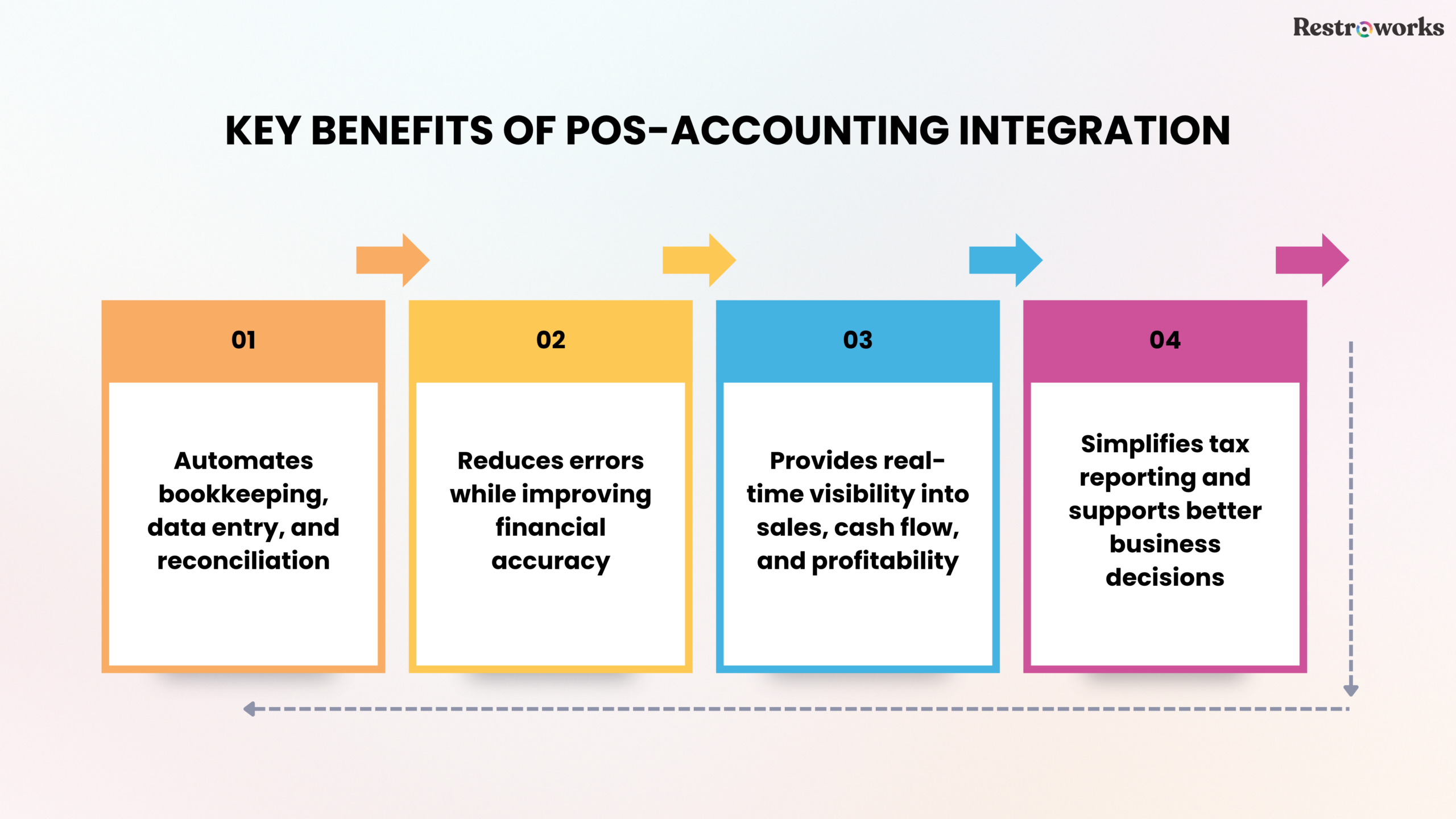
The biggest payoff you may expect out of integrating your POS with accounting is visibility. Automated data transfers from POS to accounting systems provide real-time financial insights, allowing businesses to make informed decisions based on current sales and expenses. This way, you don’t have to wait until month-end to track whether a particular slow day or event has impacted your cash flow (and in what way, exactly!). You can just log in and check the numbers the very next morning.
According to Gralapp, real-time syncing means “every sale, refund, or adjustment is instantly reflected in your financial records,” which gives owners like you an up-to-date view of your restaurant’s financial health 24*7.
Well, there is also a growth aspect to this.
Doug Gross, who is a CPA and partner at MBE CPAs, points out that “restaurants that adopt cloud-based POS systems usually experience an increase in revenue of between 10% and 15%,” which kind of shows just how useful a suitable point-of-sale POS arrangement can be when it comes to things you want to manage/run beyond simple bookkeeping.
Moreover, it helps –
- Produce cleaner financial reports
- Reduces errors during reconciliation, and
- Provides better control over both inventory and labor costs
…all of these in turn lead to improved profit margins over time.
How Does Sync Between the POS and Accounting System Work?
In practice, your POS captures every transaction, be it sales, taxes, comps, voids, and payment types, and pushes that POS data to your accounting book through an API or a native connector. The restaurant accounting tools on the receiving end translate that information into journal entries, automatically updating your accounting records.
With integrated systems, generating financial reports such as profit and loss statements becomes effortless, which is crucial for accurate tax filing. Sales data, tax collected, and other financial data are entered into the correct accounts without anyone having to type and retype a single figure.
What are the 3 Ways in Which You Can Integrate Accounting With Cafe POS?
There are generally three paths cafes take:
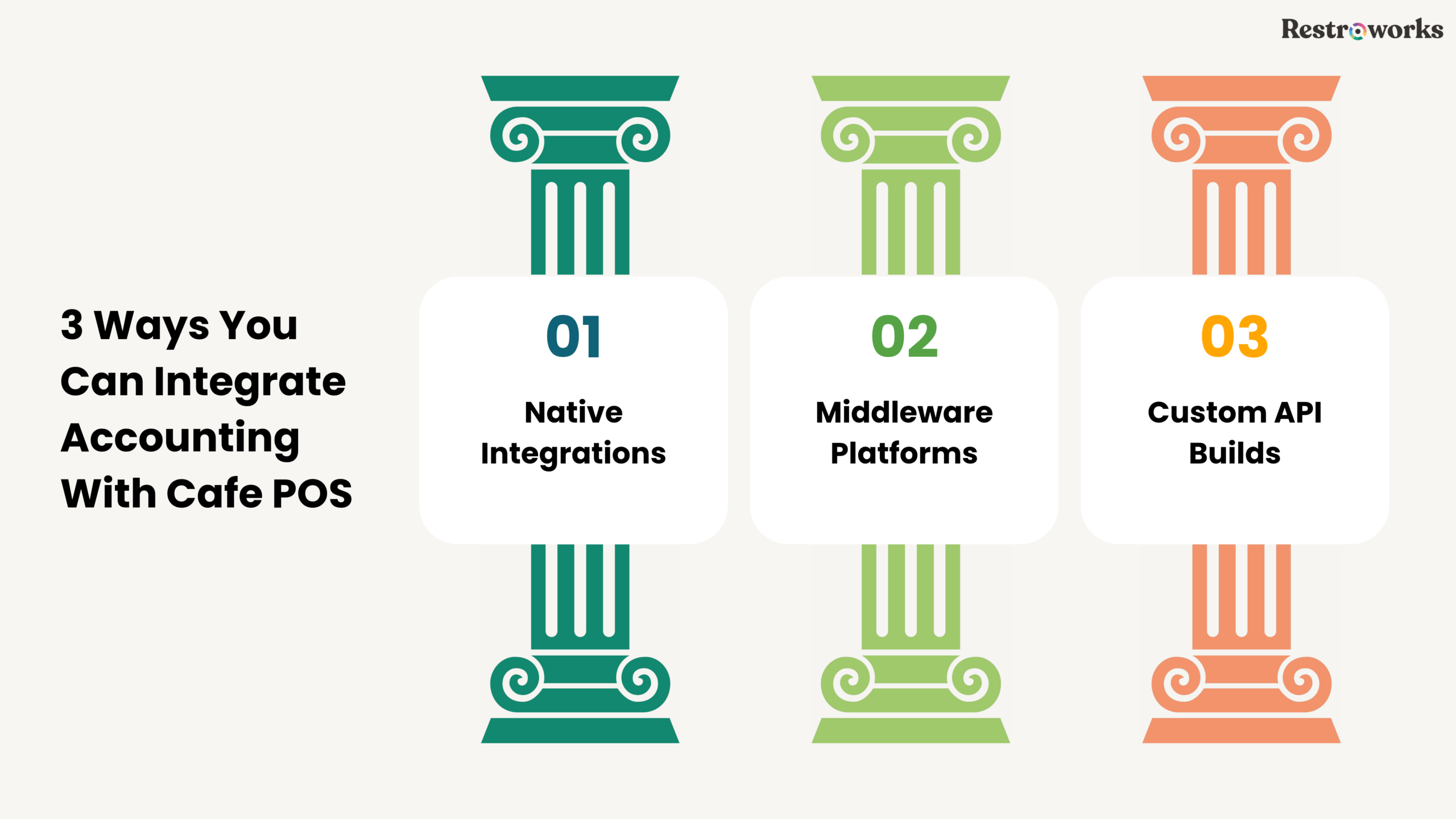
- Native integration: With native integration, Many modern POS systems these days are able to connect directly with popular accounting software such as QuickBooks Online or Xero without having to pay extra. The setup process is super quick. The only tradeoff is that the reporting tends to be basic.
- Middleware platforms: Some cafes make use of third-party integration tools for accounting software in order to connect their point-of-sale systems with their accounting records, and these integrations perform well, especially when it comes to custom category mapping and managing multiple locations.
- Custom API builds: For cafes using proprietary or not-so-common systems, a developer has the option of setting up a direct POS data transfer pipeline, but this option requires substantial continuous maintenance and incurs hefty charges.
Most independent cafes do just fine with a native or middleware option. Custom builds are (as they should be) mainly for larger restaurant business operations with in-house tech support.
What are the Exact Steps to Integrating Accounting with Cafe POS?
If you want to finally integrate your accounting with Cafe POS, follow these steps:
#1: Audit your chart of accounts to ensure that your accounting software has clean, cafe-specific data categories.
#2: Map POS categories to GL accounts – This is an important step because when you map your chart of accounts in your restaurant accounting software to match the categories in your POS system, it helps you double-check whether you have a 100% accurate data transfer and financial reporting or not.
#3: Connect both systems – Authorize the POS and accounting software, usually done via OAuth, and set your sync schedule.
#4: Train your staff – The most important step, I’d say – train your staff so they are able to properly use the POS system at all times so you can be sure there is no risk of incorrect entries flowing into financial records no matter what.
#5: Run a parallel test by comparing the results from the automated entries against those obtained from your manual process, and try to do this for a period of at least a week or two before you fully switch over to investing in any one side.
#6: Reconcile your accounts regularly so you can detect discrepancies sooner and keep financial records accurate, even with automation.
Done correctly, such an integration setup pays for itself quickly in terms of a lot of time saved alone.
How to Choose the Right POS with Accounting Software Integration?
First and foremost, we’d advise you to check for compatibility. Choosing a POS system with native or direct integrations with accounting tools like QuickBooks Online or Xero is essential for effective integration, and before integrating your POS and accounting software, ensure that the two systems are compatible and can communicate seamlessly to avoid integration issues later.
Next, look for features like automated sales syncing, inventory management, payroll processing support, and tax compliance tools. As we’ve already highlighted above, over 70% of small businesses are adopting integrated systems to stay competitive, highlighting the importance of choosing compatible POS and accounting software.
Self-service kiosks are also worth a look if upselling is a big thing for you and your brand.
What Challenges May You Face with an Integrated POS System When Handling Financial Tasks?
Yes, integration really helps with laborious tasks/manual data entry, but there’s still a need for oversight.
For example, even one case of mismatched categories, unstable internet, or staff entering items incorrectly at the register can cause issues downstream. Integrated payroll with POS ensures accurate payments and simplifies regulatory reporting, but only if labor details and hours are entered correctly in the first place.
Tax season is another problem if mapping isn’t done well up front. Integrating your POS system with accounting software simplifies tax reporting by automatically categorizing and calculating sales tax for each transaction, ensuring compliance with tax regulations, but again, not even technology can save you if the initial setup is not right.
INDUSTRY INSIGHT
What are Some of the Best Practices You Should Employ for Smooth Integration?
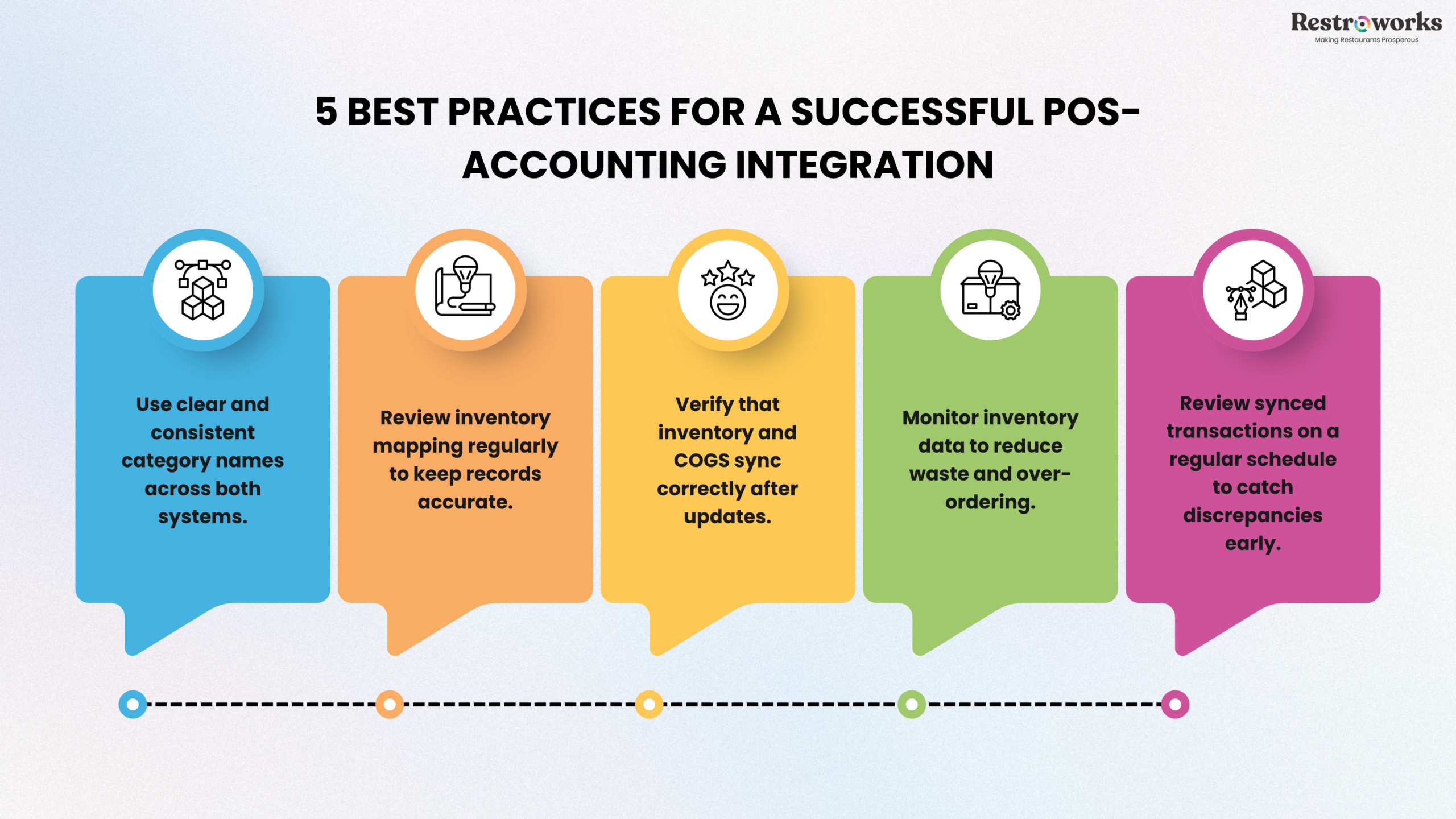
Automated data transfers from synced POS and accounting systems reduce the risk of errors during tax filing, as all necessary information is accurately recorded and readily available. How can you ensure it always works in your favor?
- Keep category names very specific.
- Integrating your POS system with accounting software allows for real-time tracking of inventory levels, which helps in monitoring expenses and managing reorder points effectively, so review inventory mapping periodically.
- When POS and accounting systems are integrated, inventory updates such as stock levels and cost of goods sold (COGS) are automatically reflected in financial records, ensuring alignment between inventory and accounting.
- Accurate inventory management through integration can help reduce waste and prevent over-ordering, which is crucial for maintaining profitability in a restaurant.
- Finally, review synced entries on a set schedule.
Automated data transfers from an integrated POS to accounting software ensure that sales, expenses, and taxes are accurately reflected in financial reports, enhancing overall financial accuracy, and with integration, businesses can achieve real-time financial insights, allowing for immediate identification of discrepancies and informed decision-making based on precise data.
The result, as Gralapp describes it, is an integrated POS and accounting system that provides real-time data updates, allowing businesses to see their financial health instantly after each transaction. Real-time financial insights from integrated systems enable businesses to make timely decisions, such as adjusting pricing or managing cash effectively, and with real-time insights, businesses can track sales trends and performance metrics, allowing for data-driven decisions that enhance profitability and operational efficiency.