A recent survey by The Hospitality Tech magazine suggests that 84% of restaurant owners are preparing to add new functionality, features, and modules to their current POS software, highlighting the need to improve customer service and streamline operations.
To embrace a future where productivity and smooth operations are paramount and to make POS headaches a thing of the past, read on and discover the 14 solutions for best restaurant POS systems for 2024.
What is a Restaurant POS System?
A restaurant POS software is, in a way, a digital restaurant manager that enhances POS processes in a restaurant by automating various functions and making the order-taking and serving process more efficient. It enables accurate order entry, calculates bills, and generates detailed invoices. Its capability to support various payment methods drastically increases efficiency and customer satisfaction.
On top of that, features like inventory management and reporting contribute to improved overall restaurant operations.
Whether you are a small restaurant just starting or a large restaurant with multiple locations, there is a restaurant POS software option that is right for you.
This listicle of the top 14 POS will help you find the best software for your needs and budget:
1. Restroworks
Source – restroworks.com
Restroworks stands out with its innovative approach to POS systems. Specializing in customization, it allows restaurants to tailor their systems for unique needs, ensuring efficient and personalized service.
Key Highlights:
Intuitive Interface: Easy to use for both staff and management, reducing training time.
Tableside Ordering: Enhance guest experience and streamline order taking.
Reporting and Analytics: Gain insights into sales, staff performance, and customer preferences.
Integration: Connects with various third-party apps and services for extended functionality.
Scalability: Suitable for single-location restaurants to multi-location chains.
Cons:
Pricing: This can be higher compared to basic POS systems, especially for smaller businesses.
Offline Functionality: Limited features may be available offline, and internet access is required for full functionality.
Learning Curve: Some users report a learning curve during the initial setup and training.
Pricing:
$69-$399/month. Tiered pricing based on features and number of registers.
Industry Rating: Rated 3.9/5 on Capterra (Based on 398 reviews)
Conclusion:
TouchBistro offers a powerful iPad-based solution for restaurants, providing a balance between mobility and functionality. However, consider the pricing, potential limitations in offline functionality, and the learning curve before making a decision. Assess your restaurant’s specific needs and budget to determine if TouchBistro is the right fit.
Perfect for: Full-service restaurants, cafes, and bars seeking a mobile POS solution.
How to choose the right software?
Choosing the right restaurant POS software is a crucial decision that can significantly impact your business operations. Here are some key factors to consider when making your decision:
Type of Restaurant:
Consider the nature of your restaurant, whether it’s a quick-service restaurant, full-service restaurant, bar, or cafe. Different establishments have varying needs regarding order management, table service, and kitchen coordination.
Features and Functionality:
Evaluate the features each POS software offers and match them with your specific needs. Look for functionalities such as order management, tableside ordering, inventory management, reporting, and integrations with your existing business tools.
Scalability:
Choose a POS system that can scale with your business. Whether you’re a single-location restaurant planning to expand or a growing chain, scalability ensures that the software can adapt to your changing needs while remaining cost-effective.
Ease of Use:
User-friendliness is crucial, especially in a fast-paced restaurant environment. The software should be intuitive and require minimal training for your staff to operate effectively.
Integration Capabilities:
Consider whether the POS software can integrate with other systems, such as accounting software, online ordering platforms, and loyalty programs. Integration ensures seamless data flow across various aspects of your business.
Cost and Pricing Structure:
Evaluate the overall cost of ownership, including any upfront fees, subscription costs, and transaction fees. Some POS software options offer transparent and straightforward pricing, while others may have complex fee structures.
Customer Support:
Good customer support is essential for resolving issues promptly. Consider the level of support each POS software provides, including the availability of training resources, online documentation, and responsive customer service.
Reviews and Recommendations:
Look for reviews and recommendations from other restaurant owners or managers who have used the POS software. Their experiences can provide valuable insights into the software’s performance, reliability, and customer satisfaction.
Security and Compliance:
Ensure that the POS software adheres to industry standards for security and compliance, especially concerning payment processing. PCI compliance is crucial to protect customer data and maintain trust.
By carefully considering the aforementioned factors, you can make an informed decision and choose the restaurant POS software that aligns with your business goals and operational requirements.
Final Thoughts:
The right POS software can be your secret weapon, streamlining operations, delighting customers, and propelling your business to success in 2024 (and beyond!). Whether you prioritize flawless user-friendliness, cutting-edge features, or wallet-friendly options, just like crafting the perfect menu, choosing the right software requires understanding your unique needs. Don’t be shy to test-drive each contender through trials or demos.
Investing in reliable and efficient POS software streamlines your daily operations and enhances your customers’ overall dining experience. Remember, it’s about staying ahead of the curve and setting your establishment on a path to sustained success.
There’s no single “most popular” POS system for restaurants, as the best choice depends on factors like restaurant size, type of service (dine-in, quick-service, etc.), and budget.
There isn’t a single best POS software for everyone, as the ideal solution depends on your specific business. Identify your requirements by talking to your team and the challenges they face and be cognizant of your budget.
McDonald’s uses the NewPOS NP6 system, also known as the McDonald’s NP6, MediaWorks NewPOS, or MW NewPOS (as well as Torex or Savista NewPOS). It runs a version of Microsoft Windows XP Embedded
Data security is paramount. Ensure the software is PCI-compliant and employs robust security measures to protect customer information: research reviews and the company’s reputation for security practices.
POS restaurant software, or Point of Sale restaurant software, is a system used by restaurants to manage transactions and streamline operations. It typically includes features for order taking, billing, inventory management, and customer management, helping restaurants improve efficiency, accuracy, and customer service.
Choosing the best software for your restaurant depends on your specific needs and the size of your operation. Some common platforms are – Simphony Point of Sale, NCR Voyix, Restroworks, Toast, and PAR Brink.
iPad-Based: Combines mobility with powerful restaurant management tools.
Comprehensive Features: Covers ordering, payment, inventory, staff, and reporting.
Pros:
Intuitive Interface: Easy to use for both staff and management, reducing training time.
Tableside Ordering: Enhance guest experience and streamline order taking.
Reporting and Analytics: Gain insights into sales, staff performance, and customer preferences.
Integration: Connects with various third-party apps and services for extended functionality.
Scalability: Suitable for single-location restaurants to multi-location chains.
Cons:
Pricing: This can be higher compared to basic POS systems, especially for smaller businesses.
Offline Functionality: Limited features may be available offline, and internet access is required for full functionality.
Learning Curve: Some users report a learning curve during the initial setup and training.
Pricing:
$69-$399/month. Tiered pricing based on features and number of registers.
Industry Rating: Rated 3.9/5 on Capterra (Based on 398 reviews)
Conclusion:
TouchBistro offers a powerful iPad-based solution for restaurants, providing a balance between mobility and functionality. However, consider the pricing, potential limitations in offline functionality, and the learning curve before making a decision. Assess your restaurant’s specific needs and budget to determine if TouchBistro is the right fit.
Perfect for: Full-service restaurants, cafes, and bars seeking a mobile POS solution.
How to choose the right software?
Choosing the right restaurant POS software is a crucial decision that can significantly impact your business operations. Here are some key factors to consider when making your decision:
Type of Restaurant:
Consider the nature of your restaurant, whether it’s a quick-service restaurant, full-service restaurant, bar, or cafe. Different establishments have varying needs regarding order management, table service, and kitchen coordination.
Features and Functionality:
Evaluate the features each POS software offers and match them with your specific needs. Look for functionalities such as order management, tableside ordering, inventory management, reporting, and integrations with your existing business tools.
Scalability:
Choose a POS system that can scale with your business. Whether you’re a single-location restaurant planning to expand or a growing chain, scalability ensures that the software can adapt to your changing needs while remaining cost-effective.
Ease of Use:
User-friendliness is crucial, especially in a fast-paced restaurant environment. The software should be intuitive and require minimal training for your staff to operate effectively.
Integration Capabilities:
Consider whether the POS software can integrate with other systems, such as accounting software, online ordering platforms, and loyalty programs. Integration ensures seamless data flow across various aspects of your business.
Cost and Pricing Structure:
Evaluate the overall cost of ownership, including any upfront fees, subscription costs, and transaction fees. Some POS software options offer transparent and straightforward pricing, while others may have complex fee structures.
Customer Support:
Good customer support is essential for resolving issues promptly. Consider the level of support each POS software provides, including the availability of training resources, online documentation, and responsive customer service.
Reviews and Recommendations:
Look for reviews and recommendations from other restaurant owners or managers who have used the POS software. Their experiences can provide valuable insights into the software’s performance, reliability, and customer satisfaction.
Security and Compliance:
Ensure that the POS software adheres to industry standards for security and compliance, especially concerning payment processing. PCI compliance is crucial to protect customer data and maintain trust.
By carefully considering the aforementioned factors, you can make an informed decision and choose the restaurant POS software that aligns with your business goals and operational requirements.
Final Thoughts:
The right POS software can be your secret weapon, streamlining operations, delighting customers, and propelling your business to success in 2024 (and beyond!). Whether you prioritize flawless user-friendliness, cutting-edge features, or wallet-friendly options, just like crafting the perfect menu, choosing the right software requires understanding your unique needs. Don’t be shy to test-drive each contender through trials or demos.
Investing in reliable and efficient POS software streamlines your daily operations and enhances your customers’ overall dining experience. Remember, it’s about staying ahead of the curve and setting your establishment on a path to sustained success.
There’s no single “most popular” POS system for restaurants, as the best choice depends on factors like restaurant size, type of service (dine-in, quick-service, etc.), and budget.
There isn’t a single best POS software for everyone, as the ideal solution depends on your specific business. Identify your requirements by talking to your team and the challenges they face and be cognizant of your budget.
McDonald’s uses the NewPOS NP6 system, also known as the McDonald’s NP6, MediaWorks NewPOS, or MW NewPOS (as well as Torex or Savista NewPOS). It runs a version of Microsoft Windows XP Embedded
Data security is paramount. Ensure the software is PCI-compliant and employs robust security measures to protect customer information: research reviews and the company’s reputation for security practices.
POS restaurant software, or Point of Sale restaurant software, is a system used by restaurants to manage transactions and streamline operations. It typically includes features for order taking, billing, inventory management, and customer management, helping restaurants improve efficiency, accuracy, and customer service.
Choosing the best software for your restaurant depends on your specific needs and the size of your operation. Some common platforms are – Simphony Point of Sale, NCR Voyix, Restroworks, Toast, and PAR Brink.
Limited Offline Functionality: Internet access is required for most features.
Customer Support: Some users report mixed experiences with response times and issues resolved.
Pricing:
$49-$199/month. Tiered pricing based on features and number of registers.
Industry Rating: Rated 4.6/5 on Capterra(based on 517 reviews)
Conclusion:
CAKE POS offers compelling features and flexibility for restaurants seeking a cloud-based solution. However, consider the potential drawbacks regarding cost, offline functionality, and support availability before making a decision. Carefully evaluate your requirements and explore alternatives to make an informed choice that aligns with your restaurant’s unique needs.
Perfect for: Bakeries, cafes, pastry shops, and dessert-focused businesses.
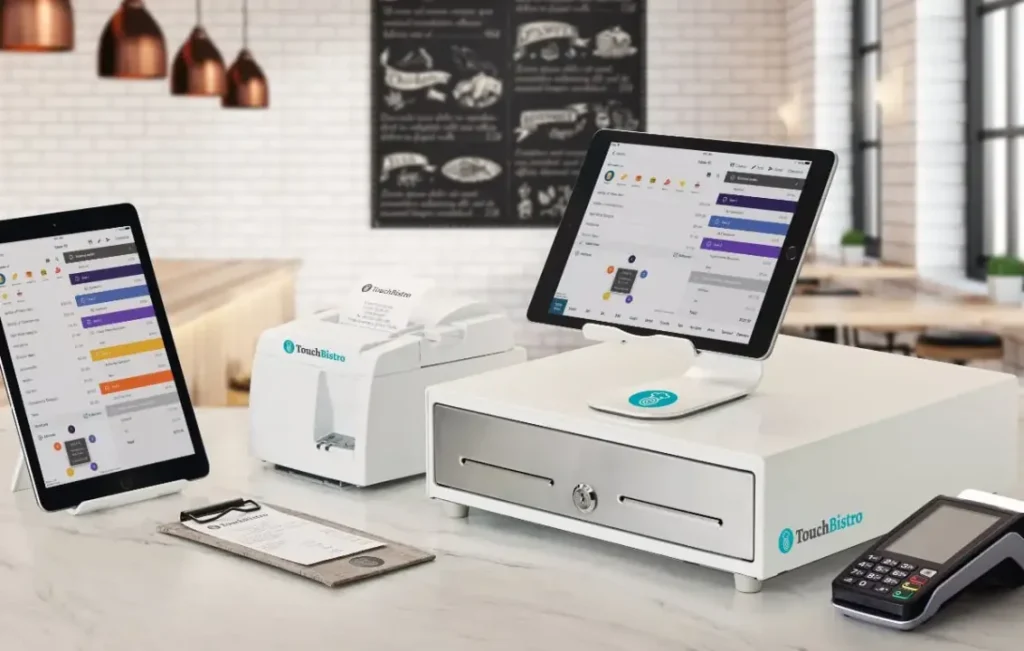
TouchBistro is an iPad-based POS system designed for the food and beverage industry. With features like order management, tableside ordering, and real-time reporting, it caters to the specific needs of restaurants.
Highlights:
iPad-Based: Combines mobility with powerful restaurant management tools.
Comprehensive Features: Covers ordering, payment, inventory, staff, and reporting.
Pros:
Intuitive Interface: Easy to use for both staff and management, reducing training time.
Tableside Ordering: Enhance guest experience and streamline order taking.
Reporting and Analytics: Gain insights into sales, staff performance, and customer preferences.
Integration: Connects with various third-party apps and services for extended functionality.
Scalability: Suitable for single-location restaurants to multi-location chains.
Cons:
Pricing: This can be higher compared to basic POS systems, especially for smaller businesses.
Offline Functionality: Limited features may be available offline, and internet access is required for full functionality.
Learning Curve: Some users report a learning curve during the initial setup and training.
Pricing:
$69-$399/month. Tiered pricing based on features and number of registers.
Industry Rating: Rated 3.9/5 on Capterra (Based on 398 reviews)
Conclusion:
TouchBistro offers a powerful iPad-based solution for restaurants, providing a balance between mobility and functionality. However, consider the pricing, potential limitations in offline functionality, and the learning curve before making a decision. Assess your restaurant’s specific needs and budget to determine if TouchBistro is the right fit.
Perfect for: Full-service restaurants, cafes, and bars seeking a mobile POS solution.
How to choose the right software?
Choosing the right restaurant POS software is a crucial decision that can significantly impact your business operations. Here are some key factors to consider when making your decision:
Type of Restaurant:
Consider the nature of your restaurant, whether it’s a quick-service restaurant, full-service restaurant, bar, or cafe. Different establishments have varying needs regarding order management, table service, and kitchen coordination.
Features and Functionality:
Evaluate the features each POS software offers and match them with your specific needs. Look for functionalities such as order management, tableside ordering, inventory management, reporting, and integrations with your existing business tools.
Scalability:
Choose a POS system that can scale with your business. Whether you’re a single-location restaurant planning to expand or a growing chain, scalability ensures that the software can adapt to your changing needs while remaining cost-effective.
Ease of Use:
User-friendliness is crucial, especially in a fast-paced restaurant environment. The software should be intuitive and require minimal training for your staff to operate effectively.
Integration Capabilities:
Consider whether the POS software can integrate with other systems, such as accounting software, online ordering platforms, and loyalty programs. Integration ensures seamless data flow across various aspects of your business.
Cost and Pricing Structure:
Evaluate the overall cost of ownership, including any upfront fees, subscription costs, and transaction fees. Some POS software options offer transparent and straightforward pricing, while others may have complex fee structures.
Customer Support:
Good customer support is essential for resolving issues promptly. Consider the level of support each POS software provides, including the availability of training resources, online documentation, and responsive customer service.
Reviews and Recommendations:
Look for reviews and recommendations from other restaurant owners or managers who have used the POS software. Their experiences can provide valuable insights into the software’s performance, reliability, and customer satisfaction.
Security and Compliance:
Ensure that the POS software adheres to industry standards for security and compliance, especially concerning payment processing. PCI compliance is crucial to protect customer data and maintain trust.
By carefully considering the aforementioned factors, you can make an informed decision and choose the restaurant POS software that aligns with your business goals and operational requirements.
Final Thoughts:
The right POS software can be your secret weapon, streamlining operations, delighting customers, and propelling your business to success in 2024 (and beyond!). Whether you prioritize flawless user-friendliness, cutting-edge features, or wallet-friendly options, just like crafting the perfect menu, choosing the right software requires understanding your unique needs. Don’t be shy to test-drive each contender through trials or demos.
Investing in reliable and efficient POS software streamlines your daily operations and enhances your customers’ overall dining experience. Remember, it’s about staying ahead of the curve and setting your establishment on a path to sustained success.
There’s no single “most popular” POS system for restaurants, as the best choice depends on factors like restaurant size, type of service (dine-in, quick-service, etc.), and budget.
There isn’t a single best POS software for everyone, as the ideal solution depends on your specific business. Identify your requirements by talking to your team and the challenges they face and be cognizant of your budget.
McDonald’s uses the NewPOS NP6 system, also known as the McDonald’s NP6, MediaWorks NewPOS, or MW NewPOS (as well as Torex or Savista NewPOS). It runs a version of Microsoft Windows XP Embedded
Data security is paramount. Ensure the software is PCI-compliant and employs robust security measures to protect customer information: research reviews and the company’s reputation for security practices.
POS restaurant software, or Point of Sale restaurant software, is a system used by restaurants to manage transactions and streamline operations. It typically includes features for order taking, billing, inventory management, and customer management, helping restaurants improve efficiency, accuracy, and customer service.
Choosing the best software for your restaurant depends on your specific needs and the size of your operation. Some common platforms are – Simphony Point of Sale, NCR Voyix, Restroworks, Toast, and PAR Brink.
User-Friendly Interface: Streamlined and intuitive for staff of all experience levels.
Detailed Reporting: Gain insights into sales, inventory, performance, and customer behavior.
Security and Compliance: PCI-compliant for secure payments and protects customer data.
Scalability: Accommodates restaurants of all sizes, from independents to multi-location chains.
Cons:
Limited Offline Functionality: Internet access is required for most features.
Customer Support: Some users report mixed experiences with response times and issues resolved.
Pricing:
$49-$199/month. Tiered pricing based on features and number of registers.
Industry Rating: Rated 4.6/5 on Capterra(based on 517 reviews)
Conclusion:
CAKE POS offers compelling features and flexibility for restaurants seeking a cloud-based solution. However, consider the potential drawbacks regarding cost, offline functionality, and support availability before making a decision. Carefully evaluate your requirements and explore alternatives to make an informed choice that aligns with your restaurant’s unique needs.
Perfect for: Bakeries, cafes, pastry shops, and dessert-focused businesses.
TouchBistro is an iPad-based POS system designed for the food and beverage industry. With features like order management, tableside ordering, and real-time reporting, it caters to the specific needs of restaurants.
Highlights:
iPad-Based: Combines mobility with powerful restaurant management tools.
Comprehensive Features: Covers ordering, payment, inventory, staff, and reporting.
Pros:
Intuitive Interface: Easy to use for both staff and management, reducing training time.
Tableside Ordering: Enhance guest experience and streamline order taking.
Reporting and Analytics: Gain insights into sales, staff performance, and customer preferences.
Integration: Connects with various third-party apps and services for extended functionality.
Scalability: Suitable for single-location restaurants to multi-location chains.
Cons:
Pricing: This can be higher compared to basic POS systems, especially for smaller businesses.
Offline Functionality: Limited features may be available offline, and internet access is required for full functionality.
Learning Curve: Some users report a learning curve during the initial setup and training.
Pricing:
$69-$399/month. Tiered pricing based on features and number of registers.
Industry Rating: Rated 3.9/5 on Capterra (Based on 398 reviews)
Conclusion:
TouchBistro offers a powerful iPad-based solution for restaurants, providing a balance between mobility and functionality. However, consider the pricing, potential limitations in offline functionality, and the learning curve before making a decision. Assess your restaurant’s specific needs and budget to determine if TouchBistro is the right fit.
Perfect for: Full-service restaurants, cafes, and bars seeking a mobile POS solution.
How to choose the right software?
Choosing the right restaurant POS software is a crucial decision that can significantly impact your business operations. Here are some key factors to consider when making your decision:
Type of Restaurant:
Consider the nature of your restaurant, whether it’s a quick-service restaurant, full-service restaurant, bar, or cafe. Different establishments have varying needs regarding order management, table service, and kitchen coordination.
Features and Functionality:
Evaluate the features each POS software offers and match them with your specific needs. Look for functionalities such as order management, tableside ordering, inventory management, reporting, and integrations with your existing business tools.
Scalability:
Choose a POS system that can scale with your business. Whether you’re a single-location restaurant planning to expand or a growing chain, scalability ensures that the software can adapt to your changing needs while remaining cost-effective.
Ease of Use:
User-friendliness is crucial, especially in a fast-paced restaurant environment. The software should be intuitive and require minimal training for your staff to operate effectively.
Integration Capabilities:
Consider whether the POS software can integrate with other systems, such as accounting software, online ordering platforms, and loyalty programs. Integration ensures seamless data flow across various aspects of your business.
Cost and Pricing Structure:
Evaluate the overall cost of ownership, including any upfront fees, subscription costs, and transaction fees. Some POS software options offer transparent and straightforward pricing, while others may have complex fee structures.
Customer Support:
Good customer support is essential for resolving issues promptly. Consider the level of support each POS software provides, including the availability of training resources, online documentation, and responsive customer service.
Reviews and Recommendations:
Look for reviews and recommendations from other restaurant owners or managers who have used the POS software. Their experiences can provide valuable insights into the software’s performance, reliability, and customer satisfaction.
Security and Compliance:
Ensure that the POS software adheres to industry standards for security and compliance, especially concerning payment processing. PCI compliance is crucial to protect customer data and maintain trust.
By carefully considering the aforementioned factors, you can make an informed decision and choose the restaurant POS software that aligns with your business goals and operational requirements.
Final Thoughts:
The right POS software can be your secret weapon, streamlining operations, delighting customers, and propelling your business to success in 2024 (and beyond!). Whether you prioritize flawless user-friendliness, cutting-edge features, or wallet-friendly options, just like crafting the perfect menu, choosing the right software requires understanding your unique needs. Don’t be shy to test-drive each contender through trials or demos.
Investing in reliable and efficient POS software streamlines your daily operations and enhances your customers’ overall dining experience. Remember, it’s about staying ahead of the curve and setting your establishment on a path to sustained success.
There’s no single “most popular” POS system for restaurants, as the best choice depends on factors like restaurant size, type of service (dine-in, quick-service, etc.), and budget.
There isn’t a single best POS software for everyone, as the ideal solution depends on your specific business. Identify your requirements by talking to your team and the challenges they face and be cognizant of your budget.
McDonald’s uses the NewPOS NP6 system, also known as the McDonald’s NP6, MediaWorks NewPOS, or MW NewPOS (as well as Torex or Savista NewPOS). It runs a version of Microsoft Windows XP Embedded
Data security is paramount. Ensure the software is PCI-compliant and employs robust security measures to protect customer information: research reviews and the company’s reputation for security practices.
POS restaurant software, or Point of Sale restaurant software, is a system used by restaurants to manage transactions and streamline operations. It typically includes features for order taking, billing, inventory management, and customer management, helping restaurants improve efficiency, accuracy, and customer service.
Choosing the best software for your restaurant depends on your specific needs and the size of your operation. Some common platforms are – Simphony Point of Sale, NCR Voyix, Restroworks, Toast, and PAR Brink.
Cloud-Based: Enjoy flexible access, automatic updates, and disaster recovery.
Mobile-Friendly: Take orders, process payments, and manage operations on the go.
User-Friendly Interface: Streamlined and intuitive for staff of all experience levels.
Detailed Reporting: Gain insights into sales, inventory, performance, and customer behavior.
Security and Compliance: PCI-compliant for secure payments and protects customer data.
Scalability: Accommodates restaurants of all sizes, from independents to multi-location chains.
Cons:
Limited Offline Functionality: Internet access is required for most features.
Customer Support: Some users report mixed experiences with response times and issues resolved.
Pricing:
$49-$199/month. Tiered pricing based on features and number of registers.
Industry Rating: Rated 4.6/5 on Capterra(based on 517 reviews)
Conclusion:
CAKE POS offers compelling features and flexibility for restaurants seeking a cloud-based solution. However, consider the potential drawbacks regarding cost, offline functionality, and support availability before making a decision. Carefully evaluate your requirements and explore alternatives to make an informed choice that aligns with your restaurant’s unique needs.
Perfect for: Bakeries, cafes, pastry shops, and dessert-focused businesses.
TouchBistro is an iPad-based POS system designed for the food and beverage industry. With features like order management, tableside ordering, and real-time reporting, it caters to the specific needs of restaurants.
Highlights:
iPad-Based: Combines mobility with powerful restaurant management tools.
Comprehensive Features: Covers ordering, payment, inventory, staff, and reporting.
Pros:
Intuitive Interface: Easy to use for both staff and management, reducing training time.
Tableside Ordering: Enhance guest experience and streamline order taking.
Reporting and Analytics: Gain insights into sales, staff performance, and customer preferences.
Integration: Connects with various third-party apps and services for extended functionality.
Scalability: Suitable for single-location restaurants to multi-location chains.
Cons:
Pricing: This can be higher compared to basic POS systems, especially for smaller businesses.
Offline Functionality: Limited features may be available offline, and internet access is required for full functionality.
Learning Curve: Some users report a learning curve during the initial setup and training.
Pricing:
$69-$399/month. Tiered pricing based on features and number of registers.
Industry Rating: Rated 3.9/5 on Capterra (Based on 398 reviews)
Conclusion:
TouchBistro offers a powerful iPad-based solution for restaurants, providing a balance between mobility and functionality. However, consider the pricing, potential limitations in offline functionality, and the learning curve before making a decision. Assess your restaurant’s specific needs and budget to determine if TouchBistro is the right fit.
Perfect for: Full-service restaurants, cafes, and bars seeking a mobile POS solution.
How to choose the right software?
Choosing the right restaurant POS software is a crucial decision that can significantly impact your business operations. Here are some key factors to consider when making your decision:
Type of Restaurant:
Consider the nature of your restaurant, whether it’s a quick-service restaurant, full-service restaurant, bar, or cafe. Different establishments have varying needs regarding order management, table service, and kitchen coordination.
Features and Functionality:
Evaluate the features each POS software offers and match them with your specific needs. Look for functionalities such as order management, tableside ordering, inventory management, reporting, and integrations with your existing business tools.
Scalability:
Choose a POS system that can scale with your business. Whether you’re a single-location restaurant planning to expand or a growing chain, scalability ensures that the software can adapt to your changing needs while remaining cost-effective.
Ease of Use:
User-friendliness is crucial, especially in a fast-paced restaurant environment. The software should be intuitive and require minimal training for your staff to operate effectively.
Integration Capabilities:
Consider whether the POS software can integrate with other systems, such as accounting software, online ordering platforms, and loyalty programs. Integration ensures seamless data flow across various aspects of your business.
Cost and Pricing Structure:
Evaluate the overall cost of ownership, including any upfront fees, subscription costs, and transaction fees. Some POS software options offer transparent and straightforward pricing, while others may have complex fee structures.
Customer Support:
Good customer support is essential for resolving issues promptly. Consider the level of support each POS software provides, including the availability of training resources, online documentation, and responsive customer service.
Reviews and Recommendations:
Look for reviews and recommendations from other restaurant owners or managers who have used the POS software. Their experiences can provide valuable insights into the software’s performance, reliability, and customer satisfaction.
Security and Compliance:
Ensure that the POS software adheres to industry standards for security and compliance, especially concerning payment processing. PCI compliance is crucial to protect customer data and maintain trust.
By carefully considering the aforementioned factors, you can make an informed decision and choose the restaurant POS software that aligns with your business goals and operational requirements.
Final Thoughts:
The right POS software can be your secret weapon, streamlining operations, delighting customers, and propelling your business to success in 2024 (and beyond!). Whether you prioritize flawless user-friendliness, cutting-edge features, or wallet-friendly options, just like crafting the perfect menu, choosing the right software requires understanding your unique needs. Don’t be shy to test-drive each contender through trials or demos.
Investing in reliable and efficient POS software streamlines your daily operations and enhances your customers’ overall dining experience. Remember, it’s about staying ahead of the curve and setting your establishment on a path to sustained success.
There’s no single “most popular” POS system for restaurants, as the best choice depends on factors like restaurant size, type of service (dine-in, quick-service, etc.), and budget.
There isn’t a single best POS software for everyone, as the ideal solution depends on your specific business. Identify your requirements by talking to your team and the challenges they face and be cognizant of your budget.
McDonald’s uses the NewPOS NP6 system, also known as the McDonald’s NP6, MediaWorks NewPOS, or MW NewPOS (as well as Torex or Savista NewPOS). It runs a version of Microsoft Windows XP Embedded
Data security is paramount. Ensure the software is PCI-compliant and employs robust security measures to protect customer information: research reviews and the company’s reputation for security practices.
POS restaurant software, or Point of Sale restaurant software, is a system used by restaurants to manage transactions and streamline operations. It typically includes features for order taking, billing, inventory management, and customer management, helping restaurants improve efficiency, accuracy, and customer service.
Choosing the best software for your restaurant depends on your specific needs and the size of your operation. Some common platforms are – Simphony Point of Sale, NCR Voyix, Restroworks, Toast, and PAR Brink.
Internet dependency: Requires reliable internet access for full functionality.
Learning curve: The feature-rich platform may require initial training for some users.
Pricing:
$49-$179/month. Tiered pricing based on features and number of registers.
Industry Rating: Rated 3.9/5 on Capterra ( based on 17 reviews)
Conclusion:
Squirrel POS is a powerful and feature-rich solution for restaurants of all sizes, offering flexibility, mobility, and all-in-one functionality. However, its cost and learning curve may be drawbacks for smaller businesses.
Perfect for: Tech-savvy restaurants, developers looking for customization, and budget-conscious businesses.
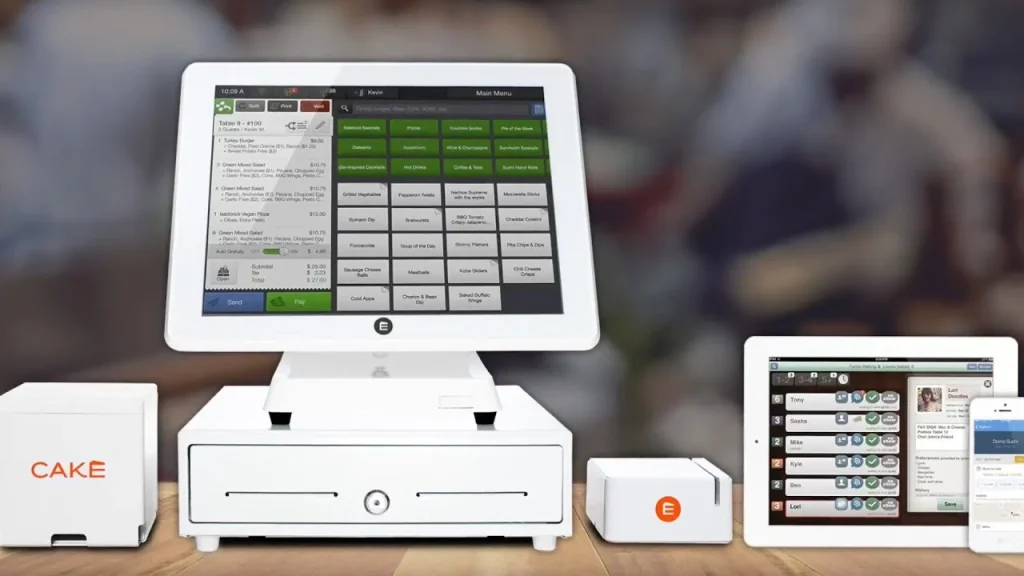
CAKE POS is a user-friendly system designed for restaurants. With features like menu management, tableside ordering, and real-time analytics, it facilitates efficient operations and enhanced customer experiences.
Highlights:
Cloud-Based: Enjoy flexible access, automatic updates, and disaster recovery.
Mobile-Friendly: Take orders, process payments, and manage operations on the go.
User-Friendly Interface: Streamlined and intuitive for staff of all experience levels.
Detailed Reporting: Gain insights into sales, inventory, performance, and customer behavior.
Security and Compliance: PCI-compliant for secure payments and protects customer data.
Scalability: Accommodates restaurants of all sizes, from independents to multi-location chains.
Cons:
Limited Offline Functionality: Internet access is required for most features.
Customer Support: Some users report mixed experiences with response times and issues resolved.
Pricing:
$49-$199/month. Tiered pricing based on features and number of registers.
Industry Rating: Rated 4.6/5 on Capterra(based on 517 reviews)
Conclusion:
CAKE POS offers compelling features and flexibility for restaurants seeking a cloud-based solution. However, consider the potential drawbacks regarding cost, offline functionality, and support availability before making a decision. Carefully evaluate your requirements and explore alternatives to make an informed choice that aligns with your restaurant’s unique needs.
Perfect for: Bakeries, cafes, pastry shops, and dessert-focused businesses.
TouchBistro is an iPad-based POS system designed for the food and beverage industry. With features like order management, tableside ordering, and real-time reporting, it caters to the specific needs of restaurants.
Highlights:
iPad-Based: Combines mobility with powerful restaurant management tools.
Comprehensive Features: Covers ordering, payment, inventory, staff, and reporting.
Pros:
Intuitive Interface: Easy to use for both staff and management, reducing training time.
Tableside Ordering: Enhance guest experience and streamline order taking.
Reporting and Analytics: Gain insights into sales, staff performance, and customer preferences.
Integration: Connects with various third-party apps and services for extended functionality.
Scalability: Suitable for single-location restaurants to multi-location chains.
Cons:
Pricing: This can be higher compared to basic POS systems, especially for smaller businesses.
Offline Functionality: Limited features may be available offline, and internet access is required for full functionality.
Learning Curve: Some users report a learning curve during the initial setup and training.
Pricing:
$69-$399/month. Tiered pricing based on features and number of registers.
Industry Rating: Rated 3.9/5 on Capterra (Based on 398 reviews)
Conclusion:
TouchBistro offers a powerful iPad-based solution for restaurants, providing a balance between mobility and functionality. However, consider the pricing, potential limitations in offline functionality, and the learning curve before making a decision. Assess your restaurant’s specific needs and budget to determine if TouchBistro is the right fit.
Perfect for: Full-service restaurants, cafes, and bars seeking a mobile POS solution.
How to choose the right software?
Choosing the right restaurant POS software is a crucial decision that can significantly impact your business operations. Here are some key factors to consider when making your decision:
Type of Restaurant:
Consider the nature of your restaurant, whether it’s a quick-service restaurant, full-service restaurant, bar, or cafe. Different establishments have varying needs regarding order management, table service, and kitchen coordination.
Features and Functionality:
Evaluate the features each POS software offers and match them with your specific needs. Look for functionalities such as order management, tableside ordering, inventory management, reporting, and integrations with your existing business tools.
Scalability:
Choose a POS system that can scale with your business. Whether you’re a single-location restaurant planning to expand or a growing chain, scalability ensures that the software can adapt to your changing needs while remaining cost-effective.
Ease of Use:
User-friendliness is crucial, especially in a fast-paced restaurant environment. The software should be intuitive and require minimal training for your staff to operate effectively.
Integration Capabilities:
Consider whether the POS software can integrate with other systems, such as accounting software, online ordering platforms, and loyalty programs. Integration ensures seamless data flow across various aspects of your business.
Cost and Pricing Structure:
Evaluate the overall cost of ownership, including any upfront fees, subscription costs, and transaction fees. Some POS software options offer transparent and straightforward pricing, while others may have complex fee structures.
Customer Support:
Good customer support is essential for resolving issues promptly. Consider the level of support each POS software provides, including the availability of training resources, online documentation, and responsive customer service.
Reviews and Recommendations:
Look for reviews and recommendations from other restaurant owners or managers who have used the POS software. Their experiences can provide valuable insights into the software’s performance, reliability, and customer satisfaction.
Security and Compliance:
Ensure that the POS software adheres to industry standards for security and compliance, especially concerning payment processing. PCI compliance is crucial to protect customer data and maintain trust.
By carefully considering the aforementioned factors, you can make an informed decision and choose the restaurant POS software that aligns with your business goals and operational requirements.
Final Thoughts:
The right POS software can be your secret weapon, streamlining operations, delighting customers, and propelling your business to success in 2024 (and beyond!). Whether you prioritize flawless user-friendliness, cutting-edge features, or wallet-friendly options, just like crafting the perfect menu, choosing the right software requires understanding your unique needs. Don’t be shy to test-drive each contender through trials or demos.
Investing in reliable and efficient POS software streamlines your daily operations and enhances your customers’ overall dining experience. Remember, it’s about staying ahead of the curve and setting your establishment on a path to sustained success.
There’s no single “most popular” POS system for restaurants, as the best choice depends on factors like restaurant size, type of service (dine-in, quick-service, etc.), and budget.
There isn’t a single best POS software for everyone, as the ideal solution depends on your specific business. Identify your requirements by talking to your team and the challenges they face and be cognizant of your budget.
McDonald’s uses the NewPOS NP6 system, also known as the McDonald’s NP6, MediaWorks NewPOS, or MW NewPOS (as well as Torex or Savista NewPOS). It runs a version of Microsoft Windows XP Embedded
Data security is paramount. Ensure the software is PCI-compliant and employs robust security measures to protect customer information: research reviews and the company’s reputation for security practices.
POS restaurant software, or Point of Sale restaurant software, is a system used by restaurants to manage transactions and streamline operations. It typically includes features for order taking, billing, inventory management, and customer management, helping restaurants improve efficiency, accuracy, and customer service.
Choosing the best software for your restaurant depends on your specific needs and the size of your operation. Some common platforms are – Simphony Point of Sale, NCR Voyix, Restroworks, Toast, and PAR Brink.
Mobile ordering: Increase table turns and check sizes with tableside ordering and payments.
Multi-location management: Easily manage multiple restaurants with centralized control and reporting.
24/7 support: Get help whenever you need it with dedicated customer support.
Cons:
Internet dependency: Requires reliable internet access for full functionality.
Learning curve: The feature-rich platform may require initial training for some users.
Pricing:
$49-$179/month. Tiered pricing based on features and number of registers.
Industry Rating: Rated 3.9/5 on Capterra ( based on 17 reviews)
Conclusion:
Squirrel POS is a powerful and feature-rich solution for restaurants of all sizes, offering flexibility, mobility, and all-in-one functionality. However, its cost and learning curve may be drawbacks for smaller businesses.
Perfect for: Tech-savvy restaurants, developers looking for customization, and budget-conscious businesses.
CAKE POS is a user-friendly system designed for restaurants. With features like menu management, tableside ordering, and real-time analytics, it facilitates efficient operations and enhanced customer experiences.
Highlights:
Cloud-Based: Enjoy flexible access, automatic updates, and disaster recovery.
Mobile-Friendly: Take orders, process payments, and manage operations on the go.
User-Friendly Interface: Streamlined and intuitive for staff of all experience levels.
Detailed Reporting: Gain insights into sales, inventory, performance, and customer behavior.
Security and Compliance: PCI-compliant for secure payments and protects customer data.
Scalability: Accommodates restaurants of all sizes, from independents to multi-location chains.
Cons:
Limited Offline Functionality: Internet access is required for most features.
Customer Support: Some users report mixed experiences with response times and issues resolved.
Pricing:
$49-$199/month. Tiered pricing based on features and number of registers.
Industry Rating: Rated 4.6/5 on Capterra(based on 517 reviews)
Conclusion:
CAKE POS offers compelling features and flexibility for restaurants seeking a cloud-based solution. However, consider the potential drawbacks regarding cost, offline functionality, and support availability before making a decision. Carefully evaluate your requirements and explore alternatives to make an informed choice that aligns with your restaurant’s unique needs.
Perfect for: Bakeries, cafes, pastry shops, and dessert-focused businesses.
TouchBistro is an iPad-based POS system designed for the food and beverage industry. With features like order management, tableside ordering, and real-time reporting, it caters to the specific needs of restaurants.
Highlights:
iPad-Based: Combines mobility with powerful restaurant management tools.
Comprehensive Features: Covers ordering, payment, inventory, staff, and reporting.
Pros:
Intuitive Interface: Easy to use for both staff and management, reducing training time.
Tableside Ordering: Enhance guest experience and streamline order taking.
Reporting and Analytics: Gain insights into sales, staff performance, and customer preferences.
Integration: Connects with various third-party apps and services for extended functionality.
Scalability: Suitable for single-location restaurants to multi-location chains.
Cons:
Pricing: This can be higher compared to basic POS systems, especially for smaller businesses.
Offline Functionality: Limited features may be available offline, and internet access is required for full functionality.
Learning Curve: Some users report a learning curve during the initial setup and training.
Pricing:
$69-$399/month. Tiered pricing based on features and number of registers.
Industry Rating: Rated 3.9/5 on Capterra (Based on 398 reviews)
Conclusion:
TouchBistro offers a powerful iPad-based solution for restaurants, providing a balance between mobility and functionality. However, consider the pricing, potential limitations in offline functionality, and the learning curve before making a decision. Assess your restaurant’s specific needs and budget to determine if TouchBistro is the right fit.
Perfect for: Full-service restaurants, cafes, and bars seeking a mobile POS solution.
How to choose the right software?
Choosing the right restaurant POS software is a crucial decision that can significantly impact your business operations. Here are some key factors to consider when making your decision:
Type of Restaurant:
Consider the nature of your restaurant, whether it’s a quick-service restaurant, full-service restaurant, bar, or cafe. Different establishments have varying needs regarding order management, table service, and kitchen coordination.
Features and Functionality:
Evaluate the features each POS software offers and match them with your specific needs. Look for functionalities such as order management, tableside ordering, inventory management, reporting, and integrations with your existing business tools.
Scalability:
Choose a POS system that can scale with your business. Whether you’re a single-location restaurant planning to expand or a growing chain, scalability ensures that the software can adapt to your changing needs while remaining cost-effective.
Ease of Use:
User-friendliness is crucial, especially in a fast-paced restaurant environment. The software should be intuitive and require minimal training for your staff to operate effectively.
Integration Capabilities:
Consider whether the POS software can integrate with other systems, such as accounting software, online ordering platforms, and loyalty programs. Integration ensures seamless data flow across various aspects of your business.
Cost and Pricing Structure:
Evaluate the overall cost of ownership, including any upfront fees, subscription costs, and transaction fees. Some POS software options offer transparent and straightforward pricing, while others may have complex fee structures.
Customer Support:
Good customer support is essential for resolving issues promptly. Consider the level of support each POS software provides, including the availability of training resources, online documentation, and responsive customer service.
Reviews and Recommendations:
Look for reviews and recommendations from other restaurant owners or managers who have used the POS software. Their experiences can provide valuable insights into the software’s performance, reliability, and customer satisfaction.
Security and Compliance:
Ensure that the POS software adheres to industry standards for security and compliance, especially concerning payment processing. PCI compliance is crucial to protect customer data and maintain trust.
By carefully considering the aforementioned factors, you can make an informed decision and choose the restaurant POS software that aligns with your business goals and operational requirements.
Final Thoughts:
The right POS software can be your secret weapon, streamlining operations, delighting customers, and propelling your business to success in 2024 (and beyond!). Whether you prioritize flawless user-friendliness, cutting-edge features, or wallet-friendly options, just like crafting the perfect menu, choosing the right software requires understanding your unique needs. Don’t be shy to test-drive each contender through trials or demos.
Investing in reliable and efficient POS software streamlines your daily operations and enhances your customers’ overall dining experience. Remember, it’s about staying ahead of the curve and setting your establishment on a path to sustained success.
There’s no single “most popular” POS system for restaurants, as the best choice depends on factors like restaurant size, type of service (dine-in, quick-service, etc.), and budget.
There isn’t a single best POS software for everyone, as the ideal solution depends on your specific business. Identify your requirements by talking to your team and the challenges they face and be cognizant of your budget.
McDonald’s uses the NewPOS NP6 system, also known as the McDonald’s NP6, MediaWorks NewPOS, or MW NewPOS (as well as Torex or Savista NewPOS). It runs a version of Microsoft Windows XP Embedded
Data security is paramount. Ensure the software is PCI-compliant and employs robust security measures to protect customer information: research reviews and the company’s reputation for security practices.
POS restaurant software, or Point of Sale restaurant software, is a system used by restaurants to manage transactions and streamline operations. It typically includes features for order taking, billing, inventory management, and customer management, helping restaurants improve efficiency, accuracy, and customer service.
Choosing the best software for your restaurant depends on your specific needs and the size of your operation. Some common platforms are – Simphony Point of Sale, NCR Voyix, Restroworks, Toast, and PAR Brink.
Flexibility: Cloud-based or on-premise options, customizable workflows, compatible with various hardware.
All-in-one solution: Handles orders, payments, inventory, reporting, loyalty programs, reservations, and more.
Pros:
Mobile ordering: Increase table turns and check sizes with tableside ordering and payments.
Multi-location management: Easily manage multiple restaurants with centralized control and reporting.
24/7 support: Get help whenever you need it with dedicated customer support.
Cons:
Internet dependency: Requires reliable internet access for full functionality.
Learning curve: The feature-rich platform may require initial training for some users.
Pricing:
$49-$179/month. Tiered pricing based on features and number of registers.
Industry Rating: Rated 3.9/5 on Capterra ( based on 17 reviews)
Conclusion:
Squirrel POS is a powerful and feature-rich solution for restaurants of all sizes, offering flexibility, mobility, and all-in-one functionality. However, its cost and learning curve may be drawbacks for smaller businesses.
Perfect for: Tech-savvy restaurants, developers looking for customization, and budget-conscious businesses.
CAKE POS is a user-friendly system designed for restaurants. With features like menu management, tableside ordering, and real-time analytics, it facilitates efficient operations and enhanced customer experiences.
Highlights:
Cloud-Based: Enjoy flexible access, automatic updates, and disaster recovery.
Mobile-Friendly: Take orders, process payments, and manage operations on the go.
User-Friendly Interface: Streamlined and intuitive for staff of all experience levels.
Detailed Reporting: Gain insights into sales, inventory, performance, and customer behavior.
Security and Compliance: PCI-compliant for secure payments and protects customer data.
Scalability: Accommodates restaurants of all sizes, from independents to multi-location chains.
Cons:
Limited Offline Functionality: Internet access is required for most features.
Customer Support: Some users report mixed experiences with response times and issues resolved.
Pricing:
$49-$199/month. Tiered pricing based on features and number of registers.
Industry Rating: Rated 4.6/5 on Capterra(based on 517 reviews)
Conclusion:
CAKE POS offers compelling features and flexibility for restaurants seeking a cloud-based solution. However, consider the potential drawbacks regarding cost, offline functionality, and support availability before making a decision. Carefully evaluate your requirements and explore alternatives to make an informed choice that aligns with your restaurant’s unique needs.
Perfect for: Bakeries, cafes, pastry shops, and dessert-focused businesses.
TouchBistro is an iPad-based POS system designed for the food and beverage industry. With features like order management, tableside ordering, and real-time reporting, it caters to the specific needs of restaurants.
Highlights:
iPad-Based: Combines mobility with powerful restaurant management tools.
Comprehensive Features: Covers ordering, payment, inventory, staff, and reporting.
Pros:
Intuitive Interface: Easy to use for both staff and management, reducing training time.
Tableside Ordering: Enhance guest experience and streamline order taking.
Reporting and Analytics: Gain insights into sales, staff performance, and customer preferences.
Integration: Connects with various third-party apps and services for extended functionality.
Scalability: Suitable for single-location restaurants to multi-location chains.
Cons:
Pricing: This can be higher compared to basic POS systems, especially for smaller businesses.
Offline Functionality: Limited features may be available offline, and internet access is required for full functionality.
Learning Curve: Some users report a learning curve during the initial setup and training.
Pricing:
$69-$399/month. Tiered pricing based on features and number of registers.
Industry Rating: Rated 3.9/5 on Capterra (Based on 398 reviews)
Conclusion:
TouchBistro offers a powerful iPad-based solution for restaurants, providing a balance between mobility and functionality. However, consider the pricing, potential limitations in offline functionality, and the learning curve before making a decision. Assess your restaurant’s specific needs and budget to determine if TouchBistro is the right fit.
Perfect for: Full-service restaurants, cafes, and bars seeking a mobile POS solution.
How to choose the right software?
Choosing the right restaurant POS software is a crucial decision that can significantly impact your business operations. Here are some key factors to consider when making your decision:
Type of Restaurant:
Consider the nature of your restaurant, whether it’s a quick-service restaurant, full-service restaurant, bar, or cafe. Different establishments have varying needs regarding order management, table service, and kitchen coordination.
Features and Functionality:
Evaluate the features each POS software offers and match them with your specific needs. Look for functionalities such as order management, tableside ordering, inventory management, reporting, and integrations with your existing business tools.
Scalability:
Choose a POS system that can scale with your business. Whether you’re a single-location restaurant planning to expand or a growing chain, scalability ensures that the software can adapt to your changing needs while remaining cost-effective.
Ease of Use:
User-friendliness is crucial, especially in a fast-paced restaurant environment. The software should be intuitive and require minimal training for your staff to operate effectively.
Integration Capabilities:
Consider whether the POS software can integrate with other systems, such as accounting software, online ordering platforms, and loyalty programs. Integration ensures seamless data flow across various aspects of your business.
Cost and Pricing Structure:
Evaluate the overall cost of ownership, including any upfront fees, subscription costs, and transaction fees. Some POS software options offer transparent and straightforward pricing, while others may have complex fee structures.
Customer Support:
Good customer support is essential for resolving issues promptly. Consider the level of support each POS software provides, including the availability of training resources, online documentation, and responsive customer service.
Reviews and Recommendations:
Look for reviews and recommendations from other restaurant owners or managers who have used the POS software. Their experiences can provide valuable insights into the software’s performance, reliability, and customer satisfaction.
Security and Compliance:
Ensure that the POS software adheres to industry standards for security and compliance, especially concerning payment processing. PCI compliance is crucial to protect customer data and maintain trust.
By carefully considering the aforementioned factors, you can make an informed decision and choose the restaurant POS software that aligns with your business goals and operational requirements.
Final Thoughts:
The right POS software can be your secret weapon, streamlining operations, delighting customers, and propelling your business to success in 2024 (and beyond!). Whether you prioritize flawless user-friendliness, cutting-edge features, or wallet-friendly options, just like crafting the perfect menu, choosing the right software requires understanding your unique needs. Don’t be shy to test-drive each contender through trials or demos.
Investing in reliable and efficient POS software streamlines your daily operations and enhances your customers’ overall dining experience. Remember, it’s about staying ahead of the curve and setting your establishment on a path to sustained success.
There’s no single “most popular” POS system for restaurants, as the best choice depends on factors like restaurant size, type of service (dine-in, quick-service, etc.), and budget.
There isn’t a single best POS software for everyone, as the ideal solution depends on your specific business. Identify your requirements by talking to your team and the challenges they face and be cognizant of your budget.
McDonald’s uses the NewPOS NP6 system, also known as the McDonald’s NP6, MediaWorks NewPOS, or MW NewPOS (as well as Torex or Savista NewPOS). It runs a version of Microsoft Windows XP Embedded
Data security is paramount. Ensure the software is PCI-compliant and employs robust security measures to protect customer information: research reviews and the company’s reputation for security practices.
POS restaurant software, or Point of Sale restaurant software, is a system used by restaurants to manage transactions and streamline operations. It typically includes features for order taking, billing, inventory management, and customer management, helping restaurants improve efficiency, accuracy, and customer service.
Choosing the best software for your restaurant depends on your specific needs and the size of your operation. Some common platforms are – Simphony Point of Sale, NCR Voyix, Restroworks, Toast, and PAR Brink.
Complex setup: Initial setup can be challenging.
Limited offline functionality: Internet access is required for most features.
Pricing:
$99-$199/month. Tiered pricing based on features and number of registers.
Industry Rating: Rated 3.7/5 on Capterra( based on 327 reviews)
Perfect for: Full-service restaurants, multi-location chains, and businesses seeking advanced functionality and scalability.
Squirrel POS is known for its robust and tailored solutions for the hospitality industry. With features like order management, tableside ordering, and reporting, it provides a comprehensive solution for restaurants.
Highlights:
Flexibility: Cloud-based or on-premise options, customizable workflows, compatible with various hardware.
All-in-one solution: Handles orders, payments, inventory, reporting, loyalty programs, reservations, and more.
Pros:
Mobile ordering: Increase table turns and check sizes with tableside ordering and payments.
Multi-location management: Easily manage multiple restaurants with centralized control and reporting.
24/7 support: Get help whenever you need it with dedicated customer support.
Cons:
Internet dependency: Requires reliable internet access for full functionality.
Learning curve: The feature-rich platform may require initial training for some users.
Pricing:
$49-$179/month. Tiered pricing based on features and number of registers.
Industry Rating: Rated 3.9/5 on Capterra ( based on 17 reviews)
Conclusion:
Squirrel POS is a powerful and feature-rich solution for restaurants of all sizes, offering flexibility, mobility, and all-in-one functionality. However, its cost and learning curve may be drawbacks for smaller businesses.
Perfect for: Tech-savvy restaurants, developers looking for customization, and budget-conscious businesses.
CAKE POS is a user-friendly system designed for restaurants. With features like menu management, tableside ordering, and real-time analytics, it facilitates efficient operations and enhanced customer experiences.
Highlights:
Cloud-Based: Enjoy flexible access, automatic updates, and disaster recovery.
Mobile-Friendly: Take orders, process payments, and manage operations on the go.
User-Friendly Interface: Streamlined and intuitive for staff of all experience levels.
Detailed Reporting: Gain insights into sales, inventory, performance, and customer behavior.
Security and Compliance: PCI-compliant for secure payments and protects customer data.
Scalability: Accommodates restaurants of all sizes, from independents to multi-location chains.
Cons:
Limited Offline Functionality: Internet access is required for most features.
Customer Support: Some users report mixed experiences with response times and issues resolved.
Pricing:
$49-$199/month. Tiered pricing based on features and number of registers.
Industry Rating: Rated 4.6/5 on Capterra(based on 517 reviews)
Conclusion:
CAKE POS offers compelling features and flexibility for restaurants seeking a cloud-based solution. However, consider the potential drawbacks regarding cost, offline functionality, and support availability before making a decision. Carefully evaluate your requirements and explore alternatives to make an informed choice that aligns with your restaurant’s unique needs.
Perfect for: Bakeries, cafes, pastry shops, and dessert-focused businesses.
TouchBistro is an iPad-based POS system designed for the food and beverage industry. With features like order management, tableside ordering, and real-time reporting, it caters to the specific needs of restaurants.
Highlights:
iPad-Based: Combines mobility with powerful restaurant management tools.
Comprehensive Features: Covers ordering, payment, inventory, staff, and reporting.
Pros:
Intuitive Interface: Easy to use for both staff and management, reducing training time.
Tableside Ordering: Enhance guest experience and streamline order taking.
Reporting and Analytics: Gain insights into sales, staff performance, and customer preferences.
Integration: Connects with various third-party apps and services for extended functionality.
Scalability: Suitable for single-location restaurants to multi-location chains.
Cons:
Pricing: This can be higher compared to basic POS systems, especially for smaller businesses.
Offline Functionality: Limited features may be available offline, and internet access is required for full functionality.
Learning Curve: Some users report a learning curve during the initial setup and training.
Pricing:
$69-$399/month. Tiered pricing based on features and number of registers.
Industry Rating: Rated 3.9/5 on Capterra (Based on 398 reviews)
Conclusion:
TouchBistro offers a powerful iPad-based solution for restaurants, providing a balance between mobility and functionality. However, consider the pricing, potential limitations in offline functionality, and the learning curve before making a decision. Assess your restaurant’s specific needs and budget to determine if TouchBistro is the right fit.
Perfect for: Full-service restaurants, cafes, and bars seeking a mobile POS solution.
How to choose the right software?
Choosing the right restaurant POS software is a crucial decision that can significantly impact your business operations. Here are some key factors to consider when making your decision:
Type of Restaurant:
Consider the nature of your restaurant, whether it’s a quick-service restaurant, full-service restaurant, bar, or cafe. Different establishments have varying needs regarding order management, table service, and kitchen coordination.
Features and Functionality:
Evaluate the features each POS software offers and match them with your specific needs. Look for functionalities such as order management, tableside ordering, inventory management, reporting, and integrations with your existing business tools.
Scalability:
Choose a POS system that can scale with your business. Whether you’re a single-location restaurant planning to expand or a growing chain, scalability ensures that the software can adapt to your changing needs while remaining cost-effective.
Ease of Use:
User-friendliness is crucial, especially in a fast-paced restaurant environment. The software should be intuitive and require minimal training for your staff to operate effectively.
Integration Capabilities:
Consider whether the POS software can integrate with other systems, such as accounting software, online ordering platforms, and loyalty programs. Integration ensures seamless data flow across various aspects of your business.
Cost and Pricing Structure:
Evaluate the overall cost of ownership, including any upfront fees, subscription costs, and transaction fees. Some POS software options offer transparent and straightforward pricing, while others may have complex fee structures.
Customer Support:
Good customer support is essential for resolving issues promptly. Consider the level of support each POS software provides, including the availability of training resources, online documentation, and responsive customer service.
Reviews and Recommendations:
Look for reviews and recommendations from other restaurant owners or managers who have used the POS software. Their experiences can provide valuable insights into the software’s performance, reliability, and customer satisfaction.
Security and Compliance:
Ensure that the POS software adheres to industry standards for security and compliance, especially concerning payment processing. PCI compliance is crucial to protect customer data and maintain trust.
By carefully considering the aforementioned factors, you can make an informed decision and choose the restaurant POS software that aligns with your business goals and operational requirements.
Final Thoughts:
The right POS software can be your secret weapon, streamlining operations, delighting customers, and propelling your business to success in 2024 (and beyond!). Whether you prioritize flawless user-friendliness, cutting-edge features, or wallet-friendly options, just like crafting the perfect menu, choosing the right software requires understanding your unique needs. Don’t be shy to test-drive each contender through trials or demos.
Investing in reliable and efficient POS software streamlines your daily operations and enhances your customers’ overall dining experience. Remember, it’s about staying ahead of the curve and setting your establishment on a path to sustained success.
There’s no single “most popular” POS system for restaurants, as the best choice depends on factors like restaurant size, type of service (dine-in, quick-service, etc.), and budget.
There isn’t a single best POS software for everyone, as the ideal solution depends on your specific business. Identify your requirements by talking to your team and the challenges they face and be cognizant of your budget.
McDonald’s uses the NewPOS NP6 system, also known as the McDonald’s NP6, MediaWorks NewPOS, or MW NewPOS (as well as Torex or Savista NewPOS). It runs a version of Microsoft Windows XP Embedded
Data security is paramount. Ensure the software is PCI-compliant and employs robust security measures to protect customer information: research reviews and the company’s reputation for security practices.
POS restaurant software, or Point of Sale restaurant software, is a system used by restaurants to manage transactions and streamline operations. It typically includes features for order taking, billing, inventory management, and customer management, helping restaurants improve efficiency, accuracy, and customer service.
Choosing the best software for your restaurant depends on your specific needs and the size of your operation. Some common platforms are – Simphony Point of Sale, NCR Voyix, Restroworks, Toast, and PAR Brink.
Scalable: Can accommodate growth.
Reliable: Consistent performance.
Comprehensive features: Wide range of functionalities.
Cons:
Complex setup: Initial setup can be challenging.
Limited offline functionality: Internet access is required for most features.
Pricing:
$99-$199/month. Tiered pricing based on features and number of registers.
Industry Rating: Rated 3.7/5 on Capterra( based on 327 reviews)
Perfect for: Full-service restaurants, multi-location chains, and businesses seeking advanced functionality and scalability.
Squirrel POS is known for its robust and tailored solutions for the hospitality industry. With features like order management, tableside ordering, and reporting, it provides a comprehensive solution for restaurants.
Highlights:
Flexibility: Cloud-based or on-premise options, customizable workflows, compatible with various hardware.
All-in-one solution: Handles orders, payments, inventory, reporting, loyalty programs, reservations, and more.
Pros:
Mobile ordering: Increase table turns and check sizes with tableside ordering and payments.
Multi-location management: Easily manage multiple restaurants with centralized control and reporting.
24/7 support: Get help whenever you need it with dedicated customer support.
Cons:
Internet dependency: Requires reliable internet access for full functionality.
Learning curve: The feature-rich platform may require initial training for some users.
Pricing:
$49-$179/month. Tiered pricing based on features and number of registers.
Industry Rating: Rated 3.9/5 on Capterra ( based on 17 reviews)
Conclusion:
Squirrel POS is a powerful and feature-rich solution for restaurants of all sizes, offering flexibility, mobility, and all-in-one functionality. However, its cost and learning curve may be drawbacks for smaller businesses.
Perfect for: Tech-savvy restaurants, developers looking for customization, and budget-conscious businesses.
CAKE POS is a user-friendly system designed for restaurants. With features like menu management, tableside ordering, and real-time analytics, it facilitates efficient operations and enhanced customer experiences.
Highlights:
Cloud-Based: Enjoy flexible access, automatic updates, and disaster recovery.
Mobile-Friendly: Take orders, process payments, and manage operations on the go.
User-Friendly Interface: Streamlined and intuitive for staff of all experience levels.
Detailed Reporting: Gain insights into sales, inventory, performance, and customer behavior.
Security and Compliance: PCI-compliant for secure payments and protects customer data.
Scalability: Accommodates restaurants of all sizes, from independents to multi-location chains.
Cons:
Limited Offline Functionality: Internet access is required for most features.
Customer Support: Some users report mixed experiences with response times and issues resolved.
Pricing:
$49-$199/month. Tiered pricing based on features and number of registers.
Industry Rating: Rated 4.6/5 on Capterra(based on 517 reviews)
Conclusion:
CAKE POS offers compelling features and flexibility for restaurants seeking a cloud-based solution. However, consider the potential drawbacks regarding cost, offline functionality, and support availability before making a decision. Carefully evaluate your requirements and explore alternatives to make an informed choice that aligns with your restaurant’s unique needs.
Perfect for: Bakeries, cafes, pastry shops, and dessert-focused businesses.
TouchBistro is an iPad-based POS system designed for the food and beverage industry. With features like order management, tableside ordering, and real-time reporting, it caters to the specific needs of restaurants.
Highlights:
iPad-Based: Combines mobility with powerful restaurant management tools.
Comprehensive Features: Covers ordering, payment, inventory, staff, and reporting.
Pros:
Intuitive Interface: Easy to use for both staff and management, reducing training time.
Tableside Ordering: Enhance guest experience and streamline order taking.
Reporting and Analytics: Gain insights into sales, staff performance, and customer preferences.
Integration: Connects with various third-party apps and services for extended functionality.
Scalability: Suitable for single-location restaurants to multi-location chains.
Cons:
Pricing: This can be higher compared to basic POS systems, especially for smaller businesses.
Offline Functionality: Limited features may be available offline, and internet access is required for full functionality.
Learning Curve: Some users report a learning curve during the initial setup and training.
Pricing:
$69-$399/month. Tiered pricing based on features and number of registers.
Industry Rating: Rated 3.9/5 on Capterra (Based on 398 reviews)
Conclusion:
TouchBistro offers a powerful iPad-based solution for restaurants, providing a balance between mobility and functionality. However, consider the pricing, potential limitations in offline functionality, and the learning curve before making a decision. Assess your restaurant’s specific needs and budget to determine if TouchBistro is the right fit.
Perfect for: Full-service restaurants, cafes, and bars seeking a mobile POS solution.
How to choose the right software?
Choosing the right restaurant POS software is a crucial decision that can significantly impact your business operations. Here are some key factors to consider when making your decision:
Type of Restaurant:
Consider the nature of your restaurant, whether it’s a quick-service restaurant, full-service restaurant, bar, or cafe. Different establishments have varying needs regarding order management, table service, and kitchen coordination.
Features and Functionality:
Evaluate the features each POS software offers and match them with your specific needs. Look for functionalities such as order management, tableside ordering, inventory management, reporting, and integrations with your existing business tools.
Scalability:
Choose a POS system that can scale with your business. Whether you’re a single-location restaurant planning to expand or a growing chain, scalability ensures that the software can adapt to your changing needs while remaining cost-effective.
Ease of Use:
User-friendliness is crucial, especially in a fast-paced restaurant environment. The software should be intuitive and require minimal training for your staff to operate effectively.
Integration Capabilities:
Consider whether the POS software can integrate with other systems, such as accounting software, online ordering platforms, and loyalty programs. Integration ensures seamless data flow across various aspects of your business.
Cost and Pricing Structure:
Evaluate the overall cost of ownership, including any upfront fees, subscription costs, and transaction fees. Some POS software options offer transparent and straightforward pricing, while others may have complex fee structures.
Customer Support:
Good customer support is essential for resolving issues promptly. Consider the level of support each POS software provides, including the availability of training resources, online documentation, and responsive customer service.
Reviews and Recommendations:
Look for reviews and recommendations from other restaurant owners or managers who have used the POS software. Their experiences can provide valuable insights into the software’s performance, reliability, and customer satisfaction.
Security and Compliance:
Ensure that the POS software adheres to industry standards for security and compliance, especially concerning payment processing. PCI compliance is crucial to protect customer data and maintain trust.
By carefully considering the aforementioned factors, you can make an informed decision and choose the restaurant POS software that aligns with your business goals and operational requirements.
Final Thoughts:
The right POS software can be your secret weapon, streamlining operations, delighting customers, and propelling your business to success in 2024 (and beyond!). Whether you prioritize flawless user-friendliness, cutting-edge features, or wallet-friendly options, just like crafting the perfect menu, choosing the right software requires understanding your unique needs. Don’t be shy to test-drive each contender through trials or demos.
Investing in reliable and efficient POS software streamlines your daily operations and enhances your customers’ overall dining experience. Remember, it’s about staying ahead of the curve and setting your establishment on a path to sustained success.
There’s no single “most popular” POS system for restaurants, as the best choice depends on factors like restaurant size, type of service (dine-in, quick-service, etc.), and budget.
There isn’t a single best POS software for everyone, as the ideal solution depends on your specific business. Identify your requirements by talking to your team and the challenges they face and be cognizant of your budget.
McDonald’s uses the NewPOS NP6 system, also known as the McDonald’s NP6, MediaWorks NewPOS, or MW NewPOS (as well as Torex or Savista NewPOS). It runs a version of Microsoft Windows XP Embedded
Data security is paramount. Ensure the software is PCI-compliant and employs robust security measures to protect customer information: research reviews and the company’s reputation for security practices.
POS restaurant software, or Point of Sale restaurant software, is a system used by restaurants to manage transactions and streamline operations. It typically includes features for order taking, billing, inventory management, and customer management, helping restaurants improve efficiency, accuracy, and customer service.
Choosing the best software for your restaurant depends on your specific needs and the size of your operation. Some common platforms are – Simphony Point of Sale, NCR Voyix, Restroworks, Toast, and PAR Brink.
Cloud-based, all-restaurant design
Comprehensive features (table, online ordering, kitchen displays)
Third-party app integrations (Grubhub, DoorDash)
Pros:
Scalable: Can accommodate growth.
Reliable: Consistent performance.
Comprehensive features: Wide range of functionalities.
Cons:
Complex setup: Initial setup can be challenging.
Limited offline functionality: Internet access is required for most features.
Pricing:
$99-$199/month. Tiered pricing based on features and number of registers.
Industry Rating: Rated 3.7/5 on Capterra( based on 327 reviews)
Perfect for: Full-service restaurants, multi-location chains, and businesses seeking advanced functionality and scalability.
Squirrel POS is known for its robust and tailored solutions for the hospitality industry. With features like order management, tableside ordering, and reporting, it provides a comprehensive solution for restaurants.
Highlights:
Flexibility: Cloud-based or on-premise options, customizable workflows, compatible with various hardware.
All-in-one solution: Handles orders, payments, inventory, reporting, loyalty programs, reservations, and more.
Pros:
Mobile ordering: Increase table turns and check sizes with tableside ordering and payments.
Multi-location management: Easily manage multiple restaurants with centralized control and reporting.
24/7 support: Get help whenever you need it with dedicated customer support.
Cons:
Internet dependency: Requires reliable internet access for full functionality.
Learning curve: The feature-rich platform may require initial training for some users.
Pricing:
$49-$179/month. Tiered pricing based on features and number of registers.
Industry Rating: Rated 3.9/5 on Capterra ( based on 17 reviews)
Conclusion:
Squirrel POS is a powerful and feature-rich solution for restaurants of all sizes, offering flexibility, mobility, and all-in-one functionality. However, its cost and learning curve may be drawbacks for smaller businesses.
Perfect for: Tech-savvy restaurants, developers looking for customization, and budget-conscious businesses.
CAKE POS is a user-friendly system designed for restaurants. With features like menu management, tableside ordering, and real-time analytics, it facilitates efficient operations and enhanced customer experiences.
Highlights:
Cloud-Based: Enjoy flexible access, automatic updates, and disaster recovery.
Mobile-Friendly: Take orders, process payments, and manage operations on the go.
User-Friendly Interface: Streamlined and intuitive for staff of all experience levels.
Detailed Reporting: Gain insights into sales, inventory, performance, and customer behavior.
Security and Compliance: PCI-compliant for secure payments and protects customer data.
Scalability: Accommodates restaurants of all sizes, from independents to multi-location chains.
Cons:
Limited Offline Functionality: Internet access is required for most features.
Customer Support: Some users report mixed experiences with response times and issues resolved.
Pricing:
$49-$199/month. Tiered pricing based on features and number of registers.
Industry Rating: Rated 4.6/5 on Capterra(based on 517 reviews)
Conclusion:
CAKE POS offers compelling features and flexibility for restaurants seeking a cloud-based solution. However, consider the potential drawbacks regarding cost, offline functionality, and support availability before making a decision. Carefully evaluate your requirements and explore alternatives to make an informed choice that aligns with your restaurant’s unique needs.
Perfect for: Bakeries, cafes, pastry shops, and dessert-focused businesses.
TouchBistro is an iPad-based POS system designed for the food and beverage industry. With features like order management, tableside ordering, and real-time reporting, it caters to the specific needs of restaurants.
Highlights:
iPad-Based: Combines mobility with powerful restaurant management tools.
Comprehensive Features: Covers ordering, payment, inventory, staff, and reporting.
Pros:
Intuitive Interface: Easy to use for both staff and management, reducing training time.
Tableside Ordering: Enhance guest experience and streamline order taking.
Reporting and Analytics: Gain insights into sales, staff performance, and customer preferences.
Integration: Connects with various third-party apps and services for extended functionality.
Scalability: Suitable for single-location restaurants to multi-location chains.
Cons:
Pricing: This can be higher compared to basic POS systems, especially for smaller businesses.
Offline Functionality: Limited features may be available offline, and internet access is required for full functionality.
Learning Curve: Some users report a learning curve during the initial setup and training.
Pricing:
$69-$399/month. Tiered pricing based on features and number of registers.
Industry Rating: Rated 3.9/5 on Capterra (Based on 398 reviews)
Conclusion:
TouchBistro offers a powerful iPad-based solution for restaurants, providing a balance between mobility and functionality. However, consider the pricing, potential limitations in offline functionality, and the learning curve before making a decision. Assess your restaurant’s specific needs and budget to determine if TouchBistro is the right fit.
Perfect for: Full-service restaurants, cafes, and bars seeking a mobile POS solution.
How to choose the right software?
Choosing the right restaurant POS software is a crucial decision that can significantly impact your business operations. Here are some key factors to consider when making your decision:
Type of Restaurant:
Consider the nature of your restaurant, whether it’s a quick-service restaurant, full-service restaurant, bar, or cafe. Different establishments have varying needs regarding order management, table service, and kitchen coordination.
Features and Functionality:
Evaluate the features each POS software offers and match them with your specific needs. Look for functionalities such as order management, tableside ordering, inventory management, reporting, and integrations with your existing business tools.
Scalability:
Choose a POS system that can scale with your business. Whether you’re a single-location restaurant planning to expand or a growing chain, scalability ensures that the software can adapt to your changing needs while remaining cost-effective.
Ease of Use:
User-friendliness is crucial, especially in a fast-paced restaurant environment. The software should be intuitive and require minimal training for your staff to operate effectively.
Integration Capabilities:
Consider whether the POS software can integrate with other systems, such as accounting software, online ordering platforms, and loyalty programs. Integration ensures seamless data flow across various aspects of your business.
Cost and Pricing Structure:
Evaluate the overall cost of ownership, including any upfront fees, subscription costs, and transaction fees. Some POS software options offer transparent and straightforward pricing, while others may have complex fee structures.
Customer Support:
Good customer support is essential for resolving issues promptly. Consider the level of support each POS software provides, including the availability of training resources, online documentation, and responsive customer service.
Reviews and Recommendations:
Look for reviews and recommendations from other restaurant owners or managers who have used the POS software. Their experiences can provide valuable insights into the software’s performance, reliability, and customer satisfaction.
Security and Compliance:
Ensure that the POS software adheres to industry standards for security and compliance, especially concerning payment processing. PCI compliance is crucial to protect customer data and maintain trust.
By carefully considering the aforementioned factors, you can make an informed decision and choose the restaurant POS software that aligns with your business goals and operational requirements.
Final Thoughts:
The right POS software can be your secret weapon, streamlining operations, delighting customers, and propelling your business to success in 2024 (and beyond!). Whether you prioritize flawless user-friendliness, cutting-edge features, or wallet-friendly options, just like crafting the perfect menu, choosing the right software requires understanding your unique needs. Don’t be shy to test-drive each contender through trials or demos.
Investing in reliable and efficient POS software streamlines your daily operations and enhances your customers’ overall dining experience. Remember, it’s about staying ahead of the curve and setting your establishment on a path to sustained success.
There’s no single “most popular” POS system for restaurants, as the best choice depends on factors like restaurant size, type of service (dine-in, quick-service, etc.), and budget.
There isn’t a single best POS software for everyone, as the ideal solution depends on your specific business. Identify your requirements by talking to your team and the challenges they face and be cognizant of your budget.
McDonald’s uses the NewPOS NP6 system, also known as the McDonald’s NP6, MediaWorks NewPOS, or MW NewPOS (as well as Torex or Savista NewPOS). It runs a version of Microsoft Windows XP Embedded
Data security is paramount. Ensure the software is PCI-compliant and employs robust security measures to protect customer information: research reviews and the company’s reputation for security practices.
POS restaurant software, or Point of Sale restaurant software, is a system used by restaurants to manage transactions and streamline operations. It typically includes features for order taking, billing, inventory management, and customer management, helping restaurants improve efficiency, accuracy, and customer service.
Choosing the best software for your restaurant depends on your specific needs and the size of your operation. Some common platforms are – Simphony Point of Sale, NCR Voyix, Restroworks, Toast, and PAR Brink.
Internet dependency: Requires a reliable internet connection for full functionality.
The setup process might require professional assistance
Pricing:
$69-$199/month. Tiered pricing based on features and number of registers.
Industry Rating: Rated 4.2/5 on Capterra(based on 235 reviews)
Perfect for: Multi-location restaurants, chains with diverse needs, and businesses seeking a reliable and feature-rich platform.
Revel Systems offers an iPad-based POS system for restaurants, providing tools for order management, inventory tracking, and customer engagement. Its cloud-based platform enhances flexibility and scalability.
Key Highlights:
Cloud-based, all-restaurant design
Comprehensive features (table, online ordering, kitchen displays)
Third-party app integrations (Grubhub, DoorDash)
Pros:
Scalable: Can accommodate growth.
Reliable: Consistent performance.
Comprehensive features: Wide range of functionalities.
Cons:
Complex setup: Initial setup can be challenging.
Limited offline functionality: Internet access is required for most features.
Pricing:
$99-$199/month. Tiered pricing based on features and number of registers.
Industry Rating: Rated 3.7/5 on Capterra( based on 327 reviews)
Perfect for: Full-service restaurants, multi-location chains, and businesses seeking advanced functionality and scalability.
Squirrel POS is known for its robust and tailored solutions for the hospitality industry. With features like order management, tableside ordering, and reporting, it provides a comprehensive solution for restaurants.
Highlights:
Flexibility: Cloud-based or on-premise options, customizable workflows, compatible with various hardware.
All-in-one solution: Handles orders, payments, inventory, reporting, loyalty programs, reservations, and more.
Pros:
Mobile ordering: Increase table turns and check sizes with tableside ordering and payments.
Multi-location management: Easily manage multiple restaurants with centralized control and reporting.
24/7 support: Get help whenever you need it with dedicated customer support.
Cons:
Internet dependency: Requires reliable internet access for full functionality.
Learning curve: The feature-rich platform may require initial training for some users.
Pricing:
$49-$179/month. Tiered pricing based on features and number of registers.
Industry Rating: Rated 3.9/5 on Capterra ( based on 17 reviews)
Conclusion:
Squirrel POS is a powerful and feature-rich solution for restaurants of all sizes, offering flexibility, mobility, and all-in-one functionality. However, its cost and learning curve may be drawbacks for smaller businesses.
Perfect for: Tech-savvy restaurants, developers looking for customization, and budget-conscious businesses.
CAKE POS is a user-friendly system designed for restaurants. With features like menu management, tableside ordering, and real-time analytics, it facilitates efficient operations and enhanced customer experiences.
Highlights:
Cloud-Based: Enjoy flexible access, automatic updates, and disaster recovery.
Mobile-Friendly: Take orders, process payments, and manage operations on the go.
User-Friendly Interface: Streamlined and intuitive for staff of all experience levels.
Detailed Reporting: Gain insights into sales, inventory, performance, and customer behavior.
Security and Compliance: PCI-compliant for secure payments and protects customer data.
Scalability: Accommodates restaurants of all sizes, from independents to multi-location chains.
Cons:
Limited Offline Functionality: Internet access is required for most features.
Customer Support: Some users report mixed experiences with response times and issues resolved.
Pricing:
$49-$199/month. Tiered pricing based on features and number of registers.
Industry Rating: Rated 4.6/5 on Capterra(based on 517 reviews)
Conclusion:
CAKE POS offers compelling features and flexibility for restaurants seeking a cloud-based solution. However, consider the potential drawbacks regarding cost, offline functionality, and support availability before making a decision. Carefully evaluate your requirements and explore alternatives to make an informed choice that aligns with your restaurant’s unique needs.
Perfect for: Bakeries, cafes, pastry shops, and dessert-focused businesses.
TouchBistro is an iPad-based POS system designed for the food and beverage industry. With features like order management, tableside ordering, and real-time reporting, it caters to the specific needs of restaurants.
Highlights:
iPad-Based: Combines mobility with powerful restaurant management tools.
Comprehensive Features: Covers ordering, payment, inventory, staff, and reporting.
Pros:
Intuitive Interface: Easy to use for both staff and management, reducing training time.
Tableside Ordering: Enhance guest experience and streamline order taking.
Reporting and Analytics: Gain insights into sales, staff performance, and customer preferences.
Integration: Connects with various third-party apps and services for extended functionality.
Scalability: Suitable for single-location restaurants to multi-location chains.
Cons:
Pricing: This can be higher compared to basic POS systems, especially for smaller businesses.
Offline Functionality: Limited features may be available offline, and internet access is required for full functionality.
Learning Curve: Some users report a learning curve during the initial setup and training.
Pricing:
$69-$399/month. Tiered pricing based on features and number of registers.
Industry Rating: Rated 3.9/5 on Capterra (Based on 398 reviews)
Conclusion:
TouchBistro offers a powerful iPad-based solution for restaurants, providing a balance between mobility and functionality. However, consider the pricing, potential limitations in offline functionality, and the learning curve before making a decision. Assess your restaurant’s specific needs and budget to determine if TouchBistro is the right fit.
Perfect for: Full-service restaurants, cafes, and bars seeking a mobile POS solution.
How to choose the right software?
Choosing the right restaurant POS software is a crucial decision that can significantly impact your business operations. Here are some key factors to consider when making your decision:
Type of Restaurant:
Consider the nature of your restaurant, whether it’s a quick-service restaurant, full-service restaurant, bar, or cafe. Different establishments have varying needs regarding order management, table service, and kitchen coordination.
Features and Functionality:
Evaluate the features each POS software offers and match them with your specific needs. Look for functionalities such as order management, tableside ordering, inventory management, reporting, and integrations with your existing business tools.
Scalability:
Choose a POS system that can scale with your business. Whether you’re a single-location restaurant planning to expand or a growing chain, scalability ensures that the software can adapt to your changing needs while remaining cost-effective.
Ease of Use:
User-friendliness is crucial, especially in a fast-paced restaurant environment. The software should be intuitive and require minimal training for your staff to operate effectively.
Integration Capabilities:
Consider whether the POS software can integrate with other systems, such as accounting software, online ordering platforms, and loyalty programs. Integration ensures seamless data flow across various aspects of your business.
Cost and Pricing Structure:
Evaluate the overall cost of ownership, including any upfront fees, subscription costs, and transaction fees. Some POS software options offer transparent and straightforward pricing, while others may have complex fee structures.
Customer Support:
Good customer support is essential for resolving issues promptly. Consider the level of support each POS software provides, including the availability of training resources, online documentation, and responsive customer service.
Reviews and Recommendations:
Look for reviews and recommendations from other restaurant owners or managers who have used the POS software. Their experiences can provide valuable insights into the software’s performance, reliability, and customer satisfaction.
Security and Compliance:
Ensure that the POS software adheres to industry standards for security and compliance, especially concerning payment processing. PCI compliance is crucial to protect customer data and maintain trust.
By carefully considering the aforementioned factors, you can make an informed decision and choose the restaurant POS software that aligns with your business goals and operational requirements.
Final Thoughts:
The right POS software can be your secret weapon, streamlining operations, delighting customers, and propelling your business to success in 2024 (and beyond!). Whether you prioritize flawless user-friendliness, cutting-edge features, or wallet-friendly options, just like crafting the perfect menu, choosing the right software requires understanding your unique needs. Don’t be shy to test-drive each contender through trials or demos.
Investing in reliable and efficient POS software streamlines your daily operations and enhances your customers’ overall dining experience. Remember, it’s about staying ahead of the curve and setting your establishment on a path to sustained success.
There’s no single “most popular” POS system for restaurants, as the best choice depends on factors like restaurant size, type of service (dine-in, quick-service, etc.), and budget.
There isn’t a single best POS software for everyone, as the ideal solution depends on your specific business. Identify your requirements by talking to your team and the challenges they face and be cognizant of your budget.
McDonald’s uses the NewPOS NP6 system, also known as the McDonald’s NP6, MediaWorks NewPOS, or MW NewPOS (as well as Torex or Savista NewPOS). It runs a version of Microsoft Windows XP Embedded
Data security is paramount. Ensure the software is PCI-compliant and employs robust security measures to protect customer information: research reviews and the company’s reputation for security practices.
POS restaurant software, or Point of Sale restaurant software, is a system used by restaurants to manage transactions and streamline operations. It typically includes features for order taking, billing, inventory management, and customer management, helping restaurants improve efficiency, accuracy, and customer service.
Choosing the best software for your restaurant depends on your specific needs and the size of your operation. Some common platforms are – Simphony Point of Sale, NCR Voyix, Restroworks, Toast, and PAR Brink.
Diverse needs accommodation: Supports various restaurant types.
Robust features: Comprehensive set for efficient management.
Cloud-based: Accessible and scalable.
Cons:
Internet dependency: Requires a reliable internet connection for full functionality.
The setup process might require professional assistance
Pricing:
$69-$199/month. Tiered pricing based on features and number of registers.
Industry Rating: Rated 4.2/5 on Capterra(based on 235 reviews)
Perfect for: Multi-location restaurants, chains with diverse needs, and businesses seeking a reliable and feature-rich platform.
Revel Systems offers an iPad-based POS system for restaurants, providing tools for order management, inventory tracking, and customer engagement. Its cloud-based platform enhances flexibility and scalability.
Key Highlights:
Cloud-based, all-restaurant design
Comprehensive features (table, online ordering, kitchen displays)
Third-party app integrations (Grubhub, DoorDash)
Pros:
Scalable: Can accommodate growth.
Reliable: Consistent performance.
Comprehensive features: Wide range of functionalities.
Cons:
Complex setup: Initial setup can be challenging.
Limited offline functionality: Internet access is required for most features.
Pricing:
$99-$199/month. Tiered pricing based on features and number of registers.
Industry Rating: Rated 3.7/5 on Capterra( based on 327 reviews)
Perfect for: Full-service restaurants, multi-location chains, and businesses seeking advanced functionality and scalability.
Squirrel POS is known for its robust and tailored solutions for the hospitality industry. With features like order management, tableside ordering, and reporting, it provides a comprehensive solution for restaurants.
Highlights:
Flexibility: Cloud-based or on-premise options, customizable workflows, compatible with various hardware.
All-in-one solution: Handles orders, payments, inventory, reporting, loyalty programs, reservations, and more.
Pros:
Mobile ordering: Increase table turns and check sizes with tableside ordering and payments.
Multi-location management: Easily manage multiple restaurants with centralized control and reporting.
24/7 support: Get help whenever you need it with dedicated customer support.
Cons:
Internet dependency: Requires reliable internet access for full functionality.
Learning curve: The feature-rich platform may require initial training for some users.
Pricing:
$49-$179/month. Tiered pricing based on features and number of registers.
Industry Rating: Rated 3.9/5 on Capterra ( based on 17 reviews)
Conclusion:
Squirrel POS is a powerful and feature-rich solution for restaurants of all sizes, offering flexibility, mobility, and all-in-one functionality. However, its cost and learning curve may be drawbacks for smaller businesses.
Perfect for: Tech-savvy restaurants, developers looking for customization, and budget-conscious businesses.
CAKE POS is a user-friendly system designed for restaurants. With features like menu management, tableside ordering, and real-time analytics, it facilitates efficient operations and enhanced customer experiences.
Highlights:
Cloud-Based: Enjoy flexible access, automatic updates, and disaster recovery.
Mobile-Friendly: Take orders, process payments, and manage operations on the go.
User-Friendly Interface: Streamlined and intuitive for staff of all experience levels.
Detailed Reporting: Gain insights into sales, inventory, performance, and customer behavior.
Security and Compliance: PCI-compliant for secure payments and protects customer data.
Scalability: Accommodates restaurants of all sizes, from independents to multi-location chains.
Cons:
Limited Offline Functionality: Internet access is required for most features.
Customer Support: Some users report mixed experiences with response times and issues resolved.
Pricing:
$49-$199/month. Tiered pricing based on features and number of registers.
Industry Rating: Rated 4.6/5 on Capterra(based on 517 reviews)
Conclusion:
CAKE POS offers compelling features and flexibility for restaurants seeking a cloud-based solution. However, consider the potential drawbacks regarding cost, offline functionality, and support availability before making a decision. Carefully evaluate your requirements and explore alternatives to make an informed choice that aligns with your restaurant’s unique needs.
Perfect for: Bakeries, cafes, pastry shops, and dessert-focused businesses.
TouchBistro is an iPad-based POS system designed for the food and beverage industry. With features like order management, tableside ordering, and real-time reporting, it caters to the specific needs of restaurants.
Highlights:
iPad-Based: Combines mobility with powerful restaurant management tools.
Comprehensive Features: Covers ordering, payment, inventory, staff, and reporting.
Pros:
Intuitive Interface: Easy to use for both staff and management, reducing training time.
Tableside Ordering: Enhance guest experience and streamline order taking.
Reporting and Analytics: Gain insights into sales, staff performance, and customer preferences.
Integration: Connects with various third-party apps and services for extended functionality.
Scalability: Suitable for single-location restaurants to multi-location chains.
Cons:
Pricing: This can be higher compared to basic POS systems, especially for smaller businesses.
Offline Functionality: Limited features may be available offline, and internet access is required for full functionality.
Learning Curve: Some users report a learning curve during the initial setup and training.
Pricing:
$69-$399/month. Tiered pricing based on features and number of registers.
Industry Rating: Rated 3.9/5 on Capterra (Based on 398 reviews)
Conclusion:
TouchBistro offers a powerful iPad-based solution for restaurants, providing a balance between mobility and functionality. However, consider the pricing, potential limitations in offline functionality, and the learning curve before making a decision. Assess your restaurant’s specific needs and budget to determine if TouchBistro is the right fit.
Perfect for: Full-service restaurants, cafes, and bars seeking a mobile POS solution.
How to choose the right software?
Choosing the right restaurant POS software is a crucial decision that can significantly impact your business operations. Here are some key factors to consider when making your decision:
Type of Restaurant:
Consider the nature of your restaurant, whether it’s a quick-service restaurant, full-service restaurant, bar, or cafe. Different establishments have varying needs regarding order management, table service, and kitchen coordination.
Features and Functionality:
Evaluate the features each POS software offers and match them with your specific needs. Look for functionalities such as order management, tableside ordering, inventory management, reporting, and integrations with your existing business tools.
Scalability:
Choose a POS system that can scale with your business. Whether you’re a single-location restaurant planning to expand or a growing chain, scalability ensures that the software can adapt to your changing needs while remaining cost-effective.
Ease of Use:
User-friendliness is crucial, especially in a fast-paced restaurant environment. The software should be intuitive and require minimal training for your staff to operate effectively.
Integration Capabilities:
Consider whether the POS software can integrate with other systems, such as accounting software, online ordering platforms, and loyalty programs. Integration ensures seamless data flow across various aspects of your business.
Cost and Pricing Structure:
Evaluate the overall cost of ownership, including any upfront fees, subscription costs, and transaction fees. Some POS software options offer transparent and straightforward pricing, while others may have complex fee structures.
Customer Support:
Good customer support is essential for resolving issues promptly. Consider the level of support each POS software provides, including the availability of training resources, online documentation, and responsive customer service.
Reviews and Recommendations:
Look for reviews and recommendations from other restaurant owners or managers who have used the POS software. Their experiences can provide valuable insights into the software’s performance, reliability, and customer satisfaction.
Security and Compliance:
Ensure that the POS software adheres to industry standards for security and compliance, especially concerning payment processing. PCI compliance is crucial to protect customer data and maintain trust.
By carefully considering the aforementioned factors, you can make an informed decision and choose the restaurant POS software that aligns with your business goals and operational requirements.
Final Thoughts:
The right POS software can be your secret weapon, streamlining operations, delighting customers, and propelling your business to success in 2024 (and beyond!). Whether you prioritize flawless user-friendliness, cutting-edge features, or wallet-friendly options, just like crafting the perfect menu, choosing the right software requires understanding your unique needs. Don’t be shy to test-drive each contender through trials or demos.
Investing in reliable and efficient POS software streamlines your daily operations and enhances your customers’ overall dining experience. Remember, it’s about staying ahead of the curve and setting your establishment on a path to sustained success.
There’s no single “most popular” POS system for restaurants, as the best choice depends on factors like restaurant size, type of service (dine-in, quick-service, etc.), and budget.
There isn’t a single best POS software for everyone, as the ideal solution depends on your specific business. Identify your requirements by talking to your team and the challenges they face and be cognizant of your budget.
McDonald’s uses the NewPOS NP6 system, also known as the McDonald’s NP6, MediaWorks NewPOS, or MW NewPOS (as well as Torex or Savista NewPOS). It runs a version of Microsoft Windows XP Embedded
Data security is paramount. Ensure the software is PCI-compliant and employs robust security measures to protect customer information: research reviews and the company’s reputation for security practices.
POS restaurant software, or Point of Sale restaurant software, is a system used by restaurants to manage transactions and streamline operations. It typically includes features for order taking, billing, inventory management, and customer management, helping restaurants improve efficiency, accuracy, and customer service.
Choosing the best software for your restaurant depends on your specific needs and the size of your operation. Some common platforms are – Simphony Point of Sale, NCR Voyix, Restroworks, Toast, and PAR Brink.
Cloud-based, catering to various restaurant types
Comprehensive features (inventory, employee, loyalty programs)
Third-party app integrations (DoorDash, Grubhub)
Pros:
Diverse needs accommodation: Supports various restaurant types.
Robust features: Comprehensive set for efficient management.
Cloud-based: Accessible and scalable.
Cons:
Internet dependency: Requires a reliable internet connection for full functionality.
The setup process might require professional assistance
Pricing:
$69-$199/month. Tiered pricing based on features and number of registers.
Industry Rating: Rated 4.2/5 on Capterra(based on 235 reviews)
Perfect for: Multi-location restaurants, chains with diverse needs, and businesses seeking a reliable and feature-rich platform.
Revel Systems offers an iPad-based POS system for restaurants, providing tools for order management, inventory tracking, and customer engagement. Its cloud-based platform enhances flexibility and scalability.
Key Highlights:
Cloud-based, all-restaurant design
Comprehensive features (table, online ordering, kitchen displays)
Third-party app integrations (Grubhub, DoorDash)
Pros:
Scalable: Can accommodate growth.
Reliable: Consistent performance.
Comprehensive features: Wide range of functionalities.
Cons:
Complex setup: Initial setup can be challenging.
Limited offline functionality: Internet access is required for most features.
Pricing:
$99-$199/month. Tiered pricing based on features and number of registers.
Industry Rating: Rated 3.7/5 on Capterra( based on 327 reviews)
Perfect for: Full-service restaurants, multi-location chains, and businesses seeking advanced functionality and scalability.
Squirrel POS is known for its robust and tailored solutions for the hospitality industry. With features like order management, tableside ordering, and reporting, it provides a comprehensive solution for restaurants.
Highlights:
Flexibility: Cloud-based or on-premise options, customizable workflows, compatible with various hardware.
All-in-one solution: Handles orders, payments, inventory, reporting, loyalty programs, reservations, and more.
Pros:
Mobile ordering: Increase table turns and check sizes with tableside ordering and payments.
Multi-location management: Easily manage multiple restaurants with centralized control and reporting.
24/7 support: Get help whenever you need it with dedicated customer support.
Cons:
Internet dependency: Requires reliable internet access for full functionality.
Learning curve: The feature-rich platform may require initial training for some users.
Pricing:
$49-$179/month. Tiered pricing based on features and number of registers.
Industry Rating: Rated 3.9/5 on Capterra ( based on 17 reviews)
Conclusion:
Squirrel POS is a powerful and feature-rich solution for restaurants of all sizes, offering flexibility, mobility, and all-in-one functionality. However, its cost and learning curve may be drawbacks for smaller businesses.
Perfect for: Tech-savvy restaurants, developers looking for customization, and budget-conscious businesses.
CAKE POS is a user-friendly system designed for restaurants. With features like menu management, tableside ordering, and real-time analytics, it facilitates efficient operations and enhanced customer experiences.
Highlights:
Cloud-Based: Enjoy flexible access, automatic updates, and disaster recovery.
Mobile-Friendly: Take orders, process payments, and manage operations on the go.
User-Friendly Interface: Streamlined and intuitive for staff of all experience levels.
Detailed Reporting: Gain insights into sales, inventory, performance, and customer behavior.
Security and Compliance: PCI-compliant for secure payments and protects customer data.
Scalability: Accommodates restaurants of all sizes, from independents to multi-location chains.
Cons:
Limited Offline Functionality: Internet access is required for most features.
Customer Support: Some users report mixed experiences with response times and issues resolved.
Pricing:
$49-$199/month. Tiered pricing based on features and number of registers.
Industry Rating: Rated 4.6/5 on Capterra(based on 517 reviews)
Conclusion:
CAKE POS offers compelling features and flexibility for restaurants seeking a cloud-based solution. However, consider the potential drawbacks regarding cost, offline functionality, and support availability before making a decision. Carefully evaluate your requirements and explore alternatives to make an informed choice that aligns with your restaurant’s unique needs.
Perfect for: Bakeries, cafes, pastry shops, and dessert-focused businesses.
TouchBistro is an iPad-based POS system designed for the food and beverage industry. With features like order management, tableside ordering, and real-time reporting, it caters to the specific needs of restaurants.
Highlights:
iPad-Based: Combines mobility with powerful restaurant management tools.
Comprehensive Features: Covers ordering, payment, inventory, staff, and reporting.
Pros:
Intuitive Interface: Easy to use for both staff and management, reducing training time.
Tableside Ordering: Enhance guest experience and streamline order taking.
Reporting and Analytics: Gain insights into sales, staff performance, and customer preferences.
Integration: Connects with various third-party apps and services for extended functionality.
Scalability: Suitable for single-location restaurants to multi-location chains.
Cons:
Pricing: This can be higher compared to basic POS systems, especially for smaller businesses.
Offline Functionality: Limited features may be available offline, and internet access is required for full functionality.
Learning Curve: Some users report a learning curve during the initial setup and training.
Pricing:
$69-$399/month. Tiered pricing based on features and number of registers.
Industry Rating: Rated 3.9/5 on Capterra (Based on 398 reviews)
Conclusion:
TouchBistro offers a powerful iPad-based solution for restaurants, providing a balance between mobility and functionality. However, consider the pricing, potential limitations in offline functionality, and the learning curve before making a decision. Assess your restaurant’s specific needs and budget to determine if TouchBistro is the right fit.
Perfect for: Full-service restaurants, cafes, and bars seeking a mobile POS solution.
How to choose the right software?
Choosing the right restaurant POS software is a crucial decision that can significantly impact your business operations. Here are some key factors to consider when making your decision:
Type of Restaurant:
Consider the nature of your restaurant, whether it’s a quick-service restaurant, full-service restaurant, bar, or cafe. Different establishments have varying needs regarding order management, table service, and kitchen coordination.
Features and Functionality:
Evaluate the features each POS software offers and match them with your specific needs. Look for functionalities such as order management, tableside ordering, inventory management, reporting, and integrations with your existing business tools.
Scalability:
Choose a POS system that can scale with your business. Whether you’re a single-location restaurant planning to expand or a growing chain, scalability ensures that the software can adapt to your changing needs while remaining cost-effective.
Ease of Use:
User-friendliness is crucial, especially in a fast-paced restaurant environment. The software should be intuitive and require minimal training for your staff to operate effectively.
Integration Capabilities:
Consider whether the POS software can integrate with other systems, such as accounting software, online ordering platforms, and loyalty programs. Integration ensures seamless data flow across various aspects of your business.
Cost and Pricing Structure:
Evaluate the overall cost of ownership, including any upfront fees, subscription costs, and transaction fees. Some POS software options offer transparent and straightforward pricing, while others may have complex fee structures.
Customer Support:
Good customer support is essential for resolving issues promptly. Consider the level of support each POS software provides, including the availability of training resources, online documentation, and responsive customer service.
Reviews and Recommendations:
Look for reviews and recommendations from other restaurant owners or managers who have used the POS software. Their experiences can provide valuable insights into the software’s performance, reliability, and customer satisfaction.
Security and Compliance:
Ensure that the POS software adheres to industry standards for security and compliance, especially concerning payment processing. PCI compliance is crucial to protect customer data and maintain trust.
By carefully considering the aforementioned factors, you can make an informed decision and choose the restaurant POS software that aligns with your business goals and operational requirements.
Final Thoughts:
The right POS software can be your secret weapon, streamlining operations, delighting customers, and propelling your business to success in 2024 (and beyond!). Whether you prioritize flawless user-friendliness, cutting-edge features, or wallet-friendly options, just like crafting the perfect menu, choosing the right software requires understanding your unique needs. Don’t be shy to test-drive each contender through trials or demos.
Investing in reliable and efficient POS software streamlines your daily operations and enhances your customers’ overall dining experience. Remember, it’s about staying ahead of the curve and setting your establishment on a path to sustained success.
There’s no single “most popular” POS system for restaurants, as the best choice depends on factors like restaurant size, type of service (dine-in, quick-service, etc.), and budget.
There isn’t a single best POS software for everyone, as the ideal solution depends on your specific business. Identify your requirements by talking to your team and the challenges they face and be cognizant of your budget.
McDonald’s uses the NewPOS NP6 system, also known as the McDonald’s NP6, MediaWorks NewPOS, or MW NewPOS (as well as Torex or Savista NewPOS). It runs a version of Microsoft Windows XP Embedded
Data security is paramount. Ensure the software is PCI-compliant and employs robust security measures to protect customer information: research reviews and the company’s reputation for security practices.
POS restaurant software, or Point of Sale restaurant software, is a system used by restaurants to manage transactions and streamline operations. It typically includes features for order taking, billing, inventory management, and customer management, helping restaurants improve efficiency, accuracy, and customer service.
Choosing the best software for your restaurant depends on your specific needs and the size of your operation. Some common platforms are – Simphony Point of Sale, NCR Voyix, Restroworks, Toast, and PAR Brink.
Pricing: It can be expensive compared to basic POS systems, and subscription fees apply.
Hardware: Requires compatible hardware and additional purchase cost.
Learning curve: There may be a slight learning curve for new users; training is needed.
Customer support: Some users report limited customer support options.
Pricing:
$99-$299/month. Tiered pricing based on features and number of registers.
Industry Rating: Rated 4.1/5 on Capterra (based on 66 reviews)
Conclusion:
HungerRush offers a comprehensive POS solution with powerful features, ideal for restaurants seeking streamlined operations and data-driven growth. However, the cost and learning curve may be drawbacks for smaller or budget-conscious establishments.
Perfect for: Delivery-focused restaurants, ghost kitchens, and virtual restaurants.
Lavu provides an iPad-based POS system designed to streamline restaurant operations. With features like menu customization, order management, and analytics, Lavu is known for its simplicity and effectiveness.
Key Highlights:
Cloud-based, catering to various restaurant types
Comprehensive features (inventory, employee, loyalty programs)
Third-party app integrations (DoorDash, Grubhub)
Pros:
Diverse needs accommodation: Supports various restaurant types.
Robust features: Comprehensive set for efficient management.
Cloud-based: Accessible and scalable.
Cons:
Internet dependency: Requires a reliable internet connection for full functionality.
The setup process might require professional assistance
Pricing:
$69-$199/month. Tiered pricing based on features and number of registers.
Industry Rating: Rated 4.2/5 on Capterra(based on 235 reviews)
Perfect for: Multi-location restaurants, chains with diverse needs, and businesses seeking a reliable and feature-rich platform.
Revel Systems offers an iPad-based POS system for restaurants, providing tools for order management, inventory tracking, and customer engagement. Its cloud-based platform enhances flexibility and scalability.
Key Highlights:
Cloud-based, all-restaurant design
Comprehensive features (table, online ordering, kitchen displays)
Third-party app integrations (Grubhub, DoorDash)
Pros:
Scalable: Can accommodate growth.
Reliable: Consistent performance.
Comprehensive features: Wide range of functionalities.
Cons:
Complex setup: Initial setup can be challenging.
Limited offline functionality: Internet access is required for most features.
Pricing:
$99-$199/month. Tiered pricing based on features and number of registers.
Industry Rating: Rated 3.7/5 on Capterra( based on 327 reviews)
Perfect for: Full-service restaurants, multi-location chains, and businesses seeking advanced functionality and scalability.
Squirrel POS is known for its robust and tailored solutions for the hospitality industry. With features like order management, tableside ordering, and reporting, it provides a comprehensive solution for restaurants.
Highlights:
Flexibility: Cloud-based or on-premise options, customizable workflows, compatible with various hardware.
All-in-one solution: Handles orders, payments, inventory, reporting, loyalty programs, reservations, and more.
Pros:
Mobile ordering: Increase table turns and check sizes with tableside ordering and payments.
Multi-location management: Easily manage multiple restaurants with centralized control and reporting.
24/7 support: Get help whenever you need it with dedicated customer support.
Cons:
Internet dependency: Requires reliable internet access for full functionality.
Learning curve: The feature-rich platform may require initial training for some users.
Pricing:
$49-$179/month. Tiered pricing based on features and number of registers.
Industry Rating: Rated 3.9/5 on Capterra ( based on 17 reviews)
Conclusion:
Squirrel POS is a powerful and feature-rich solution for restaurants of all sizes, offering flexibility, mobility, and all-in-one functionality. However, its cost and learning curve may be drawbacks for smaller businesses.
Perfect for: Tech-savvy restaurants, developers looking for customization, and budget-conscious businesses.
CAKE POS is a user-friendly system designed for restaurants. With features like menu management, tableside ordering, and real-time analytics, it facilitates efficient operations and enhanced customer experiences.
Highlights:
Cloud-Based: Enjoy flexible access, automatic updates, and disaster recovery.
Mobile-Friendly: Take orders, process payments, and manage operations on the go.
User-Friendly Interface: Streamlined and intuitive for staff of all experience levels.
Detailed Reporting: Gain insights into sales, inventory, performance, and customer behavior.
Security and Compliance: PCI-compliant for secure payments and protects customer data.
Scalability: Accommodates restaurants of all sizes, from independents to multi-location chains.
Cons:
Limited Offline Functionality: Internet access is required for most features.
Customer Support: Some users report mixed experiences with response times and issues resolved.
Pricing:
$49-$199/month. Tiered pricing based on features and number of registers.
Industry Rating: Rated 4.6/5 on Capterra(based on 517 reviews)
Conclusion:
CAKE POS offers compelling features and flexibility for restaurants seeking a cloud-based solution. However, consider the potential drawbacks regarding cost, offline functionality, and support availability before making a decision. Carefully evaluate your requirements and explore alternatives to make an informed choice that aligns with your restaurant’s unique needs.
Perfect for: Bakeries, cafes, pastry shops, and dessert-focused businesses.
TouchBistro is an iPad-based POS system designed for the food and beverage industry. With features like order management, tableside ordering, and real-time reporting, it caters to the specific needs of restaurants.
Highlights:
iPad-Based: Combines mobility with powerful restaurant management tools.
Comprehensive Features: Covers ordering, payment, inventory, staff, and reporting.
Pros:
Intuitive Interface: Easy to use for both staff and management, reducing training time.
Tableside Ordering: Enhance guest experience and streamline order taking.
Reporting and Analytics: Gain insights into sales, staff performance, and customer preferences.
Integration: Connects with various third-party apps and services for extended functionality.
Scalability: Suitable for single-location restaurants to multi-location chains.
Cons:
Pricing: This can be higher compared to basic POS systems, especially for smaller businesses.
Offline Functionality: Limited features may be available offline, and internet access is required for full functionality.
Learning Curve: Some users report a learning curve during the initial setup and training.
Pricing:
$69-$399/month. Tiered pricing based on features and number of registers.
Industry Rating: Rated 3.9/5 on Capterra (Based on 398 reviews)
Conclusion:
TouchBistro offers a powerful iPad-based solution for restaurants, providing a balance between mobility and functionality. However, consider the pricing, potential limitations in offline functionality, and the learning curve before making a decision. Assess your restaurant’s specific needs and budget to determine if TouchBistro is the right fit.
Perfect for: Full-service restaurants, cafes, and bars seeking a mobile POS solution.
How to choose the right software?
Choosing the right restaurant POS software is a crucial decision that can significantly impact your business operations. Here are some key factors to consider when making your decision:
Type of Restaurant:
Consider the nature of your restaurant, whether it’s a quick-service restaurant, full-service restaurant, bar, or cafe. Different establishments have varying needs regarding order management, table service, and kitchen coordination.
Features and Functionality:
Evaluate the features each POS software offers and match them with your specific needs. Look for functionalities such as order management, tableside ordering, inventory management, reporting, and integrations with your existing business tools.
Scalability:
Choose a POS system that can scale with your business. Whether you’re a single-location restaurant planning to expand or a growing chain, scalability ensures that the software can adapt to your changing needs while remaining cost-effective.
Ease of Use:
User-friendliness is crucial, especially in a fast-paced restaurant environment. The software should be intuitive and require minimal training for your staff to operate effectively.
Integration Capabilities:
Consider whether the POS software can integrate with other systems, such as accounting software, online ordering platforms, and loyalty programs. Integration ensures seamless data flow across various aspects of your business.
Cost and Pricing Structure:
Evaluate the overall cost of ownership, including any upfront fees, subscription costs, and transaction fees. Some POS software options offer transparent and straightforward pricing, while others may have complex fee structures.
Customer Support:
Good customer support is essential for resolving issues promptly. Consider the level of support each POS software provides, including the availability of training resources, online documentation, and responsive customer service.
Reviews and Recommendations:
Look for reviews and recommendations from other restaurant owners or managers who have used the POS software. Their experiences can provide valuable insights into the software’s performance, reliability, and customer satisfaction.
Security and Compliance:
Ensure that the POS software adheres to industry standards for security and compliance, especially concerning payment processing. PCI compliance is crucial to protect customer data and maintain trust.
By carefully considering the aforementioned factors, you can make an informed decision and choose the restaurant POS software that aligns with your business goals and operational requirements.
Final Thoughts:
The right POS software can be your secret weapon, streamlining operations, delighting customers, and propelling your business to success in 2024 (and beyond!). Whether you prioritize flawless user-friendliness, cutting-edge features, or wallet-friendly options, just like crafting the perfect menu, choosing the right software requires understanding your unique needs. Don’t be shy to test-drive each contender through trials or demos.
Investing in reliable and efficient POS software streamlines your daily operations and enhances your customers’ overall dining experience. Remember, it’s about staying ahead of the curve and setting your establishment on a path to sustained success.
There’s no single “most popular” POS system for restaurants, as the best choice depends on factors like restaurant size, type of service (dine-in, quick-service, etc.), and budget.
There isn’t a single best POS software for everyone, as the ideal solution depends on your specific business. Identify your requirements by talking to your team and the challenges they face and be cognizant of your budget.
McDonald’s uses the NewPOS NP6 system, also known as the McDonald’s NP6, MediaWorks NewPOS, or MW NewPOS (as well as Torex or Savista NewPOS). It runs a version of Microsoft Windows XP Embedded
Data security is paramount. Ensure the software is PCI-compliant and employs robust security measures to protect customer information: research reviews and the company’s reputation for security practices.
POS restaurant software, or Point of Sale restaurant software, is a system used by restaurants to manage transactions and streamline operations. It typically includes features for order taking, billing, inventory management, and customer management, helping restaurants improve efficiency, accuracy, and customer service.
Choosing the best software for your restaurant depends on your specific needs and the size of your operation. Some common platforms are – Simphony Point of Sale, NCR Voyix, Restroworks, Toast, and PAR Brink.
Ease of use: Intuitive interface simplifies order taking, even for complex items.
Delivery management: Track orders, optimize routes, and improve delivery efficiency.
Marketing tools: Built-in loyalty programs, email campaigns, and social media integrations.
Cons:
Pricing: It can be expensive compared to basic POS systems, and subscription fees apply.
Hardware: Requires compatible hardware and additional purchase cost.
Learning curve: There may be a slight learning curve for new users; training is needed.
Customer support: Some users report limited customer support options.
Pricing:
$99-$299/month. Tiered pricing based on features and number of registers.
Industry Rating: Rated 4.1/5 on Capterra (based on 66 reviews)
Conclusion:
HungerRush offers a comprehensive POS solution with powerful features, ideal for restaurants seeking streamlined operations and data-driven growth. However, the cost and learning curve may be drawbacks for smaller or budget-conscious establishments.
Perfect for: Delivery-focused restaurants, ghost kitchens, and virtual restaurants.
Lavu provides an iPad-based POS system designed to streamline restaurant operations. With features like menu customization, order management, and analytics, Lavu is known for its simplicity and effectiveness.
Key Highlights:
Cloud-based, catering to various restaurant types
Comprehensive features (inventory, employee, loyalty programs)
Third-party app integrations (DoorDash, Grubhub)
Pros:
Diverse needs accommodation: Supports various restaurant types.
Robust features: Comprehensive set for efficient management.
Cloud-based: Accessible and scalable.
Cons:
Internet dependency: Requires a reliable internet connection for full functionality.
The setup process might require professional assistance
Pricing:
$69-$199/month. Tiered pricing based on features and number of registers.
Industry Rating: Rated 4.2/5 on Capterra(based on 235 reviews)
Perfect for: Multi-location restaurants, chains with diverse needs, and businesses seeking a reliable and feature-rich platform.
Revel Systems offers an iPad-based POS system for restaurants, providing tools for order management, inventory tracking, and customer engagement. Its cloud-based platform enhances flexibility and scalability.
Key Highlights:
Cloud-based, all-restaurant design
Comprehensive features (table, online ordering, kitchen displays)
Third-party app integrations (Grubhub, DoorDash)
Pros:
Scalable: Can accommodate growth.
Reliable: Consistent performance.
Comprehensive features: Wide range of functionalities.
Cons:
Complex setup: Initial setup can be challenging.
Limited offline functionality: Internet access is required for most features.
Pricing:
$99-$199/month. Tiered pricing based on features and number of registers.
Industry Rating: Rated 3.7/5 on Capterra( based on 327 reviews)
Perfect for: Full-service restaurants, multi-location chains, and businesses seeking advanced functionality and scalability.
Squirrel POS is known for its robust and tailored solutions for the hospitality industry. With features like order management, tableside ordering, and reporting, it provides a comprehensive solution for restaurants.
Highlights:
Flexibility: Cloud-based or on-premise options, customizable workflows, compatible with various hardware.
All-in-one solution: Handles orders, payments, inventory, reporting, loyalty programs, reservations, and more.
Pros:
Mobile ordering: Increase table turns and check sizes with tableside ordering and payments.
Multi-location management: Easily manage multiple restaurants with centralized control and reporting.
24/7 support: Get help whenever you need it with dedicated customer support.
Cons:
Internet dependency: Requires reliable internet access for full functionality.
Learning curve: The feature-rich platform may require initial training for some users.
Pricing:
$49-$179/month. Tiered pricing based on features and number of registers.
Industry Rating: Rated 3.9/5 on Capterra ( based on 17 reviews)
Conclusion:
Squirrel POS is a powerful and feature-rich solution for restaurants of all sizes, offering flexibility, mobility, and all-in-one functionality. However, its cost and learning curve may be drawbacks for smaller businesses.
Perfect for: Tech-savvy restaurants, developers looking for customization, and budget-conscious businesses.
CAKE POS is a user-friendly system designed for restaurants. With features like menu management, tableside ordering, and real-time analytics, it facilitates efficient operations and enhanced customer experiences.
Highlights:
Cloud-Based: Enjoy flexible access, automatic updates, and disaster recovery.
Mobile-Friendly: Take orders, process payments, and manage operations on the go.
User-Friendly Interface: Streamlined and intuitive for staff of all experience levels.
Detailed Reporting: Gain insights into sales, inventory, performance, and customer behavior.
Security and Compliance: PCI-compliant for secure payments and protects customer data.
Scalability: Accommodates restaurants of all sizes, from independents to multi-location chains.
Cons:
Limited Offline Functionality: Internet access is required for most features.
Customer Support: Some users report mixed experiences with response times and issues resolved.
Pricing:
$49-$199/month. Tiered pricing based on features and number of registers.
Industry Rating: Rated 4.6/5 on Capterra(based on 517 reviews)
Conclusion:
CAKE POS offers compelling features and flexibility for restaurants seeking a cloud-based solution. However, consider the potential drawbacks regarding cost, offline functionality, and support availability before making a decision. Carefully evaluate your requirements and explore alternatives to make an informed choice that aligns with your restaurant’s unique needs.
Perfect for: Bakeries, cafes, pastry shops, and dessert-focused businesses.
TouchBistro is an iPad-based POS system designed for the food and beverage industry. With features like order management, tableside ordering, and real-time reporting, it caters to the specific needs of restaurants.
Highlights:
iPad-Based: Combines mobility with powerful restaurant management tools.
Comprehensive Features: Covers ordering, payment, inventory, staff, and reporting.
Pros:
Intuitive Interface: Easy to use for both staff and management, reducing training time.
Tableside Ordering: Enhance guest experience and streamline order taking.
Reporting and Analytics: Gain insights into sales, staff performance, and customer preferences.
Integration: Connects with various third-party apps and services for extended functionality.
Scalability: Suitable for single-location restaurants to multi-location chains.
Cons:
Pricing: This can be higher compared to basic POS systems, especially for smaller businesses.
Offline Functionality: Limited features may be available offline, and internet access is required for full functionality.
Learning Curve: Some users report a learning curve during the initial setup and training.
Pricing:
$69-$399/month. Tiered pricing based on features and number of registers.
Industry Rating: Rated 3.9/5 on Capterra (Based on 398 reviews)
Conclusion:
TouchBistro offers a powerful iPad-based solution for restaurants, providing a balance between mobility and functionality. However, consider the pricing, potential limitations in offline functionality, and the learning curve before making a decision. Assess your restaurant’s specific needs and budget to determine if TouchBistro is the right fit.
Perfect for: Full-service restaurants, cafes, and bars seeking a mobile POS solution.
How to choose the right software?
Choosing the right restaurant POS software is a crucial decision that can significantly impact your business operations. Here are some key factors to consider when making your decision:
Type of Restaurant:
Consider the nature of your restaurant, whether it’s a quick-service restaurant, full-service restaurant, bar, or cafe. Different establishments have varying needs regarding order management, table service, and kitchen coordination.
Features and Functionality:
Evaluate the features each POS software offers and match them with your specific needs. Look for functionalities such as order management, tableside ordering, inventory management, reporting, and integrations with your existing business tools.
Scalability:
Choose a POS system that can scale with your business. Whether you’re a single-location restaurant planning to expand or a growing chain, scalability ensures that the software can adapt to your changing needs while remaining cost-effective.
Ease of Use:
User-friendliness is crucial, especially in a fast-paced restaurant environment. The software should be intuitive and require minimal training for your staff to operate effectively.
Integration Capabilities:
Consider whether the POS software can integrate with other systems, such as accounting software, online ordering platforms, and loyalty programs. Integration ensures seamless data flow across various aspects of your business.
Cost and Pricing Structure:
Evaluate the overall cost of ownership, including any upfront fees, subscription costs, and transaction fees. Some POS software options offer transparent and straightforward pricing, while others may have complex fee structures.
Customer Support:
Good customer support is essential for resolving issues promptly. Consider the level of support each POS software provides, including the availability of training resources, online documentation, and responsive customer service.
Reviews and Recommendations:
Look for reviews and recommendations from other restaurant owners or managers who have used the POS software. Their experiences can provide valuable insights into the software’s performance, reliability, and customer satisfaction.
Security and Compliance:
Ensure that the POS software adheres to industry standards for security and compliance, especially concerning payment processing. PCI compliance is crucial to protect customer data and maintain trust.
By carefully considering the aforementioned factors, you can make an informed decision and choose the restaurant POS software that aligns with your business goals and operational requirements.
Final Thoughts:
The right POS software can be your secret weapon, streamlining operations, delighting customers, and propelling your business to success in 2024 (and beyond!). Whether you prioritize flawless user-friendliness, cutting-edge features, or wallet-friendly options, just like crafting the perfect menu, choosing the right software requires understanding your unique needs. Don’t be shy to test-drive each contender through trials or demos.
Investing in reliable and efficient POS software streamlines your daily operations and enhances your customers’ overall dining experience. Remember, it’s about staying ahead of the curve and setting your establishment on a path to sustained success.
There’s no single “most popular” POS system for restaurants, as the best choice depends on factors like restaurant size, type of service (dine-in, quick-service, etc.), and budget.
There isn’t a single best POS software for everyone, as the ideal solution depends on your specific business. Identify your requirements by talking to your team and the challenges they face and be cognizant of your budget.
McDonald’s uses the NewPOS NP6 system, also known as the McDonald’s NP6, MediaWorks NewPOS, or MW NewPOS (as well as Torex or Savista NewPOS). It runs a version of Microsoft Windows XP Embedded
Data security is paramount. Ensure the software is PCI-compliant and employs robust security measures to protect customer information: research reviews and the company’s reputation for security practices.
POS restaurant software, or Point of Sale restaurant software, is a system used by restaurants to manage transactions and streamline operations. It typically includes features for order taking, billing, inventory management, and customer management, helping restaurants improve efficiency, accuracy, and customer service.
Choosing the best software for your restaurant depends on your specific needs and the size of your operation. Some common platforms are – Simphony Point of Sale, NCR Voyix, Restroworks, Toast, and PAR Brink.
All-in-one POS system: Manages orders, loyalty, delivery, inventory, marketing, etc.
Cloud-based: Access from anywhere, manage remotely.
Pros:
Ease of use: Intuitive interface simplifies order taking, even for complex items.
Delivery management: Track orders, optimize routes, and improve delivery efficiency.
Marketing tools: Built-in loyalty programs, email campaigns, and social media integrations.
Cons:
Pricing: It can be expensive compared to basic POS systems, and subscription fees apply.
Hardware: Requires compatible hardware and additional purchase cost.
Learning curve: There may be a slight learning curve for new users; training is needed.
Customer support: Some users report limited customer support options.
Pricing:
$99-$299/month. Tiered pricing based on features and number of registers.
Industry Rating: Rated 4.1/5 on Capterra (based on 66 reviews)
Conclusion:
HungerRush offers a comprehensive POS solution with powerful features, ideal for restaurants seeking streamlined operations and data-driven growth. However, the cost and learning curve may be drawbacks for smaller or budget-conscious establishments.
Perfect for: Delivery-focused restaurants, ghost kitchens, and virtual restaurants.
Lavu provides an iPad-based POS system designed to streamline restaurant operations. With features like menu customization, order management, and analytics, Lavu is known for its simplicity and effectiveness.
Key Highlights:
Cloud-based, catering to various restaurant types
Comprehensive features (inventory, employee, loyalty programs)
Third-party app integrations (DoorDash, Grubhub)
Pros:
Diverse needs accommodation: Supports various restaurant types.
Robust features: Comprehensive set for efficient management.
Cloud-based: Accessible and scalable.
Cons:
Internet dependency: Requires a reliable internet connection for full functionality.
The setup process might require professional assistance
Pricing:
$69-$199/month. Tiered pricing based on features and number of registers.
Industry Rating: Rated 4.2/5 on Capterra(based on 235 reviews)
Perfect for: Multi-location restaurants, chains with diverse needs, and businesses seeking a reliable and feature-rich platform.
Revel Systems offers an iPad-based POS system for restaurants, providing tools for order management, inventory tracking, and customer engagement. Its cloud-based platform enhances flexibility and scalability.
Key Highlights:
Cloud-based, all-restaurant design
Comprehensive features (table, online ordering, kitchen displays)
Third-party app integrations (Grubhub, DoorDash)
Pros:
Scalable: Can accommodate growth.
Reliable: Consistent performance.
Comprehensive features: Wide range of functionalities.
Cons:
Complex setup: Initial setup can be challenging.
Limited offline functionality: Internet access is required for most features.
Pricing:
$99-$199/month. Tiered pricing based on features and number of registers.
Industry Rating: Rated 3.7/5 on Capterra( based on 327 reviews)
Perfect for: Full-service restaurants, multi-location chains, and businesses seeking advanced functionality and scalability.
Squirrel POS is known for its robust and tailored solutions for the hospitality industry. With features like order management, tableside ordering, and reporting, it provides a comprehensive solution for restaurants.
Highlights:
Flexibility: Cloud-based or on-premise options, customizable workflows, compatible with various hardware.
All-in-one solution: Handles orders, payments, inventory, reporting, loyalty programs, reservations, and more.
Pros:
Mobile ordering: Increase table turns and check sizes with tableside ordering and payments.
Multi-location management: Easily manage multiple restaurants with centralized control and reporting.
24/7 support: Get help whenever you need it with dedicated customer support.
Cons:
Internet dependency: Requires reliable internet access for full functionality.
Learning curve: The feature-rich platform may require initial training for some users.
Pricing:
$49-$179/month. Tiered pricing based on features and number of registers.
Industry Rating: Rated 3.9/5 on Capterra ( based on 17 reviews)
Conclusion:
Squirrel POS is a powerful and feature-rich solution for restaurants of all sizes, offering flexibility, mobility, and all-in-one functionality. However, its cost and learning curve may be drawbacks for smaller businesses.
Perfect for: Tech-savvy restaurants, developers looking for customization, and budget-conscious businesses.
CAKE POS is a user-friendly system designed for restaurants. With features like menu management, tableside ordering, and real-time analytics, it facilitates efficient operations and enhanced customer experiences.
Highlights:
Cloud-Based: Enjoy flexible access, automatic updates, and disaster recovery.
Mobile-Friendly: Take orders, process payments, and manage operations on the go.
User-Friendly Interface: Streamlined and intuitive for staff of all experience levels.
Detailed Reporting: Gain insights into sales, inventory, performance, and customer behavior.
Security and Compliance: PCI-compliant for secure payments and protects customer data.
Scalability: Accommodates restaurants of all sizes, from independents to multi-location chains.
Cons:
Limited Offline Functionality: Internet access is required for most features.
Customer Support: Some users report mixed experiences with response times and issues resolved.
Pricing:
$49-$199/month. Tiered pricing based on features and number of registers.
Industry Rating: Rated 4.6/5 on Capterra(based on 517 reviews)
Conclusion:
CAKE POS offers compelling features and flexibility for restaurants seeking a cloud-based solution. However, consider the potential drawbacks regarding cost, offline functionality, and support availability before making a decision. Carefully evaluate your requirements and explore alternatives to make an informed choice that aligns with your restaurant’s unique needs.
Perfect for: Bakeries, cafes, pastry shops, and dessert-focused businesses.
TouchBistro is an iPad-based POS system designed for the food and beverage industry. With features like order management, tableside ordering, and real-time reporting, it caters to the specific needs of restaurants.
Highlights:
iPad-Based: Combines mobility with powerful restaurant management tools.
Comprehensive Features: Covers ordering, payment, inventory, staff, and reporting.
Pros:
Intuitive Interface: Easy to use for both staff and management, reducing training time.
Tableside Ordering: Enhance guest experience and streamline order taking.
Reporting and Analytics: Gain insights into sales, staff performance, and customer preferences.
Integration: Connects with various third-party apps and services for extended functionality.
Scalability: Suitable for single-location restaurants to multi-location chains.
Cons:
Pricing: This can be higher compared to basic POS systems, especially for smaller businesses.
Offline Functionality: Limited features may be available offline, and internet access is required for full functionality.
Learning Curve: Some users report a learning curve during the initial setup and training.
Pricing:
$69-$399/month. Tiered pricing based on features and number of registers.
Industry Rating: Rated 3.9/5 on Capterra (Based on 398 reviews)
Conclusion:
TouchBistro offers a powerful iPad-based solution for restaurants, providing a balance between mobility and functionality. However, consider the pricing, potential limitations in offline functionality, and the learning curve before making a decision. Assess your restaurant’s specific needs and budget to determine if TouchBistro is the right fit.
Perfect for: Full-service restaurants, cafes, and bars seeking a mobile POS solution.
How to choose the right software?
Choosing the right restaurant POS software is a crucial decision that can significantly impact your business operations. Here are some key factors to consider when making your decision:
Type of Restaurant:
Consider the nature of your restaurant, whether it’s a quick-service restaurant, full-service restaurant, bar, or cafe. Different establishments have varying needs regarding order management, table service, and kitchen coordination.
Features and Functionality:
Evaluate the features each POS software offers and match them with your specific needs. Look for functionalities such as order management, tableside ordering, inventory management, reporting, and integrations with your existing business tools.
Scalability:
Choose a POS system that can scale with your business. Whether you’re a single-location restaurant planning to expand or a growing chain, scalability ensures that the software can adapt to your changing needs while remaining cost-effective.
Ease of Use:
User-friendliness is crucial, especially in a fast-paced restaurant environment. The software should be intuitive and require minimal training for your staff to operate effectively.
Integration Capabilities:
Consider whether the POS software can integrate with other systems, such as accounting software, online ordering platforms, and loyalty programs. Integration ensures seamless data flow across various aspects of your business.
Cost and Pricing Structure:
Evaluate the overall cost of ownership, including any upfront fees, subscription costs, and transaction fees. Some POS software options offer transparent and straightforward pricing, while others may have complex fee structures.
Customer Support:
Good customer support is essential for resolving issues promptly. Consider the level of support each POS software provides, including the availability of training resources, online documentation, and responsive customer service.
Reviews and Recommendations:
Look for reviews and recommendations from other restaurant owners or managers who have used the POS software. Their experiences can provide valuable insights into the software’s performance, reliability, and customer satisfaction.
Security and Compliance:
Ensure that the POS software adheres to industry standards for security and compliance, especially concerning payment processing. PCI compliance is crucial to protect customer data and maintain trust.
By carefully considering the aforementioned factors, you can make an informed decision and choose the restaurant POS software that aligns with your business goals and operational requirements.
Final Thoughts:
The right POS software can be your secret weapon, streamlining operations, delighting customers, and propelling your business to success in 2024 (and beyond!). Whether you prioritize flawless user-friendliness, cutting-edge features, or wallet-friendly options, just like crafting the perfect menu, choosing the right software requires understanding your unique needs. Don’t be shy to test-drive each contender through trials or demos.
Investing in reliable and efficient POS software streamlines your daily operations and enhances your customers’ overall dining experience. Remember, it’s about staying ahead of the curve and setting your establishment on a path to sustained success.
There’s no single “most popular” POS system for restaurants, as the best choice depends on factors like restaurant size, type of service (dine-in, quick-service, etc.), and budget.
There isn’t a single best POS software for everyone, as the ideal solution depends on your specific business. Identify your requirements by talking to your team and the challenges they face and be cognizant of your budget.
McDonald’s uses the NewPOS NP6 system, also known as the McDonald’s NP6, MediaWorks NewPOS, or MW NewPOS (as well as Torex or Savista NewPOS). It runs a version of Microsoft Windows XP Embedded
Data security is paramount. Ensure the software is PCI-compliant and employs robust security measures to protect customer information: research reviews and the company’s reputation for security practices.
POS restaurant software, or Point of Sale restaurant software, is a system used by restaurants to manage transactions and streamline operations. It typically includes features for order taking, billing, inventory management, and customer management, helping restaurants improve efficiency, accuracy, and customer service.
Choosing the best software for your restaurant depends on your specific needs and the size of your operation. Some common platforms are – Simphony Point of Sale, NCR Voyix, Restroworks, Toast, and PAR Brink.
Pricing: This can be more expensive than some competitors, especially for smaller businesses.
Limited integrations: Fewer third-party integrations compared to some larger POS systems.
Internet dependency: Requires a reliable internet connection for full functionality.
Pricing:
$69-$299/month. Tiered pricing which is is based on features and the number of registers.
Industry Rating: Rated 4.1/5 on Capterra(based on 972 reviews)
Conclusion
Lightspeed Restaurant POS is a fast, flexible, and user-friendly option for restaurants of all sizes. However, the higher price point and limited integrations may be drawbacks for some businesses. Consider your specific needs and budget before making a decision.
Perfect for: Full-service restaurants, cafes, and bars with table service.
HungerRush focuses on improving restaurant operations through its POS system. With online ordering, loyalty programs, and delivery management, it caters to the evolving needs of modern food establishments.
Highlights:
All-in-one POS system: Manages orders, loyalty, delivery, inventory, marketing, etc.
Cloud-based: Access from anywhere, manage remotely.
Pros:
Ease of use: Intuitive interface simplifies order taking, even for complex items.
Delivery management: Track orders, optimize routes, and improve delivery efficiency.
Marketing tools: Built-in loyalty programs, email campaigns, and social media integrations.
Cons:
Pricing: It can be expensive compared to basic POS systems, and subscription fees apply.
Hardware: Requires compatible hardware and additional purchase cost.
Learning curve: There may be a slight learning curve for new users; training is needed.
Customer support: Some users report limited customer support options.
Pricing:
$99-$299/month. Tiered pricing based on features and number of registers.
Industry Rating: Rated 4.1/5 on Capterra (based on 66 reviews)
Conclusion:
HungerRush offers a comprehensive POS solution with powerful features, ideal for restaurants seeking streamlined operations and data-driven growth. However, the cost and learning curve may be drawbacks for smaller or budget-conscious establishments.
Perfect for: Delivery-focused restaurants, ghost kitchens, and virtual restaurants.
Lavu provides an iPad-based POS system designed to streamline restaurant operations. With features like menu customization, order management, and analytics, Lavu is known for its simplicity and effectiveness.
Key Highlights:
Cloud-based, catering to various restaurant types
Comprehensive features (inventory, employee, loyalty programs)
Third-party app integrations (DoorDash, Grubhub)
Pros:
Diverse needs accommodation: Supports various restaurant types.
Robust features: Comprehensive set for efficient management.
Cloud-based: Accessible and scalable.
Cons:
Internet dependency: Requires a reliable internet connection for full functionality.
The setup process might require professional assistance
Pricing:
$69-$199/month. Tiered pricing based on features and number of registers.
Industry Rating: Rated 4.2/5 on Capterra(based on 235 reviews)
Perfect for: Multi-location restaurants, chains with diverse needs, and businesses seeking a reliable and feature-rich platform.
Revel Systems offers an iPad-based POS system for restaurants, providing tools for order management, inventory tracking, and customer engagement. Its cloud-based platform enhances flexibility and scalability.
Key Highlights:
Cloud-based, all-restaurant design
Comprehensive features (table, online ordering, kitchen displays)
Third-party app integrations (Grubhub, DoorDash)
Pros:
Scalable: Can accommodate growth.
Reliable: Consistent performance.
Comprehensive features: Wide range of functionalities.
Cons:
Complex setup: Initial setup can be challenging.
Limited offline functionality: Internet access is required for most features.
Pricing:
$99-$199/month. Tiered pricing based on features and number of registers.
Industry Rating: Rated 3.7/5 on Capterra( based on 327 reviews)
Perfect for: Full-service restaurants, multi-location chains, and businesses seeking advanced functionality and scalability.
Squirrel POS is known for its robust and tailored solutions for the hospitality industry. With features like order management, tableside ordering, and reporting, it provides a comprehensive solution for restaurants.
Highlights:
Flexibility: Cloud-based or on-premise options, customizable workflows, compatible with various hardware.
All-in-one solution: Handles orders, payments, inventory, reporting, loyalty programs, reservations, and more.
Pros:
Mobile ordering: Increase table turns and check sizes with tableside ordering and payments.
Multi-location management: Easily manage multiple restaurants with centralized control and reporting.
24/7 support: Get help whenever you need it with dedicated customer support.
Cons:
Internet dependency: Requires reliable internet access for full functionality.
Learning curve: The feature-rich platform may require initial training for some users.
Pricing:
$49-$179/month. Tiered pricing based on features and number of registers.
Industry Rating: Rated 3.9/5 on Capterra ( based on 17 reviews)
Conclusion:
Squirrel POS is a powerful and feature-rich solution for restaurants of all sizes, offering flexibility, mobility, and all-in-one functionality. However, its cost and learning curve may be drawbacks for smaller businesses.
Perfect for: Tech-savvy restaurants, developers looking for customization, and budget-conscious businesses.
CAKE POS is a user-friendly system designed for restaurants. With features like menu management, tableside ordering, and real-time analytics, it facilitates efficient operations and enhanced customer experiences.
Highlights:
Cloud-Based: Enjoy flexible access, automatic updates, and disaster recovery.
Mobile-Friendly: Take orders, process payments, and manage operations on the go.
User-Friendly Interface: Streamlined and intuitive for staff of all experience levels.
Detailed Reporting: Gain insights into sales, inventory, performance, and customer behavior.
Security and Compliance: PCI-compliant for secure payments and protects customer data.
Scalability: Accommodates restaurants of all sizes, from independents to multi-location chains.
Cons:
Limited Offline Functionality: Internet access is required for most features.
Customer Support: Some users report mixed experiences with response times and issues resolved.
Pricing:
$49-$199/month. Tiered pricing based on features and number of registers.
Industry Rating: Rated 4.6/5 on Capterra(based on 517 reviews)
Conclusion:
CAKE POS offers compelling features and flexibility for restaurants seeking a cloud-based solution. However, consider the potential drawbacks regarding cost, offline functionality, and support availability before making a decision. Carefully evaluate your requirements and explore alternatives to make an informed choice that aligns with your restaurant’s unique needs.
Perfect for: Bakeries, cafes, pastry shops, and dessert-focused businesses.
TouchBistro is an iPad-based POS system designed for the food and beverage industry. With features like order management, tableside ordering, and real-time reporting, it caters to the specific needs of restaurants.
Highlights:
iPad-Based: Combines mobility with powerful restaurant management tools.
Comprehensive Features: Covers ordering, payment, inventory, staff, and reporting.
Pros:
Intuitive Interface: Easy to use for both staff and management, reducing training time.
Tableside Ordering: Enhance guest experience and streamline order taking.
Reporting and Analytics: Gain insights into sales, staff performance, and customer preferences.
Integration: Connects with various third-party apps and services for extended functionality.
Scalability: Suitable for single-location restaurants to multi-location chains.
Cons:
Pricing: This can be higher compared to basic POS systems, especially for smaller businesses.
Offline Functionality: Limited features may be available offline, and internet access is required for full functionality.
Learning Curve: Some users report a learning curve during the initial setup and training.
Pricing:
$69-$399/month. Tiered pricing based on features and number of registers.
Industry Rating: Rated 3.9/5 on Capterra (Based on 398 reviews)
Conclusion:
TouchBistro offers a powerful iPad-based solution for restaurants, providing a balance between mobility and functionality. However, consider the pricing, potential limitations in offline functionality, and the learning curve before making a decision. Assess your restaurant’s specific needs and budget to determine if TouchBistro is the right fit.
Perfect for: Full-service restaurants, cafes, and bars seeking a mobile POS solution.
How to choose the right software?
Choosing the right restaurant POS software is a crucial decision that can significantly impact your business operations. Here are some key factors to consider when making your decision:
Type of Restaurant:
Consider the nature of your restaurant, whether it’s a quick-service restaurant, full-service restaurant, bar, or cafe. Different establishments have varying needs regarding order management, table service, and kitchen coordination.
Features and Functionality:
Evaluate the features each POS software offers and match them with your specific needs. Look for functionalities such as order management, tableside ordering, inventory management, reporting, and integrations with your existing business tools.
Scalability:
Choose a POS system that can scale with your business. Whether you’re a single-location restaurant planning to expand or a growing chain, scalability ensures that the software can adapt to your changing needs while remaining cost-effective.
Ease of Use:
User-friendliness is crucial, especially in a fast-paced restaurant environment. The software should be intuitive and require minimal training for your staff to operate effectively.
Integration Capabilities:
Consider whether the POS software can integrate with other systems, such as accounting software, online ordering platforms, and loyalty programs. Integration ensures seamless data flow across various aspects of your business.
Cost and Pricing Structure:
Evaluate the overall cost of ownership, including any upfront fees, subscription costs, and transaction fees. Some POS software options offer transparent and straightforward pricing, while others may have complex fee structures.
Customer Support:
Good customer support is essential for resolving issues promptly. Consider the level of support each POS software provides, including the availability of training resources, online documentation, and responsive customer service.
Reviews and Recommendations:
Look for reviews and recommendations from other restaurant owners or managers who have used the POS software. Their experiences can provide valuable insights into the software’s performance, reliability, and customer satisfaction.
Security and Compliance:
Ensure that the POS software adheres to industry standards for security and compliance, especially concerning payment processing. PCI compliance is crucial to protect customer data and maintain trust.
By carefully considering the aforementioned factors, you can make an informed decision and choose the restaurant POS software that aligns with your business goals and operational requirements.
Final Thoughts:
The right POS software can be your secret weapon, streamlining operations, delighting customers, and propelling your business to success in 2024 (and beyond!). Whether you prioritize flawless user-friendliness, cutting-edge features, or wallet-friendly options, just like crafting the perfect menu, choosing the right software requires understanding your unique needs. Don’t be shy to test-drive each contender through trials or demos.
Investing in reliable and efficient POS software streamlines your daily operations and enhances your customers’ overall dining experience. Remember, it’s about staying ahead of the curve and setting your establishment on a path to sustained success.
There’s no single “most popular” POS system for restaurants, as the best choice depends on factors like restaurant size, type of service (dine-in, quick-service, etc.), and budget.
There isn’t a single best POS software for everyone, as the ideal solution depends on your specific business. Identify your requirements by talking to your team and the challenges they face and be cognizant of your budget.
McDonald’s uses the NewPOS NP6 system, also known as the McDonald’s NP6, MediaWorks NewPOS, or MW NewPOS (as well as Torex or Savista NewPOS). It runs a version of Microsoft Windows XP Embedded
Data security is paramount. Ensure the software is PCI-compliant and employs robust security measures to protect customer information: research reviews and the company’s reputation for security practices.
POS restaurant software, or Point of Sale restaurant software, is a system used by restaurants to manage transactions and streamline operations. It typically includes features for order taking, billing, inventory management, and customer management, helping restaurants improve efficiency, accuracy, and customer service.
Choosing the best software for your restaurant depends on your specific needs and the size of your operation. Some common platforms are – Simphony Point of Sale, NCR Voyix, Restroworks, Toast, and PAR Brink.
Speed and efficiency: 40% faster checkout than the industry average, reducing wait times.
Customization: Tailor the system to your specific restaurant needs and menu.
Cons
Pricing: This can be more expensive than some competitors, especially for smaller businesses.
Limited integrations: Fewer third-party integrations compared to some larger POS systems.
Internet dependency: Requires a reliable internet connection for full functionality.
Pricing:
$69-$299/month. Tiered pricing which is is based on features and the number of registers.
Industry Rating: Rated 4.1/5 on Capterra(based on 972 reviews)
Conclusion
Lightspeed Restaurant POS is a fast, flexible, and user-friendly option for restaurants of all sizes. However, the higher price point and limited integrations may be drawbacks for some businesses. Consider your specific needs and budget before making a decision.
Perfect for: Full-service restaurants, cafes, and bars with table service.
HungerRush focuses on improving restaurant operations through its POS system. With online ordering, loyalty programs, and delivery management, it caters to the evolving needs of modern food establishments.
Highlights:
All-in-one POS system: Manages orders, loyalty, delivery, inventory, marketing, etc.
Cloud-based: Access from anywhere, manage remotely.
Pros:
Ease of use: Intuitive interface simplifies order taking, even for complex items.
Delivery management: Track orders, optimize routes, and improve delivery efficiency.
Marketing tools: Built-in loyalty programs, email campaigns, and social media integrations.
Cons:
Pricing: It can be expensive compared to basic POS systems, and subscription fees apply.
Hardware: Requires compatible hardware and additional purchase cost.
Learning curve: There may be a slight learning curve for new users; training is needed.
Customer support: Some users report limited customer support options.
Pricing:
$99-$299/month. Tiered pricing based on features and number of registers.
Industry Rating: Rated 4.1/5 on Capterra (based on 66 reviews)
Conclusion:
HungerRush offers a comprehensive POS solution with powerful features, ideal for restaurants seeking streamlined operations and data-driven growth. However, the cost and learning curve may be drawbacks for smaller or budget-conscious establishments.
Perfect for: Delivery-focused restaurants, ghost kitchens, and virtual restaurants.
Lavu provides an iPad-based POS system designed to streamline restaurant operations. With features like menu customization, order management, and analytics, Lavu is known for its simplicity and effectiveness.
Key Highlights:
Cloud-based, catering to various restaurant types
Comprehensive features (inventory, employee, loyalty programs)
Third-party app integrations (DoorDash, Grubhub)
Pros:
Diverse needs accommodation: Supports various restaurant types.
Robust features: Comprehensive set for efficient management.
Cloud-based: Accessible and scalable.
Cons:
Internet dependency: Requires a reliable internet connection for full functionality.
The setup process might require professional assistance
Pricing:
$69-$199/month. Tiered pricing based on features and number of registers.
Industry Rating: Rated 4.2/5 on Capterra(based on 235 reviews)
Perfect for: Multi-location restaurants, chains with diverse needs, and businesses seeking a reliable and feature-rich platform.
Revel Systems offers an iPad-based POS system for restaurants, providing tools for order management, inventory tracking, and customer engagement. Its cloud-based platform enhances flexibility and scalability.
Key Highlights:
Cloud-based, all-restaurant design
Comprehensive features (table, online ordering, kitchen displays)
Third-party app integrations (Grubhub, DoorDash)
Pros:
Scalable: Can accommodate growth.
Reliable: Consistent performance.
Comprehensive features: Wide range of functionalities.
Cons:
Complex setup: Initial setup can be challenging.
Limited offline functionality: Internet access is required for most features.
Pricing:
$99-$199/month. Tiered pricing based on features and number of registers.
Industry Rating: Rated 3.7/5 on Capterra( based on 327 reviews)
Perfect for: Full-service restaurants, multi-location chains, and businesses seeking advanced functionality and scalability.
Squirrel POS is known for its robust and tailored solutions for the hospitality industry. With features like order management, tableside ordering, and reporting, it provides a comprehensive solution for restaurants.
Highlights:
Flexibility: Cloud-based or on-premise options, customizable workflows, compatible with various hardware.
All-in-one solution: Handles orders, payments, inventory, reporting, loyalty programs, reservations, and more.
Pros:
Mobile ordering: Increase table turns and check sizes with tableside ordering and payments.
Multi-location management: Easily manage multiple restaurants with centralized control and reporting.
24/7 support: Get help whenever you need it with dedicated customer support.
Cons:
Internet dependency: Requires reliable internet access for full functionality.
Learning curve: The feature-rich platform may require initial training for some users.
Pricing:
$49-$179/month. Tiered pricing based on features and number of registers.
Industry Rating: Rated 3.9/5 on Capterra ( based on 17 reviews)
Conclusion:
Squirrel POS is a powerful and feature-rich solution for restaurants of all sizes, offering flexibility, mobility, and all-in-one functionality. However, its cost and learning curve may be drawbacks for smaller businesses.
Perfect for: Tech-savvy restaurants, developers looking for customization, and budget-conscious businesses.
CAKE POS is a user-friendly system designed for restaurants. With features like menu management, tableside ordering, and real-time analytics, it facilitates efficient operations and enhanced customer experiences.
Highlights:
Cloud-Based: Enjoy flexible access, automatic updates, and disaster recovery.
Mobile-Friendly: Take orders, process payments, and manage operations on the go.
User-Friendly Interface: Streamlined and intuitive for staff of all experience levels.
Detailed Reporting: Gain insights into sales, inventory, performance, and customer behavior.
Security and Compliance: PCI-compliant for secure payments and protects customer data.
Scalability: Accommodates restaurants of all sizes, from independents to multi-location chains.
Cons:
Limited Offline Functionality: Internet access is required for most features.
Customer Support: Some users report mixed experiences with response times and issues resolved.
Pricing:
$49-$199/month. Tiered pricing based on features and number of registers.
Industry Rating: Rated 4.6/5 on Capterra(based on 517 reviews)
Conclusion:
CAKE POS offers compelling features and flexibility for restaurants seeking a cloud-based solution. However, consider the potential drawbacks regarding cost, offline functionality, and support availability before making a decision. Carefully evaluate your requirements and explore alternatives to make an informed choice that aligns with your restaurant’s unique needs.
Perfect for: Bakeries, cafes, pastry shops, and dessert-focused businesses.
TouchBistro is an iPad-based POS system designed for the food and beverage industry. With features like order management, tableside ordering, and real-time reporting, it caters to the specific needs of restaurants.
Highlights:
iPad-Based: Combines mobility with powerful restaurant management tools.
Comprehensive Features: Covers ordering, payment, inventory, staff, and reporting.
Pros:
Intuitive Interface: Easy to use for both staff and management, reducing training time.
Tableside Ordering: Enhance guest experience and streamline order taking.
Reporting and Analytics: Gain insights into sales, staff performance, and customer preferences.
Integration: Connects with various third-party apps and services for extended functionality.
Scalability: Suitable for single-location restaurants to multi-location chains.
Cons:
Pricing: This can be higher compared to basic POS systems, especially for smaller businesses.
Offline Functionality: Limited features may be available offline, and internet access is required for full functionality.
Learning Curve: Some users report a learning curve during the initial setup and training.
Pricing:
$69-$399/month. Tiered pricing based on features and number of registers.
Industry Rating: Rated 3.9/5 on Capterra (Based on 398 reviews)
Conclusion:
TouchBistro offers a powerful iPad-based solution for restaurants, providing a balance between mobility and functionality. However, consider the pricing, potential limitations in offline functionality, and the learning curve before making a decision. Assess your restaurant’s specific needs and budget to determine if TouchBistro is the right fit.
Perfect for: Full-service restaurants, cafes, and bars seeking a mobile POS solution.
How to choose the right software?
Choosing the right restaurant POS software is a crucial decision that can significantly impact your business operations. Here are some key factors to consider when making your decision:
Type of Restaurant:
Consider the nature of your restaurant, whether it’s a quick-service restaurant, full-service restaurant, bar, or cafe. Different establishments have varying needs regarding order management, table service, and kitchen coordination.
Features and Functionality:
Evaluate the features each POS software offers and match them with your specific needs. Look for functionalities such as order management, tableside ordering, inventory management, reporting, and integrations with your existing business tools.
Scalability:
Choose a POS system that can scale with your business. Whether you’re a single-location restaurant planning to expand or a growing chain, scalability ensures that the software can adapt to your changing needs while remaining cost-effective.
Ease of Use:
User-friendliness is crucial, especially in a fast-paced restaurant environment. The software should be intuitive and require minimal training for your staff to operate effectively.
Integration Capabilities:
Consider whether the POS software can integrate with other systems, such as accounting software, online ordering platforms, and loyalty programs. Integration ensures seamless data flow across various aspects of your business.
Cost and Pricing Structure:
Evaluate the overall cost of ownership, including any upfront fees, subscription costs, and transaction fees. Some POS software options offer transparent and straightforward pricing, while others may have complex fee structures.
Customer Support:
Good customer support is essential for resolving issues promptly. Consider the level of support each POS software provides, including the availability of training resources, online documentation, and responsive customer service.
Reviews and Recommendations:
Look for reviews and recommendations from other restaurant owners or managers who have used the POS software. Their experiences can provide valuable insights into the software’s performance, reliability, and customer satisfaction.
Security and Compliance:
Ensure that the POS software adheres to industry standards for security and compliance, especially concerning payment processing. PCI compliance is crucial to protect customer data and maintain trust.
By carefully considering the aforementioned factors, you can make an informed decision and choose the restaurant POS software that aligns with your business goals and operational requirements.
Final Thoughts:
The right POS software can be your secret weapon, streamlining operations, delighting customers, and propelling your business to success in 2024 (and beyond!). Whether you prioritize flawless user-friendliness, cutting-edge features, or wallet-friendly options, just like crafting the perfect menu, choosing the right software requires understanding your unique needs. Don’t be shy to test-drive each contender through trials or demos.
Investing in reliable and efficient POS software streamlines your daily operations and enhances your customers’ overall dining experience. Remember, it’s about staying ahead of the curve and setting your establishment on a path to sustained success.
There’s no single “most popular” POS system for restaurants, as the best choice depends on factors like restaurant size, type of service (dine-in, quick-service, etc.), and budget.
There isn’t a single best POS software for everyone, as the ideal solution depends on your specific business. Identify your requirements by talking to your team and the challenges they face and be cognizant of your budget.
McDonald’s uses the NewPOS NP6 system, also known as the McDonald’s NP6, MediaWorks NewPOS, or MW NewPOS (as well as Torex or Savista NewPOS). It runs a version of Microsoft Windows XP Embedded
Data security is paramount. Ensure the software is PCI-compliant and employs robust security measures to protect customer information: research reviews and the company’s reputation for security practices.
POS restaurant software, or Point of Sale restaurant software, is a system used by restaurants to manage transactions and streamline operations. It typically includes features for order taking, billing, inventory management, and customer management, helping restaurants improve efficiency, accuracy, and customer service.
Choosing the best software for your restaurant depends on your specific needs and the size of your operation. Some common platforms are – Simphony Point of Sale, NCR Voyix, Restroworks, Toast, and PAR Brink.
Cloud-based and mobile: Access your system anywhere, anytime, on any device.
User-friendly interface: Easy to learn and navigate, even for new employees.
Pros
Speed and efficiency: 40% faster checkout than the industry average, reducing wait times.
Customization: Tailor the system to your specific restaurant needs and menu.
Cons
Pricing: This can be more expensive than some competitors, especially for smaller businesses.
Limited integrations: Fewer third-party integrations compared to some larger POS systems.
Internet dependency: Requires a reliable internet connection for full functionality.
Pricing:
$69-$299/month. Tiered pricing which is is based on features and the number of registers.
Industry Rating: Rated 4.1/5 on Capterra(based on 972 reviews)
Conclusion
Lightspeed Restaurant POS is a fast, flexible, and user-friendly option for restaurants of all sizes. However, the higher price point and limited integrations may be drawbacks for some businesses. Consider your specific needs and budget before making a decision.
Perfect for: Full-service restaurants, cafes, and bars with table service.
HungerRush focuses on improving restaurant operations through its POS system. With online ordering, loyalty programs, and delivery management, it caters to the evolving needs of modern food establishments.
Highlights:
All-in-one POS system: Manages orders, loyalty, delivery, inventory, marketing, etc.
Cloud-based: Access from anywhere, manage remotely.
Pros:
Ease of use: Intuitive interface simplifies order taking, even for complex items.
Delivery management: Track orders, optimize routes, and improve delivery efficiency.
Marketing tools: Built-in loyalty programs, email campaigns, and social media integrations.
Cons:
Pricing: It can be expensive compared to basic POS systems, and subscription fees apply.
Hardware: Requires compatible hardware and additional purchase cost.
Learning curve: There may be a slight learning curve for new users; training is needed.
Customer support: Some users report limited customer support options.
Pricing:
$99-$299/month. Tiered pricing based on features and number of registers.
Industry Rating: Rated 4.1/5 on Capterra (based on 66 reviews)
Conclusion:
HungerRush offers a comprehensive POS solution with powerful features, ideal for restaurants seeking streamlined operations and data-driven growth. However, the cost and learning curve may be drawbacks for smaller or budget-conscious establishments.
Perfect for: Delivery-focused restaurants, ghost kitchens, and virtual restaurants.
Lavu provides an iPad-based POS system designed to streamline restaurant operations. With features like menu customization, order management, and analytics, Lavu is known for its simplicity and effectiveness.
Key Highlights:
Cloud-based, catering to various restaurant types
Comprehensive features (inventory, employee, loyalty programs)
Third-party app integrations (DoorDash, Grubhub)
Pros:
Diverse needs accommodation: Supports various restaurant types.
Robust features: Comprehensive set for efficient management.
Cloud-based: Accessible and scalable.
Cons:
Internet dependency: Requires a reliable internet connection for full functionality.
The setup process might require professional assistance
Pricing:
$69-$199/month. Tiered pricing based on features and number of registers.
Industry Rating: Rated 4.2/5 on Capterra(based on 235 reviews)
Perfect for: Multi-location restaurants, chains with diverse needs, and businesses seeking a reliable and feature-rich platform.
Revel Systems offers an iPad-based POS system for restaurants, providing tools for order management, inventory tracking, and customer engagement. Its cloud-based platform enhances flexibility and scalability.
Key Highlights:
Cloud-based, all-restaurant design
Comprehensive features (table, online ordering, kitchen displays)
Third-party app integrations (Grubhub, DoorDash)
Pros:
Scalable: Can accommodate growth.
Reliable: Consistent performance.
Comprehensive features: Wide range of functionalities.
Cons:
Complex setup: Initial setup can be challenging.
Limited offline functionality: Internet access is required for most features.
Pricing:
$99-$199/month. Tiered pricing based on features and number of registers.
Industry Rating: Rated 3.7/5 on Capterra( based on 327 reviews)
Perfect for: Full-service restaurants, multi-location chains, and businesses seeking advanced functionality and scalability.
Squirrel POS is known for its robust and tailored solutions for the hospitality industry. With features like order management, tableside ordering, and reporting, it provides a comprehensive solution for restaurants.
Highlights:
Flexibility: Cloud-based or on-premise options, customizable workflows, compatible with various hardware.
All-in-one solution: Handles orders, payments, inventory, reporting, loyalty programs, reservations, and more.
Pros:
Mobile ordering: Increase table turns and check sizes with tableside ordering and payments.
Multi-location management: Easily manage multiple restaurants with centralized control and reporting.
24/7 support: Get help whenever you need it with dedicated customer support.
Cons:
Internet dependency: Requires reliable internet access for full functionality.
Learning curve: The feature-rich platform may require initial training for some users.
Pricing:
$49-$179/month. Tiered pricing based on features and number of registers.
Industry Rating: Rated 3.9/5 on Capterra ( based on 17 reviews)
Conclusion:
Squirrel POS is a powerful and feature-rich solution for restaurants of all sizes, offering flexibility, mobility, and all-in-one functionality. However, its cost and learning curve may be drawbacks for smaller businesses.
Perfect for: Tech-savvy restaurants, developers looking for customization, and budget-conscious businesses.
CAKE POS is a user-friendly system designed for restaurants. With features like menu management, tableside ordering, and real-time analytics, it facilitates efficient operations and enhanced customer experiences.
Highlights:
Cloud-Based: Enjoy flexible access, automatic updates, and disaster recovery.
Mobile-Friendly: Take orders, process payments, and manage operations on the go.
User-Friendly Interface: Streamlined and intuitive for staff of all experience levels.
Detailed Reporting: Gain insights into sales, inventory, performance, and customer behavior.
Security and Compliance: PCI-compliant for secure payments and protects customer data.
Scalability: Accommodates restaurants of all sizes, from independents to multi-location chains.
Cons:
Limited Offline Functionality: Internet access is required for most features.
Customer Support: Some users report mixed experiences with response times and issues resolved.
Pricing:
$49-$199/month. Tiered pricing based on features and number of registers.
Industry Rating: Rated 4.6/5 on Capterra(based on 517 reviews)
Conclusion:
CAKE POS offers compelling features and flexibility for restaurants seeking a cloud-based solution. However, consider the potential drawbacks regarding cost, offline functionality, and support availability before making a decision. Carefully evaluate your requirements and explore alternatives to make an informed choice that aligns with your restaurant’s unique needs.
Perfect for: Bakeries, cafes, pastry shops, and dessert-focused businesses.
TouchBistro is an iPad-based POS system designed for the food and beverage industry. With features like order management, tableside ordering, and real-time reporting, it caters to the specific needs of restaurants.
Highlights:
iPad-Based: Combines mobility with powerful restaurant management tools.
Comprehensive Features: Covers ordering, payment, inventory, staff, and reporting.
Pros:
Intuitive Interface: Easy to use for both staff and management, reducing training time.
Tableside Ordering: Enhance guest experience and streamline order taking.
Reporting and Analytics: Gain insights into sales, staff performance, and customer preferences.
Integration: Connects with various third-party apps and services for extended functionality.
Scalability: Suitable for single-location restaurants to multi-location chains.
Cons:
Pricing: This can be higher compared to basic POS systems, especially for smaller businesses.
Offline Functionality: Limited features may be available offline, and internet access is required for full functionality.
Learning Curve: Some users report a learning curve during the initial setup and training.
Pricing:
$69-$399/month. Tiered pricing based on features and number of registers.
Industry Rating: Rated 3.9/5 on Capterra (Based on 398 reviews)
Conclusion:
TouchBistro offers a powerful iPad-based solution for restaurants, providing a balance between mobility and functionality. However, consider the pricing, potential limitations in offline functionality, and the learning curve before making a decision. Assess your restaurant’s specific needs and budget to determine if TouchBistro is the right fit.
Perfect for: Full-service restaurants, cafes, and bars seeking a mobile POS solution.
How to choose the right software?
Choosing the right restaurant POS software is a crucial decision that can significantly impact your business operations. Here are some key factors to consider when making your decision:
Type of Restaurant:
Consider the nature of your restaurant, whether it’s a quick-service restaurant, full-service restaurant, bar, or cafe. Different establishments have varying needs regarding order management, table service, and kitchen coordination.
Features and Functionality:
Evaluate the features each POS software offers and match them with your specific needs. Look for functionalities such as order management, tableside ordering, inventory management, reporting, and integrations with your existing business tools.
Scalability:
Choose a POS system that can scale with your business. Whether you’re a single-location restaurant planning to expand or a growing chain, scalability ensures that the software can adapt to your changing needs while remaining cost-effective.
Ease of Use:
User-friendliness is crucial, especially in a fast-paced restaurant environment. The software should be intuitive and require minimal training for your staff to operate effectively.
Integration Capabilities:
Consider whether the POS software can integrate with other systems, such as accounting software, online ordering platforms, and loyalty programs. Integration ensures seamless data flow across various aspects of your business.
Cost and Pricing Structure:
Evaluate the overall cost of ownership, including any upfront fees, subscription costs, and transaction fees. Some POS software options offer transparent and straightforward pricing, while others may have complex fee structures.
Customer Support:
Good customer support is essential for resolving issues promptly. Consider the level of support each POS software provides, including the availability of training resources, online documentation, and responsive customer service.
Reviews and Recommendations:
Look for reviews and recommendations from other restaurant owners or managers who have used the POS software. Their experiences can provide valuable insights into the software’s performance, reliability, and customer satisfaction.
Security and Compliance:
Ensure that the POS software adheres to industry standards for security and compliance, especially concerning payment processing. PCI compliance is crucial to protect customer data and maintain trust.
By carefully considering the aforementioned factors, you can make an informed decision and choose the restaurant POS software that aligns with your business goals and operational requirements.
Final Thoughts:
The right POS software can be your secret weapon, streamlining operations, delighting customers, and propelling your business to success in 2024 (and beyond!). Whether you prioritize flawless user-friendliness, cutting-edge features, or wallet-friendly options, just like crafting the perfect menu, choosing the right software requires understanding your unique needs. Don’t be shy to test-drive each contender through trials or demos.
Investing in reliable and efficient POS software streamlines your daily operations and enhances your customers’ overall dining experience. Remember, it’s about staying ahead of the curve and setting your establishment on a path to sustained success.
There’s no single “most popular” POS system for restaurants, as the best choice depends on factors like restaurant size, type of service (dine-in, quick-service, etc.), and budget.
There isn’t a single best POS software for everyone, as the ideal solution depends on your specific business. Identify your requirements by talking to your team and the challenges they face and be cognizant of your budget.
McDonald’s uses the NewPOS NP6 system, also known as the McDonald’s NP6, MediaWorks NewPOS, or MW NewPOS (as well as Torex or Savista NewPOS). It runs a version of Microsoft Windows XP Embedded
Data security is paramount. Ensure the software is PCI-compliant and employs robust security measures to protect customer information: research reviews and the company’s reputation for security practices.
POS restaurant software, or Point of Sale restaurant software, is a system used by restaurants to manage transactions and streamline operations. It typically includes features for order taking, billing, inventory management, and customer management, helping restaurants improve efficiency, accuracy, and customer service.
Choosing the best software for your restaurant depends on your specific needs and the size of your operation. Some common platforms are – Simphony Point of Sale, NCR Voyix, Restroworks, Toast, and PAR Brink.
Cost: Higher initial investment may pose challenges for smaller establishments.
Learning Curve: Staff may require time to adapt to its extensive features.
Pricing:
Varies, quote-based pricing, depends on needs and customizations.
Industry Rating: Rated 4.2/5 on Capterra(based on 25 reviews)
Conclusion
Oracle Simphony POS offers a holistic solution for mid to large-scale restaurants, prioritizing efficiency and enhanced customer service.
Perfect for: Mid- to large-scale restaurants and chains that aim for integrated and adaptable POS solutions in the evolving dining landscape.
Lightspeed’s restaurant POS system offers a range of features, including order management, menu customization, and analytics. Its user-friendly interface and scalability make it suitable for diverse dining establishments.
Highlights
Cloud-based and mobile: Access your system anywhere, anytime, on any device.
User-friendly interface: Easy to learn and navigate, even for new employees.
Pros
Speed and efficiency: 40% faster checkout than the industry average, reducing wait times.
Customization: Tailor the system to your specific restaurant needs and menu.
Cons
Pricing: This can be more expensive than some competitors, especially for smaller businesses.
Limited integrations: Fewer third-party integrations compared to some larger POS systems.
Internet dependency: Requires a reliable internet connection for full functionality.
Pricing:
$69-$299/month. Tiered pricing which is is based on features and the number of registers.
Industry Rating: Rated 4.1/5 on Capterra(based on 972 reviews)
Conclusion
Lightspeed Restaurant POS is a fast, flexible, and user-friendly option for restaurants of all sizes. However, the higher price point and limited integrations may be drawbacks for some businesses. Consider your specific needs and budget before making a decision.
Perfect for: Full-service restaurants, cafes, and bars with table service.
HungerRush focuses on improving restaurant operations through its POS system. With online ordering, loyalty programs, and delivery management, it caters to the evolving needs of modern food establishments.
Highlights:
All-in-one POS system: Manages orders, loyalty, delivery, inventory, marketing, etc.
Cloud-based: Access from anywhere, manage remotely.
Pros:
Ease of use: Intuitive interface simplifies order taking, even for complex items.
Delivery management: Track orders, optimize routes, and improve delivery efficiency.
Marketing tools: Built-in loyalty programs, email campaigns, and social media integrations.
Cons:
Pricing: It can be expensive compared to basic POS systems, and subscription fees apply.
Hardware: Requires compatible hardware and additional purchase cost.
Learning curve: There may be a slight learning curve for new users; training is needed.
Customer support: Some users report limited customer support options.
Pricing:
$99-$299/month. Tiered pricing based on features and number of registers.
Industry Rating: Rated 4.1/5 on Capterra (based on 66 reviews)
Conclusion:
HungerRush offers a comprehensive POS solution with powerful features, ideal for restaurants seeking streamlined operations and data-driven growth. However, the cost and learning curve may be drawbacks for smaller or budget-conscious establishments.
Perfect for: Delivery-focused restaurants, ghost kitchens, and virtual restaurants.
Lavu provides an iPad-based POS system designed to streamline restaurant operations. With features like menu customization, order management, and analytics, Lavu is known for its simplicity and effectiveness.
Key Highlights:
Cloud-based, catering to various restaurant types
Comprehensive features (inventory, employee, loyalty programs)
Third-party app integrations (DoorDash, Grubhub)
Pros:
Diverse needs accommodation: Supports various restaurant types.
Robust features: Comprehensive set for efficient management.
Cloud-based: Accessible and scalable.
Cons:
Internet dependency: Requires a reliable internet connection for full functionality.
The setup process might require professional assistance
Pricing:
$69-$199/month. Tiered pricing based on features and number of registers.
Industry Rating: Rated 4.2/5 on Capterra(based on 235 reviews)
Perfect for: Multi-location restaurants, chains with diverse needs, and businesses seeking a reliable and feature-rich platform.
Revel Systems offers an iPad-based POS system for restaurants, providing tools for order management, inventory tracking, and customer engagement. Its cloud-based platform enhances flexibility and scalability.
Key Highlights:
Cloud-based, all-restaurant design
Comprehensive features (table, online ordering, kitchen displays)
Third-party app integrations (Grubhub, DoorDash)
Pros:
Scalable: Can accommodate growth.
Reliable: Consistent performance.
Comprehensive features: Wide range of functionalities.
Cons:
Complex setup: Initial setup can be challenging.
Limited offline functionality: Internet access is required for most features.
Pricing:
$99-$199/month. Tiered pricing based on features and number of registers.
Industry Rating: Rated 3.7/5 on Capterra( based on 327 reviews)
Perfect for: Full-service restaurants, multi-location chains, and businesses seeking advanced functionality and scalability.
Squirrel POS is known for its robust and tailored solutions for the hospitality industry. With features like order management, tableside ordering, and reporting, it provides a comprehensive solution for restaurants.
Highlights:
Flexibility: Cloud-based or on-premise options, customizable workflows, compatible with various hardware.
All-in-one solution: Handles orders, payments, inventory, reporting, loyalty programs, reservations, and more.
Pros:
Mobile ordering: Increase table turns and check sizes with tableside ordering and payments.
Multi-location management: Easily manage multiple restaurants with centralized control and reporting.
24/7 support: Get help whenever you need it with dedicated customer support.
Cons:
Internet dependency: Requires reliable internet access for full functionality.
Learning curve: The feature-rich platform may require initial training for some users.
Pricing:
$49-$179/month. Tiered pricing based on features and number of registers.
Industry Rating: Rated 3.9/5 on Capterra ( based on 17 reviews)
Conclusion:
Squirrel POS is a powerful and feature-rich solution for restaurants of all sizes, offering flexibility, mobility, and all-in-one functionality. However, its cost and learning curve may be drawbacks for smaller businesses.
Perfect for: Tech-savvy restaurants, developers looking for customization, and budget-conscious businesses.
CAKE POS is a user-friendly system designed for restaurants. With features like menu management, tableside ordering, and real-time analytics, it facilitates efficient operations and enhanced customer experiences.
Highlights:
Cloud-Based: Enjoy flexible access, automatic updates, and disaster recovery.
Mobile-Friendly: Take orders, process payments, and manage operations on the go.
User-Friendly Interface: Streamlined and intuitive for staff of all experience levels.
Detailed Reporting: Gain insights into sales, inventory, performance, and customer behavior.
Security and Compliance: PCI-compliant for secure payments and protects customer data.
Scalability: Accommodates restaurants of all sizes, from independents to multi-location chains.
Cons:
Limited Offline Functionality: Internet access is required for most features.
Customer Support: Some users report mixed experiences with response times and issues resolved.
Pricing:
$49-$199/month. Tiered pricing based on features and number of registers.
Industry Rating: Rated 4.6/5 on Capterra(based on 517 reviews)
Conclusion:
CAKE POS offers compelling features and flexibility for restaurants seeking a cloud-based solution. However, consider the potential drawbacks regarding cost, offline functionality, and support availability before making a decision. Carefully evaluate your requirements and explore alternatives to make an informed choice that aligns with your restaurant’s unique needs.
Perfect for: Bakeries, cafes, pastry shops, and dessert-focused businesses.
TouchBistro is an iPad-based POS system designed for the food and beverage industry. With features like order management, tableside ordering, and real-time reporting, it caters to the specific needs of restaurants.
Highlights:
iPad-Based: Combines mobility with powerful restaurant management tools.
Comprehensive Features: Covers ordering, payment, inventory, staff, and reporting.
Pros:
Intuitive Interface: Easy to use for both staff and management, reducing training time.
Tableside Ordering: Enhance guest experience and streamline order taking.
Reporting and Analytics: Gain insights into sales, staff performance, and customer preferences.
Integration: Connects with various third-party apps and services for extended functionality.
Scalability: Suitable for single-location restaurants to multi-location chains.
Cons:
Pricing: This can be higher compared to basic POS systems, especially for smaller businesses.
Offline Functionality: Limited features may be available offline, and internet access is required for full functionality.
Learning Curve: Some users report a learning curve during the initial setup and training.
Pricing:
$69-$399/month. Tiered pricing based on features and number of registers.
Industry Rating: Rated 3.9/5 on Capterra (Based on 398 reviews)
Conclusion:
TouchBistro offers a powerful iPad-based solution for restaurants, providing a balance between mobility and functionality. However, consider the pricing, potential limitations in offline functionality, and the learning curve before making a decision. Assess your restaurant’s specific needs and budget to determine if TouchBistro is the right fit.
Perfect for: Full-service restaurants, cafes, and bars seeking a mobile POS solution.
How to choose the right software?
Choosing the right restaurant POS software is a crucial decision that can significantly impact your business operations. Here are some key factors to consider when making your decision:
Type of Restaurant:
Consider the nature of your restaurant, whether it’s a quick-service restaurant, full-service restaurant, bar, or cafe. Different establishments have varying needs regarding order management, table service, and kitchen coordination.
Features and Functionality:
Evaluate the features each POS software offers and match them with your specific needs. Look for functionalities such as order management, tableside ordering, inventory management, reporting, and integrations with your existing business tools.
Scalability:
Choose a POS system that can scale with your business. Whether you’re a single-location restaurant planning to expand or a growing chain, scalability ensures that the software can adapt to your changing needs while remaining cost-effective.
Ease of Use:
User-friendliness is crucial, especially in a fast-paced restaurant environment. The software should be intuitive and require minimal training for your staff to operate effectively.
Integration Capabilities:
Consider whether the POS software can integrate with other systems, such as accounting software, online ordering platforms, and loyalty programs. Integration ensures seamless data flow across various aspects of your business.
Cost and Pricing Structure:
Evaluate the overall cost of ownership, including any upfront fees, subscription costs, and transaction fees. Some POS software options offer transparent and straightforward pricing, while others may have complex fee structures.
Customer Support:
Good customer support is essential for resolving issues promptly. Consider the level of support each POS software provides, including the availability of training resources, online documentation, and responsive customer service.
Reviews and Recommendations:
Look for reviews and recommendations from other restaurant owners or managers who have used the POS software. Their experiences can provide valuable insights into the software’s performance, reliability, and customer satisfaction.
Security and Compliance:
Ensure that the POS software adheres to industry standards for security and compliance, especially concerning payment processing. PCI compliance is crucial to protect customer data and maintain trust.
By carefully considering the aforementioned factors, you can make an informed decision and choose the restaurant POS software that aligns with your business goals and operational requirements.
Final Thoughts:
The right POS software can be your secret weapon, streamlining operations, delighting customers, and propelling your business to success in 2024 (and beyond!). Whether you prioritize flawless user-friendliness, cutting-edge features, or wallet-friendly options, just like crafting the perfect menu, choosing the right software requires understanding your unique needs. Don’t be shy to test-drive each contender through trials or demos.
Investing in reliable and efficient POS software streamlines your daily operations and enhances your customers’ overall dining experience. Remember, it’s about staying ahead of the curve and setting your establishment on a path to sustained success.
There’s no single “most popular” POS system for restaurants, as the best choice depends on factors like restaurant size, type of service (dine-in, quick-service, etc.), and budget.
There isn’t a single best POS software for everyone, as the ideal solution depends on your specific business. Identify your requirements by talking to your team and the challenges they face and be cognizant of your budget.
McDonald’s uses the NewPOS NP6 system, also known as the McDonald’s NP6, MediaWorks NewPOS, or MW NewPOS (as well as Torex or Savista NewPOS). It runs a version of Microsoft Windows XP Embedded
Data security is paramount. Ensure the software is PCI-compliant and employs robust security measures to protect customer information: research reviews and the company’s reputation for security practices.
POS restaurant software, or Point of Sale restaurant software, is a system used by restaurants to manage transactions and streamline operations. It typically includes features for order taking, billing, inventory management, and customer management, helping restaurants improve efficiency, accuracy, and customer service.
Choosing the best software for your restaurant depends on your specific needs and the size of your operation. Some common platforms are – Simphony Point of Sale, NCR Voyix, Restroworks, Toast, and PAR Brink.
Efficient POS: Reduces manual errors and speeds up operations.
Comprehensive Solution: Covers both Front and Back of House operations.
Adaptable: Designed to evolve with the changing needs of the restaurant industry.
Cons:
Cost: Higher initial investment may pose challenges for smaller establishments.
Learning Curve: Staff may require time to adapt to its extensive features.
Pricing:
Varies, quote-based pricing, depends on needs and customizations.
Industry Rating: Rated 4.2/5 on Capterra(based on 25 reviews)
Conclusion
Oracle Simphony POS offers a holistic solution for mid to large-scale restaurants, prioritizing efficiency and enhanced customer service.
Perfect for: Mid- to large-scale restaurants and chains that aim for integrated and adaptable POS solutions in the evolving dining landscape.
Lightspeed’s restaurant POS system offers a range of features, including order management, menu customization, and analytics. Its user-friendly interface and scalability make it suitable for diverse dining establishments.
Highlights
Cloud-based and mobile: Access your system anywhere, anytime, on any device.
User-friendly interface: Easy to learn and navigate, even for new employees.
Pros
Speed and efficiency: 40% faster checkout than the industry average, reducing wait times.
Customization: Tailor the system to your specific restaurant needs and menu.
Cons
Pricing: This can be more expensive than some competitors, especially for smaller businesses.
Limited integrations: Fewer third-party integrations compared to some larger POS systems.
Internet dependency: Requires a reliable internet connection for full functionality.
Pricing:
$69-$299/month. Tiered pricing which is is based on features and the number of registers.
Industry Rating: Rated 4.1/5 on Capterra(based on 972 reviews)
Conclusion
Lightspeed Restaurant POS is a fast, flexible, and user-friendly option for restaurants of all sizes. However, the higher price point and limited integrations may be drawbacks for some businesses. Consider your specific needs and budget before making a decision.
Perfect for: Full-service restaurants, cafes, and bars with table service.
HungerRush focuses on improving restaurant operations through its POS system. With online ordering, loyalty programs, and delivery management, it caters to the evolving needs of modern food establishments.
Highlights:
All-in-one POS system: Manages orders, loyalty, delivery, inventory, marketing, etc.
Cloud-based: Access from anywhere, manage remotely.
Pros:
Ease of use: Intuitive interface simplifies order taking, even for complex items.
Delivery management: Track orders, optimize routes, and improve delivery efficiency.
Marketing tools: Built-in loyalty programs, email campaigns, and social media integrations.
Cons:
Pricing: It can be expensive compared to basic POS systems, and subscription fees apply.
Hardware: Requires compatible hardware and additional purchase cost.
Learning curve: There may be a slight learning curve for new users; training is needed.
Customer support: Some users report limited customer support options.
Pricing:
$99-$299/month. Tiered pricing based on features and number of registers.
Industry Rating: Rated 4.1/5 on Capterra (based on 66 reviews)
Conclusion:
HungerRush offers a comprehensive POS solution with powerful features, ideal for restaurants seeking streamlined operations and data-driven growth. However, the cost and learning curve may be drawbacks for smaller or budget-conscious establishments.
Perfect for: Delivery-focused restaurants, ghost kitchens, and virtual restaurants.
Lavu provides an iPad-based POS system designed to streamline restaurant operations. With features like menu customization, order management, and analytics, Lavu is known for its simplicity and effectiveness.
Key Highlights:
Cloud-based, catering to various restaurant types
Comprehensive features (inventory, employee, loyalty programs)
Third-party app integrations (DoorDash, Grubhub)
Pros:
Diverse needs accommodation: Supports various restaurant types.
Robust features: Comprehensive set for efficient management.
Cloud-based: Accessible and scalable.
Cons:
Internet dependency: Requires a reliable internet connection for full functionality.
The setup process might require professional assistance
Pricing:
$69-$199/month. Tiered pricing based on features and number of registers.
Industry Rating: Rated 4.2/5 on Capterra(based on 235 reviews)
Perfect for: Multi-location restaurants, chains with diverse needs, and businesses seeking a reliable and feature-rich platform.
Revel Systems offers an iPad-based POS system for restaurants, providing tools for order management, inventory tracking, and customer engagement. Its cloud-based platform enhances flexibility and scalability.
Key Highlights:
Cloud-based, all-restaurant design
Comprehensive features (table, online ordering, kitchen displays)
Third-party app integrations (Grubhub, DoorDash)
Pros:
Scalable: Can accommodate growth.
Reliable: Consistent performance.
Comprehensive features: Wide range of functionalities.
Cons:
Complex setup: Initial setup can be challenging.
Limited offline functionality: Internet access is required for most features.
Pricing:
$99-$199/month. Tiered pricing based on features and number of registers.
Industry Rating: Rated 3.7/5 on Capterra( based on 327 reviews)
Perfect for: Full-service restaurants, multi-location chains, and businesses seeking advanced functionality and scalability.
Squirrel POS is known for its robust and tailored solutions for the hospitality industry. With features like order management, tableside ordering, and reporting, it provides a comprehensive solution for restaurants.
Highlights:
Flexibility: Cloud-based or on-premise options, customizable workflows, compatible with various hardware.
All-in-one solution: Handles orders, payments, inventory, reporting, loyalty programs, reservations, and more.
Pros:
Mobile ordering: Increase table turns and check sizes with tableside ordering and payments.
Multi-location management: Easily manage multiple restaurants with centralized control and reporting.
24/7 support: Get help whenever you need it with dedicated customer support.
Cons:
Internet dependency: Requires reliable internet access for full functionality.
Learning curve: The feature-rich platform may require initial training for some users.
Pricing:
$49-$179/month. Tiered pricing based on features and number of registers.
Industry Rating: Rated 3.9/5 on Capterra ( based on 17 reviews)
Conclusion:
Squirrel POS is a powerful and feature-rich solution for restaurants of all sizes, offering flexibility, mobility, and all-in-one functionality. However, its cost and learning curve may be drawbacks for smaller businesses.
Perfect for: Tech-savvy restaurants, developers looking for customization, and budget-conscious businesses.
CAKE POS is a user-friendly system designed for restaurants. With features like menu management, tableside ordering, and real-time analytics, it facilitates efficient operations and enhanced customer experiences.
Highlights:
Cloud-Based: Enjoy flexible access, automatic updates, and disaster recovery.
Mobile-Friendly: Take orders, process payments, and manage operations on the go.
User-Friendly Interface: Streamlined and intuitive for staff of all experience levels.
Detailed Reporting: Gain insights into sales, inventory, performance, and customer behavior.
Security and Compliance: PCI-compliant for secure payments and protects customer data.
Scalability: Accommodates restaurants of all sizes, from independents to multi-location chains.
Cons:
Limited Offline Functionality: Internet access is required for most features.
Customer Support: Some users report mixed experiences with response times and issues resolved.
Pricing:
$49-$199/month. Tiered pricing based on features and number of registers.
Industry Rating: Rated 4.6/5 on Capterra(based on 517 reviews)
Conclusion:
CAKE POS offers compelling features and flexibility for restaurants seeking a cloud-based solution. However, consider the potential drawbacks regarding cost, offline functionality, and support availability before making a decision. Carefully evaluate your requirements and explore alternatives to make an informed choice that aligns with your restaurant’s unique needs.
Perfect for: Bakeries, cafes, pastry shops, and dessert-focused businesses.
TouchBistro is an iPad-based POS system designed for the food and beverage industry. With features like order management, tableside ordering, and real-time reporting, it caters to the specific needs of restaurants.
Highlights:
iPad-Based: Combines mobility with powerful restaurant management tools.
Comprehensive Features: Covers ordering, payment, inventory, staff, and reporting.
Pros:
Intuitive Interface: Easy to use for both staff and management, reducing training time.
Tableside Ordering: Enhance guest experience and streamline order taking.
Reporting and Analytics: Gain insights into sales, staff performance, and customer preferences.
Integration: Connects with various third-party apps and services for extended functionality.
Scalability: Suitable for single-location restaurants to multi-location chains.
Cons:
Pricing: This can be higher compared to basic POS systems, especially for smaller businesses.
Offline Functionality: Limited features may be available offline, and internet access is required for full functionality.
Learning Curve: Some users report a learning curve during the initial setup and training.
Pricing:
$69-$399/month. Tiered pricing based on features and number of registers.
Industry Rating: Rated 3.9/5 on Capterra (Based on 398 reviews)
Conclusion:
TouchBistro offers a powerful iPad-based solution for restaurants, providing a balance between mobility and functionality. However, consider the pricing, potential limitations in offline functionality, and the learning curve before making a decision. Assess your restaurant’s specific needs and budget to determine if TouchBistro is the right fit.
Perfect for: Full-service restaurants, cafes, and bars seeking a mobile POS solution.
How to choose the right software?
Choosing the right restaurant POS software is a crucial decision that can significantly impact your business operations. Here are some key factors to consider when making your decision:
Type of Restaurant:
Consider the nature of your restaurant, whether it’s a quick-service restaurant, full-service restaurant, bar, or cafe. Different establishments have varying needs regarding order management, table service, and kitchen coordination.
Features and Functionality:
Evaluate the features each POS software offers and match them with your specific needs. Look for functionalities such as order management, tableside ordering, inventory management, reporting, and integrations with your existing business tools.
Scalability:
Choose a POS system that can scale with your business. Whether you’re a single-location restaurant planning to expand or a growing chain, scalability ensures that the software can adapt to your changing needs while remaining cost-effective.
Ease of Use:
User-friendliness is crucial, especially in a fast-paced restaurant environment. The software should be intuitive and require minimal training for your staff to operate effectively.
Integration Capabilities:
Consider whether the POS software can integrate with other systems, such as accounting software, online ordering platforms, and loyalty programs. Integration ensures seamless data flow across various aspects of your business.
Cost and Pricing Structure:
Evaluate the overall cost of ownership, including any upfront fees, subscription costs, and transaction fees. Some POS software options offer transparent and straightforward pricing, while others may have complex fee structures.
Customer Support:
Good customer support is essential for resolving issues promptly. Consider the level of support each POS software provides, including the availability of training resources, online documentation, and responsive customer service.
Reviews and Recommendations:
Look for reviews and recommendations from other restaurant owners or managers who have used the POS software. Their experiences can provide valuable insights into the software’s performance, reliability, and customer satisfaction.
Security and Compliance:
Ensure that the POS software adheres to industry standards for security and compliance, especially concerning payment processing. PCI compliance is crucial to protect customer data and maintain trust.
By carefully considering the aforementioned factors, you can make an informed decision and choose the restaurant POS software that aligns with your business goals and operational requirements.
Final Thoughts:
The right POS software can be your secret weapon, streamlining operations, delighting customers, and propelling your business to success in 2024 (and beyond!). Whether you prioritize flawless user-friendliness, cutting-edge features, or wallet-friendly options, just like crafting the perfect menu, choosing the right software requires understanding your unique needs. Don’t be shy to test-drive each contender through trials or demos.
Investing in reliable and efficient POS software streamlines your daily operations and enhances your customers’ overall dining experience. Remember, it’s about staying ahead of the curve and setting your establishment on a path to sustained success.
There’s no single “most popular” POS system for restaurants, as the best choice depends on factors like restaurant size, type of service (dine-in, quick-service, etc.), and budget.
There isn’t a single best POS software for everyone, as the ideal solution depends on your specific business. Identify your requirements by talking to your team and the challenges they face and be cognizant of your budget.
McDonald’s uses the NewPOS NP6 system, also known as the McDonald’s NP6, MediaWorks NewPOS, or MW NewPOS (as well as Torex or Savista NewPOS). It runs a version of Microsoft Windows XP Embedded
Data security is paramount. Ensure the software is PCI-compliant and employs robust security measures to protect customer information: research reviews and the company’s reputation for security practices.
POS restaurant software, or Point of Sale restaurant software, is a system used by restaurants to manage transactions and streamline operations. It typically includes features for order taking, billing, inventory management, and customer management, helping restaurants improve efficiency, accuracy, and customer service.
Choosing the best software for your restaurant depends on your specific needs and the size of your operation. Some common platforms are – Simphony Point of Sale, NCR Voyix, Restroworks, Toast, and PAR Brink.
Integrated System: Ensures smooth synchronization across restaurant operations.
Enhanced Functionality: Regular updates cater to evolving industry needs.
Customer Service Focus: Aiming to improve the overall dining experience.
Pros:
Efficient POS: Reduces manual errors and speeds up operations.
Comprehensive Solution: Covers both Front and Back of House operations.
Adaptable: Designed to evolve with the changing needs of the restaurant industry.
Cons:
Cost: Higher initial investment may pose challenges for smaller establishments.
Learning Curve: Staff may require time to adapt to its extensive features.
Pricing:
Varies, quote-based pricing, depends on needs and customizations.
Industry Rating: Rated 4.2/5 on Capterra(based on 25 reviews)
Conclusion
Oracle Simphony POS offers a holistic solution for mid to large-scale restaurants, prioritizing efficiency and enhanced customer service.
Perfect for: Mid- to large-scale restaurants and chains that aim for integrated and adaptable POS solutions in the evolving dining landscape.
Lightspeed’s restaurant POS system offers a range of features, including order management, menu customization, and analytics. Its user-friendly interface and scalability make it suitable for diverse dining establishments.
Highlights
Cloud-based and mobile: Access your system anywhere, anytime, on any device.
User-friendly interface: Easy to learn and navigate, even for new employees.
Pros
Speed and efficiency: 40% faster checkout than the industry average, reducing wait times.
Customization: Tailor the system to your specific restaurant needs and menu.
Cons
Pricing: This can be more expensive than some competitors, especially for smaller businesses.
Limited integrations: Fewer third-party integrations compared to some larger POS systems.
Internet dependency: Requires a reliable internet connection for full functionality.
Pricing:
$69-$299/month. Tiered pricing which is is based on features and the number of registers.
Industry Rating: Rated 4.1/5 on Capterra(based on 972 reviews)
Conclusion
Lightspeed Restaurant POS is a fast, flexible, and user-friendly option for restaurants of all sizes. However, the higher price point and limited integrations may be drawbacks for some businesses. Consider your specific needs and budget before making a decision.
Perfect for: Full-service restaurants, cafes, and bars with table service.
HungerRush focuses on improving restaurant operations through its POS system. With online ordering, loyalty programs, and delivery management, it caters to the evolving needs of modern food establishments.
Highlights:
All-in-one POS system: Manages orders, loyalty, delivery, inventory, marketing, etc.
Cloud-based: Access from anywhere, manage remotely.
Pros:
Ease of use: Intuitive interface simplifies order taking, even for complex items.
Delivery management: Track orders, optimize routes, and improve delivery efficiency.
Marketing tools: Built-in loyalty programs, email campaigns, and social media integrations.
Cons:
Pricing: It can be expensive compared to basic POS systems, and subscription fees apply.
Hardware: Requires compatible hardware and additional purchase cost.
Learning curve: There may be a slight learning curve for new users; training is needed.
Customer support: Some users report limited customer support options.
Pricing:
$99-$299/month. Tiered pricing based on features and number of registers.
Industry Rating: Rated 4.1/5 on Capterra (based on 66 reviews)
Conclusion:
HungerRush offers a comprehensive POS solution with powerful features, ideal for restaurants seeking streamlined operations and data-driven growth. However, the cost and learning curve may be drawbacks for smaller or budget-conscious establishments.
Perfect for: Delivery-focused restaurants, ghost kitchens, and virtual restaurants.
Lavu provides an iPad-based POS system designed to streamline restaurant operations. With features like menu customization, order management, and analytics, Lavu is known for its simplicity and effectiveness.
Key Highlights:
Cloud-based, catering to various restaurant types
Comprehensive features (inventory, employee, loyalty programs)
Third-party app integrations (DoorDash, Grubhub)
Pros:
Diverse needs accommodation: Supports various restaurant types.
Robust features: Comprehensive set for efficient management.
Cloud-based: Accessible and scalable.
Cons:
Internet dependency: Requires a reliable internet connection for full functionality.
The setup process might require professional assistance
Pricing:
$69-$199/month. Tiered pricing based on features and number of registers.
Industry Rating: Rated 4.2/5 on Capterra(based on 235 reviews)
Perfect for: Multi-location restaurants, chains with diverse needs, and businesses seeking a reliable and feature-rich platform.
Revel Systems offers an iPad-based POS system for restaurants, providing tools for order management, inventory tracking, and customer engagement. Its cloud-based platform enhances flexibility and scalability.
Key Highlights:
Cloud-based, all-restaurant design
Comprehensive features (table, online ordering, kitchen displays)
Third-party app integrations (Grubhub, DoorDash)
Pros:
Scalable: Can accommodate growth.
Reliable: Consistent performance.
Comprehensive features: Wide range of functionalities.
Cons:
Complex setup: Initial setup can be challenging.
Limited offline functionality: Internet access is required for most features.
Pricing:
$99-$199/month. Tiered pricing based on features and number of registers.
Industry Rating: Rated 3.7/5 on Capterra( based on 327 reviews)
Perfect for: Full-service restaurants, multi-location chains, and businesses seeking advanced functionality and scalability.
Squirrel POS is known for its robust and tailored solutions for the hospitality industry. With features like order management, tableside ordering, and reporting, it provides a comprehensive solution for restaurants.
Highlights:
Flexibility: Cloud-based or on-premise options, customizable workflows, compatible with various hardware.
All-in-one solution: Handles orders, payments, inventory, reporting, loyalty programs, reservations, and more.
Pros:
Mobile ordering: Increase table turns and check sizes with tableside ordering and payments.
Multi-location management: Easily manage multiple restaurants with centralized control and reporting.
24/7 support: Get help whenever you need it with dedicated customer support.
Cons:
Internet dependency: Requires reliable internet access for full functionality.
Learning curve: The feature-rich platform may require initial training for some users.
Pricing:
$49-$179/month. Tiered pricing based on features and number of registers.
Industry Rating: Rated 3.9/5 on Capterra ( based on 17 reviews)
Conclusion:
Squirrel POS is a powerful and feature-rich solution for restaurants of all sizes, offering flexibility, mobility, and all-in-one functionality. However, its cost and learning curve may be drawbacks for smaller businesses.
Perfect for: Tech-savvy restaurants, developers looking for customization, and budget-conscious businesses.
CAKE POS is a user-friendly system designed for restaurants. With features like menu management, tableside ordering, and real-time analytics, it facilitates efficient operations and enhanced customer experiences.
Highlights:
Cloud-Based: Enjoy flexible access, automatic updates, and disaster recovery.
Mobile-Friendly: Take orders, process payments, and manage operations on the go.
User-Friendly Interface: Streamlined and intuitive for staff of all experience levels.
Detailed Reporting: Gain insights into sales, inventory, performance, and customer behavior.
Security and Compliance: PCI-compliant for secure payments and protects customer data.
Scalability: Accommodates restaurants of all sizes, from independents to multi-location chains.
Cons:
Limited Offline Functionality: Internet access is required for most features.
Customer Support: Some users report mixed experiences with response times and issues resolved.
Pricing:
$49-$199/month. Tiered pricing based on features and number of registers.
Industry Rating: Rated 4.6/5 on Capterra(based on 517 reviews)
Conclusion:
CAKE POS offers compelling features and flexibility for restaurants seeking a cloud-based solution. However, consider the potential drawbacks regarding cost, offline functionality, and support availability before making a decision. Carefully evaluate your requirements and explore alternatives to make an informed choice that aligns with your restaurant’s unique needs.
Perfect for: Bakeries, cafes, pastry shops, and dessert-focused businesses.
TouchBistro is an iPad-based POS system designed for the food and beverage industry. With features like order management, tableside ordering, and real-time reporting, it caters to the specific needs of restaurants.
Highlights:
iPad-Based: Combines mobility with powerful restaurant management tools.
Comprehensive Features: Covers ordering, payment, inventory, staff, and reporting.
Pros:
Intuitive Interface: Easy to use for both staff and management, reducing training time.
Tableside Ordering: Enhance guest experience and streamline order taking.
Reporting and Analytics: Gain insights into sales, staff performance, and customer preferences.
Integration: Connects with various third-party apps and services for extended functionality.
Scalability: Suitable for single-location restaurants to multi-location chains.
Cons:
Pricing: This can be higher compared to basic POS systems, especially for smaller businesses.
Offline Functionality: Limited features may be available offline, and internet access is required for full functionality.
Learning Curve: Some users report a learning curve during the initial setup and training.
Pricing:
$69-$399/month. Tiered pricing based on features and number of registers.
Industry Rating: Rated 3.9/5 on Capterra (Based on 398 reviews)
Conclusion:
TouchBistro offers a powerful iPad-based solution for restaurants, providing a balance between mobility and functionality. However, consider the pricing, potential limitations in offline functionality, and the learning curve before making a decision. Assess your restaurant’s specific needs and budget to determine if TouchBistro is the right fit.
Perfect for: Full-service restaurants, cafes, and bars seeking a mobile POS solution.
How to choose the right software?
Choosing the right restaurant POS software is a crucial decision that can significantly impact your business operations. Here are some key factors to consider when making your decision:
Type of Restaurant:
Consider the nature of your restaurant, whether it’s a quick-service restaurant, full-service restaurant, bar, or cafe. Different establishments have varying needs regarding order management, table service, and kitchen coordination.
Features and Functionality:
Evaluate the features each POS software offers and match them with your specific needs. Look for functionalities such as order management, tableside ordering, inventory management, reporting, and integrations with your existing business tools.
Scalability:
Choose a POS system that can scale with your business. Whether you’re a single-location restaurant planning to expand or a growing chain, scalability ensures that the software can adapt to your changing needs while remaining cost-effective.
Ease of Use:
User-friendliness is crucial, especially in a fast-paced restaurant environment. The software should be intuitive and require minimal training for your staff to operate effectively.
Integration Capabilities:
Consider whether the POS software can integrate with other systems, such as accounting software, online ordering platforms, and loyalty programs. Integration ensures seamless data flow across various aspects of your business.
Cost and Pricing Structure:
Evaluate the overall cost of ownership, including any upfront fees, subscription costs, and transaction fees. Some POS software options offer transparent and straightforward pricing, while others may have complex fee structures.
Customer Support:
Good customer support is essential for resolving issues promptly. Consider the level of support each POS software provides, including the availability of training resources, online documentation, and responsive customer service.
Reviews and Recommendations:
Look for reviews and recommendations from other restaurant owners or managers who have used the POS software. Their experiences can provide valuable insights into the software’s performance, reliability, and customer satisfaction.
Security and Compliance:
Ensure that the POS software adheres to industry standards for security and compliance, especially concerning payment processing. PCI compliance is crucial to protect customer data and maintain trust.
By carefully considering the aforementioned factors, you can make an informed decision and choose the restaurant POS software that aligns with your business goals and operational requirements.
Final Thoughts:
The right POS software can be your secret weapon, streamlining operations, delighting customers, and propelling your business to success in 2024 (and beyond!). Whether you prioritize flawless user-friendliness, cutting-edge features, or wallet-friendly options, just like crafting the perfect menu, choosing the right software requires understanding your unique needs. Don’t be shy to test-drive each contender through trials or demos.
Investing in reliable and efficient POS software streamlines your daily operations and enhances your customers’ overall dining experience. Remember, it’s about staying ahead of the curve and setting your establishment on a path to sustained success.
There’s no single “most popular” POS system for restaurants, as the best choice depends on factors like restaurant size, type of service (dine-in, quick-service, etc.), and budget.
There isn’t a single best POS software for everyone, as the ideal solution depends on your specific business. Identify your requirements by talking to your team and the challenges they face and be cognizant of your budget.
McDonald’s uses the NewPOS NP6 system, also known as the McDonald’s NP6, MediaWorks NewPOS, or MW NewPOS (as well as Torex or Savista NewPOS). It runs a version of Microsoft Windows XP Embedded
Data security is paramount. Ensure the software is PCI-compliant and employs robust security measures to protect customer information: research reviews and the company’s reputation for security practices.
POS restaurant software, or Point of Sale restaurant software, is a system used by restaurants to manage transactions and streamline operations. It typically includes features for order taking, billing, inventory management, and customer management, helping restaurants improve efficiency, accuracy, and customer service.
Choosing the best software for your restaurant depends on your specific needs and the size of your operation. Some common platforms are – Simphony Point of Sale, NCR Voyix, Restroworks, Toast, and PAR Brink.
Limited customization: Not as customizable as some other POS options.
Dependent on the Internet: Outages could disrupt operations.
Limited reporting: This may not offer the advanced reporting features needed by larger restaurants.
Pricing:
Varies, quote-based pricing and depends on needs and customizations.
Industry Rating: Rated 3.6/5 on Capterra(based on 90 reviews)
Conclusion
NCR VOYIX Restaurant POS is a user-friendly, all-in-one solution ideal for independent restaurants and emerging chains. However, its subscription model and limited customization might not be suitable for larger or more complex operations. Consider your specific needs and budget before making a decision.
Perfect for: Large restaurant chains, fine dining establishments, and high-traffic bars.
Oracle Simphony POS is a dynamic restaurant management system tailored for seamless POS and operational efficiency. With a strong focus on connectivity, it integrates front-of-house, back-of-house, and various functionalities.
Highlights
Integrated System: Ensures smooth synchronization across restaurant operations.
Enhanced Functionality: Regular updates cater to evolving industry needs.
Customer Service Focus: Aiming to improve the overall dining experience.
Pros:
Efficient POS: Reduces manual errors and speeds up operations.
Comprehensive Solution: Covers both Front and Back of House operations.
Adaptable: Designed to evolve with the changing needs of the restaurant industry.
Cons:
Cost: Higher initial investment may pose challenges for smaller establishments.
Learning Curve: Staff may require time to adapt to its extensive features.
Pricing:
Varies, quote-based pricing, depends on needs and customizations.
Industry Rating: Rated 4.2/5 on Capterra(based on 25 reviews)
Conclusion
Oracle Simphony POS offers a holistic solution for mid to large-scale restaurants, prioritizing efficiency and enhanced customer service.
Perfect for: Mid- to large-scale restaurants and chains that aim for integrated and adaptable POS solutions in the evolving dining landscape.
Lightspeed’s restaurant POS system offers a range of features, including order management, menu customization, and analytics. Its user-friendly interface and scalability make it suitable for diverse dining establishments.
Highlights
Cloud-based and mobile: Access your system anywhere, anytime, on any device.
User-friendly interface: Easy to learn and navigate, even for new employees.
Pros
Speed and efficiency: 40% faster checkout than the industry average, reducing wait times.
Customization: Tailor the system to your specific restaurant needs and menu.
Cons
Pricing: This can be more expensive than some competitors, especially for smaller businesses.
Limited integrations: Fewer third-party integrations compared to some larger POS systems.
Internet dependency: Requires a reliable internet connection for full functionality.
Pricing:
$69-$299/month. Tiered pricing which is is based on features and the number of registers.
Industry Rating: Rated 4.1/5 on Capterra(based on 972 reviews)
Conclusion
Lightspeed Restaurant POS is a fast, flexible, and user-friendly option for restaurants of all sizes. However, the higher price point and limited integrations may be drawbacks for some businesses. Consider your specific needs and budget before making a decision.
Perfect for: Full-service restaurants, cafes, and bars with table service.
HungerRush focuses on improving restaurant operations through its POS system. With online ordering, loyalty programs, and delivery management, it caters to the evolving needs of modern food establishments.
Highlights:
All-in-one POS system: Manages orders, loyalty, delivery, inventory, marketing, etc.
Cloud-based: Access from anywhere, manage remotely.
Pros:
Ease of use: Intuitive interface simplifies order taking, even for complex items.
Delivery management: Track orders, optimize routes, and improve delivery efficiency.
Marketing tools: Built-in loyalty programs, email campaigns, and social media integrations.
Cons:
Pricing: It can be expensive compared to basic POS systems, and subscription fees apply.
Hardware: Requires compatible hardware and additional purchase cost.
Learning curve: There may be a slight learning curve for new users; training is needed.
Customer support: Some users report limited customer support options.
Pricing:
$99-$299/month. Tiered pricing based on features and number of registers.
Industry Rating: Rated 4.1/5 on Capterra (based on 66 reviews)
Conclusion:
HungerRush offers a comprehensive POS solution with powerful features, ideal for restaurants seeking streamlined operations and data-driven growth. However, the cost and learning curve may be drawbacks for smaller or budget-conscious establishments.
Perfect for: Delivery-focused restaurants, ghost kitchens, and virtual restaurants.
Lavu provides an iPad-based POS system designed to streamline restaurant operations. With features like menu customization, order management, and analytics, Lavu is known for its simplicity and effectiveness.
Key Highlights:
Cloud-based, catering to various restaurant types
Comprehensive features (inventory, employee, loyalty programs)
Third-party app integrations (DoorDash, Grubhub)
Pros:
Diverse needs accommodation: Supports various restaurant types.
Robust features: Comprehensive set for efficient management.
Cloud-based: Accessible and scalable.
Cons:
Internet dependency: Requires a reliable internet connection for full functionality.
The setup process might require professional assistance
Pricing:
$69-$199/month. Tiered pricing based on features and number of registers.
Industry Rating: Rated 4.2/5 on Capterra(based on 235 reviews)
Perfect for: Multi-location restaurants, chains with diverse needs, and businesses seeking a reliable and feature-rich platform.
Revel Systems offers an iPad-based POS system for restaurants, providing tools for order management, inventory tracking, and customer engagement. Its cloud-based platform enhances flexibility and scalability.
Key Highlights:
Cloud-based, all-restaurant design
Comprehensive features (table, online ordering, kitchen displays)
Third-party app integrations (Grubhub, DoorDash)
Pros:
Scalable: Can accommodate growth.
Reliable: Consistent performance.
Comprehensive features: Wide range of functionalities.
Cons:
Complex setup: Initial setup can be challenging.
Limited offline functionality: Internet access is required for most features.
Pricing:
$99-$199/month. Tiered pricing based on features and number of registers.
Industry Rating: Rated 3.7/5 on Capterra( based on 327 reviews)
Perfect for: Full-service restaurants, multi-location chains, and businesses seeking advanced functionality and scalability.
Squirrel POS is known for its robust and tailored solutions for the hospitality industry. With features like order management, tableside ordering, and reporting, it provides a comprehensive solution for restaurants.
Highlights:
Flexibility: Cloud-based or on-premise options, customizable workflows, compatible with various hardware.
All-in-one solution: Handles orders, payments, inventory, reporting, loyalty programs, reservations, and more.
Pros:
Mobile ordering: Increase table turns and check sizes with tableside ordering and payments.
Multi-location management: Easily manage multiple restaurants with centralized control and reporting.
24/7 support: Get help whenever you need it with dedicated customer support.
Cons:
Internet dependency: Requires reliable internet access for full functionality.
Learning curve: The feature-rich platform may require initial training for some users.
Pricing:
$49-$179/month. Tiered pricing based on features and number of registers.
Industry Rating: Rated 3.9/5 on Capterra ( based on 17 reviews)
Conclusion:
Squirrel POS is a powerful and feature-rich solution for restaurants of all sizes, offering flexibility, mobility, and all-in-one functionality. However, its cost and learning curve may be drawbacks for smaller businesses.
Perfect for: Tech-savvy restaurants, developers looking for customization, and budget-conscious businesses.
CAKE POS is a user-friendly system designed for restaurants. With features like menu management, tableside ordering, and real-time analytics, it facilitates efficient operations and enhanced customer experiences.
Highlights:
Cloud-Based: Enjoy flexible access, automatic updates, and disaster recovery.
Mobile-Friendly: Take orders, process payments, and manage operations on the go.
User-Friendly Interface: Streamlined and intuitive for staff of all experience levels.
Detailed Reporting: Gain insights into sales, inventory, performance, and customer behavior.
Security and Compliance: PCI-compliant for secure payments and protects customer data.
Scalability: Accommodates restaurants of all sizes, from independents to multi-location chains.
Cons:
Limited Offline Functionality: Internet access is required for most features.
Customer Support: Some users report mixed experiences with response times and issues resolved.
Pricing:
$49-$199/month. Tiered pricing based on features and number of registers.
Industry Rating: Rated 4.6/5 on Capterra(based on 517 reviews)
Conclusion:
CAKE POS offers compelling features and flexibility for restaurants seeking a cloud-based solution. However, consider the potential drawbacks regarding cost, offline functionality, and support availability before making a decision. Carefully evaluate your requirements and explore alternatives to make an informed choice that aligns with your restaurant’s unique needs.
Perfect for: Bakeries, cafes, pastry shops, and dessert-focused businesses.
TouchBistro is an iPad-based POS system designed for the food and beverage industry. With features like order management, tableside ordering, and real-time reporting, it caters to the specific needs of restaurants.
Highlights:
iPad-Based: Combines mobility with powerful restaurant management tools.
Comprehensive Features: Covers ordering, payment, inventory, staff, and reporting.
Pros:
Intuitive Interface: Easy to use for both staff and management, reducing training time.
Tableside Ordering: Enhance guest experience and streamline order taking.
Reporting and Analytics: Gain insights into sales, staff performance, and customer preferences.
Integration: Connects with various third-party apps and services for extended functionality.
Scalability: Suitable for single-location restaurants to multi-location chains.
Cons:
Pricing: This can be higher compared to basic POS systems, especially for smaller businesses.
Offline Functionality: Limited features may be available offline, and internet access is required for full functionality.
Learning Curve: Some users report a learning curve during the initial setup and training.
Pricing:
$69-$399/month. Tiered pricing based on features and number of registers.
Industry Rating: Rated 3.9/5 on Capterra (Based on 398 reviews)
Conclusion:
TouchBistro offers a powerful iPad-based solution for restaurants, providing a balance between mobility and functionality. However, consider the pricing, potential limitations in offline functionality, and the learning curve before making a decision. Assess your restaurant’s specific needs and budget to determine if TouchBistro is the right fit.
Perfect for: Full-service restaurants, cafes, and bars seeking a mobile POS solution.
How to choose the right software?
Choosing the right restaurant POS software is a crucial decision that can significantly impact your business operations. Here are some key factors to consider when making your decision:
Type of Restaurant:
Consider the nature of your restaurant, whether it’s a quick-service restaurant, full-service restaurant, bar, or cafe. Different establishments have varying needs regarding order management, table service, and kitchen coordination.
Features and Functionality:
Evaluate the features each POS software offers and match them with your specific needs. Look for functionalities such as order management, tableside ordering, inventory management, reporting, and integrations with your existing business tools.
Scalability:
Choose a POS system that can scale with your business. Whether you’re a single-location restaurant planning to expand or a growing chain, scalability ensures that the software can adapt to your changing needs while remaining cost-effective.
Ease of Use:
User-friendliness is crucial, especially in a fast-paced restaurant environment. The software should be intuitive and require minimal training for your staff to operate effectively.
Integration Capabilities:
Consider whether the POS software can integrate with other systems, such as accounting software, online ordering platforms, and loyalty programs. Integration ensures seamless data flow across various aspects of your business.
Cost and Pricing Structure:
Evaluate the overall cost of ownership, including any upfront fees, subscription costs, and transaction fees. Some POS software options offer transparent and straightforward pricing, while others may have complex fee structures.
Customer Support:
Good customer support is essential for resolving issues promptly. Consider the level of support each POS software provides, including the availability of training resources, online documentation, and responsive customer service.
Reviews and Recommendations:
Look for reviews and recommendations from other restaurant owners or managers who have used the POS software. Their experiences can provide valuable insights into the software’s performance, reliability, and customer satisfaction.
Security and Compliance:
Ensure that the POS software adheres to industry standards for security and compliance, especially concerning payment processing. PCI compliance is crucial to protect customer data and maintain trust.
By carefully considering the aforementioned factors, you can make an informed decision and choose the restaurant POS software that aligns with your business goals and operational requirements.
Final Thoughts:
The right POS software can be your secret weapon, streamlining operations, delighting customers, and propelling your business to success in 2024 (and beyond!). Whether you prioritize flawless user-friendliness, cutting-edge features, or wallet-friendly options, just like crafting the perfect menu, choosing the right software requires understanding your unique needs. Don’t be shy to test-drive each contender through trials or demos.
Investing in reliable and efficient POS software streamlines your daily operations and enhances your customers’ overall dining experience. Remember, it’s about staying ahead of the curve and setting your establishment on a path to sustained success.
There’s no single “most popular” POS system for restaurants, as the best choice depends on factors like restaurant size, type of service (dine-in, quick-service, etc.), and budget.
There isn’t a single best POS software for everyone, as the ideal solution depends on your specific business. Identify your requirements by talking to your team and the challenges they face and be cognizant of your budget.
McDonald’s uses the NewPOS NP6 system, also known as the McDonald’s NP6, MediaWorks NewPOS, or MW NewPOS (as well as Torex or Savista NewPOS). It runs a version of Microsoft Windows XP Embedded
Data security is paramount. Ensure the software is PCI-compliant and employs robust security measures to protect customer information: research reviews and the company’s reputation for security practices.
POS restaurant software, or Point of Sale restaurant software, is a system used by restaurants to manage transactions and streamline operations. It typically includes features for order taking, billing, inventory management, and customer management, helping restaurants improve efficiency, accuracy, and customer service.
Choosing the best software for your restaurant depends on your specific needs and the size of your operation. Some common platforms are – Simphony Point of Sale, NCR Voyix, Restroworks, Toast, and PAR Brink.
Easy to use: Intuitive interface for both the front and back of the house.
Scalable: Suitable for various restaurant sizes and concepts.
Next-day payments: Faster access to your funds.
Mobile POS: Take orders tableside and improve efficiency.
Integrations: Connects with online ordering platforms and delivery services.
Cons
Limited customization: Not as customizable as some other POS options.
Dependent on the Internet: Outages could disrupt operations.
Limited reporting: This may not offer the advanced reporting features needed by larger restaurants.
Pricing:
Varies, quote-based pricing and depends on needs and customizations.
Industry Rating: Rated 3.6/5 on Capterra(based on 90 reviews)
Conclusion
NCR VOYIX Restaurant POS is a user-friendly, all-in-one solution ideal for independent restaurants and emerging chains. However, its subscription model and limited customization might not be suitable for larger or more complex operations. Consider your specific needs and budget before making a decision.
Perfect for: Large restaurant chains, fine dining establishments, and high-traffic bars.
Oracle Simphony POS is a dynamic restaurant management system tailored for seamless POS and operational efficiency. With a strong focus on connectivity, it integrates front-of-house, back-of-house, and various functionalities.
Highlights
Integrated System: Ensures smooth synchronization across restaurant operations.
Enhanced Functionality: Regular updates cater to evolving industry needs.
Customer Service Focus: Aiming to improve the overall dining experience.
Pros:
Efficient POS: Reduces manual errors and speeds up operations.
Comprehensive Solution: Covers both Front and Back of House operations.
Adaptable: Designed to evolve with the changing needs of the restaurant industry.
Cons:
Cost: Higher initial investment may pose challenges for smaller establishments.
Learning Curve: Staff may require time to adapt to its extensive features.
Pricing:
Varies, quote-based pricing, depends on needs and customizations.
Industry Rating: Rated 4.2/5 on Capterra(based on 25 reviews)
Conclusion
Oracle Simphony POS offers a holistic solution for mid to large-scale restaurants, prioritizing efficiency and enhanced customer service.
Perfect for: Mid- to large-scale restaurants and chains that aim for integrated and adaptable POS solutions in the evolving dining landscape.
Lightspeed’s restaurant POS system offers a range of features, including order management, menu customization, and analytics. Its user-friendly interface and scalability make it suitable for diverse dining establishments.
Highlights
Cloud-based and mobile: Access your system anywhere, anytime, on any device.
User-friendly interface: Easy to learn and navigate, even for new employees.
Pros
Speed and efficiency: 40% faster checkout than the industry average, reducing wait times.
Customization: Tailor the system to your specific restaurant needs and menu.
Cons
Pricing: This can be more expensive than some competitors, especially for smaller businesses.
Limited integrations: Fewer third-party integrations compared to some larger POS systems.
Internet dependency: Requires a reliable internet connection for full functionality.
Pricing:
$69-$299/month. Tiered pricing which is is based on features and the number of registers.
Industry Rating: Rated 4.1/5 on Capterra(based on 972 reviews)
Conclusion
Lightspeed Restaurant POS is a fast, flexible, and user-friendly option for restaurants of all sizes. However, the higher price point and limited integrations may be drawbacks for some businesses. Consider your specific needs and budget before making a decision.
Perfect for: Full-service restaurants, cafes, and bars with table service.
HungerRush focuses on improving restaurant operations through its POS system. With online ordering, loyalty programs, and delivery management, it caters to the evolving needs of modern food establishments.
Highlights:
All-in-one POS system: Manages orders, loyalty, delivery, inventory, marketing, etc.
Cloud-based: Access from anywhere, manage remotely.
Pros:
Ease of use: Intuitive interface simplifies order taking, even for complex items.
Delivery management: Track orders, optimize routes, and improve delivery efficiency.
Marketing tools: Built-in loyalty programs, email campaigns, and social media integrations.
Cons:
Pricing: It can be expensive compared to basic POS systems, and subscription fees apply.
Hardware: Requires compatible hardware and additional purchase cost.
Learning curve: There may be a slight learning curve for new users; training is needed.
Customer support: Some users report limited customer support options.
Pricing:
$99-$299/month. Tiered pricing based on features and number of registers.
Industry Rating: Rated 4.1/5 on Capterra (based on 66 reviews)
Conclusion:
HungerRush offers a comprehensive POS solution with powerful features, ideal for restaurants seeking streamlined operations and data-driven growth. However, the cost and learning curve may be drawbacks for smaller or budget-conscious establishments.
Perfect for: Delivery-focused restaurants, ghost kitchens, and virtual restaurants.
Lavu provides an iPad-based POS system designed to streamline restaurant operations. With features like menu customization, order management, and analytics, Lavu is known for its simplicity and effectiveness.
Key Highlights:
Cloud-based, catering to various restaurant types
Comprehensive features (inventory, employee, loyalty programs)
Third-party app integrations (DoorDash, Grubhub)
Pros:
Diverse needs accommodation: Supports various restaurant types.
Robust features: Comprehensive set for efficient management.
Cloud-based: Accessible and scalable.
Cons:
Internet dependency: Requires a reliable internet connection for full functionality.
The setup process might require professional assistance
Pricing:
$69-$199/month. Tiered pricing based on features and number of registers.
Industry Rating: Rated 4.2/5 on Capterra(based on 235 reviews)
Perfect for: Multi-location restaurants, chains with diverse needs, and businesses seeking a reliable and feature-rich platform.
Revel Systems offers an iPad-based POS system for restaurants, providing tools for order management, inventory tracking, and customer engagement. Its cloud-based platform enhances flexibility and scalability.
Key Highlights:
Cloud-based, all-restaurant design
Comprehensive features (table, online ordering, kitchen displays)
Third-party app integrations (Grubhub, DoorDash)
Pros:
Scalable: Can accommodate growth.
Reliable: Consistent performance.
Comprehensive features: Wide range of functionalities.
Cons:
Complex setup: Initial setup can be challenging.
Limited offline functionality: Internet access is required for most features.
Pricing:
$99-$199/month. Tiered pricing based on features and number of registers.
Industry Rating: Rated 3.7/5 on Capterra( based on 327 reviews)
Perfect for: Full-service restaurants, multi-location chains, and businesses seeking advanced functionality and scalability.
Squirrel POS is known for its robust and tailored solutions for the hospitality industry. With features like order management, tableside ordering, and reporting, it provides a comprehensive solution for restaurants.
Highlights:
Flexibility: Cloud-based or on-premise options, customizable workflows, compatible with various hardware.
All-in-one solution: Handles orders, payments, inventory, reporting, loyalty programs, reservations, and more.
Pros:
Mobile ordering: Increase table turns and check sizes with tableside ordering and payments.
Multi-location management: Easily manage multiple restaurants with centralized control and reporting.
24/7 support: Get help whenever you need it with dedicated customer support.
Cons:
Internet dependency: Requires reliable internet access for full functionality.
Learning curve: The feature-rich platform may require initial training for some users.
Pricing:
$49-$179/month. Tiered pricing based on features and number of registers.
Industry Rating: Rated 3.9/5 on Capterra ( based on 17 reviews)
Conclusion:
Squirrel POS is a powerful and feature-rich solution for restaurants of all sizes, offering flexibility, mobility, and all-in-one functionality. However, its cost and learning curve may be drawbacks for smaller businesses.
Perfect for: Tech-savvy restaurants, developers looking for customization, and budget-conscious businesses.
CAKE POS is a user-friendly system designed for restaurants. With features like menu management, tableside ordering, and real-time analytics, it facilitates efficient operations and enhanced customer experiences.
Highlights:
Cloud-Based: Enjoy flexible access, automatic updates, and disaster recovery.
Mobile-Friendly: Take orders, process payments, and manage operations on the go.
User-Friendly Interface: Streamlined and intuitive for staff of all experience levels.
Detailed Reporting: Gain insights into sales, inventory, performance, and customer behavior.
Security and Compliance: PCI-compliant for secure payments and protects customer data.
Scalability: Accommodates restaurants of all sizes, from independents to multi-location chains.
Cons:
Limited Offline Functionality: Internet access is required for most features.
Customer Support: Some users report mixed experiences with response times and issues resolved.
Pricing:
$49-$199/month. Tiered pricing based on features and number of registers.
Industry Rating: Rated 4.6/5 on Capterra(based on 517 reviews)
Conclusion:
CAKE POS offers compelling features and flexibility for restaurants seeking a cloud-based solution. However, consider the potential drawbacks regarding cost, offline functionality, and support availability before making a decision. Carefully evaluate your requirements and explore alternatives to make an informed choice that aligns with your restaurant’s unique needs.
Perfect for: Bakeries, cafes, pastry shops, and dessert-focused businesses.
TouchBistro is an iPad-based POS system designed for the food and beverage industry. With features like order management, tableside ordering, and real-time reporting, it caters to the specific needs of restaurants.
Highlights:
iPad-Based: Combines mobility with powerful restaurant management tools.
Comprehensive Features: Covers ordering, payment, inventory, staff, and reporting.
Pros:
Intuitive Interface: Easy to use for both staff and management, reducing training time.
Tableside Ordering: Enhance guest experience and streamline order taking.
Reporting and Analytics: Gain insights into sales, staff performance, and customer preferences.
Integration: Connects with various third-party apps and services for extended functionality.
Scalability: Suitable for single-location restaurants to multi-location chains.
Cons:
Pricing: This can be higher compared to basic POS systems, especially for smaller businesses.
Offline Functionality: Limited features may be available offline, and internet access is required for full functionality.
Learning Curve: Some users report a learning curve during the initial setup and training.
Pricing:
$69-$399/month. Tiered pricing based on features and number of registers.
Industry Rating: Rated 3.9/5 on Capterra (Based on 398 reviews)
Conclusion:
TouchBistro offers a powerful iPad-based solution for restaurants, providing a balance between mobility and functionality. However, consider the pricing, potential limitations in offline functionality, and the learning curve before making a decision. Assess your restaurant’s specific needs and budget to determine if TouchBistro is the right fit.
Perfect for: Full-service restaurants, cafes, and bars seeking a mobile POS solution.
How to choose the right software?
Choosing the right restaurant POS software is a crucial decision that can significantly impact your business operations. Here are some key factors to consider when making your decision:
Type of Restaurant:
Consider the nature of your restaurant, whether it’s a quick-service restaurant, full-service restaurant, bar, or cafe. Different establishments have varying needs regarding order management, table service, and kitchen coordination.
Features and Functionality:
Evaluate the features each POS software offers and match them with your specific needs. Look for functionalities such as order management, tableside ordering, inventory management, reporting, and integrations with your existing business tools.
Scalability:
Choose a POS system that can scale with your business. Whether you’re a single-location restaurant planning to expand or a growing chain, scalability ensures that the software can adapt to your changing needs while remaining cost-effective.
Ease of Use:
User-friendliness is crucial, especially in a fast-paced restaurant environment. The software should be intuitive and require minimal training for your staff to operate effectively.
Integration Capabilities:
Consider whether the POS software can integrate with other systems, such as accounting software, online ordering platforms, and loyalty programs. Integration ensures seamless data flow across various aspects of your business.
Cost and Pricing Structure:
Evaluate the overall cost of ownership, including any upfront fees, subscription costs, and transaction fees. Some POS software options offer transparent and straightforward pricing, while others may have complex fee structures.
Customer Support:
Good customer support is essential for resolving issues promptly. Consider the level of support each POS software provides, including the availability of training resources, online documentation, and responsive customer service.
Reviews and Recommendations:
Look for reviews and recommendations from other restaurant owners or managers who have used the POS software. Their experiences can provide valuable insights into the software’s performance, reliability, and customer satisfaction.
Security and Compliance:
Ensure that the POS software adheres to industry standards for security and compliance, especially concerning payment processing. PCI compliance is crucial to protect customer data and maintain trust.
By carefully considering the aforementioned factors, you can make an informed decision and choose the restaurant POS software that aligns with your business goals and operational requirements.
Final Thoughts:
The right POS software can be your secret weapon, streamlining operations, delighting customers, and propelling your business to success in 2024 (and beyond!). Whether you prioritize flawless user-friendliness, cutting-edge features, or wallet-friendly options, just like crafting the perfect menu, choosing the right software requires understanding your unique needs. Don’t be shy to test-drive each contender through trials or demos.
Investing in reliable and efficient POS software streamlines your daily operations and enhances your customers’ overall dining experience. Remember, it’s about staying ahead of the curve and setting your establishment on a path to sustained success.
There’s no single “most popular” POS system for restaurants, as the best choice depends on factors like restaurant size, type of service (dine-in, quick-service, etc.), and budget.
There isn’t a single best POS software for everyone, as the ideal solution depends on your specific business. Identify your requirements by talking to your team and the challenges they face and be cognizant of your budget.
McDonald’s uses the NewPOS NP6 system, also known as the McDonald’s NP6, MediaWorks NewPOS, or MW NewPOS (as well as Torex or Savista NewPOS). It runs a version of Microsoft Windows XP Embedded
Data security is paramount. Ensure the software is PCI-compliant and employs robust security measures to protect customer information: research reviews and the company’s reputation for security practices.
POS restaurant software, or Point of Sale restaurant software, is a system used by restaurants to manage transactions and streamline operations. It typically includes features for order taking, billing, inventory management, and customer management, helping restaurants improve efficiency, accuracy, and customer service.
Choosing the best software for your restaurant depends on your specific needs and the size of your operation. Some common platforms are – Simphony Point of Sale, NCR Voyix, Restroworks, Toast, and PAR Brink.
Cloud-based: Access system and data from anywhere, simplifies setup and updates.
All-in-one: Offers POS, kitchen display, reporting, online ordering, and more.
Pros
Easy to use: Intuitive interface for both the front and back of the house.
Scalable: Suitable for various restaurant sizes and concepts.
Next-day payments: Faster access to your funds.
Mobile POS: Take orders tableside and improve efficiency.
Integrations: Connects with online ordering platforms and delivery services.
Cons
Limited customization: Not as customizable as some other POS options.
Dependent on the Internet: Outages could disrupt operations.
Limited reporting: This may not offer the advanced reporting features needed by larger restaurants.
Pricing:
Varies, quote-based pricing and depends on needs and customizations.
Industry Rating: Rated 3.6/5 on Capterra(based on 90 reviews)
Conclusion
NCR VOYIX Restaurant POS is a user-friendly, all-in-one solution ideal for independent restaurants and emerging chains. However, its subscription model and limited customization might not be suitable for larger or more complex operations. Consider your specific needs and budget before making a decision.
Perfect for: Large restaurant chains, fine dining establishments, and high-traffic bars.
Oracle Simphony POS is a dynamic restaurant management system tailored for seamless POS and operational efficiency. With a strong focus on connectivity, it integrates front-of-house, back-of-house, and various functionalities.
Highlights
Integrated System: Ensures smooth synchronization across restaurant operations.
Enhanced Functionality: Regular updates cater to evolving industry needs.
Customer Service Focus: Aiming to improve the overall dining experience.
Pros:
Efficient POS: Reduces manual errors and speeds up operations.
Comprehensive Solution: Covers both Front and Back of House operations.
Adaptable: Designed to evolve with the changing needs of the restaurant industry.
Cons:
Cost: Higher initial investment may pose challenges for smaller establishments.
Learning Curve: Staff may require time to adapt to its extensive features.
Pricing:
Varies, quote-based pricing, depends on needs and customizations.
Industry Rating: Rated 4.2/5 on Capterra(based on 25 reviews)
Conclusion
Oracle Simphony POS offers a holistic solution for mid to large-scale restaurants, prioritizing efficiency and enhanced customer service.
Perfect for: Mid- to large-scale restaurants and chains that aim for integrated and adaptable POS solutions in the evolving dining landscape.
Lightspeed’s restaurant POS system offers a range of features, including order management, menu customization, and analytics. Its user-friendly interface and scalability make it suitable for diverse dining establishments.
Highlights
Cloud-based and mobile: Access your system anywhere, anytime, on any device.
User-friendly interface: Easy to learn and navigate, even for new employees.
Pros
Speed and efficiency: 40% faster checkout than the industry average, reducing wait times.
Customization: Tailor the system to your specific restaurant needs and menu.
Cons
Pricing: This can be more expensive than some competitors, especially for smaller businesses.
Limited integrations: Fewer third-party integrations compared to some larger POS systems.
Internet dependency: Requires a reliable internet connection for full functionality.
Pricing:
$69-$299/month. Tiered pricing which is is based on features and the number of registers.
Industry Rating: Rated 4.1/5 on Capterra(based on 972 reviews)
Conclusion
Lightspeed Restaurant POS is a fast, flexible, and user-friendly option for restaurants of all sizes. However, the higher price point and limited integrations may be drawbacks for some businesses. Consider your specific needs and budget before making a decision.
Perfect for: Full-service restaurants, cafes, and bars with table service.
HungerRush focuses on improving restaurant operations through its POS system. With online ordering, loyalty programs, and delivery management, it caters to the evolving needs of modern food establishments.
Highlights:
All-in-one POS system: Manages orders, loyalty, delivery, inventory, marketing, etc.
Cloud-based: Access from anywhere, manage remotely.
Pros:
Ease of use: Intuitive interface simplifies order taking, even for complex items.
Delivery management: Track orders, optimize routes, and improve delivery efficiency.
Marketing tools: Built-in loyalty programs, email campaigns, and social media integrations.
Cons:
Pricing: It can be expensive compared to basic POS systems, and subscription fees apply.
Hardware: Requires compatible hardware and additional purchase cost.
Learning curve: There may be a slight learning curve for new users; training is needed.
Customer support: Some users report limited customer support options.
Pricing:
$99-$299/month. Tiered pricing based on features and number of registers.
Industry Rating: Rated 4.1/5 on Capterra (based on 66 reviews)
Conclusion:
HungerRush offers a comprehensive POS solution with powerful features, ideal for restaurants seeking streamlined operations and data-driven growth. However, the cost and learning curve may be drawbacks for smaller or budget-conscious establishments.
Perfect for: Delivery-focused restaurants, ghost kitchens, and virtual restaurants.
Lavu provides an iPad-based POS system designed to streamline restaurant operations. With features like menu customization, order management, and analytics, Lavu is known for its simplicity and effectiveness.
Key Highlights:
Cloud-based, catering to various restaurant types
Comprehensive features (inventory, employee, loyalty programs)
Third-party app integrations (DoorDash, Grubhub)
Pros:
Diverse needs accommodation: Supports various restaurant types.
Robust features: Comprehensive set for efficient management.
Cloud-based: Accessible and scalable.
Cons:
Internet dependency: Requires a reliable internet connection for full functionality.
The setup process might require professional assistance
Pricing:
$69-$199/month. Tiered pricing based on features and number of registers.
Industry Rating: Rated 4.2/5 on Capterra(based on 235 reviews)
Perfect for: Multi-location restaurants, chains with diverse needs, and businesses seeking a reliable and feature-rich platform.
Revel Systems offers an iPad-based POS system for restaurants, providing tools for order management, inventory tracking, and customer engagement. Its cloud-based platform enhances flexibility and scalability.
Key Highlights:
Cloud-based, all-restaurant design
Comprehensive features (table, online ordering, kitchen displays)
Third-party app integrations (Grubhub, DoorDash)
Pros:
Scalable: Can accommodate growth.
Reliable: Consistent performance.
Comprehensive features: Wide range of functionalities.
Cons:
Complex setup: Initial setup can be challenging.
Limited offline functionality: Internet access is required for most features.
Pricing:
$99-$199/month. Tiered pricing based on features and number of registers.
Industry Rating: Rated 3.7/5 on Capterra( based on 327 reviews)
Perfect for: Full-service restaurants, multi-location chains, and businesses seeking advanced functionality and scalability.
Squirrel POS is known for its robust and tailored solutions for the hospitality industry. With features like order management, tableside ordering, and reporting, it provides a comprehensive solution for restaurants.
Highlights:
Flexibility: Cloud-based or on-premise options, customizable workflows, compatible with various hardware.
All-in-one solution: Handles orders, payments, inventory, reporting, loyalty programs, reservations, and more.
Pros:
Mobile ordering: Increase table turns and check sizes with tableside ordering and payments.
Multi-location management: Easily manage multiple restaurants with centralized control and reporting.
24/7 support: Get help whenever you need it with dedicated customer support.
Cons:
Internet dependency: Requires reliable internet access for full functionality.
Learning curve: The feature-rich platform may require initial training for some users.
Pricing:
$49-$179/month. Tiered pricing based on features and number of registers.
Industry Rating: Rated 3.9/5 on Capterra ( based on 17 reviews)
Conclusion:
Squirrel POS is a powerful and feature-rich solution for restaurants of all sizes, offering flexibility, mobility, and all-in-one functionality. However, its cost and learning curve may be drawbacks for smaller businesses.
Perfect for: Tech-savvy restaurants, developers looking for customization, and budget-conscious businesses.
CAKE POS is a user-friendly system designed for restaurants. With features like menu management, tableside ordering, and real-time analytics, it facilitates efficient operations and enhanced customer experiences.
Highlights:
Cloud-Based: Enjoy flexible access, automatic updates, and disaster recovery.
Mobile-Friendly: Take orders, process payments, and manage operations on the go.
User-Friendly Interface: Streamlined and intuitive for staff of all experience levels.
Detailed Reporting: Gain insights into sales, inventory, performance, and customer behavior.
Security and Compliance: PCI-compliant for secure payments and protects customer data.
Scalability: Accommodates restaurants of all sizes, from independents to multi-location chains.
Cons:
Limited Offline Functionality: Internet access is required for most features.
Customer Support: Some users report mixed experiences with response times and issues resolved.
Pricing:
$49-$199/month. Tiered pricing based on features and number of registers.
Industry Rating: Rated 4.6/5 on Capterra(based on 517 reviews)
Conclusion:
CAKE POS offers compelling features and flexibility for restaurants seeking a cloud-based solution. However, consider the potential drawbacks regarding cost, offline functionality, and support availability before making a decision. Carefully evaluate your requirements and explore alternatives to make an informed choice that aligns with your restaurant’s unique needs.
Perfect for: Bakeries, cafes, pastry shops, and dessert-focused businesses.
TouchBistro is an iPad-based POS system designed for the food and beverage industry. With features like order management, tableside ordering, and real-time reporting, it caters to the specific needs of restaurants.
Highlights:
iPad-Based: Combines mobility with powerful restaurant management tools.
Comprehensive Features: Covers ordering, payment, inventory, staff, and reporting.
Pros:
Intuitive Interface: Easy to use for both staff and management, reducing training time.
Tableside Ordering: Enhance guest experience and streamline order taking.
Reporting and Analytics: Gain insights into sales, staff performance, and customer preferences.
Integration: Connects with various third-party apps and services for extended functionality.
Scalability: Suitable for single-location restaurants to multi-location chains.
Cons:
Pricing: This can be higher compared to basic POS systems, especially for smaller businesses.
Offline Functionality: Limited features may be available offline, and internet access is required for full functionality.
Learning Curve: Some users report a learning curve during the initial setup and training.
Pricing:
$69-$399/month. Tiered pricing based on features and number of registers.
Industry Rating: Rated 3.9/5 on Capterra (Based on 398 reviews)
Conclusion:
TouchBistro offers a powerful iPad-based solution for restaurants, providing a balance between mobility and functionality. However, consider the pricing, potential limitations in offline functionality, and the learning curve before making a decision. Assess your restaurant’s specific needs and budget to determine if TouchBistro is the right fit.
Perfect for: Full-service restaurants, cafes, and bars seeking a mobile POS solution.
How to choose the right software?
Choosing the right restaurant POS software is a crucial decision that can significantly impact your business operations. Here are some key factors to consider when making your decision:
Type of Restaurant:
Consider the nature of your restaurant, whether it’s a quick-service restaurant, full-service restaurant, bar, or cafe. Different establishments have varying needs regarding order management, table service, and kitchen coordination.
Features and Functionality:
Evaluate the features each POS software offers and match them with your specific needs. Look for functionalities such as order management, tableside ordering, inventory management, reporting, and integrations with your existing business tools.
Scalability:
Choose a POS system that can scale with your business. Whether you’re a single-location restaurant planning to expand or a growing chain, scalability ensures that the software can adapt to your changing needs while remaining cost-effective.
Ease of Use:
User-friendliness is crucial, especially in a fast-paced restaurant environment. The software should be intuitive and require minimal training for your staff to operate effectively.
Integration Capabilities:
Consider whether the POS software can integrate with other systems, such as accounting software, online ordering platforms, and loyalty programs. Integration ensures seamless data flow across various aspects of your business.
Cost and Pricing Structure:
Evaluate the overall cost of ownership, including any upfront fees, subscription costs, and transaction fees. Some POS software options offer transparent and straightforward pricing, while others may have complex fee structures.
Customer Support:
Good customer support is essential for resolving issues promptly. Consider the level of support each POS software provides, including the availability of training resources, online documentation, and responsive customer service.
Reviews and Recommendations:
Look for reviews and recommendations from other restaurant owners or managers who have used the POS software. Their experiences can provide valuable insights into the software’s performance, reliability, and customer satisfaction.
Security and Compliance:
Ensure that the POS software adheres to industry standards for security and compliance, especially concerning payment processing. PCI compliance is crucial to protect customer data and maintain trust.
By carefully considering the aforementioned factors, you can make an informed decision and choose the restaurant POS software that aligns with your business goals and operational requirements.
Final Thoughts:
The right POS software can be your secret weapon, streamlining operations, delighting customers, and propelling your business to success in 2024 (and beyond!). Whether you prioritize flawless user-friendliness, cutting-edge features, or wallet-friendly options, just like crafting the perfect menu, choosing the right software requires understanding your unique needs. Don’t be shy to test-drive each contender through trials or demos.
Investing in reliable and efficient POS software streamlines your daily operations and enhances your customers’ overall dining experience. Remember, it’s about staying ahead of the curve and setting your establishment on a path to sustained success.
There’s no single “most popular” POS system for restaurants, as the best choice depends on factors like restaurant size, type of service (dine-in, quick-service, etc.), and budget.
There isn’t a single best POS software for everyone, as the ideal solution depends on your specific business. Identify your requirements by talking to your team and the challenges they face and be cognizant of your budget.
McDonald’s uses the NewPOS NP6 system, also known as the McDonald’s NP6, MediaWorks NewPOS, or MW NewPOS (as well as Torex or Savista NewPOS). It runs a version of Microsoft Windows XP Embedded
Data security is paramount. Ensure the software is PCI-compliant and employs robust security measures to protect customer information: research reviews and the company’s reputation for security practices.
POS restaurant software, or Point of Sale restaurant software, is a system used by restaurants to manage transactions and streamline operations. It typically includes features for order taking, billing, inventory management, and customer management, helping restaurants improve efficiency, accuracy, and customer service.
Choosing the best software for your restaurant depends on your specific needs and the size of your operation. Some common platforms are – Simphony Point of Sale, NCR Voyix, Restroworks, Toast, and PAR Brink.
Pricing: This may be expensive for smaller restaurants compared to basic POS systems.
Limited integrations: Lacks integration with some third-party apps and services.
Customer support: Some users report occasional issues with response times.
Pricing:
$59-$199/month. Tiered pricing based on features and number of registers.
Industry Rating: Rated 4.9/5 on Capterra(based on 28 reviews)
Conclusion
Foodics offers a comprehensive and user-friendly POS system ideal for restaurants seeking an all-in-one solution. However, consider the pricing and potential limitations before making a decision, especially if you have a small budget or specific integration needs.
Perfect for: Casual restaurants, ghost kitchens, and delivery-focused businesses.
VOYIX, by NCR, offers a cloud-based POS solution that enhances restaurant efficiency. With features like table management, online ordering, and analytics, it’s designed to optimize front- and back-of-house operations.
Highlights
Cloud-based: Access system and data from anywhere, simplifies setup and updates.
All-in-one: Offers POS, kitchen display, reporting, online ordering, and more.
Pros
Easy to use: Intuitive interface for both the front and back of the house.
Scalable: Suitable for various restaurant sizes and concepts.
Next-day payments: Faster access to your funds.
Mobile POS: Take orders tableside and improve efficiency.
Integrations: Connects with online ordering platforms and delivery services.
Cons
Limited customization: Not as customizable as some other POS options.
Dependent on the Internet: Outages could disrupt operations.
Limited reporting: This may not offer the advanced reporting features needed by larger restaurants.
Pricing:
Varies, quote-based pricing and depends on needs and customizations.
Industry Rating: Rated 3.6/5 on Capterra(based on 90 reviews)
Conclusion
NCR VOYIX Restaurant POS is a user-friendly, all-in-one solution ideal for independent restaurants and emerging chains. However, its subscription model and limited customization might not be suitable for larger or more complex operations. Consider your specific needs and budget before making a decision.
Perfect for: Large restaurant chains, fine dining establishments, and high-traffic bars.
Oracle Simphony POS is a dynamic restaurant management system tailored for seamless POS and operational efficiency. With a strong focus on connectivity, it integrates front-of-house, back-of-house, and various functionalities.
Highlights
Integrated System: Ensures smooth synchronization across restaurant operations.
Enhanced Functionality: Regular updates cater to evolving industry needs.
Customer Service Focus: Aiming to improve the overall dining experience.
Pros:
Efficient POS: Reduces manual errors and speeds up operations.
Comprehensive Solution: Covers both Front and Back of House operations.
Adaptable: Designed to evolve with the changing needs of the restaurant industry.
Cons:
Cost: Higher initial investment may pose challenges for smaller establishments.
Learning Curve: Staff may require time to adapt to its extensive features.
Pricing:
Varies, quote-based pricing, depends on needs and customizations.
Industry Rating: Rated 4.2/5 on Capterra(based on 25 reviews)
Conclusion
Oracle Simphony POS offers a holistic solution for mid to large-scale restaurants, prioritizing efficiency and enhanced customer service.
Perfect for: Mid- to large-scale restaurants and chains that aim for integrated and adaptable POS solutions in the evolving dining landscape.
Lightspeed’s restaurant POS system offers a range of features, including order management, menu customization, and analytics. Its user-friendly interface and scalability make it suitable for diverse dining establishments.
Highlights
Cloud-based and mobile: Access your system anywhere, anytime, on any device.
User-friendly interface: Easy to learn and navigate, even for new employees.
Pros
Speed and efficiency: 40% faster checkout than the industry average, reducing wait times.
Customization: Tailor the system to your specific restaurant needs and menu.
Cons
Pricing: This can be more expensive than some competitors, especially for smaller businesses.
Limited integrations: Fewer third-party integrations compared to some larger POS systems.
Internet dependency: Requires a reliable internet connection for full functionality.
Pricing:
$69-$299/month. Tiered pricing which is is based on features and the number of registers.
Industry Rating: Rated 4.1/5 on Capterra(based on 972 reviews)
Conclusion
Lightspeed Restaurant POS is a fast, flexible, and user-friendly option for restaurants of all sizes. However, the higher price point and limited integrations may be drawbacks for some businesses. Consider your specific needs and budget before making a decision.
Perfect for: Full-service restaurants, cafes, and bars with table service.
HungerRush focuses on improving restaurant operations through its POS system. With online ordering, loyalty programs, and delivery management, it caters to the evolving needs of modern food establishments.
Highlights:
All-in-one POS system: Manages orders, loyalty, delivery, inventory, marketing, etc.
Cloud-based: Access from anywhere, manage remotely.
Pros:
Ease of use: Intuitive interface simplifies order taking, even for complex items.
Delivery management: Track orders, optimize routes, and improve delivery efficiency.
Marketing tools: Built-in loyalty programs, email campaigns, and social media integrations.
Cons:
Pricing: It can be expensive compared to basic POS systems, and subscription fees apply.
Hardware: Requires compatible hardware and additional purchase cost.
Learning curve: There may be a slight learning curve for new users; training is needed.
Customer support: Some users report limited customer support options.
Pricing:
$99-$299/month. Tiered pricing based on features and number of registers.
Industry Rating: Rated 4.1/5 on Capterra (based on 66 reviews)
Conclusion:
HungerRush offers a comprehensive POS solution with powerful features, ideal for restaurants seeking streamlined operations and data-driven growth. However, the cost and learning curve may be drawbacks for smaller or budget-conscious establishments.
Perfect for: Delivery-focused restaurants, ghost kitchens, and virtual restaurants.
Lavu provides an iPad-based POS system designed to streamline restaurant operations. With features like menu customization, order management, and analytics, Lavu is known for its simplicity and effectiveness.
Key Highlights:
Cloud-based, catering to various restaurant types
Comprehensive features (inventory, employee, loyalty programs)
Third-party app integrations (DoorDash, Grubhub)
Pros:
Diverse needs accommodation: Supports various restaurant types.
Robust features: Comprehensive set for efficient management.
Cloud-based: Accessible and scalable.
Cons:
Internet dependency: Requires a reliable internet connection for full functionality.
The setup process might require professional assistance
Pricing:
$69-$199/month. Tiered pricing based on features and number of registers.
Industry Rating: Rated 4.2/5 on Capterra(based on 235 reviews)
Perfect for: Multi-location restaurants, chains with diverse needs, and businesses seeking a reliable and feature-rich platform.
Revel Systems offers an iPad-based POS system for restaurants, providing tools for order management, inventory tracking, and customer engagement. Its cloud-based platform enhances flexibility and scalability.
Key Highlights:
Cloud-based, all-restaurant design
Comprehensive features (table, online ordering, kitchen displays)
Third-party app integrations (Grubhub, DoorDash)
Pros:
Scalable: Can accommodate growth.
Reliable: Consistent performance.
Comprehensive features: Wide range of functionalities.
Cons:
Complex setup: Initial setup can be challenging.
Limited offline functionality: Internet access is required for most features.
Pricing:
$99-$199/month. Tiered pricing based on features and number of registers.
Industry Rating: Rated 3.7/5 on Capterra( based on 327 reviews)
Perfect for: Full-service restaurants, multi-location chains, and businesses seeking advanced functionality and scalability.
Squirrel POS is known for its robust and tailored solutions for the hospitality industry. With features like order management, tableside ordering, and reporting, it provides a comprehensive solution for restaurants.
Highlights:
Flexibility: Cloud-based or on-premise options, customizable workflows, compatible with various hardware.
All-in-one solution: Handles orders, payments, inventory, reporting, loyalty programs, reservations, and more.
Pros:
Mobile ordering: Increase table turns and check sizes with tableside ordering and payments.
Multi-location management: Easily manage multiple restaurants with centralized control and reporting.
24/7 support: Get help whenever you need it with dedicated customer support.
Cons:
Internet dependency: Requires reliable internet access for full functionality.
Learning curve: The feature-rich platform may require initial training for some users.
Pricing:
$49-$179/month. Tiered pricing based on features and number of registers.
Industry Rating: Rated 3.9/5 on Capterra ( based on 17 reviews)
Conclusion:
Squirrel POS is a powerful and feature-rich solution for restaurants of all sizes, offering flexibility, mobility, and all-in-one functionality. However, its cost and learning curve may be drawbacks for smaller businesses.
Perfect for: Tech-savvy restaurants, developers looking for customization, and budget-conscious businesses.
CAKE POS is a user-friendly system designed for restaurants. With features like menu management, tableside ordering, and real-time analytics, it facilitates efficient operations and enhanced customer experiences.
Highlights:
Cloud-Based: Enjoy flexible access, automatic updates, and disaster recovery.
Mobile-Friendly: Take orders, process payments, and manage operations on the go.
User-Friendly Interface: Streamlined and intuitive for staff of all experience levels.
Detailed Reporting: Gain insights into sales, inventory, performance, and customer behavior.
Security and Compliance: PCI-compliant for secure payments and protects customer data.
Scalability: Accommodates restaurants of all sizes, from independents to multi-location chains.
Cons:
Limited Offline Functionality: Internet access is required for most features.
Customer Support: Some users report mixed experiences with response times and issues resolved.
Pricing:
$49-$199/month. Tiered pricing based on features and number of registers.
Industry Rating: Rated 4.6/5 on Capterra(based on 517 reviews)
Conclusion:
CAKE POS offers compelling features and flexibility for restaurants seeking a cloud-based solution. However, consider the potential drawbacks regarding cost, offline functionality, and support availability before making a decision. Carefully evaluate your requirements and explore alternatives to make an informed choice that aligns with your restaurant’s unique needs.
Perfect for: Bakeries, cafes, pastry shops, and dessert-focused businesses.
TouchBistro is an iPad-based POS system designed for the food and beverage industry. With features like order management, tableside ordering, and real-time reporting, it caters to the specific needs of restaurants.
Highlights:
iPad-Based: Combines mobility with powerful restaurant management tools.
Comprehensive Features: Covers ordering, payment, inventory, staff, and reporting.
Pros:
Intuitive Interface: Easy to use for both staff and management, reducing training time.
Tableside Ordering: Enhance guest experience and streamline order taking.
Reporting and Analytics: Gain insights into sales, staff performance, and customer preferences.
Integration: Connects with various third-party apps and services for extended functionality.
Scalability: Suitable for single-location restaurants to multi-location chains.
Cons:
Pricing: This can be higher compared to basic POS systems, especially for smaller businesses.
Offline Functionality: Limited features may be available offline, and internet access is required for full functionality.
Learning Curve: Some users report a learning curve during the initial setup and training.
Pricing:
$69-$399/month. Tiered pricing based on features and number of registers.
Industry Rating: Rated 3.9/5 on Capterra (Based on 398 reviews)
Conclusion:
TouchBistro offers a powerful iPad-based solution for restaurants, providing a balance between mobility and functionality. However, consider the pricing, potential limitations in offline functionality, and the learning curve before making a decision. Assess your restaurant’s specific needs and budget to determine if TouchBistro is the right fit.
Perfect for: Full-service restaurants, cafes, and bars seeking a mobile POS solution.
How to choose the right software?
Choosing the right restaurant POS software is a crucial decision that can significantly impact your business operations. Here are some key factors to consider when making your decision:
Type of Restaurant:
Consider the nature of your restaurant, whether it’s a quick-service restaurant, full-service restaurant, bar, or cafe. Different establishments have varying needs regarding order management, table service, and kitchen coordination.
Features and Functionality:
Evaluate the features each POS software offers and match them with your specific needs. Look for functionalities such as order management, tableside ordering, inventory management, reporting, and integrations with your existing business tools.
Scalability:
Choose a POS system that can scale with your business. Whether you’re a single-location restaurant planning to expand or a growing chain, scalability ensures that the software can adapt to your changing needs while remaining cost-effective.
Ease of Use:
User-friendliness is crucial, especially in a fast-paced restaurant environment. The software should be intuitive and require minimal training for your staff to operate effectively.
Integration Capabilities:
Consider whether the POS software can integrate with other systems, such as accounting software, online ordering platforms, and loyalty programs. Integration ensures seamless data flow across various aspects of your business.
Cost and Pricing Structure:
Evaluate the overall cost of ownership, including any upfront fees, subscription costs, and transaction fees. Some POS software options offer transparent and straightforward pricing, while others may have complex fee structures.
Customer Support:
Good customer support is essential for resolving issues promptly. Consider the level of support each POS software provides, including the availability of training resources, online documentation, and responsive customer service.
Reviews and Recommendations:
Look for reviews and recommendations from other restaurant owners or managers who have used the POS software. Their experiences can provide valuable insights into the software’s performance, reliability, and customer satisfaction.
Security and Compliance:
Ensure that the POS software adheres to industry standards for security and compliance, especially concerning payment processing. PCI compliance is crucial to protect customer data and maintain trust.
By carefully considering the aforementioned factors, you can make an informed decision and choose the restaurant POS software that aligns with your business goals and operational requirements.
Final Thoughts:
The right POS software can be your secret weapon, streamlining operations, delighting customers, and propelling your business to success in 2024 (and beyond!). Whether you prioritize flawless user-friendliness, cutting-edge features, or wallet-friendly options, just like crafting the perfect menu, choosing the right software requires understanding your unique needs. Don’t be shy to test-drive each contender through trials or demos.
Investing in reliable and efficient POS software streamlines your daily operations and enhances your customers’ overall dining experience. Remember, it’s about staying ahead of the curve and setting your establishment on a path to sustained success.
There’s no single “most popular” POS system for restaurants, as the best choice depends on factors like restaurant size, type of service (dine-in, quick-service, etc.), and budget.
There isn’t a single best POS software for everyone, as the ideal solution depends on your specific business. Identify your requirements by talking to your team and the challenges they face and be cognizant of your budget.
McDonald’s uses the NewPOS NP6 system, also known as the McDonald’s NP6, MediaWorks NewPOS, or MW NewPOS (as well as Torex or Savista NewPOS). It runs a version of Microsoft Windows XP Embedded
Data security is paramount. Ensure the software is PCI-compliant and employs robust security measures to protect customer information: research reviews and the company’s reputation for security practices.
POS restaurant software, or Point of Sale restaurant software, is a system used by restaurants to manage transactions and streamline operations. It typically includes features for order taking, billing, inventory management, and customer management, helping restaurants improve efficiency, accuracy, and customer service.
Choosing the best software for your restaurant depends on your specific needs and the size of your operation. Some common platforms are – Simphony Point of Sale, NCR Voyix, Restroworks, Toast, and PAR Brink.
Easy to use: Intuitive interface and mobile app for convenient management.
Feature-rich: Supports online ordering, self-service kiosks, loyalty programs, and more.
Payment Flexibility: It accepts various payment methods, including contactless options.
Scalable: Adapts to different restaurant sizes and needs.
Cons
Pricing: This may be expensive for smaller restaurants compared to basic POS systems.
Limited integrations: Lacks integration with some third-party apps and services.
Customer support: Some users report occasional issues with response times.
Pricing:
$59-$199/month. Tiered pricing based on features and number of registers.
Industry Rating: Rated 4.9/5 on Capterra(based on 28 reviews)
Conclusion
Foodics offers a comprehensive and user-friendly POS system ideal for restaurants seeking an all-in-one solution. However, consider the pricing and potential limitations before making a decision, especially if you have a small budget or specific integration needs.
Perfect for: Casual restaurants, ghost kitchens, and delivery-focused businesses.
VOYIX, by NCR, offers a cloud-based POS solution that enhances restaurant efficiency. With features like table management, online ordering, and analytics, it’s designed to optimize front- and back-of-house operations.
Highlights
Cloud-based: Access system and data from anywhere, simplifies setup and updates.
All-in-one: Offers POS, kitchen display, reporting, online ordering, and more.
Pros
Easy to use: Intuitive interface for both the front and back of the house.
Scalable: Suitable for various restaurant sizes and concepts.
Next-day payments: Faster access to your funds.
Mobile POS: Take orders tableside and improve efficiency.
Integrations: Connects with online ordering platforms and delivery services.
Cons
Limited customization: Not as customizable as some other POS options.
Dependent on the Internet: Outages could disrupt operations.
Limited reporting: This may not offer the advanced reporting features needed by larger restaurants.
Pricing:
Varies, quote-based pricing and depends on needs and customizations.
Industry Rating: Rated 3.6/5 on Capterra(based on 90 reviews)
Conclusion
NCR VOYIX Restaurant POS is a user-friendly, all-in-one solution ideal for independent restaurants and emerging chains. However, its subscription model and limited customization might not be suitable for larger or more complex operations. Consider your specific needs and budget before making a decision.
Perfect for: Large restaurant chains, fine dining establishments, and high-traffic bars.
Oracle Simphony POS is a dynamic restaurant management system tailored for seamless POS and operational efficiency. With a strong focus on connectivity, it integrates front-of-house, back-of-house, and various functionalities.
Highlights
Integrated System: Ensures smooth synchronization across restaurant operations.
Enhanced Functionality: Regular updates cater to evolving industry needs.
Customer Service Focus: Aiming to improve the overall dining experience.
Pros:
Efficient POS: Reduces manual errors and speeds up operations.
Comprehensive Solution: Covers both Front and Back of House operations.
Adaptable: Designed to evolve with the changing needs of the restaurant industry.
Cons:
Cost: Higher initial investment may pose challenges for smaller establishments.
Learning Curve: Staff may require time to adapt to its extensive features.
Pricing:
Varies, quote-based pricing, depends on needs and customizations.
Industry Rating: Rated 4.2/5 on Capterra(based on 25 reviews)
Conclusion
Oracle Simphony POS offers a holistic solution for mid to large-scale restaurants, prioritizing efficiency and enhanced customer service.
Perfect for: Mid- to large-scale restaurants and chains that aim for integrated and adaptable POS solutions in the evolving dining landscape.
Lightspeed’s restaurant POS system offers a range of features, including order management, menu customization, and analytics. Its user-friendly interface and scalability make it suitable for diverse dining establishments.
Highlights
Cloud-based and mobile: Access your system anywhere, anytime, on any device.
User-friendly interface: Easy to learn and navigate, even for new employees.
Pros
Speed and efficiency: 40% faster checkout than the industry average, reducing wait times.
Customization: Tailor the system to your specific restaurant needs and menu.
Cons
Pricing: This can be more expensive than some competitors, especially for smaller businesses.
Limited integrations: Fewer third-party integrations compared to some larger POS systems.
Internet dependency: Requires a reliable internet connection for full functionality.
Pricing:
$69-$299/month. Tiered pricing which is is based on features and the number of registers.
Industry Rating: Rated 4.1/5 on Capterra(based on 972 reviews)
Conclusion
Lightspeed Restaurant POS is a fast, flexible, and user-friendly option for restaurants of all sizes. However, the higher price point and limited integrations may be drawbacks for some businesses. Consider your specific needs and budget before making a decision.
Perfect for: Full-service restaurants, cafes, and bars with table service.
HungerRush focuses on improving restaurant operations through its POS system. With online ordering, loyalty programs, and delivery management, it caters to the evolving needs of modern food establishments.
Highlights:
All-in-one POS system: Manages orders, loyalty, delivery, inventory, marketing, etc.
Cloud-based: Access from anywhere, manage remotely.
Pros:
Ease of use: Intuitive interface simplifies order taking, even for complex items.
Delivery management: Track orders, optimize routes, and improve delivery efficiency.
Marketing tools: Built-in loyalty programs, email campaigns, and social media integrations.
Cons:
Pricing: It can be expensive compared to basic POS systems, and subscription fees apply.
Hardware: Requires compatible hardware and additional purchase cost.
Learning curve: There may be a slight learning curve for new users; training is needed.
Customer support: Some users report limited customer support options.
Pricing:
$99-$299/month. Tiered pricing based on features and number of registers.
Industry Rating: Rated 4.1/5 on Capterra (based on 66 reviews)
Conclusion:
HungerRush offers a comprehensive POS solution with powerful features, ideal for restaurants seeking streamlined operations and data-driven growth. However, the cost and learning curve may be drawbacks for smaller or budget-conscious establishments.
Perfect for: Delivery-focused restaurants, ghost kitchens, and virtual restaurants.
Lavu provides an iPad-based POS system designed to streamline restaurant operations. With features like menu customization, order management, and analytics, Lavu is known for its simplicity and effectiveness.
Key Highlights:
Cloud-based, catering to various restaurant types
Comprehensive features (inventory, employee, loyalty programs)
Third-party app integrations (DoorDash, Grubhub)
Pros:
Diverse needs accommodation: Supports various restaurant types.
Robust features: Comprehensive set for efficient management.
Cloud-based: Accessible and scalable.
Cons:
Internet dependency: Requires a reliable internet connection for full functionality.
The setup process might require professional assistance
Pricing:
$69-$199/month. Tiered pricing based on features and number of registers.
Industry Rating: Rated 4.2/5 on Capterra(based on 235 reviews)
Perfect for: Multi-location restaurants, chains with diverse needs, and businesses seeking a reliable and feature-rich platform.
Revel Systems offers an iPad-based POS system for restaurants, providing tools for order management, inventory tracking, and customer engagement. Its cloud-based platform enhances flexibility and scalability.
Key Highlights:
Cloud-based, all-restaurant design
Comprehensive features (table, online ordering, kitchen displays)
Third-party app integrations (Grubhub, DoorDash)
Pros:
Scalable: Can accommodate growth.
Reliable: Consistent performance.
Comprehensive features: Wide range of functionalities.
Cons:
Complex setup: Initial setup can be challenging.
Limited offline functionality: Internet access is required for most features.
Pricing:
$99-$199/month. Tiered pricing based on features and number of registers.
Industry Rating: Rated 3.7/5 on Capterra( based on 327 reviews)
Perfect for: Full-service restaurants, multi-location chains, and businesses seeking advanced functionality and scalability.
Squirrel POS is known for its robust and tailored solutions for the hospitality industry. With features like order management, tableside ordering, and reporting, it provides a comprehensive solution for restaurants.
Highlights:
Flexibility: Cloud-based or on-premise options, customizable workflows, compatible with various hardware.
All-in-one solution: Handles orders, payments, inventory, reporting, loyalty programs, reservations, and more.
Pros:
Mobile ordering: Increase table turns and check sizes with tableside ordering and payments.
Multi-location management: Easily manage multiple restaurants with centralized control and reporting.
24/7 support: Get help whenever you need it with dedicated customer support.
Cons:
Internet dependency: Requires reliable internet access for full functionality.
Learning curve: The feature-rich platform may require initial training for some users.
Pricing:
$49-$179/month. Tiered pricing based on features and number of registers.
Industry Rating: Rated 3.9/5 on Capterra ( based on 17 reviews)
Conclusion:
Squirrel POS is a powerful and feature-rich solution for restaurants of all sizes, offering flexibility, mobility, and all-in-one functionality. However, its cost and learning curve may be drawbacks for smaller businesses.
Perfect for: Tech-savvy restaurants, developers looking for customization, and budget-conscious businesses.
CAKE POS is a user-friendly system designed for restaurants. With features like menu management, tableside ordering, and real-time analytics, it facilitates efficient operations and enhanced customer experiences.
Highlights:
Cloud-Based: Enjoy flexible access, automatic updates, and disaster recovery.
Mobile-Friendly: Take orders, process payments, and manage operations on the go.
User-Friendly Interface: Streamlined and intuitive for staff of all experience levels.
Detailed Reporting: Gain insights into sales, inventory, performance, and customer behavior.
Security and Compliance: PCI-compliant for secure payments and protects customer data.
Scalability: Accommodates restaurants of all sizes, from independents to multi-location chains.
Cons:
Limited Offline Functionality: Internet access is required for most features.
Customer Support: Some users report mixed experiences with response times and issues resolved.
Pricing:
$49-$199/month. Tiered pricing based on features and number of registers.
Industry Rating: Rated 4.6/5 on Capterra(based on 517 reviews)
Conclusion:
CAKE POS offers compelling features and flexibility for restaurants seeking a cloud-based solution. However, consider the potential drawbacks regarding cost, offline functionality, and support availability before making a decision. Carefully evaluate your requirements and explore alternatives to make an informed choice that aligns with your restaurant’s unique needs.
Perfect for: Bakeries, cafes, pastry shops, and dessert-focused businesses.
TouchBistro is an iPad-based POS system designed for the food and beverage industry. With features like order management, tableside ordering, and real-time reporting, it caters to the specific needs of restaurants.
Highlights:
iPad-Based: Combines mobility with powerful restaurant management tools.
Comprehensive Features: Covers ordering, payment, inventory, staff, and reporting.
Pros:
Intuitive Interface: Easy to use for both staff and management, reducing training time.
Tableside Ordering: Enhance guest experience and streamline order taking.
Reporting and Analytics: Gain insights into sales, staff performance, and customer preferences.
Integration: Connects with various third-party apps and services for extended functionality.
Scalability: Suitable for single-location restaurants to multi-location chains.
Cons:
Pricing: This can be higher compared to basic POS systems, especially for smaller businesses.
Offline Functionality: Limited features may be available offline, and internet access is required for full functionality.
Learning Curve: Some users report a learning curve during the initial setup and training.
Pricing:
$69-$399/month. Tiered pricing based on features and number of registers.
Industry Rating: Rated 3.9/5 on Capterra (Based on 398 reviews)
Conclusion:
TouchBistro offers a powerful iPad-based solution for restaurants, providing a balance between mobility and functionality. However, consider the pricing, potential limitations in offline functionality, and the learning curve before making a decision. Assess your restaurant’s specific needs and budget to determine if TouchBistro is the right fit.
Perfect for: Full-service restaurants, cafes, and bars seeking a mobile POS solution.
How to choose the right software?
Choosing the right restaurant POS software is a crucial decision that can significantly impact your business operations. Here are some key factors to consider when making your decision:
Type of Restaurant:
Consider the nature of your restaurant, whether it’s a quick-service restaurant, full-service restaurant, bar, or cafe. Different establishments have varying needs regarding order management, table service, and kitchen coordination.
Features and Functionality:
Evaluate the features each POS software offers and match them with your specific needs. Look for functionalities such as order management, tableside ordering, inventory management, reporting, and integrations with your existing business tools.
Scalability:
Choose a POS system that can scale with your business. Whether you’re a single-location restaurant planning to expand or a growing chain, scalability ensures that the software can adapt to your changing needs while remaining cost-effective.
Ease of Use:
User-friendliness is crucial, especially in a fast-paced restaurant environment. The software should be intuitive and require minimal training for your staff to operate effectively.
Integration Capabilities:
Consider whether the POS software can integrate with other systems, such as accounting software, online ordering platforms, and loyalty programs. Integration ensures seamless data flow across various aspects of your business.
Cost and Pricing Structure:
Evaluate the overall cost of ownership, including any upfront fees, subscription costs, and transaction fees. Some POS software options offer transparent and straightforward pricing, while others may have complex fee structures.
Customer Support:
Good customer support is essential for resolving issues promptly. Consider the level of support each POS software provides, including the availability of training resources, online documentation, and responsive customer service.
Reviews and Recommendations:
Look for reviews and recommendations from other restaurant owners or managers who have used the POS software. Their experiences can provide valuable insights into the software’s performance, reliability, and customer satisfaction.
Security and Compliance:
Ensure that the POS software adheres to industry standards for security and compliance, especially concerning payment processing. PCI compliance is crucial to protect customer data and maintain trust.
By carefully considering the aforementioned factors, you can make an informed decision and choose the restaurant POS software that aligns with your business goals and operational requirements.
Final Thoughts:
The right POS software can be your secret weapon, streamlining operations, delighting customers, and propelling your business to success in 2024 (and beyond!). Whether you prioritize flawless user-friendliness, cutting-edge features, or wallet-friendly options, just like crafting the perfect menu, choosing the right software requires understanding your unique needs. Don’t be shy to test-drive each contender through trials or demos.
Investing in reliable and efficient POS software streamlines your daily operations and enhances your customers’ overall dining experience. Remember, it’s about staying ahead of the curve and setting your establishment on a path to sustained success.
There’s no single “most popular” POS system for restaurants, as the best choice depends on factors like restaurant size, type of service (dine-in, quick-service, etc.), and budget.
There isn’t a single best POS software for everyone, as the ideal solution depends on your specific business. Identify your requirements by talking to your team and the challenges they face and be cognizant of your budget.
McDonald’s uses the NewPOS NP6 system, also known as the McDonald’s NP6, MediaWorks NewPOS, or MW NewPOS (as well as Torex or Savista NewPOS). It runs a version of Microsoft Windows XP Embedded
Data security is paramount. Ensure the software is PCI-compliant and employs robust security measures to protect customer information: research reviews and the company’s reputation for security practices.
POS restaurant software, or Point of Sale restaurant software, is a system used by restaurants to manage transactions and streamline operations. It typically includes features for order taking, billing, inventory management, and customer management, helping restaurants improve efficiency, accuracy, and customer service.
Choosing the best software for your restaurant depends on your specific needs and the size of your operation. Some common platforms are – Simphony Point of Sale, NCR Voyix, Restroworks, Toast, and PAR Brink.
Cloud-based: Access data and manage operations from anywhere, anytime.
All-in-one solution: Combines POS, inventory, accounting, and reporting in one platform.
Pros
Easy to use: Intuitive interface and mobile app for convenient management.
Feature-rich: Supports online ordering, self-service kiosks, loyalty programs, and more.
Payment Flexibility: It accepts various payment methods, including contactless options.
Scalable: Adapts to different restaurant sizes and needs.
Cons
Pricing: This may be expensive for smaller restaurants compared to basic POS systems.
Limited integrations: Lacks integration with some third-party apps and services.
Customer support: Some users report occasional issues with response times.
Pricing:
$59-$199/month. Tiered pricing based on features and number of registers.
Industry Rating: Rated 4.9/5 on Capterra(based on 28 reviews)
Conclusion
Foodics offers a comprehensive and user-friendly POS system ideal for restaurants seeking an all-in-one solution. However, consider the pricing and potential limitations before making a decision, especially if you have a small budget or specific integration needs.
Perfect for: Casual restaurants, ghost kitchens, and delivery-focused businesses.
VOYIX, by NCR, offers a cloud-based POS solution that enhances restaurant efficiency. With features like table management, online ordering, and analytics, it’s designed to optimize front- and back-of-house operations.
Highlights
Cloud-based: Access system and data from anywhere, simplifies setup and updates.
All-in-one: Offers POS, kitchen display, reporting, online ordering, and more.
Pros
Easy to use: Intuitive interface for both the front and back of the house.
Scalable: Suitable for various restaurant sizes and concepts.
Next-day payments: Faster access to your funds.
Mobile POS: Take orders tableside and improve efficiency.
Integrations: Connects with online ordering platforms and delivery services.
Cons
Limited customization: Not as customizable as some other POS options.
Dependent on the Internet: Outages could disrupt operations.
Limited reporting: This may not offer the advanced reporting features needed by larger restaurants.
Pricing:
Varies, quote-based pricing and depends on needs and customizations.
Industry Rating: Rated 3.6/5 on Capterra(based on 90 reviews)
Conclusion
NCR VOYIX Restaurant POS is a user-friendly, all-in-one solution ideal for independent restaurants and emerging chains. However, its subscription model and limited customization might not be suitable for larger or more complex operations. Consider your specific needs and budget before making a decision.
Perfect for: Large restaurant chains, fine dining establishments, and high-traffic bars.
Oracle Simphony POS is a dynamic restaurant management system tailored for seamless POS and operational efficiency. With a strong focus on connectivity, it integrates front-of-house, back-of-house, and various functionalities.
Highlights
Integrated System: Ensures smooth synchronization across restaurant operations.
Enhanced Functionality: Regular updates cater to evolving industry needs.
Customer Service Focus: Aiming to improve the overall dining experience.
Pros:
Efficient POS: Reduces manual errors and speeds up operations.
Comprehensive Solution: Covers both Front and Back of House operations.
Adaptable: Designed to evolve with the changing needs of the restaurant industry.
Cons:
Cost: Higher initial investment may pose challenges for smaller establishments.
Learning Curve: Staff may require time to adapt to its extensive features.
Pricing:
Varies, quote-based pricing, depends on needs and customizations.
Industry Rating: Rated 4.2/5 on Capterra(based on 25 reviews)
Conclusion
Oracle Simphony POS offers a holistic solution for mid to large-scale restaurants, prioritizing efficiency and enhanced customer service.
Perfect for: Mid- to large-scale restaurants and chains that aim for integrated and adaptable POS solutions in the evolving dining landscape.
Lightspeed’s restaurant POS system offers a range of features, including order management, menu customization, and analytics. Its user-friendly interface and scalability make it suitable for diverse dining establishments.
Highlights
Cloud-based and mobile: Access your system anywhere, anytime, on any device.
User-friendly interface: Easy to learn and navigate, even for new employees.
Pros
Speed and efficiency: 40% faster checkout than the industry average, reducing wait times.
Customization: Tailor the system to your specific restaurant needs and menu.
Cons
Pricing: This can be more expensive than some competitors, especially for smaller businesses.
Limited integrations: Fewer third-party integrations compared to some larger POS systems.
Internet dependency: Requires a reliable internet connection for full functionality.
Pricing:
$69-$299/month. Tiered pricing which is is based on features and the number of registers.
Industry Rating: Rated 4.1/5 on Capterra(based on 972 reviews)
Conclusion
Lightspeed Restaurant POS is a fast, flexible, and user-friendly option for restaurants of all sizes. However, the higher price point and limited integrations may be drawbacks for some businesses. Consider your specific needs and budget before making a decision.
Perfect for: Full-service restaurants, cafes, and bars with table service.
HungerRush focuses on improving restaurant operations through its POS system. With online ordering, loyalty programs, and delivery management, it caters to the evolving needs of modern food establishments.
Highlights:
All-in-one POS system: Manages orders, loyalty, delivery, inventory, marketing, etc.
Cloud-based: Access from anywhere, manage remotely.
Pros:
Ease of use: Intuitive interface simplifies order taking, even for complex items.
Delivery management: Track orders, optimize routes, and improve delivery efficiency.
Marketing tools: Built-in loyalty programs, email campaigns, and social media integrations.
Cons:
Pricing: It can be expensive compared to basic POS systems, and subscription fees apply.
Hardware: Requires compatible hardware and additional purchase cost.
Learning curve: There may be a slight learning curve for new users; training is needed.
Customer support: Some users report limited customer support options.
Pricing:
$99-$299/month. Tiered pricing based on features and number of registers.
Industry Rating: Rated 4.1/5 on Capterra (based on 66 reviews)
Conclusion:
HungerRush offers a comprehensive POS solution with powerful features, ideal for restaurants seeking streamlined operations and data-driven growth. However, the cost and learning curve may be drawbacks for smaller or budget-conscious establishments.
Perfect for: Delivery-focused restaurants, ghost kitchens, and virtual restaurants.
Lavu provides an iPad-based POS system designed to streamline restaurant operations. With features like menu customization, order management, and analytics, Lavu is known for its simplicity and effectiveness.
Key Highlights:
Cloud-based, catering to various restaurant types
Comprehensive features (inventory, employee, loyalty programs)
Third-party app integrations (DoorDash, Grubhub)
Pros:
Diverse needs accommodation: Supports various restaurant types.
Robust features: Comprehensive set for efficient management.
Cloud-based: Accessible and scalable.
Cons:
Internet dependency: Requires a reliable internet connection for full functionality.
The setup process might require professional assistance
Pricing:
$69-$199/month. Tiered pricing based on features and number of registers.
Industry Rating: Rated 4.2/5 on Capterra(based on 235 reviews)
Perfect for: Multi-location restaurants, chains with diverse needs, and businesses seeking a reliable and feature-rich platform.
Revel Systems offers an iPad-based POS system for restaurants, providing tools for order management, inventory tracking, and customer engagement. Its cloud-based platform enhances flexibility and scalability.
Key Highlights:
Cloud-based, all-restaurant design
Comprehensive features (table, online ordering, kitchen displays)
Third-party app integrations (Grubhub, DoorDash)
Pros:
Scalable: Can accommodate growth.
Reliable: Consistent performance.
Comprehensive features: Wide range of functionalities.
Cons:
Complex setup: Initial setup can be challenging.
Limited offline functionality: Internet access is required for most features.
Pricing:
$99-$199/month. Tiered pricing based on features and number of registers.
Industry Rating: Rated 3.7/5 on Capterra( based on 327 reviews)
Perfect for: Full-service restaurants, multi-location chains, and businesses seeking advanced functionality and scalability.
Squirrel POS is known for its robust and tailored solutions for the hospitality industry. With features like order management, tableside ordering, and reporting, it provides a comprehensive solution for restaurants.
Highlights:
Flexibility: Cloud-based or on-premise options, customizable workflows, compatible with various hardware.
All-in-one solution: Handles orders, payments, inventory, reporting, loyalty programs, reservations, and more.
Pros:
Mobile ordering: Increase table turns and check sizes with tableside ordering and payments.
Multi-location management: Easily manage multiple restaurants with centralized control and reporting.
24/7 support: Get help whenever you need it with dedicated customer support.
Cons:
Internet dependency: Requires reliable internet access for full functionality.
Learning curve: The feature-rich platform may require initial training for some users.
Pricing:
$49-$179/month. Tiered pricing based on features and number of registers.
Industry Rating: Rated 3.9/5 on Capterra ( based on 17 reviews)
Conclusion:
Squirrel POS is a powerful and feature-rich solution for restaurants of all sizes, offering flexibility, mobility, and all-in-one functionality. However, its cost and learning curve may be drawbacks for smaller businesses.
Perfect for: Tech-savvy restaurants, developers looking for customization, and budget-conscious businesses.
CAKE POS is a user-friendly system designed for restaurants. With features like menu management, tableside ordering, and real-time analytics, it facilitates efficient operations and enhanced customer experiences.
Highlights:
Cloud-Based: Enjoy flexible access, automatic updates, and disaster recovery.
Mobile-Friendly: Take orders, process payments, and manage operations on the go.
User-Friendly Interface: Streamlined and intuitive for staff of all experience levels.
Detailed Reporting: Gain insights into sales, inventory, performance, and customer behavior.
Security and Compliance: PCI-compliant for secure payments and protects customer data.
Scalability: Accommodates restaurants of all sizes, from independents to multi-location chains.
Cons:
Limited Offline Functionality: Internet access is required for most features.
Customer Support: Some users report mixed experiences with response times and issues resolved.
Pricing:
$49-$199/month. Tiered pricing based on features and number of registers.
Industry Rating: Rated 4.6/5 on Capterra(based on 517 reviews)
Conclusion:
CAKE POS offers compelling features and flexibility for restaurants seeking a cloud-based solution. However, consider the potential drawbacks regarding cost, offline functionality, and support availability before making a decision. Carefully evaluate your requirements and explore alternatives to make an informed choice that aligns with your restaurant’s unique needs.
Perfect for: Bakeries, cafes, pastry shops, and dessert-focused businesses.
TouchBistro is an iPad-based POS system designed for the food and beverage industry. With features like order management, tableside ordering, and real-time reporting, it caters to the specific needs of restaurants.
Highlights:
iPad-Based: Combines mobility with powerful restaurant management tools.
Comprehensive Features: Covers ordering, payment, inventory, staff, and reporting.
Pros:
Intuitive Interface: Easy to use for both staff and management, reducing training time.
Tableside Ordering: Enhance guest experience and streamline order taking.
Reporting and Analytics: Gain insights into sales, staff performance, and customer preferences.
Integration: Connects with various third-party apps and services for extended functionality.
Scalability: Suitable for single-location restaurants to multi-location chains.
Cons:
Pricing: This can be higher compared to basic POS systems, especially for smaller businesses.
Offline Functionality: Limited features may be available offline, and internet access is required for full functionality.
Learning Curve: Some users report a learning curve during the initial setup and training.
Pricing:
$69-$399/month. Tiered pricing based on features and number of registers.
Industry Rating: Rated 3.9/5 on Capterra (Based on 398 reviews)
Conclusion:
TouchBistro offers a powerful iPad-based solution for restaurants, providing a balance between mobility and functionality. However, consider the pricing, potential limitations in offline functionality, and the learning curve before making a decision. Assess your restaurant’s specific needs and budget to determine if TouchBistro is the right fit.
Perfect for: Full-service restaurants, cafes, and bars seeking a mobile POS solution.
How to choose the right software?
Choosing the right restaurant POS software is a crucial decision that can significantly impact your business operations. Here are some key factors to consider when making your decision:
Type of Restaurant:
Consider the nature of your restaurant, whether it’s a quick-service restaurant, full-service restaurant, bar, or cafe. Different establishments have varying needs regarding order management, table service, and kitchen coordination.
Features and Functionality:
Evaluate the features each POS software offers and match them with your specific needs. Look for functionalities such as order management, tableside ordering, inventory management, reporting, and integrations with your existing business tools.
Scalability:
Choose a POS system that can scale with your business. Whether you’re a single-location restaurant planning to expand or a growing chain, scalability ensures that the software can adapt to your changing needs while remaining cost-effective.
Ease of Use:
User-friendliness is crucial, especially in a fast-paced restaurant environment. The software should be intuitive and require minimal training for your staff to operate effectively.
Integration Capabilities:
Consider whether the POS software can integrate with other systems, such as accounting software, online ordering platforms, and loyalty programs. Integration ensures seamless data flow across various aspects of your business.
Cost and Pricing Structure:
Evaluate the overall cost of ownership, including any upfront fees, subscription costs, and transaction fees. Some POS software options offer transparent and straightforward pricing, while others may have complex fee structures.
Customer Support:
Good customer support is essential for resolving issues promptly. Consider the level of support each POS software provides, including the availability of training resources, online documentation, and responsive customer service.
Reviews and Recommendations:
Look for reviews and recommendations from other restaurant owners or managers who have used the POS software. Their experiences can provide valuable insights into the software’s performance, reliability, and customer satisfaction.
Security and Compliance:
Ensure that the POS software adheres to industry standards for security and compliance, especially concerning payment processing. PCI compliance is crucial to protect customer data and maintain trust.
By carefully considering the aforementioned factors, you can make an informed decision and choose the restaurant POS software that aligns with your business goals and operational requirements.
Final Thoughts:
The right POS software can be your secret weapon, streamlining operations, delighting customers, and propelling your business to success in 2024 (and beyond!). Whether you prioritize flawless user-friendliness, cutting-edge features, or wallet-friendly options, just like crafting the perfect menu, choosing the right software requires understanding your unique needs. Don’t be shy to test-drive each contender through trials or demos.
Investing in reliable and efficient POS software streamlines your daily operations and enhances your customers’ overall dining experience. Remember, it’s about staying ahead of the curve and setting your establishment on a path to sustained success.
There’s no single “most popular” POS system for restaurants, as the best choice depends on factors like restaurant size, type of service (dine-in, quick-service, etc.), and budget.
There isn’t a single best POS software for everyone, as the ideal solution depends on your specific business. Identify your requirements by talking to your team and the challenges they face and be cognizant of your budget.
McDonald’s uses the NewPOS NP6 system, also known as the McDonald’s NP6, MediaWorks NewPOS, or MW NewPOS (as well as Torex or Savista NewPOS). It runs a version of Microsoft Windows XP Embedded
Data security is paramount. Ensure the software is PCI-compliant and employs robust security measures to protect customer information: research reviews and the company’s reputation for security practices.
POS restaurant software, or Point of Sale restaurant software, is a system used by restaurants to manage transactions and streamline operations. It typically includes features for order taking, billing, inventory management, and customer management, helping restaurants improve efficiency, accuracy, and customer service.
Choosing the best software for your restaurant depends on your specific needs and the size of your operation. Some common platforms are – Simphony Point of Sale, NCR Voyix, Restroworks, Toast, and PAR Brink.
Transaction fees: Can be higher than some competitors, especially for high-volume businesses.
Limited customization: Menu and reporting options may not be as flexible as desired.
Contractual obligations: Requires a multi-year commitment for some hardware choices.
Pricing:
$69-$159/month. Tiered pricing based on features and number of registers.
Industry Rating: Rated 3.8/5 on Capterra(based on 511 reviews)
Conclusion:
Clover POS offers a user-friendly and versatile solution for restaurants of all sizes. However, consider transaction fees and customization limitations before committing. Weigh your needs against the competition to find the best fit for your business.
Perfect for: Small-scale restaurants, cafes, and businesses seeking affordability and user-friendliness.
5. Foodics
Source – https://www.foodics.com/
Foodics is a cloud-based POS system designed for the food and beverage industry. With features such as order management, loyalty programs, and real-time analytics, Foodics empowers restaurants to streamline operations.
Highlights
Cloud-based: Access data and manage operations from anywhere, anytime.
All-in-one solution: Combines POS, inventory, accounting, and reporting in one platform.
Pros
Easy to use: Intuitive interface and mobile app for convenient management.
Feature-rich: Supports online ordering, self-service kiosks, loyalty programs, and more.
Payment Flexibility: It accepts various payment methods, including contactless options.
Scalable: Adapts to different restaurant sizes and needs.
Cons
Pricing: This may be expensive for smaller restaurants compared to basic POS systems.
Limited integrations: Lacks integration with some third-party apps and services.
Customer support: Some users report occasional issues with response times.
Pricing:
$59-$199/month. Tiered pricing based on features and number of registers.
Industry Rating: Rated 4.9/5 on Capterra(based on 28 reviews)
Conclusion
Foodics offers a comprehensive and user-friendly POS system ideal for restaurants seeking an all-in-one solution. However, consider the pricing and potential limitations before making a decision, especially if you have a small budget or specific integration needs.
Perfect for: Casual restaurants, ghost kitchens, and delivery-focused businesses.
VOYIX, by NCR, offers a cloud-based POS solution that enhances restaurant efficiency. With features like table management, online ordering, and analytics, it’s designed to optimize front- and back-of-house operations.
Highlights
Cloud-based: Access system and data from anywhere, simplifies setup and updates.
All-in-one: Offers POS, kitchen display, reporting, online ordering, and more.
Pros
Easy to use: Intuitive interface for both the front and back of the house.
Scalable: Suitable for various restaurant sizes and concepts.
Next-day payments: Faster access to your funds.
Mobile POS: Take orders tableside and improve efficiency.
Integrations: Connects with online ordering platforms and delivery services.
Cons
Limited customization: Not as customizable as some other POS options.
Dependent on the Internet: Outages could disrupt operations.
Limited reporting: This may not offer the advanced reporting features needed by larger restaurants.
Pricing:
Varies, quote-based pricing and depends on needs and customizations.
Industry Rating: Rated 3.6/5 on Capterra(based on 90 reviews)
Conclusion
NCR VOYIX Restaurant POS is a user-friendly, all-in-one solution ideal for independent restaurants and emerging chains. However, its subscription model and limited customization might not be suitable for larger or more complex operations. Consider your specific needs and budget before making a decision.
Perfect for: Large restaurant chains, fine dining establishments, and high-traffic bars.
Oracle Simphony POS is a dynamic restaurant management system tailored for seamless POS and operational efficiency. With a strong focus on connectivity, it integrates front-of-house, back-of-house, and various functionalities.
Highlights
Integrated System: Ensures smooth synchronization across restaurant operations.
Enhanced Functionality: Regular updates cater to evolving industry needs.
Customer Service Focus: Aiming to improve the overall dining experience.
Pros:
Efficient POS: Reduces manual errors and speeds up operations.
Comprehensive Solution: Covers both Front and Back of House operations.
Adaptable: Designed to evolve with the changing needs of the restaurant industry.
Cons:
Cost: Higher initial investment may pose challenges for smaller establishments.
Learning Curve: Staff may require time to adapt to its extensive features.
Pricing:
Varies, quote-based pricing, depends on needs and customizations.
Industry Rating: Rated 4.2/5 on Capterra(based on 25 reviews)
Conclusion
Oracle Simphony POS offers a holistic solution for mid to large-scale restaurants, prioritizing efficiency and enhanced customer service.
Perfect for: Mid- to large-scale restaurants and chains that aim for integrated and adaptable POS solutions in the evolving dining landscape.
Lightspeed’s restaurant POS system offers a range of features, including order management, menu customization, and analytics. Its user-friendly interface and scalability make it suitable for diverse dining establishments.
Highlights
Cloud-based and mobile: Access your system anywhere, anytime, on any device.
User-friendly interface: Easy to learn and navigate, even for new employees.
Pros
Speed and efficiency: 40% faster checkout than the industry average, reducing wait times.
Customization: Tailor the system to your specific restaurant needs and menu.
Cons
Pricing: This can be more expensive than some competitors, especially for smaller businesses.
Limited integrations: Fewer third-party integrations compared to some larger POS systems.
Internet dependency: Requires a reliable internet connection for full functionality.
Pricing:
$69-$299/month. Tiered pricing which is is based on features and the number of registers.
Industry Rating: Rated 4.1/5 on Capterra(based on 972 reviews)
Conclusion
Lightspeed Restaurant POS is a fast, flexible, and user-friendly option for restaurants of all sizes. However, the higher price point and limited integrations may be drawbacks for some businesses. Consider your specific needs and budget before making a decision.
Perfect for: Full-service restaurants, cafes, and bars with table service.
HungerRush focuses on improving restaurant operations through its POS system. With online ordering, loyalty programs, and delivery management, it caters to the evolving needs of modern food establishments.
Highlights:
All-in-one POS system: Manages orders, loyalty, delivery, inventory, marketing, etc.
Cloud-based: Access from anywhere, manage remotely.
Pros:
Ease of use: Intuitive interface simplifies order taking, even for complex items.
Delivery management: Track orders, optimize routes, and improve delivery efficiency.
Marketing tools: Built-in loyalty programs, email campaigns, and social media integrations.
Cons:
Pricing: It can be expensive compared to basic POS systems, and subscription fees apply.
Hardware: Requires compatible hardware and additional purchase cost.
Learning curve: There may be a slight learning curve for new users; training is needed.
Customer support: Some users report limited customer support options.
Pricing:
$99-$299/month. Tiered pricing based on features and number of registers.
Industry Rating: Rated 4.1/5 on Capterra (based on 66 reviews)
Conclusion:
HungerRush offers a comprehensive POS solution with powerful features, ideal for restaurants seeking streamlined operations and data-driven growth. However, the cost and learning curve may be drawbacks for smaller or budget-conscious establishments.
Perfect for: Delivery-focused restaurants, ghost kitchens, and virtual restaurants.
Lavu provides an iPad-based POS system designed to streamline restaurant operations. With features like menu customization, order management, and analytics, Lavu is known for its simplicity and effectiveness.
Key Highlights:
Cloud-based, catering to various restaurant types
Comprehensive features (inventory, employee, loyalty programs)
Third-party app integrations (DoorDash, Grubhub)
Pros:
Diverse needs accommodation: Supports various restaurant types.
Robust features: Comprehensive set for efficient management.
Cloud-based: Accessible and scalable.
Cons:
Internet dependency: Requires a reliable internet connection for full functionality.
The setup process might require professional assistance
Pricing:
$69-$199/month. Tiered pricing based on features and number of registers.
Industry Rating: Rated 4.2/5 on Capterra(based on 235 reviews)
Perfect for: Multi-location restaurants, chains with diverse needs, and businesses seeking a reliable and feature-rich platform.
Revel Systems offers an iPad-based POS system for restaurants, providing tools for order management, inventory tracking, and customer engagement. Its cloud-based platform enhances flexibility and scalability.
Key Highlights:
Cloud-based, all-restaurant design
Comprehensive features (table, online ordering, kitchen displays)
Third-party app integrations (Grubhub, DoorDash)
Pros:
Scalable: Can accommodate growth.
Reliable: Consistent performance.
Comprehensive features: Wide range of functionalities.
Cons:
Complex setup: Initial setup can be challenging.
Limited offline functionality: Internet access is required for most features.
Pricing:
$99-$199/month. Tiered pricing based on features and number of registers.
Industry Rating: Rated 3.7/5 on Capterra( based on 327 reviews)
Perfect for: Full-service restaurants, multi-location chains, and businesses seeking advanced functionality and scalability.
Squirrel POS is known for its robust and tailored solutions for the hospitality industry. With features like order management, tableside ordering, and reporting, it provides a comprehensive solution for restaurants.
Highlights:
Flexibility: Cloud-based or on-premise options, customizable workflows, compatible with various hardware.
All-in-one solution: Handles orders, payments, inventory, reporting, loyalty programs, reservations, and more.
Pros:
Mobile ordering: Increase table turns and check sizes with tableside ordering and payments.
Multi-location management: Easily manage multiple restaurants with centralized control and reporting.
24/7 support: Get help whenever you need it with dedicated customer support.
Cons:
Internet dependency: Requires reliable internet access for full functionality.
Learning curve: The feature-rich platform may require initial training for some users.
Pricing:
$49-$179/month. Tiered pricing based on features and number of registers.
Industry Rating: Rated 3.9/5 on Capterra ( based on 17 reviews)
Conclusion:
Squirrel POS is a powerful and feature-rich solution for restaurants of all sizes, offering flexibility, mobility, and all-in-one functionality. However, its cost and learning curve may be drawbacks for smaller businesses.
Perfect for: Tech-savvy restaurants, developers looking for customization, and budget-conscious businesses.
CAKE POS is a user-friendly system designed for restaurants. With features like menu management, tableside ordering, and real-time analytics, it facilitates efficient operations and enhanced customer experiences.
Highlights:
Cloud-Based: Enjoy flexible access, automatic updates, and disaster recovery.
Mobile-Friendly: Take orders, process payments, and manage operations on the go.
User-Friendly Interface: Streamlined and intuitive for staff of all experience levels.
Detailed Reporting: Gain insights into sales, inventory, performance, and customer behavior.
Security and Compliance: PCI-compliant for secure payments and protects customer data.
Scalability: Accommodates restaurants of all sizes, from independents to multi-location chains.
Cons:
Limited Offline Functionality: Internet access is required for most features.
Customer Support: Some users report mixed experiences with response times and issues resolved.
Pricing:
$49-$199/month. Tiered pricing based on features and number of registers.
Industry Rating: Rated 4.6/5 on Capterra(based on 517 reviews)
Conclusion:
CAKE POS offers compelling features and flexibility for restaurants seeking a cloud-based solution. However, consider the potential drawbacks regarding cost, offline functionality, and support availability before making a decision. Carefully evaluate your requirements and explore alternatives to make an informed choice that aligns with your restaurant’s unique needs.
Perfect for: Bakeries, cafes, pastry shops, and dessert-focused businesses.
TouchBistro is an iPad-based POS system designed for the food and beverage industry. With features like order management, tableside ordering, and real-time reporting, it caters to the specific needs of restaurants.
Highlights:
iPad-Based: Combines mobility with powerful restaurant management tools.
Comprehensive Features: Covers ordering, payment, inventory, staff, and reporting.
Pros:
Intuitive Interface: Easy to use for both staff and management, reducing training time.
Tableside Ordering: Enhance guest experience and streamline order taking.
Reporting and Analytics: Gain insights into sales, staff performance, and customer preferences.
Integration: Connects with various third-party apps and services for extended functionality.
Scalability: Suitable for single-location restaurants to multi-location chains.
Cons:
Pricing: This can be higher compared to basic POS systems, especially for smaller businesses.
Offline Functionality: Limited features may be available offline, and internet access is required for full functionality.
Learning Curve: Some users report a learning curve during the initial setup and training.
Pricing:
$69-$399/month. Tiered pricing based on features and number of registers.
Industry Rating: Rated 3.9/5 on Capterra (Based on 398 reviews)
Conclusion:
TouchBistro offers a powerful iPad-based solution for restaurants, providing a balance between mobility and functionality. However, consider the pricing, potential limitations in offline functionality, and the learning curve before making a decision. Assess your restaurant’s specific needs and budget to determine if TouchBistro is the right fit.
Perfect for: Full-service restaurants, cafes, and bars seeking a mobile POS solution.
How to choose the right software?
Choosing the right restaurant POS software is a crucial decision that can significantly impact your business operations. Here are some key factors to consider when making your decision:
Type of Restaurant:
Consider the nature of your restaurant, whether it’s a quick-service restaurant, full-service restaurant, bar, or cafe. Different establishments have varying needs regarding order management, table service, and kitchen coordination.
Features and Functionality:
Evaluate the features each POS software offers and match them with your specific needs. Look for functionalities such as order management, tableside ordering, inventory management, reporting, and integrations with your existing business tools.
Scalability:
Choose a POS system that can scale with your business. Whether you’re a single-location restaurant planning to expand or a growing chain, scalability ensures that the software can adapt to your changing needs while remaining cost-effective.
Ease of Use:
User-friendliness is crucial, especially in a fast-paced restaurant environment. The software should be intuitive and require minimal training for your staff to operate effectively.
Integration Capabilities:
Consider whether the POS software can integrate with other systems, such as accounting software, online ordering platforms, and loyalty programs. Integration ensures seamless data flow across various aspects of your business.
Cost and Pricing Structure:
Evaluate the overall cost of ownership, including any upfront fees, subscription costs, and transaction fees. Some POS software options offer transparent and straightforward pricing, while others may have complex fee structures.
Customer Support:
Good customer support is essential for resolving issues promptly. Consider the level of support each POS software provides, including the availability of training resources, online documentation, and responsive customer service.
Reviews and Recommendations:
Look for reviews and recommendations from other restaurant owners or managers who have used the POS software. Their experiences can provide valuable insights into the software’s performance, reliability, and customer satisfaction.
Security and Compliance:
Ensure that the POS software adheres to industry standards for security and compliance, especially concerning payment processing. PCI compliance is crucial to protect customer data and maintain trust.
By carefully considering the aforementioned factors, you can make an informed decision and choose the restaurant POS software that aligns with your business goals and operational requirements.
Final Thoughts:
The right POS software can be your secret weapon, streamlining operations, delighting customers, and propelling your business to success in 2024 (and beyond!). Whether you prioritize flawless user-friendliness, cutting-edge features, or wallet-friendly options, just like crafting the perfect menu, choosing the right software requires understanding your unique needs. Don’t be shy to test-drive each contender through trials or demos.
Investing in reliable and efficient POS software streamlines your daily operations and enhances your customers’ overall dining experience. Remember, it’s about staying ahead of the curve and setting your establishment on a path to sustained success.
There’s no single “most popular” POS system for restaurants, as the best choice depends on factors like restaurant size, type of service (dine-in, quick-service, etc.), and budget.
There isn’t a single best POS software for everyone, as the ideal solution depends on your specific business. Identify your requirements by talking to your team and the challenges they face and be cognizant of your budget.
McDonald’s uses the NewPOS NP6 system, also known as the McDonald’s NP6, MediaWorks NewPOS, or MW NewPOS (as well as Torex or Savista NewPOS). It runs a version of Microsoft Windows XP Embedded
Data security is paramount. Ensure the software is PCI-compliant and employs robust security measures to protect customer information: research reviews and the company’s reputation for security practices.
POS restaurant software, or Point of Sale restaurant software, is a system used by restaurants to manage transactions and streamline operations. It typically includes features for order taking, billing, inventory management, and customer management, helping restaurants improve efficiency, accuracy, and customer service.
Choosing the best software for your restaurant depends on your specific needs and the size of your operation. Some common platforms are – Simphony Point of Sale, NCR Voyix, Restroworks, Toast, and PAR Brink.
Easy to use: Intuitive interface simplifies training and reduces errors.
Scalable: Adapts to grow with your business, from small cafes to large chains.
Integrations: Connects with delivery services, accounting software, and loyalty programs.
Payment processing: Accepts all major credit cards, mobile wallets, and contactless payments.
Cons:
Transaction fees: Can be higher than some competitors, especially for high-volume businesses.
Limited customization: Menu and reporting options may not be as flexible as desired.
Contractual obligations: Requires a multi-year commitment for some hardware choices.
Pricing:
$69-$159/month. Tiered pricing based on features and number of registers.
Industry Rating: Rated 3.8/5 on Capterra(based on 511 reviews)
Conclusion:
Clover POS offers a user-friendly and versatile solution for restaurants of all sizes. However, consider transaction fees and customization limitations before committing. Weigh your needs against the competition to find the best fit for your business.
Perfect for: Small-scale restaurants, cafes, and businesses seeking affordability and user-friendliness.
5. Foodics
Source – https://www.foodics.com/
Foodics is a cloud-based POS system designed for the food and beverage industry. With features such as order management, loyalty programs, and real-time analytics, Foodics empowers restaurants to streamline operations.
Highlights
Cloud-based: Access data and manage operations from anywhere, anytime.
All-in-one solution: Combines POS, inventory, accounting, and reporting in one platform.
Pros
Easy to use: Intuitive interface and mobile app for convenient management.
Feature-rich: Supports online ordering, self-service kiosks, loyalty programs, and more.
Payment Flexibility: It accepts various payment methods, including contactless options.
Scalable: Adapts to different restaurant sizes and needs.
Cons
Pricing: This may be expensive for smaller restaurants compared to basic POS systems.
Limited integrations: Lacks integration with some third-party apps and services.
Customer support: Some users report occasional issues with response times.
Pricing:
$59-$199/month. Tiered pricing based on features and number of registers.
Industry Rating: Rated 4.9/5 on Capterra(based on 28 reviews)
Conclusion
Foodics offers a comprehensive and user-friendly POS system ideal for restaurants seeking an all-in-one solution. However, consider the pricing and potential limitations before making a decision, especially if you have a small budget or specific integration needs.
Perfect for: Casual restaurants, ghost kitchens, and delivery-focused businesses.
VOYIX, by NCR, offers a cloud-based POS solution that enhances restaurant efficiency. With features like table management, online ordering, and analytics, it’s designed to optimize front- and back-of-house operations.
Highlights
Cloud-based: Access system and data from anywhere, simplifies setup and updates.
All-in-one: Offers POS, kitchen display, reporting, online ordering, and more.
Pros
Easy to use: Intuitive interface for both the front and back of the house.
Scalable: Suitable for various restaurant sizes and concepts.
Next-day payments: Faster access to your funds.
Mobile POS: Take orders tableside and improve efficiency.
Integrations: Connects with online ordering platforms and delivery services.
Cons
Limited customization: Not as customizable as some other POS options.
Dependent on the Internet: Outages could disrupt operations.
Limited reporting: This may not offer the advanced reporting features needed by larger restaurants.
Pricing:
Varies, quote-based pricing and depends on needs and customizations.
Industry Rating: Rated 3.6/5 on Capterra(based on 90 reviews)
Conclusion
NCR VOYIX Restaurant POS is a user-friendly, all-in-one solution ideal for independent restaurants and emerging chains. However, its subscription model and limited customization might not be suitable for larger or more complex operations. Consider your specific needs and budget before making a decision.
Perfect for: Large restaurant chains, fine dining establishments, and high-traffic bars.
Oracle Simphony POS is a dynamic restaurant management system tailored for seamless POS and operational efficiency. With a strong focus on connectivity, it integrates front-of-house, back-of-house, and various functionalities.
Highlights
Integrated System: Ensures smooth synchronization across restaurant operations.
Enhanced Functionality: Regular updates cater to evolving industry needs.
Customer Service Focus: Aiming to improve the overall dining experience.
Pros:
Efficient POS: Reduces manual errors and speeds up operations.
Comprehensive Solution: Covers both Front and Back of House operations.
Adaptable: Designed to evolve with the changing needs of the restaurant industry.
Cons:
Cost: Higher initial investment may pose challenges for smaller establishments.
Learning Curve: Staff may require time to adapt to its extensive features.
Pricing:
Varies, quote-based pricing, depends on needs and customizations.
Industry Rating: Rated 4.2/5 on Capterra(based on 25 reviews)
Conclusion
Oracle Simphony POS offers a holistic solution for mid to large-scale restaurants, prioritizing efficiency and enhanced customer service.
Perfect for: Mid- to large-scale restaurants and chains that aim for integrated and adaptable POS solutions in the evolving dining landscape.
Lightspeed’s restaurant POS system offers a range of features, including order management, menu customization, and analytics. Its user-friendly interface and scalability make it suitable for diverse dining establishments.
Highlights
Cloud-based and mobile: Access your system anywhere, anytime, on any device.
User-friendly interface: Easy to learn and navigate, even for new employees.
Pros
Speed and efficiency: 40% faster checkout than the industry average, reducing wait times.
Customization: Tailor the system to your specific restaurant needs and menu.
Cons
Pricing: This can be more expensive than some competitors, especially for smaller businesses.
Limited integrations: Fewer third-party integrations compared to some larger POS systems.
Internet dependency: Requires a reliable internet connection for full functionality.
Pricing:
$69-$299/month. Tiered pricing which is is based on features and the number of registers.
Industry Rating: Rated 4.1/5 on Capterra(based on 972 reviews)
Conclusion
Lightspeed Restaurant POS is a fast, flexible, and user-friendly option for restaurants of all sizes. However, the higher price point and limited integrations may be drawbacks for some businesses. Consider your specific needs and budget before making a decision.
Perfect for: Full-service restaurants, cafes, and bars with table service.
HungerRush focuses on improving restaurant operations through its POS system. With online ordering, loyalty programs, and delivery management, it caters to the evolving needs of modern food establishments.
Highlights:
All-in-one POS system: Manages orders, loyalty, delivery, inventory, marketing, etc.
Cloud-based: Access from anywhere, manage remotely.
Pros:
Ease of use: Intuitive interface simplifies order taking, even for complex items.
Delivery management: Track orders, optimize routes, and improve delivery efficiency.
Marketing tools: Built-in loyalty programs, email campaigns, and social media integrations.
Cons:
Pricing: It can be expensive compared to basic POS systems, and subscription fees apply.
Hardware: Requires compatible hardware and additional purchase cost.
Learning curve: There may be a slight learning curve for new users; training is needed.
Customer support: Some users report limited customer support options.
Pricing:
$99-$299/month. Tiered pricing based on features and number of registers.
Industry Rating: Rated 4.1/5 on Capterra (based on 66 reviews)
Conclusion:
HungerRush offers a comprehensive POS solution with powerful features, ideal for restaurants seeking streamlined operations and data-driven growth. However, the cost and learning curve may be drawbacks for smaller or budget-conscious establishments.
Perfect for: Delivery-focused restaurants, ghost kitchens, and virtual restaurants.
Lavu provides an iPad-based POS system designed to streamline restaurant operations. With features like menu customization, order management, and analytics, Lavu is known for its simplicity and effectiveness.
Key Highlights:
Cloud-based, catering to various restaurant types
Comprehensive features (inventory, employee, loyalty programs)
Third-party app integrations (DoorDash, Grubhub)
Pros:
Diverse needs accommodation: Supports various restaurant types.
Robust features: Comprehensive set for efficient management.
Cloud-based: Accessible and scalable.
Cons:
Internet dependency: Requires a reliable internet connection for full functionality.
The setup process might require professional assistance
Pricing:
$69-$199/month. Tiered pricing based on features and number of registers.
Industry Rating: Rated 4.2/5 on Capterra(based on 235 reviews)
Perfect for: Multi-location restaurants, chains with diverse needs, and businesses seeking a reliable and feature-rich platform.
Revel Systems offers an iPad-based POS system for restaurants, providing tools for order management, inventory tracking, and customer engagement. Its cloud-based platform enhances flexibility and scalability.
Key Highlights:
Cloud-based, all-restaurant design
Comprehensive features (table, online ordering, kitchen displays)
Third-party app integrations (Grubhub, DoorDash)
Pros:
Scalable: Can accommodate growth.
Reliable: Consistent performance.
Comprehensive features: Wide range of functionalities.
Cons:
Complex setup: Initial setup can be challenging.
Limited offline functionality: Internet access is required for most features.
Pricing:
$99-$199/month. Tiered pricing based on features and number of registers.
Industry Rating: Rated 3.7/5 on Capterra( based on 327 reviews)
Perfect for: Full-service restaurants, multi-location chains, and businesses seeking advanced functionality and scalability.
Squirrel POS is known for its robust and tailored solutions for the hospitality industry. With features like order management, tableside ordering, and reporting, it provides a comprehensive solution for restaurants.
Highlights:
Flexibility: Cloud-based or on-premise options, customizable workflows, compatible with various hardware.
All-in-one solution: Handles orders, payments, inventory, reporting, loyalty programs, reservations, and more.
Pros:
Mobile ordering: Increase table turns and check sizes with tableside ordering and payments.
Multi-location management: Easily manage multiple restaurants with centralized control and reporting.
24/7 support: Get help whenever you need it with dedicated customer support.
Cons:
Internet dependency: Requires reliable internet access for full functionality.
Learning curve: The feature-rich platform may require initial training for some users.
Pricing:
$49-$179/month. Tiered pricing based on features and number of registers.
Industry Rating: Rated 3.9/5 on Capterra ( based on 17 reviews)
Conclusion:
Squirrel POS is a powerful and feature-rich solution for restaurants of all sizes, offering flexibility, mobility, and all-in-one functionality. However, its cost and learning curve may be drawbacks for smaller businesses.
Perfect for: Tech-savvy restaurants, developers looking for customization, and budget-conscious businesses.
CAKE POS is a user-friendly system designed for restaurants. With features like menu management, tableside ordering, and real-time analytics, it facilitates efficient operations and enhanced customer experiences.
Highlights:
Cloud-Based: Enjoy flexible access, automatic updates, and disaster recovery.
Mobile-Friendly: Take orders, process payments, and manage operations on the go.
User-Friendly Interface: Streamlined and intuitive for staff of all experience levels.
Detailed Reporting: Gain insights into sales, inventory, performance, and customer behavior.
Security and Compliance: PCI-compliant for secure payments and protects customer data.
Scalability: Accommodates restaurants of all sizes, from independents to multi-location chains.
Cons:
Limited Offline Functionality: Internet access is required for most features.
Customer Support: Some users report mixed experiences with response times and issues resolved.
Pricing:
$49-$199/month. Tiered pricing based on features and number of registers.
Industry Rating: Rated 4.6/5 on Capterra(based on 517 reviews)
Conclusion:
CAKE POS offers compelling features and flexibility for restaurants seeking a cloud-based solution. However, consider the potential drawbacks regarding cost, offline functionality, and support availability before making a decision. Carefully evaluate your requirements and explore alternatives to make an informed choice that aligns with your restaurant’s unique needs.
Perfect for: Bakeries, cafes, pastry shops, and dessert-focused businesses.
TouchBistro is an iPad-based POS system designed for the food and beverage industry. With features like order management, tableside ordering, and real-time reporting, it caters to the specific needs of restaurants.
Highlights:
iPad-Based: Combines mobility with powerful restaurant management tools.
Comprehensive Features: Covers ordering, payment, inventory, staff, and reporting.
Pros:
Intuitive Interface: Easy to use for both staff and management, reducing training time.
Tableside Ordering: Enhance guest experience and streamline order taking.
Reporting and Analytics: Gain insights into sales, staff performance, and customer preferences.
Integration: Connects with various third-party apps and services for extended functionality.
Scalability: Suitable for single-location restaurants to multi-location chains.
Cons:
Pricing: This can be higher compared to basic POS systems, especially for smaller businesses.
Offline Functionality: Limited features may be available offline, and internet access is required for full functionality.
Learning Curve: Some users report a learning curve during the initial setup and training.
Pricing:
$69-$399/month. Tiered pricing based on features and number of registers.
Industry Rating: Rated 3.9/5 on Capterra (Based on 398 reviews)
Conclusion:
TouchBistro offers a powerful iPad-based solution for restaurants, providing a balance between mobility and functionality. However, consider the pricing, potential limitations in offline functionality, and the learning curve before making a decision. Assess your restaurant’s specific needs and budget to determine if TouchBistro is the right fit.
Perfect for: Full-service restaurants, cafes, and bars seeking a mobile POS solution.
How to choose the right software?
Choosing the right restaurant POS software is a crucial decision that can significantly impact your business operations. Here are some key factors to consider when making your decision:
Type of Restaurant:
Consider the nature of your restaurant, whether it’s a quick-service restaurant, full-service restaurant, bar, or cafe. Different establishments have varying needs regarding order management, table service, and kitchen coordination.
Features and Functionality:
Evaluate the features each POS software offers and match them with your specific needs. Look for functionalities such as order management, tableside ordering, inventory management, reporting, and integrations with your existing business tools.
Scalability:
Choose a POS system that can scale with your business. Whether you’re a single-location restaurant planning to expand or a growing chain, scalability ensures that the software can adapt to your changing needs while remaining cost-effective.
Ease of Use:
User-friendliness is crucial, especially in a fast-paced restaurant environment. The software should be intuitive and require minimal training for your staff to operate effectively.
Integration Capabilities:
Consider whether the POS software can integrate with other systems, such as accounting software, online ordering platforms, and loyalty programs. Integration ensures seamless data flow across various aspects of your business.
Cost and Pricing Structure:
Evaluate the overall cost of ownership, including any upfront fees, subscription costs, and transaction fees. Some POS software options offer transparent and straightforward pricing, while others may have complex fee structures.
Customer Support:
Good customer support is essential for resolving issues promptly. Consider the level of support each POS software provides, including the availability of training resources, online documentation, and responsive customer service.
Reviews and Recommendations:
Look for reviews and recommendations from other restaurant owners or managers who have used the POS software. Their experiences can provide valuable insights into the software’s performance, reliability, and customer satisfaction.
Security and Compliance:
Ensure that the POS software adheres to industry standards for security and compliance, especially concerning payment processing. PCI compliance is crucial to protect customer data and maintain trust.
By carefully considering the aforementioned factors, you can make an informed decision and choose the restaurant POS software that aligns with your business goals and operational requirements.
Final Thoughts:
The right POS software can be your secret weapon, streamlining operations, delighting customers, and propelling your business to success in 2024 (and beyond!). Whether you prioritize flawless user-friendliness, cutting-edge features, or wallet-friendly options, just like crafting the perfect menu, choosing the right software requires understanding your unique needs. Don’t be shy to test-drive each contender through trials or demos.
Investing in reliable and efficient POS software streamlines your daily operations and enhances your customers’ overall dining experience. Remember, it’s about staying ahead of the curve and setting your establishment on a path to sustained success.
There’s no single “most popular” POS system for restaurants, as the best choice depends on factors like restaurant size, type of service (dine-in, quick-service, etc.), and budget.
There isn’t a single best POS software for everyone, as the ideal solution depends on your specific business. Identify your requirements by talking to your team and the challenges they face and be cognizant of your budget.
McDonald’s uses the NewPOS NP6 system, also known as the McDonald’s NP6, MediaWorks NewPOS, or MW NewPOS (as well as Torex or Savista NewPOS). It runs a version of Microsoft Windows XP Embedded
Data security is paramount. Ensure the software is PCI-compliant and employs robust security measures to protect customer information: research reviews and the company’s reputation for security practices.
POS restaurant software, or Point of Sale restaurant software, is a system used by restaurants to manage transactions and streamline operations. It typically includes features for order taking, billing, inventory management, and customer management, helping restaurants improve efficiency, accuracy, and customer service.
Choosing the best software for your restaurant depends on your specific needs and the size of your operation. Some common platforms are – Simphony Point of Sale, NCR Voyix, Restroworks, Toast, and PAR Brink.
All-in-one solution: Manages orders, tables, payments, inventory, staff, and reporting.
Flexible hardware: Choose from countertop, mobile, and self-service options.
Pros:
Easy to use: Intuitive interface simplifies training and reduces errors.
Scalable: Adapts to grow with your business, from small cafes to large chains.
Integrations: Connects with delivery services, accounting software, and loyalty programs.
Payment processing: Accepts all major credit cards, mobile wallets, and contactless payments.
Cons:
Transaction fees: Can be higher than some competitors, especially for high-volume businesses.
Limited customization: Menu and reporting options may not be as flexible as desired.
Contractual obligations: Requires a multi-year commitment for some hardware choices.
Pricing:
$69-$159/month. Tiered pricing based on features and number of registers.
Industry Rating: Rated 3.8/5 on Capterra(based on 511 reviews)
Conclusion:
Clover POS offers a user-friendly and versatile solution for restaurants of all sizes. However, consider transaction fees and customization limitations before committing. Weigh your needs against the competition to find the best fit for your business.
Perfect for: Small-scale restaurants, cafes, and businesses seeking affordability and user-friendliness.
5. Foodics
Source – https://www.foodics.com/
Foodics is a cloud-based POS system designed for the food and beverage industry. With features such as order management, loyalty programs, and real-time analytics, Foodics empowers restaurants to streamline operations.
Highlights
Cloud-based: Access data and manage operations from anywhere, anytime.
All-in-one solution: Combines POS, inventory, accounting, and reporting in one platform.
Pros
Easy to use: Intuitive interface and mobile app for convenient management.
Feature-rich: Supports online ordering, self-service kiosks, loyalty programs, and more.
Payment Flexibility: It accepts various payment methods, including contactless options.
Scalable: Adapts to different restaurant sizes and needs.
Cons
Pricing: This may be expensive for smaller restaurants compared to basic POS systems.
Limited integrations: Lacks integration with some third-party apps and services.
Customer support: Some users report occasional issues with response times.
Pricing:
$59-$199/month. Tiered pricing based on features and number of registers.
Industry Rating: Rated 4.9/5 on Capterra(based on 28 reviews)
Conclusion
Foodics offers a comprehensive and user-friendly POS system ideal for restaurants seeking an all-in-one solution. However, consider the pricing and potential limitations before making a decision, especially if you have a small budget or specific integration needs.
Perfect for: Casual restaurants, ghost kitchens, and delivery-focused businesses.
VOYIX, by NCR, offers a cloud-based POS solution that enhances restaurant efficiency. With features like table management, online ordering, and analytics, it’s designed to optimize front- and back-of-house operations.
Highlights
Cloud-based: Access system and data from anywhere, simplifies setup and updates.
All-in-one: Offers POS, kitchen display, reporting, online ordering, and more.
Pros
Easy to use: Intuitive interface for both the front and back of the house.
Scalable: Suitable for various restaurant sizes and concepts.
Next-day payments: Faster access to your funds.
Mobile POS: Take orders tableside and improve efficiency.
Integrations: Connects with online ordering platforms and delivery services.
Cons
Limited customization: Not as customizable as some other POS options.
Dependent on the Internet: Outages could disrupt operations.
Limited reporting: This may not offer the advanced reporting features needed by larger restaurants.
Pricing:
Varies, quote-based pricing and depends on needs and customizations.
Industry Rating: Rated 3.6/5 on Capterra(based on 90 reviews)
Conclusion
NCR VOYIX Restaurant POS is a user-friendly, all-in-one solution ideal for independent restaurants and emerging chains. However, its subscription model and limited customization might not be suitable for larger or more complex operations. Consider your specific needs and budget before making a decision.
Perfect for: Large restaurant chains, fine dining establishments, and high-traffic bars.
Oracle Simphony POS is a dynamic restaurant management system tailored for seamless POS and operational efficiency. With a strong focus on connectivity, it integrates front-of-house, back-of-house, and various functionalities.
Highlights
Integrated System: Ensures smooth synchronization across restaurant operations.
Enhanced Functionality: Regular updates cater to evolving industry needs.
Customer Service Focus: Aiming to improve the overall dining experience.
Pros:
Efficient POS: Reduces manual errors and speeds up operations.
Comprehensive Solution: Covers both Front and Back of House operations.
Adaptable: Designed to evolve with the changing needs of the restaurant industry.
Cons:
Cost: Higher initial investment may pose challenges for smaller establishments.
Learning Curve: Staff may require time to adapt to its extensive features.
Pricing:
Varies, quote-based pricing, depends on needs and customizations.
Industry Rating: Rated 4.2/5 on Capterra(based on 25 reviews)
Conclusion
Oracle Simphony POS offers a holistic solution for mid to large-scale restaurants, prioritizing efficiency and enhanced customer service.
Perfect for: Mid- to large-scale restaurants and chains that aim for integrated and adaptable POS solutions in the evolving dining landscape.
Lightspeed’s restaurant POS system offers a range of features, including order management, menu customization, and analytics. Its user-friendly interface and scalability make it suitable for diverse dining establishments.
Highlights
Cloud-based and mobile: Access your system anywhere, anytime, on any device.
User-friendly interface: Easy to learn and navigate, even for new employees.
Pros
Speed and efficiency: 40% faster checkout than the industry average, reducing wait times.
Customization: Tailor the system to your specific restaurant needs and menu.
Cons
Pricing: This can be more expensive than some competitors, especially for smaller businesses.
Limited integrations: Fewer third-party integrations compared to some larger POS systems.
Internet dependency: Requires a reliable internet connection for full functionality.
Pricing:
$69-$299/month. Tiered pricing which is is based on features and the number of registers.
Industry Rating: Rated 4.1/5 on Capterra(based on 972 reviews)
Conclusion
Lightspeed Restaurant POS is a fast, flexible, and user-friendly option for restaurants of all sizes. However, the higher price point and limited integrations may be drawbacks for some businesses. Consider your specific needs and budget before making a decision.
Perfect for: Full-service restaurants, cafes, and bars with table service.
HungerRush focuses on improving restaurant operations through its POS system. With online ordering, loyalty programs, and delivery management, it caters to the evolving needs of modern food establishments.
Highlights:
All-in-one POS system: Manages orders, loyalty, delivery, inventory, marketing, etc.
Cloud-based: Access from anywhere, manage remotely.
Pros:
Ease of use: Intuitive interface simplifies order taking, even for complex items.
Delivery management: Track orders, optimize routes, and improve delivery efficiency.
Marketing tools: Built-in loyalty programs, email campaigns, and social media integrations.
Cons:
Pricing: It can be expensive compared to basic POS systems, and subscription fees apply.
Hardware: Requires compatible hardware and additional purchase cost.
Learning curve: There may be a slight learning curve for new users; training is needed.
Customer support: Some users report limited customer support options.
Pricing:
$99-$299/month. Tiered pricing based on features and number of registers.
Industry Rating: Rated 4.1/5 on Capterra (based on 66 reviews)
Conclusion:
HungerRush offers a comprehensive POS solution with powerful features, ideal for restaurants seeking streamlined operations and data-driven growth. However, the cost and learning curve may be drawbacks for smaller or budget-conscious establishments.
Perfect for: Delivery-focused restaurants, ghost kitchens, and virtual restaurants.
Lavu provides an iPad-based POS system designed to streamline restaurant operations. With features like menu customization, order management, and analytics, Lavu is known for its simplicity and effectiveness.
Key Highlights:
Cloud-based, catering to various restaurant types
Comprehensive features (inventory, employee, loyalty programs)
Third-party app integrations (DoorDash, Grubhub)
Pros:
Diverse needs accommodation: Supports various restaurant types.
Robust features: Comprehensive set for efficient management.
Cloud-based: Accessible and scalable.
Cons:
Internet dependency: Requires a reliable internet connection for full functionality.
The setup process might require professional assistance
Pricing:
$69-$199/month. Tiered pricing based on features and number of registers.
Industry Rating: Rated 4.2/5 on Capterra(based on 235 reviews)
Perfect for: Multi-location restaurants, chains with diverse needs, and businesses seeking a reliable and feature-rich platform.
Revel Systems offers an iPad-based POS system for restaurants, providing tools for order management, inventory tracking, and customer engagement. Its cloud-based platform enhances flexibility and scalability.
Key Highlights:
Cloud-based, all-restaurant design
Comprehensive features (table, online ordering, kitchen displays)
Third-party app integrations (Grubhub, DoorDash)
Pros:
Scalable: Can accommodate growth.
Reliable: Consistent performance.
Comprehensive features: Wide range of functionalities.
Cons:
Complex setup: Initial setup can be challenging.
Limited offline functionality: Internet access is required for most features.
Pricing:
$99-$199/month. Tiered pricing based on features and number of registers.
Industry Rating: Rated 3.7/5 on Capterra( based on 327 reviews)
Perfect for: Full-service restaurants, multi-location chains, and businesses seeking advanced functionality and scalability.
Squirrel POS is known for its robust and tailored solutions for the hospitality industry. With features like order management, tableside ordering, and reporting, it provides a comprehensive solution for restaurants.
Highlights:
Flexibility: Cloud-based or on-premise options, customizable workflows, compatible with various hardware.
All-in-one solution: Handles orders, payments, inventory, reporting, loyalty programs, reservations, and more.
Pros:
Mobile ordering: Increase table turns and check sizes with tableside ordering and payments.
Multi-location management: Easily manage multiple restaurants with centralized control and reporting.
24/7 support: Get help whenever you need it with dedicated customer support.
Cons:
Internet dependency: Requires reliable internet access for full functionality.
Learning curve: The feature-rich platform may require initial training for some users.
Pricing:
$49-$179/month. Tiered pricing based on features and number of registers.
Industry Rating: Rated 3.9/5 on Capterra ( based on 17 reviews)
Conclusion:
Squirrel POS is a powerful and feature-rich solution for restaurants of all sizes, offering flexibility, mobility, and all-in-one functionality. However, its cost and learning curve may be drawbacks for smaller businesses.
Perfect for: Tech-savvy restaurants, developers looking for customization, and budget-conscious businesses.
CAKE POS is a user-friendly system designed for restaurants. With features like menu management, tableside ordering, and real-time analytics, it facilitates efficient operations and enhanced customer experiences.
Highlights:
Cloud-Based: Enjoy flexible access, automatic updates, and disaster recovery.
Mobile-Friendly: Take orders, process payments, and manage operations on the go.
User-Friendly Interface: Streamlined and intuitive for staff of all experience levels.
Detailed Reporting: Gain insights into sales, inventory, performance, and customer behavior.
Security and Compliance: PCI-compliant for secure payments and protects customer data.
Scalability: Accommodates restaurants of all sizes, from independents to multi-location chains.
Cons:
Limited Offline Functionality: Internet access is required for most features.
Customer Support: Some users report mixed experiences with response times and issues resolved.
Pricing:
$49-$199/month. Tiered pricing based on features and number of registers.
Industry Rating: Rated 4.6/5 on Capterra(based on 517 reviews)
Conclusion:
CAKE POS offers compelling features and flexibility for restaurants seeking a cloud-based solution. However, consider the potential drawbacks regarding cost, offline functionality, and support availability before making a decision. Carefully evaluate your requirements and explore alternatives to make an informed choice that aligns with your restaurant’s unique needs.
Perfect for: Bakeries, cafes, pastry shops, and dessert-focused businesses.
TouchBistro is an iPad-based POS system designed for the food and beverage industry. With features like order management, tableside ordering, and real-time reporting, it caters to the specific needs of restaurants.
Highlights:
iPad-Based: Combines mobility with powerful restaurant management tools.
Comprehensive Features: Covers ordering, payment, inventory, staff, and reporting.
Pros:
Intuitive Interface: Easy to use for both staff and management, reducing training time.
Tableside Ordering: Enhance guest experience and streamline order taking.
Reporting and Analytics: Gain insights into sales, staff performance, and customer preferences.
Integration: Connects with various third-party apps and services for extended functionality.
Scalability: Suitable for single-location restaurants to multi-location chains.
Cons:
Pricing: This can be higher compared to basic POS systems, especially for smaller businesses.
Offline Functionality: Limited features may be available offline, and internet access is required for full functionality.
Learning Curve: Some users report a learning curve during the initial setup and training.
Pricing:
$69-$399/month. Tiered pricing based on features and number of registers.
Industry Rating: Rated 3.9/5 on Capterra (Based on 398 reviews)
Conclusion:
TouchBistro offers a powerful iPad-based solution for restaurants, providing a balance between mobility and functionality. However, consider the pricing, potential limitations in offline functionality, and the learning curve before making a decision. Assess your restaurant’s specific needs and budget to determine if TouchBistro is the right fit.
Perfect for: Full-service restaurants, cafes, and bars seeking a mobile POS solution.
How to choose the right software?
Choosing the right restaurant POS software is a crucial decision that can significantly impact your business operations. Here are some key factors to consider when making your decision:
Type of Restaurant:
Consider the nature of your restaurant, whether it’s a quick-service restaurant, full-service restaurant, bar, or cafe. Different establishments have varying needs regarding order management, table service, and kitchen coordination.
Features and Functionality:
Evaluate the features each POS software offers and match them with your specific needs. Look for functionalities such as order management, tableside ordering, inventory management, reporting, and integrations with your existing business tools.
Scalability:
Choose a POS system that can scale with your business. Whether you’re a single-location restaurant planning to expand or a growing chain, scalability ensures that the software can adapt to your changing needs while remaining cost-effective.
Ease of Use:
User-friendliness is crucial, especially in a fast-paced restaurant environment. The software should be intuitive and require minimal training for your staff to operate effectively.
Integration Capabilities:
Consider whether the POS software can integrate with other systems, such as accounting software, online ordering platforms, and loyalty programs. Integration ensures seamless data flow across various aspects of your business.
Cost and Pricing Structure:
Evaluate the overall cost of ownership, including any upfront fees, subscription costs, and transaction fees. Some POS software options offer transparent and straightforward pricing, while others may have complex fee structures.
Customer Support:
Good customer support is essential for resolving issues promptly. Consider the level of support each POS software provides, including the availability of training resources, online documentation, and responsive customer service.
Reviews and Recommendations:
Look for reviews and recommendations from other restaurant owners or managers who have used the POS software. Their experiences can provide valuable insights into the software’s performance, reliability, and customer satisfaction.
Security and Compliance:
Ensure that the POS software adheres to industry standards for security and compliance, especially concerning payment processing. PCI compliance is crucial to protect customer data and maintain trust.
By carefully considering the aforementioned factors, you can make an informed decision and choose the restaurant POS software that aligns with your business goals and operational requirements.
Final Thoughts:
The right POS software can be your secret weapon, streamlining operations, delighting customers, and propelling your business to success in 2024 (and beyond!). Whether you prioritize flawless user-friendliness, cutting-edge features, or wallet-friendly options, just like crafting the perfect menu, choosing the right software requires understanding your unique needs. Don’t be shy to test-drive each contender through trials or demos.
Investing in reliable and efficient POS software streamlines your daily operations and enhances your customers’ overall dining experience. Remember, it’s about staying ahead of the curve and setting your establishment on a path to sustained success.
There’s no single “most popular” POS system for restaurants, as the best choice depends on factors like restaurant size, type of service (dine-in, quick-service, etc.), and budget.
There isn’t a single best POS software for everyone, as the ideal solution depends on your specific business. Identify your requirements by talking to your team and the challenges they face and be cognizant of your budget.
McDonald’s uses the NewPOS NP6 system, also known as the McDonald’s NP6, MediaWorks NewPOS, or MW NewPOS (as well as Torex or Savista NewPOS). It runs a version of Microsoft Windows XP Embedded
Data security is paramount. Ensure the software is PCI-compliant and employs robust security measures to protect customer information: research reviews and the company’s reputation for security practices.
POS restaurant software, or Point of Sale restaurant software, is a system used by restaurants to manage transactions and streamline operations. It typically includes features for order taking, billing, inventory management, and customer management, helping restaurants improve efficiency, accuracy, and customer service.
Choosing the best software for your restaurant depends on your specific needs and the size of your operation. Some common platforms are – Simphony Point of Sale, NCR Voyix, Restroworks, Toast, and PAR Brink.
Pricing: This can be expensive compared to basic POS systems, especially for smaller restaurants.
Implementation: Requires initial setup and training, which can be time-consuming.
Pricing:
$79-$249/month. Tiered pricing based on features and number of registers.
Industry Rating: Rated 4.2/5 on Capterra( based on 518 reviews)
Conclusion:
Toast POS is a great tool for restaurants of all sizes, but its cost and complexity might not be suitable for everyone. Consider your specific needs and budget before making a decision.
Perfect for: Full-service restaurants, mid-sized to large establishments, and businesses seeking robust functionality.
Clover provides an all-in-one POS solution with features like order tracking, inventory management, and customer engagement. Its sleek design and scalability make it suitable for various restaurant types.
Highlights
All-in-one solution: Manages orders, tables, payments, inventory, staff, and reporting.
Flexible hardware: Choose from countertop, mobile, and self-service options.
Pros:
Easy to use: Intuitive interface simplifies training and reduces errors.
Scalable: Adapts to grow with your business, from small cafes to large chains.
Integrations: Connects with delivery services, accounting software, and loyalty programs.
Payment processing: Accepts all major credit cards, mobile wallets, and contactless payments.
Cons:
Transaction fees: Can be higher than some competitors, especially for high-volume businesses.
Limited customization: Menu and reporting options may not be as flexible as desired.
Contractual obligations: Requires a multi-year commitment for some hardware choices.
Pricing:
$69-$159/month. Tiered pricing based on features and number of registers.
Industry Rating: Rated 3.8/5 on Capterra(based on 511 reviews)
Conclusion:
Clover POS offers a user-friendly and versatile solution for restaurants of all sizes. However, consider transaction fees and customization limitations before committing. Weigh your needs against the competition to find the best fit for your business.
Perfect for: Small-scale restaurants, cafes, and businesses seeking affordability and user-friendliness.
5. Foodics
Source – https://www.foodics.com/
Foodics is a cloud-based POS system designed for the food and beverage industry. With features such as order management, loyalty programs, and real-time analytics, Foodics empowers restaurants to streamline operations.
Highlights
Cloud-based: Access data and manage operations from anywhere, anytime.
All-in-one solution: Combines POS, inventory, accounting, and reporting in one platform.
Pros
Easy to use: Intuitive interface and mobile app for convenient management.
Feature-rich: Supports online ordering, self-service kiosks, loyalty programs, and more.
Payment Flexibility: It accepts various payment methods, including contactless options.
Scalable: Adapts to different restaurant sizes and needs.
Cons
Pricing: This may be expensive for smaller restaurants compared to basic POS systems.
Limited integrations: Lacks integration with some third-party apps and services.
Customer support: Some users report occasional issues with response times.
Pricing:
$59-$199/month. Tiered pricing based on features and number of registers.
Industry Rating: Rated 4.9/5 on Capterra(based on 28 reviews)
Conclusion
Foodics offers a comprehensive and user-friendly POS system ideal for restaurants seeking an all-in-one solution. However, consider the pricing and potential limitations before making a decision, especially if you have a small budget or specific integration needs.
Perfect for: Casual restaurants, ghost kitchens, and delivery-focused businesses.
VOYIX, by NCR, offers a cloud-based POS solution that enhances restaurant efficiency. With features like table management, online ordering, and analytics, it’s designed to optimize front- and back-of-house operations.
Highlights
Cloud-based: Access system and data from anywhere, simplifies setup and updates.
All-in-one: Offers POS, kitchen display, reporting, online ordering, and more.
Pros
Easy to use: Intuitive interface for both the front and back of the house.
Scalable: Suitable for various restaurant sizes and concepts.
Next-day payments: Faster access to your funds.
Mobile POS: Take orders tableside and improve efficiency.
Integrations: Connects with online ordering platforms and delivery services.
Cons
Limited customization: Not as customizable as some other POS options.
Dependent on the Internet: Outages could disrupt operations.
Limited reporting: This may not offer the advanced reporting features needed by larger restaurants.
Pricing:
Varies, quote-based pricing and depends on needs and customizations.
Industry Rating: Rated 3.6/5 on Capterra(based on 90 reviews)
Conclusion
NCR VOYIX Restaurant POS is a user-friendly, all-in-one solution ideal for independent restaurants and emerging chains. However, its subscription model and limited customization might not be suitable for larger or more complex operations. Consider your specific needs and budget before making a decision.
Perfect for: Large restaurant chains, fine dining establishments, and high-traffic bars.
Oracle Simphony POS is a dynamic restaurant management system tailored for seamless POS and operational efficiency. With a strong focus on connectivity, it integrates front-of-house, back-of-house, and various functionalities.
Highlights
Integrated System: Ensures smooth synchronization across restaurant operations.
Enhanced Functionality: Regular updates cater to evolving industry needs.
Customer Service Focus: Aiming to improve the overall dining experience.
Pros:
Efficient POS: Reduces manual errors and speeds up operations.
Comprehensive Solution: Covers both Front and Back of House operations.
Adaptable: Designed to evolve with the changing needs of the restaurant industry.
Cons:
Cost: Higher initial investment may pose challenges for smaller establishments.
Learning Curve: Staff may require time to adapt to its extensive features.
Pricing:
Varies, quote-based pricing, depends on needs and customizations.
Industry Rating: Rated 4.2/5 on Capterra(based on 25 reviews)
Conclusion
Oracle Simphony POS offers a holistic solution for mid to large-scale restaurants, prioritizing efficiency and enhanced customer service.
Perfect for: Mid- to large-scale restaurants and chains that aim for integrated and adaptable POS solutions in the evolving dining landscape.
Lightspeed’s restaurant POS system offers a range of features, including order management, menu customization, and analytics. Its user-friendly interface and scalability make it suitable for diverse dining establishments.
Highlights
Cloud-based and mobile: Access your system anywhere, anytime, on any device.
User-friendly interface: Easy to learn and navigate, even for new employees.
Pros
Speed and efficiency: 40% faster checkout than the industry average, reducing wait times.
Customization: Tailor the system to your specific restaurant needs and menu.
Cons
Pricing: This can be more expensive than some competitors, especially for smaller businesses.
Limited integrations: Fewer third-party integrations compared to some larger POS systems.
Internet dependency: Requires a reliable internet connection for full functionality.
Pricing:
$69-$299/month. Tiered pricing which is is based on features and the number of registers.
Industry Rating: Rated 4.1/5 on Capterra(based on 972 reviews)
Conclusion
Lightspeed Restaurant POS is a fast, flexible, and user-friendly option for restaurants of all sizes. However, the higher price point and limited integrations may be drawbacks for some businesses. Consider your specific needs and budget before making a decision.
Perfect for: Full-service restaurants, cafes, and bars with table service.
HungerRush focuses on improving restaurant operations through its POS system. With online ordering, loyalty programs, and delivery management, it caters to the evolving needs of modern food establishments.
Highlights:
All-in-one POS system: Manages orders, loyalty, delivery, inventory, marketing, etc.
Cloud-based: Access from anywhere, manage remotely.
Pros:
Ease of use: Intuitive interface simplifies order taking, even for complex items.
Delivery management: Track orders, optimize routes, and improve delivery efficiency.
Marketing tools: Built-in loyalty programs, email campaigns, and social media integrations.
Cons:
Pricing: It can be expensive compared to basic POS systems, and subscription fees apply.
Hardware: Requires compatible hardware and additional purchase cost.
Learning curve: There may be a slight learning curve for new users; training is needed.
Customer support: Some users report limited customer support options.
Pricing:
$99-$299/month. Tiered pricing based on features and number of registers.
Industry Rating: Rated 4.1/5 on Capterra (based on 66 reviews)
Conclusion:
HungerRush offers a comprehensive POS solution with powerful features, ideal for restaurants seeking streamlined operations and data-driven growth. However, the cost and learning curve may be drawbacks for smaller or budget-conscious establishments.
Perfect for: Delivery-focused restaurants, ghost kitchens, and virtual restaurants.
Lavu provides an iPad-based POS system designed to streamline restaurant operations. With features like menu customization, order management, and analytics, Lavu is known for its simplicity and effectiveness.
Key Highlights:
Cloud-based, catering to various restaurant types
Comprehensive features (inventory, employee, loyalty programs)
Third-party app integrations (DoorDash, Grubhub)
Pros:
Diverse needs accommodation: Supports various restaurant types.
Robust features: Comprehensive set for efficient management.
Cloud-based: Accessible and scalable.
Cons:
Internet dependency: Requires a reliable internet connection for full functionality.
The setup process might require professional assistance
Pricing:
$69-$199/month. Tiered pricing based on features and number of registers.
Industry Rating: Rated 4.2/5 on Capterra(based on 235 reviews)
Perfect for: Multi-location restaurants, chains with diverse needs, and businesses seeking a reliable and feature-rich platform.
Revel Systems offers an iPad-based POS system for restaurants, providing tools for order management, inventory tracking, and customer engagement. Its cloud-based platform enhances flexibility and scalability.
Key Highlights:
Cloud-based, all-restaurant design
Comprehensive features (table, online ordering, kitchen displays)
Third-party app integrations (Grubhub, DoorDash)
Pros:
Scalable: Can accommodate growth.
Reliable: Consistent performance.
Comprehensive features: Wide range of functionalities.
Cons:
Complex setup: Initial setup can be challenging.
Limited offline functionality: Internet access is required for most features.
Pricing:
$99-$199/month. Tiered pricing based on features and number of registers.
Industry Rating: Rated 3.7/5 on Capterra( based on 327 reviews)
Perfect for: Full-service restaurants, multi-location chains, and businesses seeking advanced functionality and scalability.
Squirrel POS is known for its robust and tailored solutions for the hospitality industry. With features like order management, tableside ordering, and reporting, it provides a comprehensive solution for restaurants.
Highlights:
Flexibility: Cloud-based or on-premise options, customizable workflows, compatible with various hardware.
All-in-one solution: Handles orders, payments, inventory, reporting, loyalty programs, reservations, and more.
Pros:
Mobile ordering: Increase table turns and check sizes with tableside ordering and payments.
Multi-location management: Easily manage multiple restaurants with centralized control and reporting.
24/7 support: Get help whenever you need it with dedicated customer support.
Cons:
Internet dependency: Requires reliable internet access for full functionality.
Learning curve: The feature-rich platform may require initial training for some users.
Pricing:
$49-$179/month. Tiered pricing based on features and number of registers.
Industry Rating: Rated 3.9/5 on Capterra ( based on 17 reviews)
Conclusion:
Squirrel POS is a powerful and feature-rich solution for restaurants of all sizes, offering flexibility, mobility, and all-in-one functionality. However, its cost and learning curve may be drawbacks for smaller businesses.
Perfect for: Tech-savvy restaurants, developers looking for customization, and budget-conscious businesses.
CAKE POS is a user-friendly system designed for restaurants. With features like menu management, tableside ordering, and real-time analytics, it facilitates efficient operations and enhanced customer experiences.
Highlights:
Cloud-Based: Enjoy flexible access, automatic updates, and disaster recovery.
Mobile-Friendly: Take orders, process payments, and manage operations on the go.
User-Friendly Interface: Streamlined and intuitive for staff of all experience levels.
Detailed Reporting: Gain insights into sales, inventory, performance, and customer behavior.
Security and Compliance: PCI-compliant for secure payments and protects customer data.
Scalability: Accommodates restaurants of all sizes, from independents to multi-location chains.
Cons:
Limited Offline Functionality: Internet access is required for most features.
Customer Support: Some users report mixed experiences with response times and issues resolved.
Pricing:
$49-$199/month. Tiered pricing based on features and number of registers.
Industry Rating: Rated 4.6/5 on Capterra(based on 517 reviews)
Conclusion:
CAKE POS offers compelling features and flexibility for restaurants seeking a cloud-based solution. However, consider the potential drawbacks regarding cost, offline functionality, and support availability before making a decision. Carefully evaluate your requirements and explore alternatives to make an informed choice that aligns with your restaurant’s unique needs.
Perfect for: Bakeries, cafes, pastry shops, and dessert-focused businesses.
TouchBistro is an iPad-based POS system designed for the food and beverage industry. With features like order management, tableside ordering, and real-time reporting, it caters to the specific needs of restaurants.
Highlights:
iPad-Based: Combines mobility with powerful restaurant management tools.
Comprehensive Features: Covers ordering, payment, inventory, staff, and reporting.
Pros:
Intuitive Interface: Easy to use for both staff and management, reducing training time.
Tableside Ordering: Enhance guest experience and streamline order taking.
Reporting and Analytics: Gain insights into sales, staff performance, and customer preferences.
Integration: Connects with various third-party apps and services for extended functionality.
Scalability: Suitable for single-location restaurants to multi-location chains.
Cons:
Pricing: This can be higher compared to basic POS systems, especially for smaller businesses.
Offline Functionality: Limited features may be available offline, and internet access is required for full functionality.
Learning Curve: Some users report a learning curve during the initial setup and training.
Pricing:
$69-$399/month. Tiered pricing based on features and number of registers.
Industry Rating: Rated 3.9/5 on Capterra (Based on 398 reviews)
Conclusion:
TouchBistro offers a powerful iPad-based solution for restaurants, providing a balance between mobility and functionality. However, consider the pricing, potential limitations in offline functionality, and the learning curve before making a decision. Assess your restaurant’s specific needs and budget to determine if TouchBistro is the right fit.
Perfect for: Full-service restaurants, cafes, and bars seeking a mobile POS solution.
How to choose the right software?
Choosing the right restaurant POS software is a crucial decision that can significantly impact your business operations. Here are some key factors to consider when making your decision:
Type of Restaurant:
Consider the nature of your restaurant, whether it’s a quick-service restaurant, full-service restaurant, bar, or cafe. Different establishments have varying needs regarding order management, table service, and kitchen coordination.
Features and Functionality:
Evaluate the features each POS software offers and match them with your specific needs. Look for functionalities such as order management, tableside ordering, inventory management, reporting, and integrations with your existing business tools.
Scalability:
Choose a POS system that can scale with your business. Whether you’re a single-location restaurant planning to expand or a growing chain, scalability ensures that the software can adapt to your changing needs while remaining cost-effective.
Ease of Use:
User-friendliness is crucial, especially in a fast-paced restaurant environment. The software should be intuitive and require minimal training for your staff to operate effectively.
Integration Capabilities:
Consider whether the POS software can integrate with other systems, such as accounting software, online ordering platforms, and loyalty programs. Integration ensures seamless data flow across various aspects of your business.
Cost and Pricing Structure:
Evaluate the overall cost of ownership, including any upfront fees, subscription costs, and transaction fees. Some POS software options offer transparent and straightforward pricing, while others may have complex fee structures.
Customer Support:
Good customer support is essential for resolving issues promptly. Consider the level of support each POS software provides, including the availability of training resources, online documentation, and responsive customer service.
Reviews and Recommendations:
Look for reviews and recommendations from other restaurant owners or managers who have used the POS software. Their experiences can provide valuable insights into the software’s performance, reliability, and customer satisfaction.
Security and Compliance:
Ensure that the POS software adheres to industry standards for security and compliance, especially concerning payment processing. PCI compliance is crucial to protect customer data and maintain trust.
By carefully considering the aforementioned factors, you can make an informed decision and choose the restaurant POS software that aligns with your business goals and operational requirements.
Final Thoughts:
The right POS software can be your secret weapon, streamlining operations, delighting customers, and propelling your business to success in 2024 (and beyond!). Whether you prioritize flawless user-friendliness, cutting-edge features, or wallet-friendly options, just like crafting the perfect menu, choosing the right software requires understanding your unique needs. Don’t be shy to test-drive each contender through trials or demos.
Investing in reliable and efficient POS software streamlines your daily operations and enhances your customers’ overall dining experience. Remember, it’s about staying ahead of the curve and setting your establishment on a path to sustained success.
There’s no single “most popular” POS system for restaurants, as the best choice depends on factors like restaurant size, type of service (dine-in, quick-service, etc.), and budget.
There isn’t a single best POS software for everyone, as the ideal solution depends on your specific business. Identify your requirements by talking to your team and the challenges they face and be cognizant of your budget.
McDonald’s uses the NewPOS NP6 system, also known as the McDonald’s NP6, MediaWorks NewPOS, or MW NewPOS (as well as Torex or Savista NewPOS). It runs a version of Microsoft Windows XP Embedded
Data security is paramount. Ensure the software is PCI-compliant and employs robust security measures to protect customer information: research reviews and the company’s reputation for security practices.
POS restaurant software, or Point of Sale restaurant software, is a system used by restaurants to manage transactions and streamline operations. It typically includes features for order taking, billing, inventory management, and customer management, helping restaurants improve efficiency, accuracy, and customer service.
Choosing the best software for your restaurant depends on your specific needs and the size of your operation. Some common platforms are – Simphony Point of Sale, NCR Voyix, Restroworks, Toast, and PAR Brink.
Improved efficiency: Streamlines order taking, payment processing, and staff management.
Data-driven insights: Gain valuable data on sales, inventory, and customer behavior.
Cons:
Pricing: This can be expensive compared to basic POS systems, especially for smaller restaurants.
Implementation: Requires initial setup and training, which can be time-consuming.
Pricing:
$79-$249/month. Tiered pricing based on features and number of registers.
Industry Rating: Rated 4.2/5 on Capterra( based on 518 reviews)
Conclusion:
Toast POS is a great tool for restaurants of all sizes, but its cost and complexity might not be suitable for everyone. Consider your specific needs and budget before making a decision.
Perfect for: Full-service restaurants, mid-sized to large establishments, and businesses seeking robust functionality.
Clover provides an all-in-one POS solution with features like order tracking, inventory management, and customer engagement. Its sleek design and scalability make it suitable for various restaurant types.
Highlights
All-in-one solution: Manages orders, tables, payments, inventory, staff, and reporting.
Flexible hardware: Choose from countertop, mobile, and self-service options.
Pros:
Easy to use: Intuitive interface simplifies training and reduces errors.
Scalable: Adapts to grow with your business, from small cafes to large chains.
Integrations: Connects with delivery services, accounting software, and loyalty programs.
Payment processing: Accepts all major credit cards, mobile wallets, and contactless payments.
Cons:
Transaction fees: Can be higher than some competitors, especially for high-volume businesses.
Limited customization: Menu and reporting options may not be as flexible as desired.
Contractual obligations: Requires a multi-year commitment for some hardware choices.
Pricing:
$69-$159/month. Tiered pricing based on features and number of registers.
Industry Rating: Rated 3.8/5 on Capterra(based on 511 reviews)
Conclusion:
Clover POS offers a user-friendly and versatile solution for restaurants of all sizes. However, consider transaction fees and customization limitations before committing. Weigh your needs against the competition to find the best fit for your business.
Perfect for: Small-scale restaurants, cafes, and businesses seeking affordability and user-friendliness.
5. Foodics
Source – https://www.foodics.com/
Foodics is a cloud-based POS system designed for the food and beverage industry. With features such as order management, loyalty programs, and real-time analytics, Foodics empowers restaurants to streamline operations.
Highlights
Cloud-based: Access data and manage operations from anywhere, anytime.
All-in-one solution: Combines POS, inventory, accounting, and reporting in one platform.
Pros
Easy to use: Intuitive interface and mobile app for convenient management.
Feature-rich: Supports online ordering, self-service kiosks, loyalty programs, and more.
Payment Flexibility: It accepts various payment methods, including contactless options.
Scalable: Adapts to different restaurant sizes and needs.
Cons
Pricing: This may be expensive for smaller restaurants compared to basic POS systems.
Limited integrations: Lacks integration with some third-party apps and services.
Customer support: Some users report occasional issues with response times.
Pricing:
$59-$199/month. Tiered pricing based on features and number of registers.
Industry Rating: Rated 4.9/5 on Capterra(based on 28 reviews)
Conclusion
Foodics offers a comprehensive and user-friendly POS system ideal for restaurants seeking an all-in-one solution. However, consider the pricing and potential limitations before making a decision, especially if you have a small budget or specific integration needs.
Perfect for: Casual restaurants, ghost kitchens, and delivery-focused businesses.
VOYIX, by NCR, offers a cloud-based POS solution that enhances restaurant efficiency. With features like table management, online ordering, and analytics, it’s designed to optimize front- and back-of-house operations.
Highlights
Cloud-based: Access system and data from anywhere, simplifies setup and updates.
All-in-one: Offers POS, kitchen display, reporting, online ordering, and more.
Pros
Easy to use: Intuitive interface for both the front and back of the house.
Scalable: Suitable for various restaurant sizes and concepts.
Next-day payments: Faster access to your funds.
Mobile POS: Take orders tableside and improve efficiency.
Integrations: Connects with online ordering platforms and delivery services.
Cons
Limited customization: Not as customizable as some other POS options.
Dependent on the Internet: Outages could disrupt operations.
Limited reporting: This may not offer the advanced reporting features needed by larger restaurants.
Pricing:
Varies, quote-based pricing and depends on needs and customizations.
Industry Rating: Rated 3.6/5 on Capterra(based on 90 reviews)
Conclusion
NCR VOYIX Restaurant POS is a user-friendly, all-in-one solution ideal for independent restaurants and emerging chains. However, its subscription model and limited customization might not be suitable for larger or more complex operations. Consider your specific needs and budget before making a decision.
Perfect for: Large restaurant chains, fine dining establishments, and high-traffic bars.
Oracle Simphony POS is a dynamic restaurant management system tailored for seamless POS and operational efficiency. With a strong focus on connectivity, it integrates front-of-house, back-of-house, and various functionalities.
Highlights
Integrated System: Ensures smooth synchronization across restaurant operations.
Enhanced Functionality: Regular updates cater to evolving industry needs.
Customer Service Focus: Aiming to improve the overall dining experience.
Pros:
Efficient POS: Reduces manual errors and speeds up operations.
Comprehensive Solution: Covers both Front and Back of House operations.
Adaptable: Designed to evolve with the changing needs of the restaurant industry.
Cons:
Cost: Higher initial investment may pose challenges for smaller establishments.
Learning Curve: Staff may require time to adapt to its extensive features.
Pricing:
Varies, quote-based pricing, depends on needs and customizations.
Industry Rating: Rated 4.2/5 on Capterra(based on 25 reviews)
Conclusion
Oracle Simphony POS offers a holistic solution for mid to large-scale restaurants, prioritizing efficiency and enhanced customer service.
Perfect for: Mid- to large-scale restaurants and chains that aim for integrated and adaptable POS solutions in the evolving dining landscape.
Lightspeed’s restaurant POS system offers a range of features, including order management, menu customization, and analytics. Its user-friendly interface and scalability make it suitable for diverse dining establishments.
Highlights
Cloud-based and mobile: Access your system anywhere, anytime, on any device.
User-friendly interface: Easy to learn and navigate, even for new employees.
Pros
Speed and efficiency: 40% faster checkout than the industry average, reducing wait times.
Customization: Tailor the system to your specific restaurant needs and menu.
Cons
Pricing: This can be more expensive than some competitors, especially for smaller businesses.
Limited integrations: Fewer third-party integrations compared to some larger POS systems.
Internet dependency: Requires a reliable internet connection for full functionality.
Pricing:
$69-$299/month. Tiered pricing which is is based on features and the number of registers.
Industry Rating: Rated 4.1/5 on Capterra(based on 972 reviews)
Conclusion
Lightspeed Restaurant POS is a fast, flexible, and user-friendly option for restaurants of all sizes. However, the higher price point and limited integrations may be drawbacks for some businesses. Consider your specific needs and budget before making a decision.
Perfect for: Full-service restaurants, cafes, and bars with table service.
HungerRush focuses on improving restaurant operations through its POS system. With online ordering, loyalty programs, and delivery management, it caters to the evolving needs of modern food establishments.
Highlights:
All-in-one POS system: Manages orders, loyalty, delivery, inventory, marketing, etc.
Cloud-based: Access from anywhere, manage remotely.
Pros:
Ease of use: Intuitive interface simplifies order taking, even for complex items.
Delivery management: Track orders, optimize routes, and improve delivery efficiency.
Marketing tools: Built-in loyalty programs, email campaigns, and social media integrations.
Cons:
Pricing: It can be expensive compared to basic POS systems, and subscription fees apply.
Hardware: Requires compatible hardware and additional purchase cost.
Learning curve: There may be a slight learning curve for new users; training is needed.
Customer support: Some users report limited customer support options.
Pricing:
$99-$299/month. Tiered pricing based on features and number of registers.
Industry Rating: Rated 4.1/5 on Capterra (based on 66 reviews)
Conclusion:
HungerRush offers a comprehensive POS solution with powerful features, ideal for restaurants seeking streamlined operations and data-driven growth. However, the cost and learning curve may be drawbacks for smaller or budget-conscious establishments.
Perfect for: Delivery-focused restaurants, ghost kitchens, and virtual restaurants.
Lavu provides an iPad-based POS system designed to streamline restaurant operations. With features like menu customization, order management, and analytics, Lavu is known for its simplicity and effectiveness.
Key Highlights:
Cloud-based, catering to various restaurant types
Comprehensive features (inventory, employee, loyalty programs)
Third-party app integrations (DoorDash, Grubhub)
Pros:
Diverse needs accommodation: Supports various restaurant types.
Robust features: Comprehensive set for efficient management.
Cloud-based: Accessible and scalable.
Cons:
Internet dependency: Requires a reliable internet connection for full functionality.
The setup process might require professional assistance
Pricing:
$69-$199/month. Tiered pricing based on features and number of registers.
Industry Rating: Rated 4.2/5 on Capterra(based on 235 reviews)
Perfect for: Multi-location restaurants, chains with diverse needs, and businesses seeking a reliable and feature-rich platform.
Revel Systems offers an iPad-based POS system for restaurants, providing tools for order management, inventory tracking, and customer engagement. Its cloud-based platform enhances flexibility and scalability.
Key Highlights:
Cloud-based, all-restaurant design
Comprehensive features (table, online ordering, kitchen displays)
Third-party app integrations (Grubhub, DoorDash)
Pros:
Scalable: Can accommodate growth.
Reliable: Consistent performance.
Comprehensive features: Wide range of functionalities.
Cons:
Complex setup: Initial setup can be challenging.
Limited offline functionality: Internet access is required for most features.
Pricing:
$99-$199/month. Tiered pricing based on features and number of registers.
Industry Rating: Rated 3.7/5 on Capterra( based on 327 reviews)
Perfect for: Full-service restaurants, multi-location chains, and businesses seeking advanced functionality and scalability.
Squirrel POS is known for its robust and tailored solutions for the hospitality industry. With features like order management, tableside ordering, and reporting, it provides a comprehensive solution for restaurants.
Highlights:
Flexibility: Cloud-based or on-premise options, customizable workflows, compatible with various hardware.
All-in-one solution: Handles orders, payments, inventory, reporting, loyalty programs, reservations, and more.
Pros:
Mobile ordering: Increase table turns and check sizes with tableside ordering and payments.
Multi-location management: Easily manage multiple restaurants with centralized control and reporting.
24/7 support: Get help whenever you need it with dedicated customer support.
Cons:
Internet dependency: Requires reliable internet access for full functionality.
Learning curve: The feature-rich platform may require initial training for some users.
Pricing:
$49-$179/month. Tiered pricing based on features and number of registers.
Industry Rating: Rated 3.9/5 on Capterra ( based on 17 reviews)
Conclusion:
Squirrel POS is a powerful and feature-rich solution for restaurants of all sizes, offering flexibility, mobility, and all-in-one functionality. However, its cost and learning curve may be drawbacks for smaller businesses.
Perfect for: Tech-savvy restaurants, developers looking for customization, and budget-conscious businesses.
CAKE POS is a user-friendly system designed for restaurants. With features like menu management, tableside ordering, and real-time analytics, it facilitates efficient operations and enhanced customer experiences.
Highlights:
Cloud-Based: Enjoy flexible access, automatic updates, and disaster recovery.
Mobile-Friendly: Take orders, process payments, and manage operations on the go.
User-Friendly Interface: Streamlined and intuitive for staff of all experience levels.
Detailed Reporting: Gain insights into sales, inventory, performance, and customer behavior.
Security and Compliance: PCI-compliant for secure payments and protects customer data.
Scalability: Accommodates restaurants of all sizes, from independents to multi-location chains.
Cons:
Limited Offline Functionality: Internet access is required for most features.
Customer Support: Some users report mixed experiences with response times and issues resolved.
Pricing:
$49-$199/month. Tiered pricing based on features and number of registers.
Industry Rating: Rated 4.6/5 on Capterra(based on 517 reviews)
Conclusion:
CAKE POS offers compelling features and flexibility for restaurants seeking a cloud-based solution. However, consider the potential drawbacks regarding cost, offline functionality, and support availability before making a decision. Carefully evaluate your requirements and explore alternatives to make an informed choice that aligns with your restaurant’s unique needs.
Perfect for: Bakeries, cafes, pastry shops, and dessert-focused businesses.
TouchBistro is an iPad-based POS system designed for the food and beverage industry. With features like order management, tableside ordering, and real-time reporting, it caters to the specific needs of restaurants.
Highlights:
iPad-Based: Combines mobility with powerful restaurant management tools.
Comprehensive Features: Covers ordering, payment, inventory, staff, and reporting.
Pros:
Intuitive Interface: Easy to use for both staff and management, reducing training time.
Tableside Ordering: Enhance guest experience and streamline order taking.
Reporting and Analytics: Gain insights into sales, staff performance, and customer preferences.
Integration: Connects with various third-party apps and services for extended functionality.
Scalability: Suitable for single-location restaurants to multi-location chains.
Cons:
Pricing: This can be higher compared to basic POS systems, especially for smaller businesses.
Offline Functionality: Limited features may be available offline, and internet access is required for full functionality.
Learning Curve: Some users report a learning curve during the initial setup and training.
Pricing:
$69-$399/month. Tiered pricing based on features and number of registers.
Industry Rating: Rated 3.9/5 on Capterra (Based on 398 reviews)
Conclusion:
TouchBistro offers a powerful iPad-based solution for restaurants, providing a balance between mobility and functionality. However, consider the pricing, potential limitations in offline functionality, and the learning curve before making a decision. Assess your restaurant’s specific needs and budget to determine if TouchBistro is the right fit.
Perfect for: Full-service restaurants, cafes, and bars seeking a mobile POS solution.
How to choose the right software?
Choosing the right restaurant POS software is a crucial decision that can significantly impact your business operations. Here are some key factors to consider when making your decision:
Type of Restaurant:
Consider the nature of your restaurant, whether it’s a quick-service restaurant, full-service restaurant, bar, or cafe. Different establishments have varying needs regarding order management, table service, and kitchen coordination.
Features and Functionality:
Evaluate the features each POS software offers and match them with your specific needs. Look for functionalities such as order management, tableside ordering, inventory management, reporting, and integrations with your existing business tools.
Scalability:
Choose a POS system that can scale with your business. Whether you’re a single-location restaurant planning to expand or a growing chain, scalability ensures that the software can adapt to your changing needs while remaining cost-effective.
Ease of Use:
User-friendliness is crucial, especially in a fast-paced restaurant environment. The software should be intuitive and require minimal training for your staff to operate effectively.
Integration Capabilities:
Consider whether the POS software can integrate with other systems, such as accounting software, online ordering platforms, and loyalty programs. Integration ensures seamless data flow across various aspects of your business.
Cost and Pricing Structure:
Evaluate the overall cost of ownership, including any upfront fees, subscription costs, and transaction fees. Some POS software options offer transparent and straightforward pricing, while others may have complex fee structures.
Customer Support:
Good customer support is essential for resolving issues promptly. Consider the level of support each POS software provides, including the availability of training resources, online documentation, and responsive customer service.
Reviews and Recommendations:
Look for reviews and recommendations from other restaurant owners or managers who have used the POS software. Their experiences can provide valuable insights into the software’s performance, reliability, and customer satisfaction.
Security and Compliance:
Ensure that the POS software adheres to industry standards for security and compliance, especially concerning payment processing. PCI compliance is crucial to protect customer data and maintain trust.
By carefully considering the aforementioned factors, you can make an informed decision and choose the restaurant POS software that aligns with your business goals and operational requirements.
Final Thoughts:
The right POS software can be your secret weapon, streamlining operations, delighting customers, and propelling your business to success in 2024 (and beyond!). Whether you prioritize flawless user-friendliness, cutting-edge features, or wallet-friendly options, just like crafting the perfect menu, choosing the right software requires understanding your unique needs. Don’t be shy to test-drive each contender through trials or demos.
Investing in reliable and efficient POS software streamlines your daily operations and enhances your customers’ overall dining experience. Remember, it’s about staying ahead of the curve and setting your establishment on a path to sustained success.
There’s no single “most popular” POS system for restaurants, as the best choice depends on factors like restaurant size, type of service (dine-in, quick-service, etc.), and budget.
There isn’t a single best POS software for everyone, as the ideal solution depends on your specific business. Identify your requirements by talking to your team and the challenges they face and be cognizant of your budget.
McDonald’s uses the NewPOS NP6 system, also known as the McDonald’s NP6, MediaWorks NewPOS, or MW NewPOS (as well as Torex or Savista NewPOS). It runs a version of Microsoft Windows XP Embedded
Data security is paramount. Ensure the software is PCI-compliant and employs robust security measures to protect customer information: research reviews and the company’s reputation for security practices.
POS restaurant software, or Point of Sale restaurant software, is a system used by restaurants to manage transactions and streamline operations. It typically includes features for order taking, billing, inventory management, and customer management, helping restaurants improve efficiency, accuracy, and customer service.
Choosing the best software for your restaurant depends on your specific needs and the size of your operation. Some common platforms are – Simphony Point of Sale, NCR Voyix, Restroworks, Toast, and PAR Brink.
Comprehensive platform: Combines POS, online ordering, marketing, payroll, and reporting in one system.
Cloud-based and accessible: Manage your restaurant from anywhere with an internet connection.
Pros:
Improved efficiency: Streamlines order taking, payment processing, and staff management.
Data-driven insights: Gain valuable data on sales, inventory, and customer behavior.
Cons:
Pricing: This can be expensive compared to basic POS systems, especially for smaller restaurants.
Implementation: Requires initial setup and training, which can be time-consuming.
Pricing:
$79-$249/month. Tiered pricing based on features and number of registers.
Industry Rating: Rated 4.2/5 on Capterra( based on 518 reviews)
Conclusion:
Toast POS is a great tool for restaurants of all sizes, but its cost and complexity might not be suitable for everyone. Consider your specific needs and budget before making a decision.
Perfect for: Full-service restaurants, mid-sized to large establishments, and businesses seeking robust functionality.
Clover provides an all-in-one POS solution with features like order tracking, inventory management, and customer engagement. Its sleek design and scalability make it suitable for various restaurant types.
Highlights
All-in-one solution: Manages orders, tables, payments, inventory, staff, and reporting.
Flexible hardware: Choose from countertop, mobile, and self-service options.
Pros:
Easy to use: Intuitive interface simplifies training and reduces errors.
Scalable: Adapts to grow with your business, from small cafes to large chains.
Integrations: Connects with delivery services, accounting software, and loyalty programs.
Payment processing: Accepts all major credit cards, mobile wallets, and contactless payments.
Cons:
Transaction fees: Can be higher than some competitors, especially for high-volume businesses.
Limited customization: Menu and reporting options may not be as flexible as desired.
Contractual obligations: Requires a multi-year commitment for some hardware choices.
Pricing:
$69-$159/month. Tiered pricing based on features and number of registers.
Industry Rating: Rated 3.8/5 on Capterra(based on 511 reviews)
Conclusion:
Clover POS offers a user-friendly and versatile solution for restaurants of all sizes. However, consider transaction fees and customization limitations before committing. Weigh your needs against the competition to find the best fit for your business.
Perfect for: Small-scale restaurants, cafes, and businesses seeking affordability and user-friendliness.
5. Foodics
Source – https://www.foodics.com/
Foodics is a cloud-based POS system designed for the food and beverage industry. With features such as order management, loyalty programs, and real-time analytics, Foodics empowers restaurants to streamline operations.
Highlights
Cloud-based: Access data and manage operations from anywhere, anytime.
All-in-one solution: Combines POS, inventory, accounting, and reporting in one platform.
Pros
Easy to use: Intuitive interface and mobile app for convenient management.
Feature-rich: Supports online ordering, self-service kiosks, loyalty programs, and more.
Payment Flexibility: It accepts various payment methods, including contactless options.
Scalable: Adapts to different restaurant sizes and needs.
Cons
Pricing: This may be expensive for smaller restaurants compared to basic POS systems.
Limited integrations: Lacks integration with some third-party apps and services.
Customer support: Some users report occasional issues with response times.
Pricing:
$59-$199/month. Tiered pricing based on features and number of registers.
Industry Rating: Rated 4.9/5 on Capterra(based on 28 reviews)
Conclusion
Foodics offers a comprehensive and user-friendly POS system ideal for restaurants seeking an all-in-one solution. However, consider the pricing and potential limitations before making a decision, especially if you have a small budget or specific integration needs.
Perfect for: Casual restaurants, ghost kitchens, and delivery-focused businesses.
VOYIX, by NCR, offers a cloud-based POS solution that enhances restaurant efficiency. With features like table management, online ordering, and analytics, it’s designed to optimize front- and back-of-house operations.
Highlights
Cloud-based: Access system and data from anywhere, simplifies setup and updates.
All-in-one: Offers POS, kitchen display, reporting, online ordering, and more.
Pros
Easy to use: Intuitive interface for both the front and back of the house.
Scalable: Suitable for various restaurant sizes and concepts.
Next-day payments: Faster access to your funds.
Mobile POS: Take orders tableside and improve efficiency.
Integrations: Connects with online ordering platforms and delivery services.
Cons
Limited customization: Not as customizable as some other POS options.
Dependent on the Internet: Outages could disrupt operations.
Limited reporting: This may not offer the advanced reporting features needed by larger restaurants.
Pricing:
Varies, quote-based pricing and depends on needs and customizations.
Industry Rating: Rated 3.6/5 on Capterra(based on 90 reviews)
Conclusion
NCR VOYIX Restaurant POS is a user-friendly, all-in-one solution ideal for independent restaurants and emerging chains. However, its subscription model and limited customization might not be suitable for larger or more complex operations. Consider your specific needs and budget before making a decision.
Perfect for: Large restaurant chains, fine dining establishments, and high-traffic bars.
Oracle Simphony POS is a dynamic restaurant management system tailored for seamless POS and operational efficiency. With a strong focus on connectivity, it integrates front-of-house, back-of-house, and various functionalities.
Highlights
Integrated System: Ensures smooth synchronization across restaurant operations.
Enhanced Functionality: Regular updates cater to evolving industry needs.
Customer Service Focus: Aiming to improve the overall dining experience.
Pros:
Efficient POS: Reduces manual errors and speeds up operations.
Comprehensive Solution: Covers both Front and Back of House operations.
Adaptable: Designed to evolve with the changing needs of the restaurant industry.
Cons:
Cost: Higher initial investment may pose challenges for smaller establishments.
Learning Curve: Staff may require time to adapt to its extensive features.
Pricing:
Varies, quote-based pricing, depends on needs and customizations.
Industry Rating: Rated 4.2/5 on Capterra(based on 25 reviews)
Conclusion
Oracle Simphony POS offers a holistic solution for mid to large-scale restaurants, prioritizing efficiency and enhanced customer service.
Perfect for: Mid- to large-scale restaurants and chains that aim for integrated and adaptable POS solutions in the evolving dining landscape.
Lightspeed’s restaurant POS system offers a range of features, including order management, menu customization, and analytics. Its user-friendly interface and scalability make it suitable for diverse dining establishments.
Highlights
Cloud-based and mobile: Access your system anywhere, anytime, on any device.
User-friendly interface: Easy to learn and navigate, even for new employees.
Pros
Speed and efficiency: 40% faster checkout than the industry average, reducing wait times.
Customization: Tailor the system to your specific restaurant needs and menu.
Cons
Pricing: This can be more expensive than some competitors, especially for smaller businesses.
Limited integrations: Fewer third-party integrations compared to some larger POS systems.
Internet dependency: Requires a reliable internet connection for full functionality.
Pricing:
$69-$299/month. Tiered pricing which is is based on features and the number of registers.
Industry Rating: Rated 4.1/5 on Capterra(based on 972 reviews)
Conclusion
Lightspeed Restaurant POS is a fast, flexible, and user-friendly option for restaurants of all sizes. However, the higher price point and limited integrations may be drawbacks for some businesses. Consider your specific needs and budget before making a decision.
Perfect for: Full-service restaurants, cafes, and bars with table service.
HungerRush focuses on improving restaurant operations through its POS system. With online ordering, loyalty programs, and delivery management, it caters to the evolving needs of modern food establishments.
Highlights:
All-in-one POS system: Manages orders, loyalty, delivery, inventory, marketing, etc.
Cloud-based: Access from anywhere, manage remotely.
Pros:
Ease of use: Intuitive interface simplifies order taking, even for complex items.
Delivery management: Track orders, optimize routes, and improve delivery efficiency.
Marketing tools: Built-in loyalty programs, email campaigns, and social media integrations.
Cons:
Pricing: It can be expensive compared to basic POS systems, and subscription fees apply.
Hardware: Requires compatible hardware and additional purchase cost.
Learning curve: There may be a slight learning curve for new users; training is needed.
Customer support: Some users report limited customer support options.
Pricing:
$99-$299/month. Tiered pricing based on features and number of registers.
Industry Rating: Rated 4.1/5 on Capterra (based on 66 reviews)
Conclusion:
HungerRush offers a comprehensive POS solution with powerful features, ideal for restaurants seeking streamlined operations and data-driven growth. However, the cost and learning curve may be drawbacks for smaller or budget-conscious establishments.
Perfect for: Delivery-focused restaurants, ghost kitchens, and virtual restaurants.
Lavu provides an iPad-based POS system designed to streamline restaurant operations. With features like menu customization, order management, and analytics, Lavu is known for its simplicity and effectiveness.
Key Highlights:
Cloud-based, catering to various restaurant types
Comprehensive features (inventory, employee, loyalty programs)
Third-party app integrations (DoorDash, Grubhub)
Pros:
Diverse needs accommodation: Supports various restaurant types.
Robust features: Comprehensive set for efficient management.
Cloud-based: Accessible and scalable.
Cons:
Internet dependency: Requires a reliable internet connection for full functionality.
The setup process might require professional assistance
Pricing:
$69-$199/month. Tiered pricing based on features and number of registers.
Industry Rating: Rated 4.2/5 on Capterra(based on 235 reviews)
Perfect for: Multi-location restaurants, chains with diverse needs, and businesses seeking a reliable and feature-rich platform.
Revel Systems offers an iPad-based POS system for restaurants, providing tools for order management, inventory tracking, and customer engagement. Its cloud-based platform enhances flexibility and scalability.
Key Highlights:
Cloud-based, all-restaurant design
Comprehensive features (table, online ordering, kitchen displays)
Third-party app integrations (Grubhub, DoorDash)
Pros:
Scalable: Can accommodate growth.
Reliable: Consistent performance.
Comprehensive features: Wide range of functionalities.
Cons:
Complex setup: Initial setup can be challenging.
Limited offline functionality: Internet access is required for most features.
Pricing:
$99-$199/month. Tiered pricing based on features and number of registers.
Industry Rating: Rated 3.7/5 on Capterra( based on 327 reviews)
Perfect for: Full-service restaurants, multi-location chains, and businesses seeking advanced functionality and scalability.
Squirrel POS is known for its robust and tailored solutions for the hospitality industry. With features like order management, tableside ordering, and reporting, it provides a comprehensive solution for restaurants.
Highlights:
Flexibility: Cloud-based or on-premise options, customizable workflows, compatible with various hardware.
All-in-one solution: Handles orders, payments, inventory, reporting, loyalty programs, reservations, and more.
Pros:
Mobile ordering: Increase table turns and check sizes with tableside ordering and payments.
Multi-location management: Easily manage multiple restaurants with centralized control and reporting.
24/7 support: Get help whenever you need it with dedicated customer support.
Cons:
Internet dependency: Requires reliable internet access for full functionality.
Learning curve: The feature-rich platform may require initial training for some users.
Pricing:
$49-$179/month. Tiered pricing based on features and number of registers.
Industry Rating: Rated 3.9/5 on Capterra ( based on 17 reviews)
Conclusion:
Squirrel POS is a powerful and feature-rich solution for restaurants of all sizes, offering flexibility, mobility, and all-in-one functionality. However, its cost and learning curve may be drawbacks for smaller businesses.
Perfect for: Tech-savvy restaurants, developers looking for customization, and budget-conscious businesses.
CAKE POS is a user-friendly system designed for restaurants. With features like menu management, tableside ordering, and real-time analytics, it facilitates efficient operations and enhanced customer experiences.
Highlights:
Cloud-Based: Enjoy flexible access, automatic updates, and disaster recovery.
Mobile-Friendly: Take orders, process payments, and manage operations on the go.
User-Friendly Interface: Streamlined and intuitive for staff of all experience levels.
Detailed Reporting: Gain insights into sales, inventory, performance, and customer behavior.
Security and Compliance: PCI-compliant for secure payments and protects customer data.
Scalability: Accommodates restaurants of all sizes, from independents to multi-location chains.
Cons:
Limited Offline Functionality: Internet access is required for most features.
Customer Support: Some users report mixed experiences with response times and issues resolved.
Pricing:
$49-$199/month. Tiered pricing based on features and number of registers.
Industry Rating: Rated 4.6/5 on Capterra(based on 517 reviews)
Conclusion:
CAKE POS offers compelling features and flexibility for restaurants seeking a cloud-based solution. However, consider the potential drawbacks regarding cost, offline functionality, and support availability before making a decision. Carefully evaluate your requirements and explore alternatives to make an informed choice that aligns with your restaurant’s unique needs.
Perfect for: Bakeries, cafes, pastry shops, and dessert-focused businesses.
TouchBistro is an iPad-based POS system designed for the food and beverage industry. With features like order management, tableside ordering, and real-time reporting, it caters to the specific needs of restaurants.
Highlights:
iPad-Based: Combines mobility with powerful restaurant management tools.
Comprehensive Features: Covers ordering, payment, inventory, staff, and reporting.
Pros:
Intuitive Interface: Easy to use for both staff and management, reducing training time.
Tableside Ordering: Enhance guest experience and streamline order taking.
Reporting and Analytics: Gain insights into sales, staff performance, and customer preferences.
Integration: Connects with various third-party apps and services for extended functionality.
Scalability: Suitable for single-location restaurants to multi-location chains.
Cons:
Pricing: This can be higher compared to basic POS systems, especially for smaller businesses.
Offline Functionality: Limited features may be available offline, and internet access is required for full functionality.
Learning Curve: Some users report a learning curve during the initial setup and training.
Pricing:
$69-$399/month. Tiered pricing based on features and number of registers.
Industry Rating: Rated 3.9/5 on Capterra (Based on 398 reviews)
Conclusion:
TouchBistro offers a powerful iPad-based solution for restaurants, providing a balance between mobility and functionality. However, consider the pricing, potential limitations in offline functionality, and the learning curve before making a decision. Assess your restaurant’s specific needs and budget to determine if TouchBistro is the right fit.
Perfect for: Full-service restaurants, cafes, and bars seeking a mobile POS solution.
How to choose the right software?
Choosing the right restaurant POS software is a crucial decision that can significantly impact your business operations. Here are some key factors to consider when making your decision:
Type of Restaurant:
Consider the nature of your restaurant, whether it’s a quick-service restaurant, full-service restaurant, bar, or cafe. Different establishments have varying needs regarding order management, table service, and kitchen coordination.
Features and Functionality:
Evaluate the features each POS software offers and match them with your specific needs. Look for functionalities such as order management, tableside ordering, inventory management, reporting, and integrations with your existing business tools.
Scalability:
Choose a POS system that can scale with your business. Whether you’re a single-location restaurant planning to expand or a growing chain, scalability ensures that the software can adapt to your changing needs while remaining cost-effective.
Ease of Use:
User-friendliness is crucial, especially in a fast-paced restaurant environment. The software should be intuitive and require minimal training for your staff to operate effectively.
Integration Capabilities:
Consider whether the POS software can integrate with other systems, such as accounting software, online ordering platforms, and loyalty programs. Integration ensures seamless data flow across various aspects of your business.
Cost and Pricing Structure:
Evaluate the overall cost of ownership, including any upfront fees, subscription costs, and transaction fees. Some POS software options offer transparent and straightforward pricing, while others may have complex fee structures.
Customer Support:
Good customer support is essential for resolving issues promptly. Consider the level of support each POS software provides, including the availability of training resources, online documentation, and responsive customer service.
Reviews and Recommendations:
Look for reviews and recommendations from other restaurant owners or managers who have used the POS software. Their experiences can provide valuable insights into the software’s performance, reliability, and customer satisfaction.
Security and Compliance:
Ensure that the POS software adheres to industry standards for security and compliance, especially concerning payment processing. PCI compliance is crucial to protect customer data and maintain trust.
By carefully considering the aforementioned factors, you can make an informed decision and choose the restaurant POS software that aligns with your business goals and operational requirements.
Final Thoughts:
The right POS software can be your secret weapon, streamlining operations, delighting customers, and propelling your business to success in 2024 (and beyond!). Whether you prioritize flawless user-friendliness, cutting-edge features, or wallet-friendly options, just like crafting the perfect menu, choosing the right software requires understanding your unique needs. Don’t be shy to test-drive each contender through trials or demos.
Investing in reliable and efficient POS software streamlines your daily operations and enhances your customers’ overall dining experience. Remember, it’s about staying ahead of the curve and setting your establishment on a path to sustained success.
There’s no single “most popular” POS system for restaurants, as the best choice depends on factors like restaurant size, type of service (dine-in, quick-service, etc.), and budget.
There isn’t a single best POS software for everyone, as the ideal solution depends on your specific business. Identify your requirements by talking to your team and the challenges they face and be cognizant of your budget.
McDonald’s uses the NewPOS NP6 system, also known as the McDonald’s NP6, MediaWorks NewPOS, or MW NewPOS (as well as Torex or Savista NewPOS). It runs a version of Microsoft Windows XP Embedded
Data security is paramount. Ensure the software is PCI-compliant and employs robust security measures to protect customer information: research reviews and the company’s reputation for security practices.
POS restaurant software, or Point of Sale restaurant software, is a system used by restaurants to manage transactions and streamline operations. It typically includes features for order taking, billing, inventory management, and customer management, helping restaurants improve efficiency, accuracy, and customer service.
Choosing the best software for your restaurant depends on your specific needs and the size of your operation. Some common platforms are – Simphony Point of Sale, NCR Voyix, Restroworks, Toast, and PAR Brink.
Limited features: May lack advanced functionalities for complex restaurants.
Table management: Not included in the free plan.
Reporting: Basic reporting, with advanced options at an additional cost.
Pricing:
Free basic plan, $60/month for Plus with advanced features
Industry Rating: Rated 4.6/5 on Capterra ( based on 2894 reviews)
Conclusion:
Square Point of Sale is a good option for low-complexity restaurants seeking a user-friendly and affordable POS system. However, restaurants with advanced needs might find it limiting and require Square for Restaurants or other platforms.
Perfect for: Small businesses, quick-service restaurants, and budget-conscious establishments.
Toast is renowned for focusing on small restaurant businesses and offers a comprehensive POS solution. Toast streamlines operations and enhances customer experiences, from order management to kitchen display systems.
Highlights:
Comprehensive platform: Combines POS, online ordering, marketing, payroll, and reporting in one system.
Cloud-based and accessible: Manage your restaurant from anywhere with an internet connection.
Pros:
Improved efficiency: Streamlines order taking, payment processing, and staff management.
Data-driven insights: Gain valuable data on sales, inventory, and customer behavior.
Cons:
Pricing: This can be expensive compared to basic POS systems, especially for smaller restaurants.
Implementation: Requires initial setup and training, which can be time-consuming.
Pricing:
$79-$249/month. Tiered pricing based on features and number of registers.
Industry Rating: Rated 4.2/5 on Capterra( based on 518 reviews)
Conclusion:
Toast POS is a great tool for restaurants of all sizes, but its cost and complexity might not be suitable for everyone. Consider your specific needs and budget before making a decision.
Perfect for: Full-service restaurants, mid-sized to large establishments, and businesses seeking robust functionality.
Clover provides an all-in-one POS solution with features like order tracking, inventory management, and customer engagement. Its sleek design and scalability make it suitable for various restaurant types.
Highlights
All-in-one solution: Manages orders, tables, payments, inventory, staff, and reporting.
Flexible hardware: Choose from countertop, mobile, and self-service options.
Pros:
Easy to use: Intuitive interface simplifies training and reduces errors.
Scalable: Adapts to grow with your business, from small cafes to large chains.
Integrations: Connects with delivery services, accounting software, and loyalty programs.
Payment processing: Accepts all major credit cards, mobile wallets, and contactless payments.
Cons:
Transaction fees: Can be higher than some competitors, especially for high-volume businesses.
Limited customization: Menu and reporting options may not be as flexible as desired.
Contractual obligations: Requires a multi-year commitment for some hardware choices.
Pricing:
$69-$159/month. Tiered pricing based on features and number of registers.
Industry Rating: Rated 3.8/5 on Capterra(based on 511 reviews)
Conclusion:
Clover POS offers a user-friendly and versatile solution for restaurants of all sizes. However, consider transaction fees and customization limitations before committing. Weigh your needs against the competition to find the best fit for your business.
Perfect for: Small-scale restaurants, cafes, and businesses seeking affordability and user-friendliness.
5. Foodics
Source – https://www.foodics.com/
Foodics is a cloud-based POS system designed for the food and beverage industry. With features such as order management, loyalty programs, and real-time analytics, Foodics empowers restaurants to streamline operations.
Highlights
Cloud-based: Access data and manage operations from anywhere, anytime.
All-in-one solution: Combines POS, inventory, accounting, and reporting in one platform.
Pros
Easy to use: Intuitive interface and mobile app for convenient management.
Feature-rich: Supports online ordering, self-service kiosks, loyalty programs, and more.
Payment Flexibility: It accepts various payment methods, including contactless options.
Scalable: Adapts to different restaurant sizes and needs.
Cons
Pricing: This may be expensive for smaller restaurants compared to basic POS systems.
Limited integrations: Lacks integration with some third-party apps and services.
Customer support: Some users report occasional issues with response times.
Pricing:
$59-$199/month. Tiered pricing based on features and number of registers.
Industry Rating: Rated 4.9/5 on Capterra(based on 28 reviews)
Conclusion
Foodics offers a comprehensive and user-friendly POS system ideal for restaurants seeking an all-in-one solution. However, consider the pricing and potential limitations before making a decision, especially if you have a small budget or specific integration needs.
Perfect for: Casual restaurants, ghost kitchens, and delivery-focused businesses.
VOYIX, by NCR, offers a cloud-based POS solution that enhances restaurant efficiency. With features like table management, online ordering, and analytics, it’s designed to optimize front- and back-of-house operations.
Highlights
Cloud-based: Access system and data from anywhere, simplifies setup and updates.
All-in-one: Offers POS, kitchen display, reporting, online ordering, and more.
Pros
Easy to use: Intuitive interface for both the front and back of the house.
Scalable: Suitable for various restaurant sizes and concepts.
Next-day payments: Faster access to your funds.
Mobile POS: Take orders tableside and improve efficiency.
Integrations: Connects with online ordering platforms and delivery services.
Cons
Limited customization: Not as customizable as some other POS options.
Dependent on the Internet: Outages could disrupt operations.
Limited reporting: This may not offer the advanced reporting features needed by larger restaurants.
Pricing:
Varies, quote-based pricing and depends on needs and customizations.
Industry Rating: Rated 3.6/5 on Capterra(based on 90 reviews)
Conclusion
NCR VOYIX Restaurant POS is a user-friendly, all-in-one solution ideal for independent restaurants and emerging chains. However, its subscription model and limited customization might not be suitable for larger or more complex operations. Consider your specific needs and budget before making a decision.
Perfect for: Large restaurant chains, fine dining establishments, and high-traffic bars.
Oracle Simphony POS is a dynamic restaurant management system tailored for seamless POS and operational efficiency. With a strong focus on connectivity, it integrates front-of-house, back-of-house, and various functionalities.
Highlights
Integrated System: Ensures smooth synchronization across restaurant operations.
Enhanced Functionality: Regular updates cater to evolving industry needs.
Customer Service Focus: Aiming to improve the overall dining experience.
Pros:
Efficient POS: Reduces manual errors and speeds up operations.
Comprehensive Solution: Covers both Front and Back of House operations.
Adaptable: Designed to evolve with the changing needs of the restaurant industry.
Cons:
Cost: Higher initial investment may pose challenges for smaller establishments.
Learning Curve: Staff may require time to adapt to its extensive features.
Pricing:
Varies, quote-based pricing, depends on needs and customizations.
Industry Rating: Rated 4.2/5 on Capterra(based on 25 reviews)
Conclusion
Oracle Simphony POS offers a holistic solution for mid to large-scale restaurants, prioritizing efficiency and enhanced customer service.
Perfect for: Mid- to large-scale restaurants and chains that aim for integrated and adaptable POS solutions in the evolving dining landscape.
Lightspeed’s restaurant POS system offers a range of features, including order management, menu customization, and analytics. Its user-friendly interface and scalability make it suitable for diverse dining establishments.
Highlights
Cloud-based and mobile: Access your system anywhere, anytime, on any device.
User-friendly interface: Easy to learn and navigate, even for new employees.
Pros
Speed and efficiency: 40% faster checkout than the industry average, reducing wait times.
Customization: Tailor the system to your specific restaurant needs and menu.
Cons
Pricing: This can be more expensive than some competitors, especially for smaller businesses.
Limited integrations: Fewer third-party integrations compared to some larger POS systems.
Internet dependency: Requires a reliable internet connection for full functionality.
Pricing:
$69-$299/month. Tiered pricing which is is based on features and the number of registers.
Industry Rating: Rated 4.1/5 on Capterra(based on 972 reviews)
Conclusion
Lightspeed Restaurant POS is a fast, flexible, and user-friendly option for restaurants of all sizes. However, the higher price point and limited integrations may be drawbacks for some businesses. Consider your specific needs and budget before making a decision.
Perfect for: Full-service restaurants, cafes, and bars with table service.
HungerRush focuses on improving restaurant operations through its POS system. With online ordering, loyalty programs, and delivery management, it caters to the evolving needs of modern food establishments.
Highlights:
All-in-one POS system: Manages orders, loyalty, delivery, inventory, marketing, etc.
Cloud-based: Access from anywhere, manage remotely.
Pros:
Ease of use: Intuitive interface simplifies order taking, even for complex items.
Delivery management: Track orders, optimize routes, and improve delivery efficiency.
Marketing tools: Built-in loyalty programs, email campaigns, and social media integrations.
Cons:
Pricing: It can be expensive compared to basic POS systems, and subscription fees apply.
Hardware: Requires compatible hardware and additional purchase cost.
Learning curve: There may be a slight learning curve for new users; training is needed.
Customer support: Some users report limited customer support options.
Pricing:
$99-$299/month. Tiered pricing based on features and number of registers.
Industry Rating: Rated 4.1/5 on Capterra (based on 66 reviews)
Conclusion:
HungerRush offers a comprehensive POS solution with powerful features, ideal for restaurants seeking streamlined operations and data-driven growth. However, the cost and learning curve may be drawbacks for smaller or budget-conscious establishments.
Perfect for: Delivery-focused restaurants, ghost kitchens, and virtual restaurants.
Lavu provides an iPad-based POS system designed to streamline restaurant operations. With features like menu customization, order management, and analytics, Lavu is known for its simplicity and effectiveness.
Key Highlights:
Cloud-based, catering to various restaurant types
Comprehensive features (inventory, employee, loyalty programs)
Third-party app integrations (DoorDash, Grubhub)
Pros:
Diverse needs accommodation: Supports various restaurant types.
Robust features: Comprehensive set for efficient management.
Cloud-based: Accessible and scalable.
Cons:
Internet dependency: Requires a reliable internet connection for full functionality.
The setup process might require professional assistance
Pricing:
$69-$199/month. Tiered pricing based on features and number of registers.
Industry Rating: Rated 4.2/5 on Capterra(based on 235 reviews)
Perfect for: Multi-location restaurants, chains with diverse needs, and businesses seeking a reliable and feature-rich platform.
Revel Systems offers an iPad-based POS system for restaurants, providing tools for order management, inventory tracking, and customer engagement. Its cloud-based platform enhances flexibility and scalability.
Key Highlights:
Cloud-based, all-restaurant design
Comprehensive features (table, online ordering, kitchen displays)
Third-party app integrations (Grubhub, DoorDash)
Pros:
Scalable: Can accommodate growth.
Reliable: Consistent performance.
Comprehensive features: Wide range of functionalities.
Cons:
Complex setup: Initial setup can be challenging.
Limited offline functionality: Internet access is required for most features.
Pricing:
$99-$199/month. Tiered pricing based on features and number of registers.
Industry Rating: Rated 3.7/5 on Capterra( based on 327 reviews)
Perfect for: Full-service restaurants, multi-location chains, and businesses seeking advanced functionality and scalability.
Squirrel POS is known for its robust and tailored solutions for the hospitality industry. With features like order management, tableside ordering, and reporting, it provides a comprehensive solution for restaurants.
Highlights:
Flexibility: Cloud-based or on-premise options, customizable workflows, compatible with various hardware.
All-in-one solution: Handles orders, payments, inventory, reporting, loyalty programs, reservations, and more.
Pros:
Mobile ordering: Increase table turns and check sizes with tableside ordering and payments.
Multi-location management: Easily manage multiple restaurants with centralized control and reporting.
24/7 support: Get help whenever you need it with dedicated customer support.
Cons:
Internet dependency: Requires reliable internet access for full functionality.
Learning curve: The feature-rich platform may require initial training for some users.
Pricing:
$49-$179/month. Tiered pricing based on features and number of registers.
Industry Rating: Rated 3.9/5 on Capterra ( based on 17 reviews)
Conclusion:
Squirrel POS is a powerful and feature-rich solution for restaurants of all sizes, offering flexibility, mobility, and all-in-one functionality. However, its cost and learning curve may be drawbacks for smaller businesses.
Perfect for: Tech-savvy restaurants, developers looking for customization, and budget-conscious businesses.
CAKE POS is a user-friendly system designed for restaurants. With features like menu management, tableside ordering, and real-time analytics, it facilitates efficient operations and enhanced customer experiences.
Highlights:
Cloud-Based: Enjoy flexible access, automatic updates, and disaster recovery.
Mobile-Friendly: Take orders, process payments, and manage operations on the go.
User-Friendly Interface: Streamlined and intuitive for staff of all experience levels.
Detailed Reporting: Gain insights into sales, inventory, performance, and customer behavior.
Security and Compliance: PCI-compliant for secure payments and protects customer data.
Scalability: Accommodates restaurants of all sizes, from independents to multi-location chains.
Cons:
Limited Offline Functionality: Internet access is required for most features.
Customer Support: Some users report mixed experiences with response times and issues resolved.
Pricing:
$49-$199/month. Tiered pricing based on features and number of registers.
Industry Rating: Rated 4.6/5 on Capterra(based on 517 reviews)
Conclusion:
CAKE POS offers compelling features and flexibility for restaurants seeking a cloud-based solution. However, consider the potential drawbacks regarding cost, offline functionality, and support availability before making a decision. Carefully evaluate your requirements and explore alternatives to make an informed choice that aligns with your restaurant’s unique needs.
Perfect for: Bakeries, cafes, pastry shops, and dessert-focused businesses.
TouchBistro is an iPad-based POS system designed for the food and beverage industry. With features like order management, tableside ordering, and real-time reporting, it caters to the specific needs of restaurants.
Highlights:
iPad-Based: Combines mobility with powerful restaurant management tools.
Comprehensive Features: Covers ordering, payment, inventory, staff, and reporting.
Pros:
Intuitive Interface: Easy to use for both staff and management, reducing training time.
Tableside Ordering: Enhance guest experience and streamline order taking.
Reporting and Analytics: Gain insights into sales, staff performance, and customer preferences.
Integration: Connects with various third-party apps and services for extended functionality.
Scalability: Suitable for single-location restaurants to multi-location chains.
Cons:
Pricing: This can be higher compared to basic POS systems, especially for smaller businesses.
Offline Functionality: Limited features may be available offline, and internet access is required for full functionality.
Learning Curve: Some users report a learning curve during the initial setup and training.
Pricing:
$69-$399/month. Tiered pricing based on features and number of registers.
Industry Rating: Rated 3.9/5 on Capterra (Based on 398 reviews)
Conclusion:
TouchBistro offers a powerful iPad-based solution for restaurants, providing a balance between mobility and functionality. However, consider the pricing, potential limitations in offline functionality, and the learning curve before making a decision. Assess your restaurant’s specific needs and budget to determine if TouchBistro is the right fit.
Perfect for: Full-service restaurants, cafes, and bars seeking a mobile POS solution.
How to choose the right software?
Choosing the right restaurant POS software is a crucial decision that can significantly impact your business operations. Here are some key factors to consider when making your decision:
Type of Restaurant:
Consider the nature of your restaurant, whether it’s a quick-service restaurant, full-service restaurant, bar, or cafe. Different establishments have varying needs regarding order management, table service, and kitchen coordination.
Features and Functionality:
Evaluate the features each POS software offers and match them with your specific needs. Look for functionalities such as order management, tableside ordering, inventory management, reporting, and integrations with your existing business tools.
Scalability:
Choose a POS system that can scale with your business. Whether you’re a single-location restaurant planning to expand or a growing chain, scalability ensures that the software can adapt to your changing needs while remaining cost-effective.
Ease of Use:
User-friendliness is crucial, especially in a fast-paced restaurant environment. The software should be intuitive and require minimal training for your staff to operate effectively.
Integration Capabilities:
Consider whether the POS software can integrate with other systems, such as accounting software, online ordering platforms, and loyalty programs. Integration ensures seamless data flow across various aspects of your business.
Cost and Pricing Structure:
Evaluate the overall cost of ownership, including any upfront fees, subscription costs, and transaction fees. Some POS software options offer transparent and straightforward pricing, while others may have complex fee structures.
Customer Support:
Good customer support is essential for resolving issues promptly. Consider the level of support each POS software provides, including the availability of training resources, online documentation, and responsive customer service.
Reviews and Recommendations:
Look for reviews and recommendations from other restaurant owners or managers who have used the POS software. Their experiences can provide valuable insights into the software’s performance, reliability, and customer satisfaction.
Security and Compliance:
Ensure that the POS software adheres to industry standards for security and compliance, especially concerning payment processing. PCI compliance is crucial to protect customer data and maintain trust.
By carefully considering the aforementioned factors, you can make an informed decision and choose the restaurant POS software that aligns with your business goals and operational requirements.
Final Thoughts:
The right POS software can be your secret weapon, streamlining operations, delighting customers, and propelling your business to success in 2024 (and beyond!). Whether you prioritize flawless user-friendliness, cutting-edge features, or wallet-friendly options, just like crafting the perfect menu, choosing the right software requires understanding your unique needs. Don’t be shy to test-drive each contender through trials or demos.
Investing in reliable and efficient POS software streamlines your daily operations and enhances your customers’ overall dining experience. Remember, it’s about staying ahead of the curve and setting your establishment on a path to sustained success.
There’s no single “most popular” POS system for restaurants, as the best choice depends on factors like restaurant size, type of service (dine-in, quick-service, etc.), and budget.
There isn’t a single best POS software for everyone, as the ideal solution depends on your specific business. Identify your requirements by talking to your team and the challenges they face and be cognizant of your budget.
McDonald’s uses the NewPOS NP6 system, also known as the McDonald’s NP6, MediaWorks NewPOS, or MW NewPOS (as well as Torex or Savista NewPOS). It runs a version of Microsoft Windows XP Embedded
Data security is paramount. Ensure the software is PCI-compliant and employs robust security measures to protect customer information: research reviews and the company’s reputation for security practices.
POS restaurant software, or Point of Sale restaurant software, is a system used by restaurants to manage transactions and streamline operations. It typically includes features for order taking, billing, inventory management, and customer management, helping restaurants improve efficiency, accuracy, and customer service.
Choosing the best software for your restaurant depends on your specific needs and the size of your operation. Some common platforms are – Simphony Point of Sale, NCR Voyix, Restroworks, Toast, and PAR Brink.
Affordable: No contracts, transparent pricing, and lower transaction fees than some competitors.
Mobile POS System: Take orders tableside or offer contactless payments.
Inventory management: Track ingredients and prevent stockouts.
Cons:
Limited features: May lack advanced functionalities for complex restaurants.
Table management: Not included in the free plan.
Reporting: Basic reporting, with advanced options at an additional cost.
Pricing:
Free basic plan, $60/month for Plus with advanced features
Industry Rating: Rated 4.6/5 on Capterra ( based on 2894 reviews)
Conclusion:
Square Point of Sale is a good option for low-complexity restaurants seeking a user-friendly and affordable POS system. However, restaurants with advanced needs might find it limiting and require Square for Restaurants or other platforms.
Perfect for: Small businesses, quick-service restaurants, and budget-conscious establishments.
Toast is renowned for focusing on small restaurant businesses and offers a comprehensive POS solution. Toast streamlines operations and enhances customer experiences, from order management to kitchen display systems.
Highlights:
Comprehensive platform: Combines POS, online ordering, marketing, payroll, and reporting in one system.
Cloud-based and accessible: Manage your restaurant from anywhere with an internet connection.
Pros:
Improved efficiency: Streamlines order taking, payment processing, and staff management.
Data-driven insights: Gain valuable data on sales, inventory, and customer behavior.
Cons:
Pricing: This can be expensive compared to basic POS systems, especially for smaller restaurants.
Implementation: Requires initial setup and training, which can be time-consuming.
Pricing:
$79-$249/month. Tiered pricing based on features and number of registers.
Industry Rating: Rated 4.2/5 on Capterra( based on 518 reviews)
Conclusion:
Toast POS is a great tool for restaurants of all sizes, but its cost and complexity might not be suitable for everyone. Consider your specific needs and budget before making a decision.
Perfect for: Full-service restaurants, mid-sized to large establishments, and businesses seeking robust functionality.
Clover provides an all-in-one POS solution with features like order tracking, inventory management, and customer engagement. Its sleek design and scalability make it suitable for various restaurant types.
Highlights
All-in-one solution: Manages orders, tables, payments, inventory, staff, and reporting.
Flexible hardware: Choose from countertop, mobile, and self-service options.
Pros:
Easy to use: Intuitive interface simplifies training and reduces errors.
Scalable: Adapts to grow with your business, from small cafes to large chains.
Integrations: Connects with delivery services, accounting software, and loyalty programs.
Payment processing: Accepts all major credit cards, mobile wallets, and contactless payments.
Cons:
Transaction fees: Can be higher than some competitors, especially for high-volume businesses.
Limited customization: Menu and reporting options may not be as flexible as desired.
Contractual obligations: Requires a multi-year commitment for some hardware choices.
Pricing:
$69-$159/month. Tiered pricing based on features and number of registers.
Industry Rating: Rated 3.8/5 on Capterra(based on 511 reviews)
Conclusion:
Clover POS offers a user-friendly and versatile solution for restaurants of all sizes. However, consider transaction fees and customization limitations before committing. Weigh your needs against the competition to find the best fit for your business.
Perfect for: Small-scale restaurants, cafes, and businesses seeking affordability and user-friendliness.
5. Foodics
Source – https://www.foodics.com/
Foodics is a cloud-based POS system designed for the food and beverage industry. With features such as order management, loyalty programs, and real-time analytics, Foodics empowers restaurants to streamline operations.
Highlights
Cloud-based: Access data and manage operations from anywhere, anytime.
All-in-one solution: Combines POS, inventory, accounting, and reporting in one platform.
Pros
Easy to use: Intuitive interface and mobile app for convenient management.
Feature-rich: Supports online ordering, self-service kiosks, loyalty programs, and more.
Payment Flexibility: It accepts various payment methods, including contactless options.
Scalable: Adapts to different restaurant sizes and needs.
Cons
Pricing: This may be expensive for smaller restaurants compared to basic POS systems.
Limited integrations: Lacks integration with some third-party apps and services.
Customer support: Some users report occasional issues with response times.
Pricing:
$59-$199/month. Tiered pricing based on features and number of registers.
Industry Rating: Rated 4.9/5 on Capterra(based on 28 reviews)
Conclusion
Foodics offers a comprehensive and user-friendly POS system ideal for restaurants seeking an all-in-one solution. However, consider the pricing and potential limitations before making a decision, especially if you have a small budget or specific integration needs.
Perfect for: Casual restaurants, ghost kitchens, and delivery-focused businesses.
VOYIX, by NCR, offers a cloud-based POS solution that enhances restaurant efficiency. With features like table management, online ordering, and analytics, it’s designed to optimize front- and back-of-house operations.
Highlights
Cloud-based: Access system and data from anywhere, simplifies setup and updates.
All-in-one: Offers POS, kitchen display, reporting, online ordering, and more.
Pros
Easy to use: Intuitive interface for both the front and back of the house.
Scalable: Suitable for various restaurant sizes and concepts.
Next-day payments: Faster access to your funds.
Mobile POS: Take orders tableside and improve efficiency.
Integrations: Connects with online ordering platforms and delivery services.
Cons
Limited customization: Not as customizable as some other POS options.
Dependent on the Internet: Outages could disrupt operations.
Limited reporting: This may not offer the advanced reporting features needed by larger restaurants.
Pricing:
Varies, quote-based pricing and depends on needs and customizations.
Industry Rating: Rated 3.6/5 on Capterra(based on 90 reviews)
Conclusion
NCR VOYIX Restaurant POS is a user-friendly, all-in-one solution ideal for independent restaurants and emerging chains. However, its subscription model and limited customization might not be suitable for larger or more complex operations. Consider your specific needs and budget before making a decision.
Perfect for: Large restaurant chains, fine dining establishments, and high-traffic bars.
Oracle Simphony POS is a dynamic restaurant management system tailored for seamless POS and operational efficiency. With a strong focus on connectivity, it integrates front-of-house, back-of-house, and various functionalities.
Highlights
Integrated System: Ensures smooth synchronization across restaurant operations.
Enhanced Functionality: Regular updates cater to evolving industry needs.
Customer Service Focus: Aiming to improve the overall dining experience.
Pros:
Efficient POS: Reduces manual errors and speeds up operations.
Comprehensive Solution: Covers both Front and Back of House operations.
Adaptable: Designed to evolve with the changing needs of the restaurant industry.
Cons:
Cost: Higher initial investment may pose challenges for smaller establishments.
Learning Curve: Staff may require time to adapt to its extensive features.
Pricing:
Varies, quote-based pricing, depends on needs and customizations.
Industry Rating: Rated 4.2/5 on Capterra(based on 25 reviews)
Conclusion
Oracle Simphony POS offers a holistic solution for mid to large-scale restaurants, prioritizing efficiency and enhanced customer service.
Perfect for: Mid- to large-scale restaurants and chains that aim for integrated and adaptable POS solutions in the evolving dining landscape.
Lightspeed’s restaurant POS system offers a range of features, including order management, menu customization, and analytics. Its user-friendly interface and scalability make it suitable for diverse dining establishments.
Highlights
Cloud-based and mobile: Access your system anywhere, anytime, on any device.
User-friendly interface: Easy to learn and navigate, even for new employees.
Pros
Speed and efficiency: 40% faster checkout than the industry average, reducing wait times.
Customization: Tailor the system to your specific restaurant needs and menu.
Cons
Pricing: This can be more expensive than some competitors, especially for smaller businesses.
Limited integrations: Fewer third-party integrations compared to some larger POS systems.
Internet dependency: Requires a reliable internet connection for full functionality.
Pricing:
$69-$299/month. Tiered pricing which is is based on features and the number of registers.
Industry Rating: Rated 4.1/5 on Capterra(based on 972 reviews)
Conclusion
Lightspeed Restaurant POS is a fast, flexible, and user-friendly option for restaurants of all sizes. However, the higher price point and limited integrations may be drawbacks for some businesses. Consider your specific needs and budget before making a decision.
Perfect for: Full-service restaurants, cafes, and bars with table service.
HungerRush focuses on improving restaurant operations through its POS system. With online ordering, loyalty programs, and delivery management, it caters to the evolving needs of modern food establishments.
Highlights:
All-in-one POS system: Manages orders, loyalty, delivery, inventory, marketing, etc.
Cloud-based: Access from anywhere, manage remotely.
Pros:
Ease of use: Intuitive interface simplifies order taking, even for complex items.
Delivery management: Track orders, optimize routes, and improve delivery efficiency.
Marketing tools: Built-in loyalty programs, email campaigns, and social media integrations.
Cons:
Pricing: It can be expensive compared to basic POS systems, and subscription fees apply.
Hardware: Requires compatible hardware and additional purchase cost.
Learning curve: There may be a slight learning curve for new users; training is needed.
Customer support: Some users report limited customer support options.
Pricing:
$99-$299/month. Tiered pricing based on features and number of registers.
Industry Rating: Rated 4.1/5 on Capterra (based on 66 reviews)
Conclusion:
HungerRush offers a comprehensive POS solution with powerful features, ideal for restaurants seeking streamlined operations and data-driven growth. However, the cost and learning curve may be drawbacks for smaller or budget-conscious establishments.
Perfect for: Delivery-focused restaurants, ghost kitchens, and virtual restaurants.
Lavu provides an iPad-based POS system designed to streamline restaurant operations. With features like menu customization, order management, and analytics, Lavu is known for its simplicity and effectiveness.
Key Highlights:
Cloud-based, catering to various restaurant types
Comprehensive features (inventory, employee, loyalty programs)
Third-party app integrations (DoorDash, Grubhub)
Pros:
Diverse needs accommodation: Supports various restaurant types.
Robust features: Comprehensive set for efficient management.
Cloud-based: Accessible and scalable.
Cons:
Internet dependency: Requires a reliable internet connection for full functionality.
The setup process might require professional assistance
Pricing:
$69-$199/month. Tiered pricing based on features and number of registers.
Industry Rating: Rated 4.2/5 on Capterra(based on 235 reviews)
Perfect for: Multi-location restaurants, chains with diverse needs, and businesses seeking a reliable and feature-rich platform.
Revel Systems offers an iPad-based POS system for restaurants, providing tools for order management, inventory tracking, and customer engagement. Its cloud-based platform enhances flexibility and scalability.
Key Highlights:
Cloud-based, all-restaurant design
Comprehensive features (table, online ordering, kitchen displays)
Third-party app integrations (Grubhub, DoorDash)
Pros:
Scalable: Can accommodate growth.
Reliable: Consistent performance.
Comprehensive features: Wide range of functionalities.
Cons:
Complex setup: Initial setup can be challenging.
Limited offline functionality: Internet access is required for most features.
Pricing:
$99-$199/month. Tiered pricing based on features and number of registers.
Industry Rating: Rated 3.7/5 on Capterra( based on 327 reviews)
Perfect for: Full-service restaurants, multi-location chains, and businesses seeking advanced functionality and scalability.
Squirrel POS is known for its robust and tailored solutions for the hospitality industry. With features like order management, tableside ordering, and reporting, it provides a comprehensive solution for restaurants.
Highlights:
Flexibility: Cloud-based or on-premise options, customizable workflows, compatible with various hardware.
All-in-one solution: Handles orders, payments, inventory, reporting, loyalty programs, reservations, and more.
Pros:
Mobile ordering: Increase table turns and check sizes with tableside ordering and payments.
Multi-location management: Easily manage multiple restaurants with centralized control and reporting.
24/7 support: Get help whenever you need it with dedicated customer support.
Cons:
Internet dependency: Requires reliable internet access for full functionality.
Learning curve: The feature-rich platform may require initial training for some users.
Pricing:
$49-$179/month. Tiered pricing based on features and number of registers.
Industry Rating: Rated 3.9/5 on Capterra ( based on 17 reviews)
Conclusion:
Squirrel POS is a powerful and feature-rich solution for restaurants of all sizes, offering flexibility, mobility, and all-in-one functionality. However, its cost and learning curve may be drawbacks for smaller businesses.
Perfect for: Tech-savvy restaurants, developers looking for customization, and budget-conscious businesses.
CAKE POS is a user-friendly system designed for restaurants. With features like menu management, tableside ordering, and real-time analytics, it facilitates efficient operations and enhanced customer experiences.
Highlights:
Cloud-Based: Enjoy flexible access, automatic updates, and disaster recovery.
Mobile-Friendly: Take orders, process payments, and manage operations on the go.
User-Friendly Interface: Streamlined and intuitive for staff of all experience levels.
Detailed Reporting: Gain insights into sales, inventory, performance, and customer behavior.
Security and Compliance: PCI-compliant for secure payments and protects customer data.
Scalability: Accommodates restaurants of all sizes, from independents to multi-location chains.
Cons:
Limited Offline Functionality: Internet access is required for most features.
Customer Support: Some users report mixed experiences with response times and issues resolved.
Pricing:
$49-$199/month. Tiered pricing based on features and number of registers.
Industry Rating: Rated 4.6/5 on Capterra(based on 517 reviews)
Conclusion:
CAKE POS offers compelling features and flexibility for restaurants seeking a cloud-based solution. However, consider the potential drawbacks regarding cost, offline functionality, and support availability before making a decision. Carefully evaluate your requirements and explore alternatives to make an informed choice that aligns with your restaurant’s unique needs.
Perfect for: Bakeries, cafes, pastry shops, and dessert-focused businesses.
TouchBistro is an iPad-based POS system designed for the food and beverage industry. With features like order management, tableside ordering, and real-time reporting, it caters to the specific needs of restaurants.
Highlights:
iPad-Based: Combines mobility with powerful restaurant management tools.
Comprehensive Features: Covers ordering, payment, inventory, staff, and reporting.
Pros:
Intuitive Interface: Easy to use for both staff and management, reducing training time.
Tableside Ordering: Enhance guest experience and streamline order taking.
Reporting and Analytics: Gain insights into sales, staff performance, and customer preferences.
Integration: Connects with various third-party apps and services for extended functionality.
Scalability: Suitable for single-location restaurants to multi-location chains.
Cons:
Pricing: This can be higher compared to basic POS systems, especially for smaller businesses.
Offline Functionality: Limited features may be available offline, and internet access is required for full functionality.
Learning Curve: Some users report a learning curve during the initial setup and training.
Pricing:
$69-$399/month. Tiered pricing based on features and number of registers.
Industry Rating: Rated 3.9/5 on Capterra (Based on 398 reviews)
Conclusion:
TouchBistro offers a powerful iPad-based solution for restaurants, providing a balance between mobility and functionality. However, consider the pricing, potential limitations in offline functionality, and the learning curve before making a decision. Assess your restaurant’s specific needs and budget to determine if TouchBistro is the right fit.
Perfect for: Full-service restaurants, cafes, and bars seeking a mobile POS solution.
How to choose the right software?
Choosing the right restaurant POS software is a crucial decision that can significantly impact your business operations. Here are some key factors to consider when making your decision:
Type of Restaurant:
Consider the nature of your restaurant, whether it’s a quick-service restaurant, full-service restaurant, bar, or cafe. Different establishments have varying needs regarding order management, table service, and kitchen coordination.
Features and Functionality:
Evaluate the features each POS software offers and match them with your specific needs. Look for functionalities such as order management, tableside ordering, inventory management, reporting, and integrations with your existing business tools.
Scalability:
Choose a POS system that can scale with your business. Whether you’re a single-location restaurant planning to expand or a growing chain, scalability ensures that the software can adapt to your changing needs while remaining cost-effective.
Ease of Use:
User-friendliness is crucial, especially in a fast-paced restaurant environment. The software should be intuitive and require minimal training for your staff to operate effectively.
Integration Capabilities:
Consider whether the POS software can integrate with other systems, such as accounting software, online ordering platforms, and loyalty programs. Integration ensures seamless data flow across various aspects of your business.
Cost and Pricing Structure:
Evaluate the overall cost of ownership, including any upfront fees, subscription costs, and transaction fees. Some POS software options offer transparent and straightforward pricing, while others may have complex fee structures.
Customer Support:
Good customer support is essential for resolving issues promptly. Consider the level of support each POS software provides, including the availability of training resources, online documentation, and responsive customer service.
Reviews and Recommendations:
Look for reviews and recommendations from other restaurant owners or managers who have used the POS software. Their experiences can provide valuable insights into the software’s performance, reliability, and customer satisfaction.
Security and Compliance:
Ensure that the POS software adheres to industry standards for security and compliance, especially concerning payment processing. PCI compliance is crucial to protect customer data and maintain trust.
By carefully considering the aforementioned factors, you can make an informed decision and choose the restaurant POS software that aligns with your business goals and operational requirements.
Final Thoughts:
The right POS software can be your secret weapon, streamlining operations, delighting customers, and propelling your business to success in 2024 (and beyond!). Whether you prioritize flawless user-friendliness, cutting-edge features, or wallet-friendly options, just like crafting the perfect menu, choosing the right software requires understanding your unique needs. Don’t be shy to test-drive each contender through trials or demos.
Investing in reliable and efficient POS software streamlines your daily operations and enhances your customers’ overall dining experience. Remember, it’s about staying ahead of the curve and setting your establishment on a path to sustained success.
There’s no single “most popular” POS system for restaurants, as the best choice depends on factors like restaurant size, type of service (dine-in, quick-service, etc.), and budget.
There isn’t a single best POS software for everyone, as the ideal solution depends on your specific business. Identify your requirements by talking to your team and the challenges they face and be cognizant of your budget.
McDonald’s uses the NewPOS NP6 system, also known as the McDonald’s NP6, MediaWorks NewPOS, or MW NewPOS (as well as Torex or Savista NewPOS). It runs a version of Microsoft Windows XP Embedded
Data security is paramount. Ensure the software is PCI-compliant and employs robust security measures to protect customer information: research reviews and the company’s reputation for security practices.
POS restaurant software, or Point of Sale restaurant software, is a system used by restaurants to manage transactions and streamline operations. It typically includes features for order taking, billing, inventory management, and customer management, helping restaurants improve efficiency, accuracy, and customer service.
Choosing the best software for your restaurant depends on your specific needs and the size of your operation. Some common platforms are – Simphony Point of Sale, NCR Voyix, Restroworks, Toast, and PAR Brink.
Free basic plan: Process payments for free with basic features.
Easy to use: User-friendly interface, ideal for simple operations.
Integrations: Connects with online ordering, inventory management, and payroll tools.
Pros:
Affordable: No contracts, transparent pricing, and lower transaction fees than some competitors.
Mobile POS System: Take orders tableside or offer contactless payments.
Inventory management: Track ingredients and prevent stockouts.
Cons:
Limited features: May lack advanced functionalities for complex restaurants.
Table management: Not included in the free plan.
Reporting: Basic reporting, with advanced options at an additional cost.
Pricing:
Free basic plan, $60/month for Plus with advanced features
Industry Rating: Rated 4.6/5 on Capterra ( based on 2894 reviews)
Conclusion:
Square Point of Sale is a good option for low-complexity restaurants seeking a user-friendly and affordable POS system. However, restaurants with advanced needs might find it limiting and require Square for Restaurants or other platforms.
Perfect for: Small businesses, quick-service restaurants, and budget-conscious establishments.
Toast is renowned for focusing on small restaurant businesses and offers a comprehensive POS solution. Toast streamlines operations and enhances customer experiences, from order management to kitchen display systems.
Highlights:
Comprehensive platform: Combines POS, online ordering, marketing, payroll, and reporting in one system.
Cloud-based and accessible: Manage your restaurant from anywhere with an internet connection.
Pros:
Improved efficiency: Streamlines order taking, payment processing, and staff management.
Data-driven insights: Gain valuable data on sales, inventory, and customer behavior.
Cons:
Pricing: This can be expensive compared to basic POS systems, especially for smaller restaurants.
Implementation: Requires initial setup and training, which can be time-consuming.
Pricing:
$79-$249/month. Tiered pricing based on features and number of registers.
Industry Rating: Rated 4.2/5 on Capterra( based on 518 reviews)
Conclusion:
Toast POS is a great tool for restaurants of all sizes, but its cost and complexity might not be suitable for everyone. Consider your specific needs and budget before making a decision.
Perfect for: Full-service restaurants, mid-sized to large establishments, and businesses seeking robust functionality.
Clover provides an all-in-one POS solution with features like order tracking, inventory management, and customer engagement. Its sleek design and scalability make it suitable for various restaurant types.
Highlights
All-in-one solution: Manages orders, tables, payments, inventory, staff, and reporting.
Flexible hardware: Choose from countertop, mobile, and self-service options.
Pros:
Easy to use: Intuitive interface simplifies training and reduces errors.
Scalable: Adapts to grow with your business, from small cafes to large chains.
Integrations: Connects with delivery services, accounting software, and loyalty programs.
Payment processing: Accepts all major credit cards, mobile wallets, and contactless payments.
Cons:
Transaction fees: Can be higher than some competitors, especially for high-volume businesses.
Limited customization: Menu and reporting options may not be as flexible as desired.
Contractual obligations: Requires a multi-year commitment for some hardware choices.
Pricing:
$69-$159/month. Tiered pricing based on features and number of registers.
Industry Rating: Rated 3.8/5 on Capterra(based on 511 reviews)
Conclusion:
Clover POS offers a user-friendly and versatile solution for restaurants of all sizes. However, consider transaction fees and customization limitations before committing. Weigh your needs against the competition to find the best fit for your business.
Perfect for: Small-scale restaurants, cafes, and businesses seeking affordability and user-friendliness.
5. Foodics
Source – https://www.foodics.com/
Foodics is a cloud-based POS system designed for the food and beverage industry. With features such as order management, loyalty programs, and real-time analytics, Foodics empowers restaurants to streamline operations.
Highlights
Cloud-based: Access data and manage operations from anywhere, anytime.
All-in-one solution: Combines POS, inventory, accounting, and reporting in one platform.
Pros
Easy to use: Intuitive interface and mobile app for convenient management.
Feature-rich: Supports online ordering, self-service kiosks, loyalty programs, and more.
Payment Flexibility: It accepts various payment methods, including contactless options.
Scalable: Adapts to different restaurant sizes and needs.
Cons
Pricing: This may be expensive for smaller restaurants compared to basic POS systems.
Limited integrations: Lacks integration with some third-party apps and services.
Customer support: Some users report occasional issues with response times.
Pricing:
$59-$199/month. Tiered pricing based on features and number of registers.
Industry Rating: Rated 4.9/5 on Capterra(based on 28 reviews)
Conclusion
Foodics offers a comprehensive and user-friendly POS system ideal for restaurants seeking an all-in-one solution. However, consider the pricing and potential limitations before making a decision, especially if you have a small budget or specific integration needs.
Perfect for: Casual restaurants, ghost kitchens, and delivery-focused businesses.
VOYIX, by NCR, offers a cloud-based POS solution that enhances restaurant efficiency. With features like table management, online ordering, and analytics, it’s designed to optimize front- and back-of-house operations.
Highlights
Cloud-based: Access system and data from anywhere, simplifies setup and updates.
All-in-one: Offers POS, kitchen display, reporting, online ordering, and more.
Pros
Easy to use: Intuitive interface for both the front and back of the house.
Scalable: Suitable for various restaurant sizes and concepts.
Next-day payments: Faster access to your funds.
Mobile POS: Take orders tableside and improve efficiency.
Integrations: Connects with online ordering platforms and delivery services.
Cons
Limited customization: Not as customizable as some other POS options.
Dependent on the Internet: Outages could disrupt operations.
Limited reporting: This may not offer the advanced reporting features needed by larger restaurants.
Pricing:
Varies, quote-based pricing and depends on needs and customizations.
Industry Rating: Rated 3.6/5 on Capterra(based on 90 reviews)
Conclusion
NCR VOYIX Restaurant POS is a user-friendly, all-in-one solution ideal for independent restaurants and emerging chains. However, its subscription model and limited customization might not be suitable for larger or more complex operations. Consider your specific needs and budget before making a decision.
Perfect for: Large restaurant chains, fine dining establishments, and high-traffic bars.
Oracle Simphony POS is a dynamic restaurant management system tailored for seamless POS and operational efficiency. With a strong focus on connectivity, it integrates front-of-house, back-of-house, and various functionalities.
Highlights
Integrated System: Ensures smooth synchronization across restaurant operations.
Enhanced Functionality: Regular updates cater to evolving industry needs.
Customer Service Focus: Aiming to improve the overall dining experience.
Pros:
Efficient POS: Reduces manual errors and speeds up operations.
Comprehensive Solution: Covers both Front and Back of House operations.
Adaptable: Designed to evolve with the changing needs of the restaurant industry.
Cons:
Cost: Higher initial investment may pose challenges for smaller establishments.
Learning Curve: Staff may require time to adapt to its extensive features.
Pricing:
Varies, quote-based pricing, depends on needs and customizations.
Industry Rating: Rated 4.2/5 on Capterra(based on 25 reviews)
Conclusion
Oracle Simphony POS offers a holistic solution for mid to large-scale restaurants, prioritizing efficiency and enhanced customer service.
Perfect for: Mid- to large-scale restaurants and chains that aim for integrated and adaptable POS solutions in the evolving dining landscape.
Lightspeed’s restaurant POS system offers a range of features, including order management, menu customization, and analytics. Its user-friendly interface and scalability make it suitable for diverse dining establishments.
Highlights
Cloud-based and mobile: Access your system anywhere, anytime, on any device.
User-friendly interface: Easy to learn and navigate, even for new employees.
Pros
Speed and efficiency: 40% faster checkout than the industry average, reducing wait times.
Customization: Tailor the system to your specific restaurant needs and menu.
Cons
Pricing: This can be more expensive than some competitors, especially for smaller businesses.
Limited integrations: Fewer third-party integrations compared to some larger POS systems.
Internet dependency: Requires a reliable internet connection for full functionality.
Pricing:
$69-$299/month. Tiered pricing which is is based on features and the number of registers.
Industry Rating: Rated 4.1/5 on Capterra(based on 972 reviews)
Conclusion
Lightspeed Restaurant POS is a fast, flexible, and user-friendly option for restaurants of all sizes. However, the higher price point and limited integrations may be drawbacks for some businesses. Consider your specific needs and budget before making a decision.
Perfect for: Full-service restaurants, cafes, and bars with table service.
HungerRush focuses on improving restaurant operations through its POS system. With online ordering, loyalty programs, and delivery management, it caters to the evolving needs of modern food establishments.
Highlights:
All-in-one POS system: Manages orders, loyalty, delivery, inventory, marketing, etc.
Cloud-based: Access from anywhere, manage remotely.
Pros:
Ease of use: Intuitive interface simplifies order taking, even for complex items.
Delivery management: Track orders, optimize routes, and improve delivery efficiency.
Marketing tools: Built-in loyalty programs, email campaigns, and social media integrations.
Cons:
Pricing: It can be expensive compared to basic POS systems, and subscription fees apply.
Hardware: Requires compatible hardware and additional purchase cost.
Learning curve: There may be a slight learning curve for new users; training is needed.
Customer support: Some users report limited customer support options.
Pricing:
$99-$299/month. Tiered pricing based on features and number of registers.
Industry Rating: Rated 4.1/5 on Capterra (based on 66 reviews)
Conclusion:
HungerRush offers a comprehensive POS solution with powerful features, ideal for restaurants seeking streamlined operations and data-driven growth. However, the cost and learning curve may be drawbacks for smaller or budget-conscious establishments.
Perfect for: Delivery-focused restaurants, ghost kitchens, and virtual restaurants.
Lavu provides an iPad-based POS system designed to streamline restaurant operations. With features like menu customization, order management, and analytics, Lavu is known for its simplicity and effectiveness.
Key Highlights:
Cloud-based, catering to various restaurant types
Comprehensive features (inventory, employee, loyalty programs)
Third-party app integrations (DoorDash, Grubhub)
Pros:
Diverse needs accommodation: Supports various restaurant types.
Robust features: Comprehensive set for efficient management.
Cloud-based: Accessible and scalable.
Cons:
Internet dependency: Requires a reliable internet connection for full functionality.
The setup process might require professional assistance
Pricing:
$69-$199/month. Tiered pricing based on features and number of registers.
Industry Rating: Rated 4.2/5 on Capterra(based on 235 reviews)
Perfect for: Multi-location restaurants, chains with diverse needs, and businesses seeking a reliable and feature-rich platform.
Revel Systems offers an iPad-based POS system for restaurants, providing tools for order management, inventory tracking, and customer engagement. Its cloud-based platform enhances flexibility and scalability.
Key Highlights:
Cloud-based, all-restaurant design
Comprehensive features (table, online ordering, kitchen displays)
Third-party app integrations (Grubhub, DoorDash)
Pros:
Scalable: Can accommodate growth.
Reliable: Consistent performance.
Comprehensive features: Wide range of functionalities.
Cons:
Complex setup: Initial setup can be challenging.
Limited offline functionality: Internet access is required for most features.
Pricing:
$99-$199/month. Tiered pricing based on features and number of registers.
Industry Rating: Rated 3.7/5 on Capterra( based on 327 reviews)
Perfect for: Full-service restaurants, multi-location chains, and businesses seeking advanced functionality and scalability.
Squirrel POS is known for its robust and tailored solutions for the hospitality industry. With features like order management, tableside ordering, and reporting, it provides a comprehensive solution for restaurants.
Highlights:
Flexibility: Cloud-based or on-premise options, customizable workflows, compatible with various hardware.
All-in-one solution: Handles orders, payments, inventory, reporting, loyalty programs, reservations, and more.
Pros:
Mobile ordering: Increase table turns and check sizes with tableside ordering and payments.
Multi-location management: Easily manage multiple restaurants with centralized control and reporting.
24/7 support: Get help whenever you need it with dedicated customer support.
Cons:
Internet dependency: Requires reliable internet access for full functionality.
Learning curve: The feature-rich platform may require initial training for some users.
Pricing:
$49-$179/month. Tiered pricing based on features and number of registers.
Industry Rating: Rated 3.9/5 on Capterra ( based on 17 reviews)
Conclusion:
Squirrel POS is a powerful and feature-rich solution for restaurants of all sizes, offering flexibility, mobility, and all-in-one functionality. However, its cost and learning curve may be drawbacks for smaller businesses.
Perfect for: Tech-savvy restaurants, developers looking for customization, and budget-conscious businesses.
CAKE POS is a user-friendly system designed for restaurants. With features like menu management, tableside ordering, and real-time analytics, it facilitates efficient operations and enhanced customer experiences.
Highlights:
Cloud-Based: Enjoy flexible access, automatic updates, and disaster recovery.
Mobile-Friendly: Take orders, process payments, and manage operations on the go.
User-Friendly Interface: Streamlined and intuitive for staff of all experience levels.
Detailed Reporting: Gain insights into sales, inventory, performance, and customer behavior.
Security and Compliance: PCI-compliant for secure payments and protects customer data.
Scalability: Accommodates restaurants of all sizes, from independents to multi-location chains.
Cons:
Limited Offline Functionality: Internet access is required for most features.
Customer Support: Some users report mixed experiences with response times and issues resolved.
Pricing:
$49-$199/month. Tiered pricing based on features and number of registers.
Industry Rating: Rated 4.6/5 on Capterra(based on 517 reviews)
Conclusion:
CAKE POS offers compelling features and flexibility for restaurants seeking a cloud-based solution. However, consider the potential drawbacks regarding cost, offline functionality, and support availability before making a decision. Carefully evaluate your requirements and explore alternatives to make an informed choice that aligns with your restaurant’s unique needs.
Perfect for: Bakeries, cafes, pastry shops, and dessert-focused businesses.
TouchBistro is an iPad-based POS system designed for the food and beverage industry. With features like order management, tableside ordering, and real-time reporting, it caters to the specific needs of restaurants.
Highlights:
iPad-Based: Combines mobility with powerful restaurant management tools.
Comprehensive Features: Covers ordering, payment, inventory, staff, and reporting.
Pros:
Intuitive Interface: Easy to use for both staff and management, reducing training time.
Tableside Ordering: Enhance guest experience and streamline order taking.
Reporting and Analytics: Gain insights into sales, staff performance, and customer preferences.
Integration: Connects with various third-party apps and services for extended functionality.
Scalability: Suitable for single-location restaurants to multi-location chains.
Cons:
Pricing: This can be higher compared to basic POS systems, especially for smaller businesses.
Offline Functionality: Limited features may be available offline, and internet access is required for full functionality.
Learning Curve: Some users report a learning curve during the initial setup and training.
Pricing:
$69-$399/month. Tiered pricing based on features and number of registers.
Industry Rating: Rated 3.9/5 on Capterra (Based on 398 reviews)
Conclusion:
TouchBistro offers a powerful iPad-based solution for restaurants, providing a balance between mobility and functionality. However, consider the pricing, potential limitations in offline functionality, and the learning curve before making a decision. Assess your restaurant’s specific needs and budget to determine if TouchBistro is the right fit.
Perfect for: Full-service restaurants, cafes, and bars seeking a mobile POS solution.
How to choose the right software?
Choosing the right restaurant POS software is a crucial decision that can significantly impact your business operations. Here are some key factors to consider when making your decision:
Type of Restaurant:
Consider the nature of your restaurant, whether it’s a quick-service restaurant, full-service restaurant, bar, or cafe. Different establishments have varying needs regarding order management, table service, and kitchen coordination.
Features and Functionality:
Evaluate the features each POS software offers and match them with your specific needs. Look for functionalities such as order management, tableside ordering, inventory management, reporting, and integrations with your existing business tools.
Scalability:
Choose a POS system that can scale with your business. Whether you’re a single-location restaurant planning to expand or a growing chain, scalability ensures that the software can adapt to your changing needs while remaining cost-effective.
Ease of Use:
User-friendliness is crucial, especially in a fast-paced restaurant environment. The software should be intuitive and require minimal training for your staff to operate effectively.
Integration Capabilities:
Consider whether the POS software can integrate with other systems, such as accounting software, online ordering platforms, and loyalty programs. Integration ensures seamless data flow across various aspects of your business.
Cost and Pricing Structure:
Evaluate the overall cost of ownership, including any upfront fees, subscription costs, and transaction fees. Some POS software options offer transparent and straightforward pricing, while others may have complex fee structures.
Customer Support:
Good customer support is essential for resolving issues promptly. Consider the level of support each POS software provides, including the availability of training resources, online documentation, and responsive customer service.
Reviews and Recommendations:
Look for reviews and recommendations from other restaurant owners or managers who have used the POS software. Their experiences can provide valuable insights into the software’s performance, reliability, and customer satisfaction.
Security and Compliance:
Ensure that the POS software adheres to industry standards for security and compliance, especially concerning payment processing. PCI compliance is crucial to protect customer data and maintain trust.
By carefully considering the aforementioned factors, you can make an informed decision and choose the restaurant POS software that aligns with your business goals and operational requirements.
Final Thoughts:
The right POS software can be your secret weapon, streamlining operations, delighting customers, and propelling your business to success in 2024 (and beyond!). Whether you prioritize flawless user-friendliness, cutting-edge features, or wallet-friendly options, just like crafting the perfect menu, choosing the right software requires understanding your unique needs. Don’t be shy to test-drive each contender through trials or demos.
Investing in reliable and efficient POS software streamlines your daily operations and enhances your customers’ overall dining experience. Remember, it’s about staying ahead of the curve and setting your establishment on a path to sustained success.
There’s no single “most popular” POS system for restaurants, as the best choice depends on factors like restaurant size, type of service (dine-in, quick-service, etc.), and budget.
There isn’t a single best POS software for everyone, as the ideal solution depends on your specific business. Identify your requirements by talking to your team and the challenges they face and be cognizant of your budget.
McDonald’s uses the NewPOS NP6 system, also known as the McDonald’s NP6, MediaWorks NewPOS, or MW NewPOS (as well as Torex or Savista NewPOS). It runs a version of Microsoft Windows XP Embedded
Data security is paramount. Ensure the software is PCI-compliant and employs robust security measures to protect customer information: research reviews and the company’s reputation for security practices.
POS restaurant software, or Point of Sale restaurant software, is a system used by restaurants to manage transactions and streamline operations. It typically includes features for order taking, billing, inventory management, and customer management, helping restaurants improve efficiency, accuracy, and customer service.
Choosing the best software for your restaurant depends on your specific needs and the size of your operation. Some common platforms are – Simphony Point of Sale, NCR Voyix, Restroworks, Toast, and PAR Brink.
Restroworks is priced slightly higher than its competitors, with a higher TCO.
It is more suitable for multi-chain restaurants.
Pricing:
Varies, quote-based pricing depends on needs and customizations.
Industry Rating: Rated 4.8/5 on Capterra(based on 319 reviews)
Conclusion:
Whether Restroworks is the right POS system for your restaurant depends on your needs and budget. If you are looking for a cloud-based, user-friendly, and affordable POS system with a wide range of features, then Restroworks is a good option.
Perfect for: Full-service restaurants, mid-sized to large establishments, fine dines, bars, food courts, and multi-outlet quick-service chains looking to scale.
Square Point of Sale is a versatile and user-friendly POS system that caters to businesses of all sizes. It seamlessly integrates payment processing, inventory management, and analytics, making it an ideal restaurant choice.
Highlights:
Free basic plan: Process payments for free with basic features.
Easy to use: User-friendly interface, ideal for simple operations.
Integrations: Connects with online ordering, inventory management, and payroll tools.
Pros:
Affordable: No contracts, transparent pricing, and lower transaction fees than some competitors.
Mobile POS System: Take orders tableside or offer contactless payments.
Inventory management: Track ingredients and prevent stockouts.
Cons:
Limited features: May lack advanced functionalities for complex restaurants.
Table management: Not included in the free plan.
Reporting: Basic reporting, with advanced options at an additional cost.
Pricing:
Free basic plan, $60/month for Plus with advanced features
Industry Rating: Rated 4.6/5 on Capterra ( based on 2894 reviews)
Conclusion:
Square Point of Sale is a good option for low-complexity restaurants seeking a user-friendly and affordable POS system. However, restaurants with advanced needs might find it limiting and require Square for Restaurants or other platforms.
Perfect for: Small businesses, quick-service restaurants, and budget-conscious establishments.
Toast is renowned for focusing on small restaurant businesses and offers a comprehensive POS solution. Toast streamlines operations and enhances customer experiences, from order management to kitchen display systems.
Highlights:
Comprehensive platform: Combines POS, online ordering, marketing, payroll, and reporting in one system.
Cloud-based and accessible: Manage your restaurant from anywhere with an internet connection.
Pros:
Improved efficiency: Streamlines order taking, payment processing, and staff management.
Data-driven insights: Gain valuable data on sales, inventory, and customer behavior.
Cons:
Pricing: This can be expensive compared to basic POS systems, especially for smaller restaurants.
Implementation: Requires initial setup and training, which can be time-consuming.
Pricing:
$79-$249/month. Tiered pricing based on features and number of registers.
Industry Rating: Rated 4.2/5 on Capterra( based on 518 reviews)
Conclusion:
Toast POS is a great tool for restaurants of all sizes, but its cost and complexity might not be suitable for everyone. Consider your specific needs and budget before making a decision.
Perfect for: Full-service restaurants, mid-sized to large establishments, and businesses seeking robust functionality.
Clover provides an all-in-one POS solution with features like order tracking, inventory management, and customer engagement. Its sleek design and scalability make it suitable for various restaurant types.
Highlights
All-in-one solution: Manages orders, tables, payments, inventory, staff, and reporting.
Flexible hardware: Choose from countertop, mobile, and self-service options.
Pros:
Easy to use: Intuitive interface simplifies training and reduces errors.
Scalable: Adapts to grow with your business, from small cafes to large chains.
Integrations: Connects with delivery services, accounting software, and loyalty programs.
Payment processing: Accepts all major credit cards, mobile wallets, and contactless payments.
Cons:
Transaction fees: Can be higher than some competitors, especially for high-volume businesses.
Limited customization: Menu and reporting options may not be as flexible as desired.
Contractual obligations: Requires a multi-year commitment for some hardware choices.
Pricing:
$69-$159/month. Tiered pricing based on features and number of registers.
Industry Rating: Rated 3.8/5 on Capterra(based on 511 reviews)
Conclusion:
Clover POS offers a user-friendly and versatile solution for restaurants of all sizes. However, consider transaction fees and customization limitations before committing. Weigh your needs against the competition to find the best fit for your business.
Perfect for: Small-scale restaurants, cafes, and businesses seeking affordability and user-friendliness.
5. Foodics
Source – https://www.foodics.com/
Foodics is a cloud-based POS system designed for the food and beverage industry. With features such as order management, loyalty programs, and real-time analytics, Foodics empowers restaurants to streamline operations.
Highlights
Cloud-based: Access data and manage operations from anywhere, anytime.
All-in-one solution: Combines POS, inventory, accounting, and reporting in one platform.
Pros
Easy to use: Intuitive interface and mobile app for convenient management.
Feature-rich: Supports online ordering, self-service kiosks, loyalty programs, and more.
Payment Flexibility: It accepts various payment methods, including contactless options.
Scalable: Adapts to different restaurant sizes and needs.
Cons
Pricing: This may be expensive for smaller restaurants compared to basic POS systems.
Limited integrations: Lacks integration with some third-party apps and services.
Customer support: Some users report occasional issues with response times.
Pricing:
$59-$199/month. Tiered pricing based on features and number of registers.
Industry Rating: Rated 4.9/5 on Capterra(based on 28 reviews)
Conclusion
Foodics offers a comprehensive and user-friendly POS system ideal for restaurants seeking an all-in-one solution. However, consider the pricing and potential limitations before making a decision, especially if you have a small budget or specific integration needs.
Perfect for: Casual restaurants, ghost kitchens, and delivery-focused businesses.
VOYIX, by NCR, offers a cloud-based POS solution that enhances restaurant efficiency. With features like table management, online ordering, and analytics, it’s designed to optimize front- and back-of-house operations.
Highlights
Cloud-based: Access system and data from anywhere, simplifies setup and updates.
All-in-one: Offers POS, kitchen display, reporting, online ordering, and more.
Pros
Easy to use: Intuitive interface for both the front and back of the house.
Scalable: Suitable for various restaurant sizes and concepts.
Next-day payments: Faster access to your funds.
Mobile POS: Take orders tableside and improve efficiency.
Integrations: Connects with online ordering platforms and delivery services.
Cons
Limited customization: Not as customizable as some other POS options.
Dependent on the Internet: Outages could disrupt operations.
Limited reporting: This may not offer the advanced reporting features needed by larger restaurants.
Pricing:
Varies, quote-based pricing and depends on needs and customizations.
Industry Rating: Rated 3.6/5 on Capterra(based on 90 reviews)
Conclusion
NCR VOYIX Restaurant POS is a user-friendly, all-in-one solution ideal for independent restaurants and emerging chains. However, its subscription model and limited customization might not be suitable for larger or more complex operations. Consider your specific needs and budget before making a decision.
Perfect for: Large restaurant chains, fine dining establishments, and high-traffic bars.
Oracle Simphony POS is a dynamic restaurant management system tailored for seamless POS and operational efficiency. With a strong focus on connectivity, it integrates front-of-house, back-of-house, and various functionalities.
Highlights
Integrated System: Ensures smooth synchronization across restaurant operations.
Enhanced Functionality: Regular updates cater to evolving industry needs.
Customer Service Focus: Aiming to improve the overall dining experience.
Pros:
Efficient POS: Reduces manual errors and speeds up operations.
Comprehensive Solution: Covers both Front and Back of House operations.
Adaptable: Designed to evolve with the changing needs of the restaurant industry.
Cons:
Cost: Higher initial investment may pose challenges for smaller establishments.
Learning Curve: Staff may require time to adapt to its extensive features.
Pricing:
Varies, quote-based pricing, depends on needs and customizations.
Industry Rating: Rated 4.2/5 on Capterra(based on 25 reviews)
Conclusion
Oracle Simphony POS offers a holistic solution for mid to large-scale restaurants, prioritizing efficiency and enhanced customer service.
Perfect for: Mid- to large-scale restaurants and chains that aim for integrated and adaptable POS solutions in the evolving dining landscape.
Lightspeed’s restaurant POS system offers a range of features, including order management, menu customization, and analytics. Its user-friendly interface and scalability make it suitable for diverse dining establishments.
Highlights
Cloud-based and mobile: Access your system anywhere, anytime, on any device.
User-friendly interface: Easy to learn and navigate, even for new employees.
Pros
Speed and efficiency: 40% faster checkout than the industry average, reducing wait times.
Customization: Tailor the system to your specific restaurant needs and menu.
Cons
Pricing: This can be more expensive than some competitors, especially for smaller businesses.
Limited integrations: Fewer third-party integrations compared to some larger POS systems.
Internet dependency: Requires a reliable internet connection for full functionality.
Pricing:
$69-$299/month. Tiered pricing which is is based on features and the number of registers.
Industry Rating: Rated 4.1/5 on Capterra(based on 972 reviews)
Conclusion
Lightspeed Restaurant POS is a fast, flexible, and user-friendly option for restaurants of all sizes. However, the higher price point and limited integrations may be drawbacks for some businesses. Consider your specific needs and budget before making a decision.
Perfect for: Full-service restaurants, cafes, and bars with table service.
HungerRush focuses on improving restaurant operations through its POS system. With online ordering, loyalty programs, and delivery management, it caters to the evolving needs of modern food establishments.
Highlights:
All-in-one POS system: Manages orders, loyalty, delivery, inventory, marketing, etc.
Cloud-based: Access from anywhere, manage remotely.
Pros:
Ease of use: Intuitive interface simplifies order taking, even for complex items.
Delivery management: Track orders, optimize routes, and improve delivery efficiency.
Marketing tools: Built-in loyalty programs, email campaigns, and social media integrations.
Cons:
Pricing: It can be expensive compared to basic POS systems, and subscription fees apply.
Hardware: Requires compatible hardware and additional purchase cost.
Learning curve: There may be a slight learning curve for new users; training is needed.
Customer support: Some users report limited customer support options.
Pricing:
$99-$299/month. Tiered pricing based on features and number of registers.
Industry Rating: Rated 4.1/5 on Capterra (based on 66 reviews)
Conclusion:
HungerRush offers a comprehensive POS solution with powerful features, ideal for restaurants seeking streamlined operations and data-driven growth. However, the cost and learning curve may be drawbacks for smaller or budget-conscious establishments.
Perfect for: Delivery-focused restaurants, ghost kitchens, and virtual restaurants.
Lavu provides an iPad-based POS system designed to streamline restaurant operations. With features like menu customization, order management, and analytics, Lavu is known for its simplicity and effectiveness.
Key Highlights:
Cloud-based, catering to various restaurant types
Comprehensive features (inventory, employee, loyalty programs)
Third-party app integrations (DoorDash, Grubhub)
Pros:
Diverse needs accommodation: Supports various restaurant types.
Robust features: Comprehensive set for efficient management.
Cloud-based: Accessible and scalable.
Cons:
Internet dependency: Requires a reliable internet connection for full functionality.
The setup process might require professional assistance
Pricing:
$69-$199/month. Tiered pricing based on features and number of registers.
Industry Rating: Rated 4.2/5 on Capterra(based on 235 reviews)
Perfect for: Multi-location restaurants, chains with diverse needs, and businesses seeking a reliable and feature-rich platform.
Revel Systems offers an iPad-based POS system for restaurants, providing tools for order management, inventory tracking, and customer engagement. Its cloud-based platform enhances flexibility and scalability.
Key Highlights:
Cloud-based, all-restaurant design
Comprehensive features (table, online ordering, kitchen displays)
Third-party app integrations (Grubhub, DoorDash)
Pros:
Scalable: Can accommodate growth.
Reliable: Consistent performance.
Comprehensive features: Wide range of functionalities.
Cons:
Complex setup: Initial setup can be challenging.
Limited offline functionality: Internet access is required for most features.
Pricing:
$99-$199/month. Tiered pricing based on features and number of registers.
Industry Rating: Rated 3.7/5 on Capterra( based on 327 reviews)
Perfect for: Full-service restaurants, multi-location chains, and businesses seeking advanced functionality and scalability.
Squirrel POS is known for its robust and tailored solutions for the hospitality industry. With features like order management, tableside ordering, and reporting, it provides a comprehensive solution for restaurants.
Highlights:
Flexibility: Cloud-based or on-premise options, customizable workflows, compatible with various hardware.
All-in-one solution: Handles orders, payments, inventory, reporting, loyalty programs, reservations, and more.
Pros:
Mobile ordering: Increase table turns and check sizes with tableside ordering and payments.
Multi-location management: Easily manage multiple restaurants with centralized control and reporting.
24/7 support: Get help whenever you need it with dedicated customer support.
Cons:
Internet dependency: Requires reliable internet access for full functionality.
Learning curve: The feature-rich platform may require initial training for some users.
Pricing:
$49-$179/month. Tiered pricing based on features and number of registers.
Industry Rating: Rated 3.9/5 on Capterra ( based on 17 reviews)
Conclusion:
Squirrel POS is a powerful and feature-rich solution for restaurants of all sizes, offering flexibility, mobility, and all-in-one functionality. However, its cost and learning curve may be drawbacks for smaller businesses.
Perfect for: Tech-savvy restaurants, developers looking for customization, and budget-conscious businesses.
CAKE POS is a user-friendly system designed for restaurants. With features like menu management, tableside ordering, and real-time analytics, it facilitates efficient operations and enhanced customer experiences.
Highlights:
Cloud-Based: Enjoy flexible access, automatic updates, and disaster recovery.
Mobile-Friendly: Take orders, process payments, and manage operations on the go.
User-Friendly Interface: Streamlined and intuitive for staff of all experience levels.
Detailed Reporting: Gain insights into sales, inventory, performance, and customer behavior.
Security and Compliance: PCI-compliant for secure payments and protects customer data.
Scalability: Accommodates restaurants of all sizes, from independents to multi-location chains.
Cons:
Limited Offline Functionality: Internet access is required for most features.
Customer Support: Some users report mixed experiences with response times and issues resolved.
Pricing:
$49-$199/month. Tiered pricing based on features and number of registers.
Industry Rating: Rated 4.6/5 on Capterra(based on 517 reviews)
Conclusion:
CAKE POS offers compelling features and flexibility for restaurants seeking a cloud-based solution. However, consider the potential drawbacks regarding cost, offline functionality, and support availability before making a decision. Carefully evaluate your requirements and explore alternatives to make an informed choice that aligns with your restaurant’s unique needs.
Perfect for: Bakeries, cafes, pastry shops, and dessert-focused businesses.
TouchBistro is an iPad-based POS system designed for the food and beverage industry. With features like order management, tableside ordering, and real-time reporting, it caters to the specific needs of restaurants.
Highlights:
iPad-Based: Combines mobility with powerful restaurant management tools.
Comprehensive Features: Covers ordering, payment, inventory, staff, and reporting.
Pros:
Intuitive Interface: Easy to use for both staff and management, reducing training time.
Tableside Ordering: Enhance guest experience and streamline order taking.
Reporting and Analytics: Gain insights into sales, staff performance, and customer preferences.
Integration: Connects with various third-party apps and services for extended functionality.
Scalability: Suitable for single-location restaurants to multi-location chains.
Cons:
Pricing: This can be higher compared to basic POS systems, especially for smaller businesses.
Offline Functionality: Limited features may be available offline, and internet access is required for full functionality.
Learning Curve: Some users report a learning curve during the initial setup and training.
Pricing:
$69-$399/month. Tiered pricing based on features and number of registers.
Industry Rating: Rated 3.9/5 on Capterra (Based on 398 reviews)
Conclusion:
TouchBistro offers a powerful iPad-based solution for restaurants, providing a balance between mobility and functionality. However, consider the pricing, potential limitations in offline functionality, and the learning curve before making a decision. Assess your restaurant’s specific needs and budget to determine if TouchBistro is the right fit.
Perfect for: Full-service restaurants, cafes, and bars seeking a mobile POS solution.
How to choose the right software?
Choosing the right restaurant POS software is a crucial decision that can significantly impact your business operations. Here are some key factors to consider when making your decision:
Type of Restaurant:
Consider the nature of your restaurant, whether it’s a quick-service restaurant, full-service restaurant, bar, or cafe. Different establishments have varying needs regarding order management, table service, and kitchen coordination.
Features and Functionality:
Evaluate the features each POS software offers and match them with your specific needs. Look for functionalities such as order management, tableside ordering, inventory management, reporting, and integrations with your existing business tools.
Scalability:
Choose a POS system that can scale with your business. Whether you’re a single-location restaurant planning to expand or a growing chain, scalability ensures that the software can adapt to your changing needs while remaining cost-effective.
Ease of Use:
User-friendliness is crucial, especially in a fast-paced restaurant environment. The software should be intuitive and require minimal training for your staff to operate effectively.
Integration Capabilities:
Consider whether the POS software can integrate with other systems, such as accounting software, online ordering platforms, and loyalty programs. Integration ensures seamless data flow across various aspects of your business.
Cost and Pricing Structure:
Evaluate the overall cost of ownership, including any upfront fees, subscription costs, and transaction fees. Some POS software options offer transparent and straightforward pricing, while others may have complex fee structures.
Customer Support:
Good customer support is essential for resolving issues promptly. Consider the level of support each POS software provides, including the availability of training resources, online documentation, and responsive customer service.
Reviews and Recommendations:
Look for reviews and recommendations from other restaurant owners or managers who have used the POS software. Their experiences can provide valuable insights into the software’s performance, reliability, and customer satisfaction.
Security and Compliance:
Ensure that the POS software adheres to industry standards for security and compliance, especially concerning payment processing. PCI compliance is crucial to protect customer data and maintain trust.
By carefully considering the aforementioned factors, you can make an informed decision and choose the restaurant POS software that aligns with your business goals and operational requirements.
Final Thoughts:
The right POS software can be your secret weapon, streamlining operations, delighting customers, and propelling your business to success in 2024 (and beyond!). Whether you prioritize flawless user-friendliness, cutting-edge features, or wallet-friendly options, just like crafting the perfect menu, choosing the right software requires understanding your unique needs. Don’t be shy to test-drive each contender through trials or demos.
Investing in reliable and efficient POS software streamlines your daily operations and enhances your customers’ overall dining experience. Remember, it’s about staying ahead of the curve and setting your establishment on a path to sustained success.
There’s no single “most popular” POS system for restaurants, as the best choice depends on factors like restaurant size, type of service (dine-in, quick-service, etc.), and budget.
There isn’t a single best POS software for everyone, as the ideal solution depends on your specific business. Identify your requirements by talking to your team and the challenges they face and be cognizant of your budget.
McDonald’s uses the NewPOS NP6 system, also known as the McDonald’s NP6, MediaWorks NewPOS, or MW NewPOS (as well as Torex or Savista NewPOS). It runs a version of Microsoft Windows XP Embedded
Data security is paramount. Ensure the software is PCI-compliant and employs robust security measures to protect customer information: research reviews and the company’s reputation for security practices.
POS restaurant software, or Point of Sale restaurant software, is a system used by restaurants to manage transactions and streamline operations. It typically includes features for order taking, billing, inventory management, and customer management, helping restaurants improve efficiency, accuracy, and customer service.
Choosing the best software for your restaurant depends on your specific needs and the size of your operation. Some common platforms are – Simphony Point of Sale, NCR Voyix, Restroworks, Toast, and PAR Brink.
Scalability: Can be easily scaled up or down to meet the needs of your business & tracking sales
Data security: Cloud-based storage ensures data is securely backed up and protected
Integrations: Integrates with various third-party apps and services, such as accounting software and online ordering platforms
Cons:
Restroworks is priced slightly higher than its competitors, with a higher TCO.
It is more suitable for multi-chain restaurants.
Pricing:
Varies, quote-based pricing depends on needs and customizations.
Industry Rating: Rated 4.8/5 on Capterra(based on 319 reviews)
Conclusion:
Whether Restroworks is the right POS system for your restaurant depends on your needs and budget. If you are looking for a cloud-based, user-friendly, and affordable POS system with a wide range of features, then Restroworks is a good option.
Perfect for: Full-service restaurants, mid-sized to large establishments, fine dines, bars, food courts, and multi-outlet quick-service chains looking to scale.
Square Point of Sale is a versatile and user-friendly POS system that caters to businesses of all sizes. It seamlessly integrates payment processing, inventory management, and analytics, making it an ideal restaurant choice.
Highlights:
Free basic plan: Process payments for free with basic features.
Easy to use: User-friendly interface, ideal for simple operations.
Integrations: Connects with online ordering, inventory management, and payroll tools.
Pros:
Affordable: No contracts, transparent pricing, and lower transaction fees than some competitors.
Mobile POS System: Take orders tableside or offer contactless payments.
Inventory management: Track ingredients and prevent stockouts.
Cons:
Limited features: May lack advanced functionalities for complex restaurants.
Table management: Not included in the free plan.
Reporting: Basic reporting, with advanced options at an additional cost.
Pricing:
Free basic plan, $60/month for Plus with advanced features
Industry Rating: Rated 4.6/5 on Capterra ( based on 2894 reviews)
Conclusion:
Square Point of Sale is a good option for low-complexity restaurants seeking a user-friendly and affordable POS system. However, restaurants with advanced needs might find it limiting and require Square for Restaurants or other platforms.
Perfect for: Small businesses, quick-service restaurants, and budget-conscious establishments.
Toast is renowned for focusing on small restaurant businesses and offers a comprehensive POS solution. Toast streamlines operations and enhances customer experiences, from order management to kitchen display systems.
Highlights:
Comprehensive platform: Combines POS, online ordering, marketing, payroll, and reporting in one system.
Cloud-based and accessible: Manage your restaurant from anywhere with an internet connection.
Pros:
Improved efficiency: Streamlines order taking, payment processing, and staff management.
Data-driven insights: Gain valuable data on sales, inventory, and customer behavior.
Cons:
Pricing: This can be expensive compared to basic POS systems, especially for smaller restaurants.
Implementation: Requires initial setup and training, which can be time-consuming.
Pricing:
$79-$249/month. Tiered pricing based on features and number of registers.
Industry Rating: Rated 4.2/5 on Capterra( based on 518 reviews)
Conclusion:
Toast POS is a great tool for restaurants of all sizes, but its cost and complexity might not be suitable for everyone. Consider your specific needs and budget before making a decision.
Perfect for: Full-service restaurants, mid-sized to large establishments, and businesses seeking robust functionality.
Clover provides an all-in-one POS solution with features like order tracking, inventory management, and customer engagement. Its sleek design and scalability make it suitable for various restaurant types.
Highlights
All-in-one solution: Manages orders, tables, payments, inventory, staff, and reporting.
Flexible hardware: Choose from countertop, mobile, and self-service options.
Pros:
Easy to use: Intuitive interface simplifies training and reduces errors.
Scalable: Adapts to grow with your business, from small cafes to large chains.
Integrations: Connects with delivery services, accounting software, and loyalty programs.
Payment processing: Accepts all major credit cards, mobile wallets, and contactless payments.
Cons:
Transaction fees: Can be higher than some competitors, especially for high-volume businesses.
Limited customization: Menu and reporting options may not be as flexible as desired.
Contractual obligations: Requires a multi-year commitment for some hardware choices.
Pricing:
$69-$159/month. Tiered pricing based on features and number of registers.
Industry Rating: Rated 3.8/5 on Capterra(based on 511 reviews)
Conclusion:
Clover POS offers a user-friendly and versatile solution for restaurants of all sizes. However, consider transaction fees and customization limitations before committing. Weigh your needs against the competition to find the best fit for your business.
Perfect for: Small-scale restaurants, cafes, and businesses seeking affordability and user-friendliness.
5. Foodics
Source – https://www.foodics.com/
Foodics is a cloud-based POS system designed for the food and beverage industry. With features such as order management, loyalty programs, and real-time analytics, Foodics empowers restaurants to streamline operations.
Highlights
Cloud-based: Access data and manage operations from anywhere, anytime.
All-in-one solution: Combines POS, inventory, accounting, and reporting in one platform.
Pros
Easy to use: Intuitive interface and mobile app for convenient management.
Feature-rich: Supports online ordering, self-service kiosks, loyalty programs, and more.
Payment Flexibility: It accepts various payment methods, including contactless options.
Scalable: Adapts to different restaurant sizes and needs.
Cons
Pricing: This may be expensive for smaller restaurants compared to basic POS systems.
Limited integrations: Lacks integration with some third-party apps and services.
Customer support: Some users report occasional issues with response times.
Pricing:
$59-$199/month. Tiered pricing based on features and number of registers.
Industry Rating: Rated 4.9/5 on Capterra(based on 28 reviews)
Conclusion
Foodics offers a comprehensive and user-friendly POS system ideal for restaurants seeking an all-in-one solution. However, consider the pricing and potential limitations before making a decision, especially if you have a small budget or specific integration needs.
Perfect for: Casual restaurants, ghost kitchens, and delivery-focused businesses.
VOYIX, by NCR, offers a cloud-based POS solution that enhances restaurant efficiency. With features like table management, online ordering, and analytics, it’s designed to optimize front- and back-of-house operations.
Highlights
Cloud-based: Access system and data from anywhere, simplifies setup and updates.
All-in-one: Offers POS, kitchen display, reporting, online ordering, and more.
Pros
Easy to use: Intuitive interface for both the front and back of the house.
Scalable: Suitable for various restaurant sizes and concepts.
Next-day payments: Faster access to your funds.
Mobile POS: Take orders tableside and improve efficiency.
Integrations: Connects with online ordering platforms and delivery services.
Cons
Limited customization: Not as customizable as some other POS options.
Dependent on the Internet: Outages could disrupt operations.
Limited reporting: This may not offer the advanced reporting features needed by larger restaurants.
Pricing:
Varies, quote-based pricing and depends on needs and customizations.
Industry Rating: Rated 3.6/5 on Capterra(based on 90 reviews)
Conclusion
NCR VOYIX Restaurant POS is a user-friendly, all-in-one solution ideal for independent restaurants and emerging chains. However, its subscription model and limited customization might not be suitable for larger or more complex operations. Consider your specific needs and budget before making a decision.
Perfect for: Large restaurant chains, fine dining establishments, and high-traffic bars.
Oracle Simphony POS is a dynamic restaurant management system tailored for seamless POS and operational efficiency. With a strong focus on connectivity, it integrates front-of-house, back-of-house, and various functionalities.
Highlights
Integrated System: Ensures smooth synchronization across restaurant operations.
Enhanced Functionality: Regular updates cater to evolving industry needs.
Customer Service Focus: Aiming to improve the overall dining experience.
Pros:
Efficient POS: Reduces manual errors and speeds up operations.
Comprehensive Solution: Covers both Front and Back of House operations.
Adaptable: Designed to evolve with the changing needs of the restaurant industry.
Cons:
Cost: Higher initial investment may pose challenges for smaller establishments.
Learning Curve: Staff may require time to adapt to its extensive features.
Pricing:
Varies, quote-based pricing, depends on needs and customizations.
Industry Rating: Rated 4.2/5 on Capterra(based on 25 reviews)
Conclusion
Oracle Simphony POS offers a holistic solution for mid to large-scale restaurants, prioritizing efficiency and enhanced customer service.
Perfect for: Mid- to large-scale restaurants and chains that aim for integrated and adaptable POS solutions in the evolving dining landscape.
Lightspeed’s restaurant POS system offers a range of features, including order management, menu customization, and analytics. Its user-friendly interface and scalability make it suitable for diverse dining establishments.
Highlights
Cloud-based and mobile: Access your system anywhere, anytime, on any device.
User-friendly interface: Easy to learn and navigate, even for new employees.
Pros
Speed and efficiency: 40% faster checkout than the industry average, reducing wait times.
Customization: Tailor the system to your specific restaurant needs and menu.
Cons
Pricing: This can be more expensive than some competitors, especially for smaller businesses.
Limited integrations: Fewer third-party integrations compared to some larger POS systems.
Internet dependency: Requires a reliable internet connection for full functionality.
Pricing:
$69-$299/month. Tiered pricing which is is based on features and the number of registers.
Industry Rating: Rated 4.1/5 on Capterra(based on 972 reviews)
Conclusion
Lightspeed Restaurant POS is a fast, flexible, and user-friendly option for restaurants of all sizes. However, the higher price point and limited integrations may be drawbacks for some businesses. Consider your specific needs and budget before making a decision.
Perfect for: Full-service restaurants, cafes, and bars with table service.
HungerRush focuses on improving restaurant operations through its POS system. With online ordering, loyalty programs, and delivery management, it caters to the evolving needs of modern food establishments.
Highlights:
All-in-one POS system: Manages orders, loyalty, delivery, inventory, marketing, etc.
Cloud-based: Access from anywhere, manage remotely.
Pros:
Ease of use: Intuitive interface simplifies order taking, even for complex items.
Delivery management: Track orders, optimize routes, and improve delivery efficiency.
Marketing tools: Built-in loyalty programs, email campaigns, and social media integrations.
Cons:
Pricing: It can be expensive compared to basic POS systems, and subscription fees apply.
Hardware: Requires compatible hardware and additional purchase cost.
Learning curve: There may be a slight learning curve for new users; training is needed.
Customer support: Some users report limited customer support options.
Pricing:
$99-$299/month. Tiered pricing based on features and number of registers.
Industry Rating: Rated 4.1/5 on Capterra (based on 66 reviews)
Conclusion:
HungerRush offers a comprehensive POS solution with powerful features, ideal for restaurants seeking streamlined operations and data-driven growth. However, the cost and learning curve may be drawbacks for smaller or budget-conscious establishments.
Perfect for: Delivery-focused restaurants, ghost kitchens, and virtual restaurants.
Lavu provides an iPad-based POS system designed to streamline restaurant operations. With features like menu customization, order management, and analytics, Lavu is known for its simplicity and effectiveness.
Key Highlights:
Cloud-based, catering to various restaurant types
Comprehensive features (inventory, employee, loyalty programs)
Third-party app integrations (DoorDash, Grubhub)
Pros:
Diverse needs accommodation: Supports various restaurant types.
Robust features: Comprehensive set for efficient management.
Cloud-based: Accessible and scalable.
Cons:
Internet dependency: Requires a reliable internet connection for full functionality.
The setup process might require professional assistance
Pricing:
$69-$199/month. Tiered pricing based on features and number of registers.
Industry Rating: Rated 4.2/5 on Capterra(based on 235 reviews)
Perfect for: Multi-location restaurants, chains with diverse needs, and businesses seeking a reliable and feature-rich platform.
Revel Systems offers an iPad-based POS system for restaurants, providing tools for order management, inventory tracking, and customer engagement. Its cloud-based platform enhances flexibility and scalability.
Key Highlights:
Cloud-based, all-restaurant design
Comprehensive features (table, online ordering, kitchen displays)
Third-party app integrations (Grubhub, DoorDash)
Pros:
Scalable: Can accommodate growth.
Reliable: Consistent performance.
Comprehensive features: Wide range of functionalities.
Cons:
Complex setup: Initial setup can be challenging.
Limited offline functionality: Internet access is required for most features.
Pricing:
$99-$199/month. Tiered pricing based on features and number of registers.
Industry Rating: Rated 3.7/5 on Capterra( based on 327 reviews)
Perfect for: Full-service restaurants, multi-location chains, and businesses seeking advanced functionality and scalability.
Squirrel POS is known for its robust and tailored solutions for the hospitality industry. With features like order management, tableside ordering, and reporting, it provides a comprehensive solution for restaurants.
Highlights:
Flexibility: Cloud-based or on-premise options, customizable workflows, compatible with various hardware.
All-in-one solution: Handles orders, payments, inventory, reporting, loyalty programs, reservations, and more.
Pros:
Mobile ordering: Increase table turns and check sizes with tableside ordering and payments.
Multi-location management: Easily manage multiple restaurants with centralized control and reporting.
24/7 support: Get help whenever you need it with dedicated customer support.
Cons:
Internet dependency: Requires reliable internet access for full functionality.
Learning curve: The feature-rich platform may require initial training for some users.
Pricing:
$49-$179/month. Tiered pricing based on features and number of registers.
Industry Rating: Rated 3.9/5 on Capterra ( based on 17 reviews)
Conclusion:
Squirrel POS is a powerful and feature-rich solution for restaurants of all sizes, offering flexibility, mobility, and all-in-one functionality. However, its cost and learning curve may be drawbacks for smaller businesses.
Perfect for: Tech-savvy restaurants, developers looking for customization, and budget-conscious businesses.
CAKE POS is a user-friendly system designed for restaurants. With features like menu management, tableside ordering, and real-time analytics, it facilitates efficient operations and enhanced customer experiences.
Highlights:
Cloud-Based: Enjoy flexible access, automatic updates, and disaster recovery.
Mobile-Friendly: Take orders, process payments, and manage operations on the go.
User-Friendly Interface: Streamlined and intuitive for staff of all experience levels.
Detailed Reporting: Gain insights into sales, inventory, performance, and customer behavior.
Security and Compliance: PCI-compliant for secure payments and protects customer data.
Scalability: Accommodates restaurants of all sizes, from independents to multi-location chains.
Cons:
Limited Offline Functionality: Internet access is required for most features.
Customer Support: Some users report mixed experiences with response times and issues resolved.
Pricing:
$49-$199/month. Tiered pricing based on features and number of registers.
Industry Rating: Rated 4.6/5 on Capterra(based on 517 reviews)
Conclusion:
CAKE POS offers compelling features and flexibility for restaurants seeking a cloud-based solution. However, consider the potential drawbacks regarding cost, offline functionality, and support availability before making a decision. Carefully evaluate your requirements and explore alternatives to make an informed choice that aligns with your restaurant’s unique needs.
Perfect for: Bakeries, cafes, pastry shops, and dessert-focused businesses.
TouchBistro is an iPad-based POS system designed for the food and beverage industry. With features like order management, tableside ordering, and real-time reporting, it caters to the specific needs of restaurants.
Highlights:
iPad-Based: Combines mobility with powerful restaurant management tools.
Comprehensive Features: Covers ordering, payment, inventory, staff, and reporting.
Pros:
Intuitive Interface: Easy to use for both staff and management, reducing training time.
Tableside Ordering: Enhance guest experience and streamline order taking.
Reporting and Analytics: Gain insights into sales, staff performance, and customer preferences.
Integration: Connects with various third-party apps and services for extended functionality.
Scalability: Suitable for single-location restaurants to multi-location chains.
Cons:
Pricing: This can be higher compared to basic POS systems, especially for smaller businesses.
Offline Functionality: Limited features may be available offline, and internet access is required for full functionality.
Learning Curve: Some users report a learning curve during the initial setup and training.
Pricing:
$69-$399/month. Tiered pricing based on features and number of registers.
Industry Rating: Rated 3.9/5 on Capterra (Based on 398 reviews)
Conclusion:
TouchBistro offers a powerful iPad-based solution for restaurants, providing a balance between mobility and functionality. However, consider the pricing, potential limitations in offline functionality, and the learning curve before making a decision. Assess your restaurant’s specific needs and budget to determine if TouchBistro is the right fit.
Perfect for: Full-service restaurants, cafes, and bars seeking a mobile POS solution.
How to choose the right software?
Choosing the right restaurant POS software is a crucial decision that can significantly impact your business operations. Here are some key factors to consider when making your decision:
Type of Restaurant:
Consider the nature of your restaurant, whether it’s a quick-service restaurant, full-service restaurant, bar, or cafe. Different establishments have varying needs regarding order management, table service, and kitchen coordination.
Features and Functionality:
Evaluate the features each POS software offers and match them with your specific needs. Look for functionalities such as order management, tableside ordering, inventory management, reporting, and integrations with your existing business tools.
Scalability:
Choose a POS system that can scale with your business. Whether you’re a single-location restaurant planning to expand or a growing chain, scalability ensures that the software can adapt to your changing needs while remaining cost-effective.
Ease of Use:
User-friendliness is crucial, especially in a fast-paced restaurant environment. The software should be intuitive and require minimal training for your staff to operate effectively.
Integration Capabilities:
Consider whether the POS software can integrate with other systems, such as accounting software, online ordering platforms, and loyalty programs. Integration ensures seamless data flow across various aspects of your business.
Cost and Pricing Structure:
Evaluate the overall cost of ownership, including any upfront fees, subscription costs, and transaction fees. Some POS software options offer transparent and straightforward pricing, while others may have complex fee structures.
Customer Support:
Good customer support is essential for resolving issues promptly. Consider the level of support each POS software provides, including the availability of training resources, online documentation, and responsive customer service.
Reviews and Recommendations:
Look for reviews and recommendations from other restaurant owners or managers who have used the POS software. Their experiences can provide valuable insights into the software’s performance, reliability, and customer satisfaction.
Security and Compliance:
Ensure that the POS software adheres to industry standards for security and compliance, especially concerning payment processing. PCI compliance is crucial to protect customer data and maintain trust.
By carefully considering the aforementioned factors, you can make an informed decision and choose the restaurant POS software that aligns with your business goals and operational requirements.
Final Thoughts:
The right POS software can be your secret weapon, streamlining operations, delighting customers, and propelling your business to success in 2024 (and beyond!). Whether you prioritize flawless user-friendliness, cutting-edge features, or wallet-friendly options, just like crafting the perfect menu, choosing the right software requires understanding your unique needs. Don’t be shy to test-drive each contender through trials or demos.
Investing in reliable and efficient POS software streamlines your daily operations and enhances your customers’ overall dining experience. Remember, it’s about staying ahead of the curve and setting your establishment on a path to sustained success.
There’s no single “most popular” POS system for restaurants, as the best choice depends on factors like restaurant size, type of service (dine-in, quick-service, etc.), and budget.
There isn’t a single best POS software for everyone, as the ideal solution depends on your specific business. Identify your requirements by talking to your team and the challenges they face and be cognizant of your budget.
McDonald’s uses the NewPOS NP6 system, also known as the McDonald’s NP6, MediaWorks NewPOS, or MW NewPOS (as well as Torex or Savista NewPOS). It runs a version of Microsoft Windows XP Embedded
Data security is paramount. Ensure the software is PCI-compliant and employs robust security measures to protect customer information: research reviews and the company’s reputation for security practices.
POS restaurant software, or Point of Sale restaurant software, is a system used by restaurants to manage transactions and streamline operations. It typically includes features for order taking, billing, inventory management, and customer management, helping restaurants improve efficiency, accuracy, and customer service.
Choosing the best software for your restaurant depends on your specific needs and the size of your operation. Some common platforms are – Simphony Point of Sale, NCR Voyix, Restroworks, Toast, and PAR Brink.
Cloud-based system accessible from any device with an internet connection
User-friendly interface designed for ease of use by staff with minimal training
Wide range of features, including menu management, order processing, payment processing, inventory management, and reporting
Pros:
Scalability: Can be easily scaled up or down to meet the needs of your business & tracking sales
Data security: Cloud-based storage ensures data is securely backed up and protected
Integrations: Integrates with various third-party apps and services, such as accounting software and online ordering platforms
Cons:
Restroworks is priced slightly higher than its competitors, with a higher TCO.
It is more suitable for multi-chain restaurants.
Pricing:
Varies, quote-based pricing depends on needs and customizations.
Industry Rating: Rated 4.8/5 on Capterra(based on 319 reviews)
Conclusion:
Whether Restroworks is the right POS system for your restaurant depends on your needs and budget. If you are looking for a cloud-based, user-friendly, and affordable POS system with a wide range of features, then Restroworks is a good option.
Perfect for: Full-service restaurants, mid-sized to large establishments, fine dines, bars, food courts, and multi-outlet quick-service chains looking to scale.
Square Point of Sale is a versatile and user-friendly POS system that caters to businesses of all sizes. It seamlessly integrates payment processing, inventory management, and analytics, making it an ideal restaurant choice.
Highlights:
Free basic plan: Process payments for free with basic features.
Easy to use: User-friendly interface, ideal for simple operations.
Integrations: Connects with online ordering, inventory management, and payroll tools.
Pros:
Affordable: No contracts, transparent pricing, and lower transaction fees than some competitors.
Mobile POS System: Take orders tableside or offer contactless payments.
Inventory management: Track ingredients and prevent stockouts.
Cons:
Limited features: May lack advanced functionalities for complex restaurants.
Table management: Not included in the free plan.
Reporting: Basic reporting, with advanced options at an additional cost.
Pricing:
Free basic plan, $60/month for Plus with advanced features
Industry Rating: Rated 4.6/5 on Capterra ( based on 2894 reviews)
Conclusion:
Square Point of Sale is a good option for low-complexity restaurants seeking a user-friendly and affordable POS system. However, restaurants with advanced needs might find it limiting and require Square for Restaurants or other platforms.
Perfect for: Small businesses, quick-service restaurants, and budget-conscious establishments.
Toast is renowned for focusing on small restaurant businesses and offers a comprehensive POS solution. Toast streamlines operations and enhances customer experiences, from order management to kitchen display systems.
Highlights:
Comprehensive platform: Combines POS, online ordering, marketing, payroll, and reporting in one system.
Cloud-based and accessible: Manage your restaurant from anywhere with an internet connection.
Pros:
Improved efficiency: Streamlines order taking, payment processing, and staff management.
Data-driven insights: Gain valuable data on sales, inventory, and customer behavior.
Cons:
Pricing: This can be expensive compared to basic POS systems, especially for smaller restaurants.
Implementation: Requires initial setup and training, which can be time-consuming.
Pricing:
$79-$249/month. Tiered pricing based on features and number of registers.
Industry Rating: Rated 4.2/5 on Capterra( based on 518 reviews)
Conclusion:
Toast POS is a great tool for restaurants of all sizes, but its cost and complexity might not be suitable for everyone. Consider your specific needs and budget before making a decision.
Perfect for: Full-service restaurants, mid-sized to large establishments, and businesses seeking robust functionality.
Clover provides an all-in-one POS solution with features like order tracking, inventory management, and customer engagement. Its sleek design and scalability make it suitable for various restaurant types.
Highlights
All-in-one solution: Manages orders, tables, payments, inventory, staff, and reporting.
Flexible hardware: Choose from countertop, mobile, and self-service options.
Pros:
Easy to use: Intuitive interface simplifies training and reduces errors.
Scalable: Adapts to grow with your business, from small cafes to large chains.
Integrations: Connects with delivery services, accounting software, and loyalty programs.
Payment processing: Accepts all major credit cards, mobile wallets, and contactless payments.
Cons:
Transaction fees: Can be higher than some competitors, especially for high-volume businesses.
Limited customization: Menu and reporting options may not be as flexible as desired.
Contractual obligations: Requires a multi-year commitment for some hardware choices.
Pricing:
$69-$159/month. Tiered pricing based on features and number of registers.
Industry Rating: Rated 3.8/5 on Capterra(based on 511 reviews)
Conclusion:
Clover POS offers a user-friendly and versatile solution for restaurants of all sizes. However, consider transaction fees and customization limitations before committing. Weigh your needs against the competition to find the best fit for your business.
Perfect for: Small-scale restaurants, cafes, and businesses seeking affordability and user-friendliness.
5. Foodics
Source – https://www.foodics.com/
Foodics is a cloud-based POS system designed for the food and beverage industry. With features such as order management, loyalty programs, and real-time analytics, Foodics empowers restaurants to streamline operations.
Highlights
Cloud-based: Access data and manage operations from anywhere, anytime.
All-in-one solution: Combines POS, inventory, accounting, and reporting in one platform.
Pros
Easy to use: Intuitive interface and mobile app for convenient management.
Feature-rich: Supports online ordering, self-service kiosks, loyalty programs, and more.
Payment Flexibility: It accepts various payment methods, including contactless options.
Scalable: Adapts to different restaurant sizes and needs.
Cons
Pricing: This may be expensive for smaller restaurants compared to basic POS systems.
Limited integrations: Lacks integration with some third-party apps and services.
Customer support: Some users report occasional issues with response times.
Pricing:
$59-$199/month. Tiered pricing based on features and number of registers.
Industry Rating: Rated 4.9/5 on Capterra(based on 28 reviews)
Conclusion
Foodics offers a comprehensive and user-friendly POS system ideal for restaurants seeking an all-in-one solution. However, consider the pricing and potential limitations before making a decision, especially if you have a small budget or specific integration needs.
Perfect for: Casual restaurants, ghost kitchens, and delivery-focused businesses.
VOYIX, by NCR, offers a cloud-based POS solution that enhances restaurant efficiency. With features like table management, online ordering, and analytics, it’s designed to optimize front- and back-of-house operations.
Highlights
Cloud-based: Access system and data from anywhere, simplifies setup and updates.
All-in-one: Offers POS, kitchen display, reporting, online ordering, and more.
Pros
Easy to use: Intuitive interface for both the front and back of the house.
Scalable: Suitable for various restaurant sizes and concepts.
Next-day payments: Faster access to your funds.
Mobile POS: Take orders tableside and improve efficiency.
Integrations: Connects with online ordering platforms and delivery services.
Cons
Limited customization: Not as customizable as some other POS options.
Dependent on the Internet: Outages could disrupt operations.
Limited reporting: This may not offer the advanced reporting features needed by larger restaurants.
Pricing:
Varies, quote-based pricing and depends on needs and customizations.
Industry Rating: Rated 3.6/5 on Capterra(based on 90 reviews)
Conclusion
NCR VOYIX Restaurant POS is a user-friendly, all-in-one solution ideal for independent restaurants and emerging chains. However, its subscription model and limited customization might not be suitable for larger or more complex operations. Consider your specific needs and budget before making a decision.
Perfect for: Large restaurant chains, fine dining establishments, and high-traffic bars.
Oracle Simphony POS is a dynamic restaurant management system tailored for seamless POS and operational efficiency. With a strong focus on connectivity, it integrates front-of-house, back-of-house, and various functionalities.
Highlights
Integrated System: Ensures smooth synchronization across restaurant operations.
Enhanced Functionality: Regular updates cater to evolving industry needs.
Customer Service Focus: Aiming to improve the overall dining experience.
Pros:
Efficient POS: Reduces manual errors and speeds up operations.
Comprehensive Solution: Covers both Front and Back of House operations.
Adaptable: Designed to evolve with the changing needs of the restaurant industry.
Cons:
Cost: Higher initial investment may pose challenges for smaller establishments.
Learning Curve: Staff may require time to adapt to its extensive features.
Pricing:
Varies, quote-based pricing, depends on needs and customizations.
Industry Rating: Rated 4.2/5 on Capterra(based on 25 reviews)
Conclusion
Oracle Simphony POS offers a holistic solution for mid to large-scale restaurants, prioritizing efficiency and enhanced customer service.
Perfect for: Mid- to large-scale restaurants and chains that aim for integrated and adaptable POS solutions in the evolving dining landscape.
Lightspeed’s restaurant POS system offers a range of features, including order management, menu customization, and analytics. Its user-friendly interface and scalability make it suitable for diverse dining establishments.
Highlights
Cloud-based and mobile: Access your system anywhere, anytime, on any device.
User-friendly interface: Easy to learn and navigate, even for new employees.
Pros
Speed and efficiency: 40% faster checkout than the industry average, reducing wait times.
Customization: Tailor the system to your specific restaurant needs and menu.
Cons
Pricing: This can be more expensive than some competitors, especially for smaller businesses.
Limited integrations: Fewer third-party integrations compared to some larger POS systems.
Internet dependency: Requires a reliable internet connection for full functionality.
Pricing:
$69-$299/month. Tiered pricing which is is based on features and the number of registers.
Industry Rating: Rated 4.1/5 on Capterra(based on 972 reviews)
Conclusion
Lightspeed Restaurant POS is a fast, flexible, and user-friendly option for restaurants of all sizes. However, the higher price point and limited integrations may be drawbacks for some businesses. Consider your specific needs and budget before making a decision.
Perfect for: Full-service restaurants, cafes, and bars with table service.
HungerRush focuses on improving restaurant operations through its POS system. With online ordering, loyalty programs, and delivery management, it caters to the evolving needs of modern food establishments.
Highlights:
All-in-one POS system: Manages orders, loyalty, delivery, inventory, marketing, etc.
Cloud-based: Access from anywhere, manage remotely.
Pros:
Ease of use: Intuitive interface simplifies order taking, even for complex items.
Delivery management: Track orders, optimize routes, and improve delivery efficiency.
Marketing tools: Built-in loyalty programs, email campaigns, and social media integrations.
Cons:
Pricing: It can be expensive compared to basic POS systems, and subscription fees apply.
Hardware: Requires compatible hardware and additional purchase cost.
Learning curve: There may be a slight learning curve for new users; training is needed.
Customer support: Some users report limited customer support options.
Pricing:
$99-$299/month. Tiered pricing based on features and number of registers.
Industry Rating: Rated 4.1/5 on Capterra (based on 66 reviews)
Conclusion:
HungerRush offers a comprehensive POS solution with powerful features, ideal for restaurants seeking streamlined operations and data-driven growth. However, the cost and learning curve may be drawbacks for smaller or budget-conscious establishments.
Perfect for: Delivery-focused restaurants, ghost kitchens, and virtual restaurants.
Lavu provides an iPad-based POS system designed to streamline restaurant operations. With features like menu customization, order management, and analytics, Lavu is known for its simplicity and effectiveness.
Key Highlights:
Cloud-based, catering to various restaurant types
Comprehensive features (inventory, employee, loyalty programs)
Third-party app integrations (DoorDash, Grubhub)
Pros:
Diverse needs accommodation: Supports various restaurant types.
Robust features: Comprehensive set for efficient management.
Cloud-based: Accessible and scalable.
Cons:
Internet dependency: Requires a reliable internet connection for full functionality.
The setup process might require professional assistance
Pricing:
$69-$199/month. Tiered pricing based on features and number of registers.
Industry Rating: Rated 4.2/5 on Capterra(based on 235 reviews)
Perfect for: Multi-location restaurants, chains with diverse needs, and businesses seeking a reliable and feature-rich platform.
Revel Systems offers an iPad-based POS system for restaurants, providing tools for order management, inventory tracking, and customer engagement. Its cloud-based platform enhances flexibility and scalability.
Key Highlights:
Cloud-based, all-restaurant design
Comprehensive features (table, online ordering, kitchen displays)
Third-party app integrations (Grubhub, DoorDash)
Pros:
Scalable: Can accommodate growth.
Reliable: Consistent performance.
Comprehensive features: Wide range of functionalities.
Cons:
Complex setup: Initial setup can be challenging.
Limited offline functionality: Internet access is required for most features.
Pricing:
$99-$199/month. Tiered pricing based on features and number of registers.
Industry Rating: Rated 3.7/5 on Capterra( based on 327 reviews)
Perfect for: Full-service restaurants, multi-location chains, and businesses seeking advanced functionality and scalability.
Squirrel POS is known for its robust and tailored solutions for the hospitality industry. With features like order management, tableside ordering, and reporting, it provides a comprehensive solution for restaurants.
Highlights:
Flexibility: Cloud-based or on-premise options, customizable workflows, compatible with various hardware.
All-in-one solution: Handles orders, payments, inventory, reporting, loyalty programs, reservations, and more.
Pros:
Mobile ordering: Increase table turns and check sizes with tableside ordering and payments.
Multi-location management: Easily manage multiple restaurants with centralized control and reporting.
24/7 support: Get help whenever you need it with dedicated customer support.
Cons:
Internet dependency: Requires reliable internet access for full functionality.
Learning curve: The feature-rich platform may require initial training for some users.
Pricing:
$49-$179/month. Tiered pricing based on features and number of registers.
Industry Rating: Rated 3.9/5 on Capterra ( based on 17 reviews)
Conclusion:
Squirrel POS is a powerful and feature-rich solution for restaurants of all sizes, offering flexibility, mobility, and all-in-one functionality. However, its cost and learning curve may be drawbacks for smaller businesses.
Perfect for: Tech-savvy restaurants, developers looking for customization, and budget-conscious businesses.
CAKE POS is a user-friendly system designed for restaurants. With features like menu management, tableside ordering, and real-time analytics, it facilitates efficient operations and enhanced customer experiences.
Highlights:
Cloud-Based: Enjoy flexible access, automatic updates, and disaster recovery.
Mobile-Friendly: Take orders, process payments, and manage operations on the go.
User-Friendly Interface: Streamlined and intuitive for staff of all experience levels.
Detailed Reporting: Gain insights into sales, inventory, performance, and customer behavior.
Security and Compliance: PCI-compliant for secure payments and protects customer data.
Scalability: Accommodates restaurants of all sizes, from independents to multi-location chains.
Cons:
Limited Offline Functionality: Internet access is required for most features.
Customer Support: Some users report mixed experiences with response times and issues resolved.
Pricing:
$49-$199/month. Tiered pricing based on features and number of registers.
Industry Rating: Rated 4.6/5 on Capterra(based on 517 reviews)
Conclusion:
CAKE POS offers compelling features and flexibility for restaurants seeking a cloud-based solution. However, consider the potential drawbacks regarding cost, offline functionality, and support availability before making a decision. Carefully evaluate your requirements and explore alternatives to make an informed choice that aligns with your restaurant’s unique needs.
Perfect for: Bakeries, cafes, pastry shops, and dessert-focused businesses.
TouchBistro is an iPad-based POS system designed for the food and beverage industry. With features like order management, tableside ordering, and real-time reporting, it caters to the specific needs of restaurants.
Highlights:
iPad-Based: Combines mobility with powerful restaurant management tools.
Comprehensive Features: Covers ordering, payment, inventory, staff, and reporting.
Pros:
Intuitive Interface: Easy to use for both staff and management, reducing training time.
Tableside Ordering: Enhance guest experience and streamline order taking.
Reporting and Analytics: Gain insights into sales, staff performance, and customer preferences.
Integration: Connects with various third-party apps and services for extended functionality.
Scalability: Suitable for single-location restaurants to multi-location chains.
Cons:
Pricing: This can be higher compared to basic POS systems, especially for smaller businesses.
Offline Functionality: Limited features may be available offline, and internet access is required for full functionality.
Learning Curve: Some users report a learning curve during the initial setup and training.
Pricing:
$69-$399/month. Tiered pricing based on features and number of registers.
Industry Rating: Rated 3.9/5 on Capterra (Based on 398 reviews)
Conclusion:
TouchBistro offers a powerful iPad-based solution for restaurants, providing a balance between mobility and functionality. However, consider the pricing, potential limitations in offline functionality, and the learning curve before making a decision. Assess your restaurant’s specific needs and budget to determine if TouchBistro is the right fit.
Perfect for: Full-service restaurants, cafes, and bars seeking a mobile POS solution.
How to choose the right software?
Choosing the right restaurant POS software is a crucial decision that can significantly impact your business operations. Here are some key factors to consider when making your decision:
Type of Restaurant:
Consider the nature of your restaurant, whether it’s a quick-service restaurant, full-service restaurant, bar, or cafe. Different establishments have varying needs regarding order management, table service, and kitchen coordination.
Features and Functionality:
Evaluate the features each POS software offers and match them with your specific needs. Look for functionalities such as order management, tableside ordering, inventory management, reporting, and integrations with your existing business tools.
Scalability:
Choose a POS system that can scale with your business. Whether you’re a single-location restaurant planning to expand or a growing chain, scalability ensures that the software can adapt to your changing needs while remaining cost-effective.
Ease of Use:
User-friendliness is crucial, especially in a fast-paced restaurant environment. The software should be intuitive and require minimal training for your staff to operate effectively.
Integration Capabilities:
Consider whether the POS software can integrate with other systems, such as accounting software, online ordering platforms, and loyalty programs. Integration ensures seamless data flow across various aspects of your business.
Cost and Pricing Structure:
Evaluate the overall cost of ownership, including any upfront fees, subscription costs, and transaction fees. Some POS software options offer transparent and straightforward pricing, while others may have complex fee structures.
Customer Support:
Good customer support is essential for resolving issues promptly. Consider the level of support each POS software provides, including the availability of training resources, online documentation, and responsive customer service.
Reviews and Recommendations:
Look for reviews and recommendations from other restaurant owners or managers who have used the POS software. Their experiences can provide valuable insights into the software’s performance, reliability, and customer satisfaction.
Security and Compliance:
Ensure that the POS software adheres to industry standards for security and compliance, especially concerning payment processing. PCI compliance is crucial to protect customer data and maintain trust.
By carefully considering the aforementioned factors, you can make an informed decision and choose the restaurant POS software that aligns with your business goals and operational requirements.
Final Thoughts:
The right POS software can be your secret weapon, streamlining operations, delighting customers, and propelling your business to success in 2024 (and beyond!). Whether you prioritize flawless user-friendliness, cutting-edge features, or wallet-friendly options, just like crafting the perfect menu, choosing the right software requires understanding your unique needs. Don’t be shy to test-drive each contender through trials or demos.
Investing in reliable and efficient POS software streamlines your daily operations and enhances your customers’ overall dining experience. Remember, it’s about staying ahead of the curve and setting your establishment on a path to sustained success.
There’s no single “most popular” POS system for restaurants, as the best choice depends on factors like restaurant size, type of service (dine-in, quick-service, etc.), and budget.
There isn’t a single best POS software for everyone, as the ideal solution depends on your specific business. Identify your requirements by talking to your team and the challenges they face and be cognizant of your budget.
McDonald’s uses the NewPOS NP6 system, also known as the McDonald’s NP6, MediaWorks NewPOS, or MW NewPOS (as well as Torex or Savista NewPOS). It runs a version of Microsoft Windows XP Embedded
Data security is paramount. Ensure the software is PCI-compliant and employs robust security measures to protect customer information: research reviews and the company’s reputation for security practices.
POS restaurant software, or Point of Sale restaurant software, is a system used by restaurants to manage transactions and streamline operations. It typically includes features for order taking, billing, inventory management, and customer management, helping restaurants improve efficiency, accuracy, and customer service.
Choosing the best software for your restaurant depends on your specific needs and the size of your operation. Some common platforms are – Simphony Point of Sale, NCR Voyix, Restroworks, Toast, and PAR Brink.
Nikunj is the Communications Lead at Restroworks, a global SaaS platform transforming restaurant operations. He spearheads global branding and B2B marketing efforts across APAC, the Middle East, and the US. With a sharp focus on strategic messaging and content-driven storytelling, Nikunj crafts narratives that position Restroworks at the forefront of the restaurant-tech space.
Talk to a restaurant expert today and learn how Restroworks can help your business.