


1. Restroworks
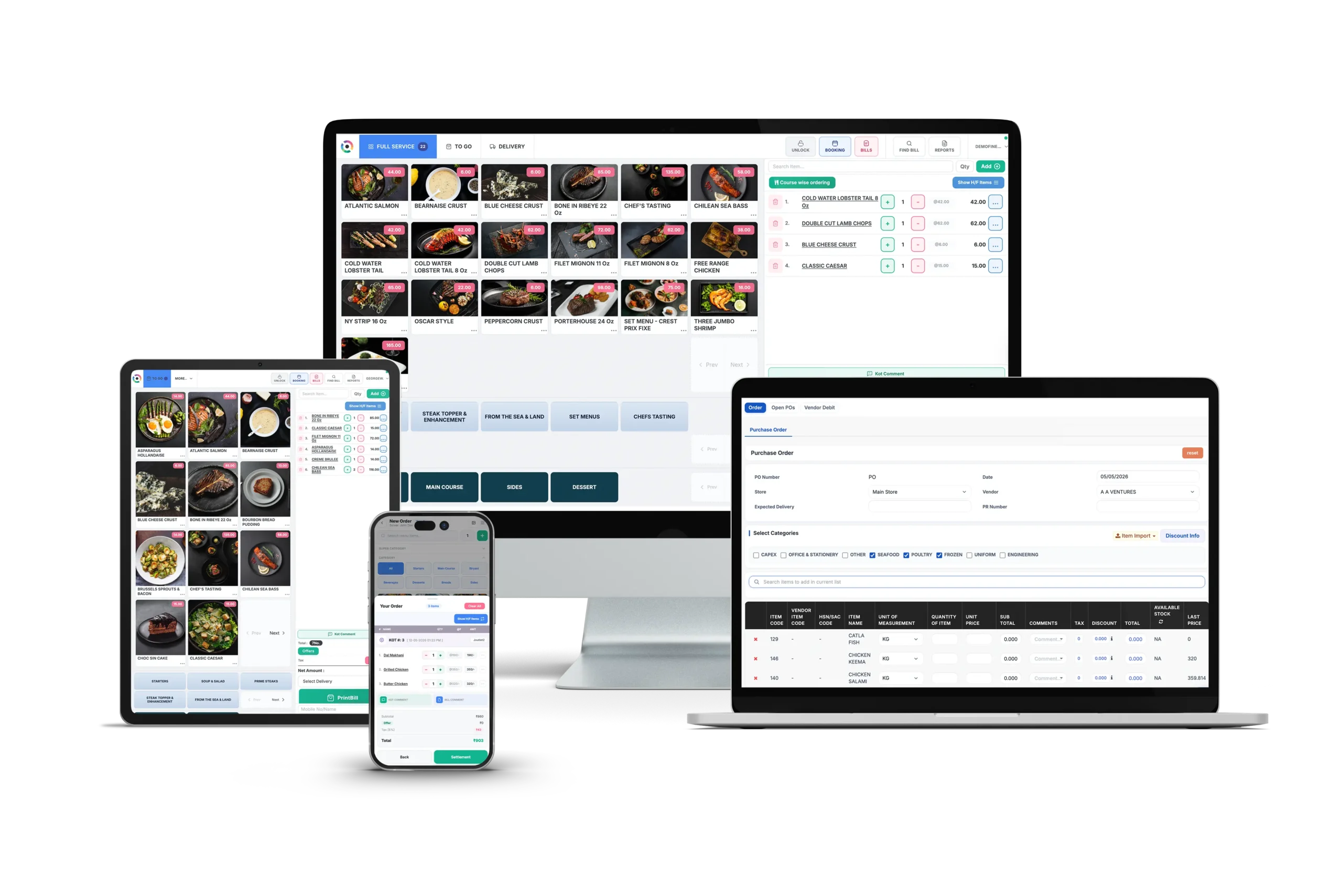 Restroworks has steadily built its reputation around helping restaurant brands scale without losing operational control. Today, it powers more than 25,000 restaurants serving global enterprise chains, franchises, and multi-brand operators.
The all-in-one restaurant management system for enterprises offers you a connected ecosystem that supports every function of restaurant operations, from POS and inventory to kitchen management, CRM, analytics, and digital ordering.
What makes Restroworks particularly well-suited for franchise businesses is the way it’s structured. Its BFCD (Brand, Format, Cluster, Deployment) architecture lets you organize restaurants based on your business hierarchy instead of treating every outlet the same.
That means you can manage multiple brands, formats, regions, or franchise groups from one platform while still giving individual locations the flexibility they need. Not to mention, it’s designed with strong enterprise security credentials, including ISO, GDPR, and SOC2, so you don’t have to worry about critical business data getting compromised.
Restroworks has steadily built its reputation around helping restaurant brands scale without losing operational control. Today, it powers more than 25,000 restaurants serving global enterprise chains, franchises, and multi-brand operators.
The all-in-one restaurant management system for enterprises offers you a connected ecosystem that supports every function of restaurant operations, from POS and inventory to kitchen management, CRM, analytics, and digital ordering.
What makes Restroworks particularly well-suited for franchise businesses is the way it’s structured. Its BFCD (Brand, Format, Cluster, Deployment) architecture lets you organize restaurants based on your business hierarchy instead of treating every outlet the same.
That means you can manage multiple brands, formats, regions, or franchise groups from one platform while still giving individual locations the flexibility they need. Not to mention, it’s designed with strong enterprise security credentials, including ISO, GDPR, and SOC2, so you don’t have to worry about critical business data getting compromised.
Key Features
- Centralized Control with Outlet-Level Flexibility: You can manage menus, pricing, taxes, recipes, offers, user permissions, reports, and brand standards from a central system while allowing franchise locations to configure delivery partners, local taxes, vendors, pricing, and menu items based on specific requirements.
- Standardized Configurations: Every franchise should deliver the same brand experience, but that doesn’t mean every outlet has to work the same way. With Restroworks, you can standardize workflows, offers, and loyalty programs across your network while configuring QR ordering, kiosks, or online ordering to meet location-specific requirements.
- Real-Time Consolidated Reporting: You have access to consolidated reports by outlet, region, brand, or format, while franchisees can access their own operational reports. You can monitor same-store sales growth, discount leakage, refunds, cancellations, item performance, dine-in versus delivery sales, and franchise-wise royalty reports, all in one place.
- Base Kitchen Management: Restroworks’ internal indenting module lets you track and manage central inventory supplies made to franchise outlets, customize stock pricing for each outlet, and update inventory levels automatically. This feature is especially useful for Company owned, Franchise operated (COFO) models that rely on a central kitchen for inventory.
- Inventory, Food Cost, and Waste Control: You get access to actual-versus-theoretical food costing, ingredient-level variance tracking, and recipe-level costing, so you can identify waste and manage inventory costs more efficiently.
- Scalable and Faster Rollouts: Opening new outlets isn’t an operational hassle with Restroworks. The system features pre-configured outlet templates, menu cloning, tax templates, hardware flexibility, and training through Restroworks Academy to help your franchises get up and running much faster.
- Strong Integration Ecosystem: An open API ecosystem with 500+ integrations makes it easy for you to connect Restroworks POS with delivery aggregators, payment providers, loyalty and customer relationship management (CRM) platforms, ERP systems, accounting software, kiosks, QR ordering, and online ordering solutions.
What You’ll Like
- Gives franchisors centralized control without limiting franchisee flexibility.
- Strong reporting for both corporate teams and individual franchise owners.
- Role-based access control with threat detection and prevention features
- Reliable software with 99.5% uptime and offline mode
- User-friendly interface and training access via Restroworks Academy
- 24/7, responsive customer support from industry experts
- 200+ real-time reports on a centralized dashboard
- Hands-on implementation and onboarding support with faster timelines
What Could Be Better
- Restroworks is built for enterprise, multi-location, and franchise operations. Some of the advanced features may be complex for small businesses.
Pricing
Custom pricing based on your franchise network’s size and requirements.Ratings
G2: 4.8/5 Capterra: 4.9/52. Lightspeed
Key Features
- Location-Specific Menu Control: You can build a separate menu for each of your locations, run a different menu for delivery versus dine-in, or assign a menu to a specific device.
- Shared Customer Data Across Locations: A customer who visits one of your franchise locations and then another gets a seamless experience because customer data is recorded across your entire network.
- Strategic Onboarding and Dedicated Support: With one-on-one onboarding with industry experts, 24/7 frontline support, and a dedicated premium support team, you can implement and use the system fairly quickly.
- Cross-Location Reporting: Access and manage hourly, daily, weekly, and monthly revenue, track top and bottom-selling menu items, and monitor labor and shift performance, all from one dashboard across your locations.
What You’ll Like
- Customers consistently appreciate the easy-to-use interface and seamless navigation.
- Flexible integration ecosystem that works with existing business tools.
What Could Be Better
- Some users report that implementation takes time for more complex setups.
- High processing fees per transaction
- Slow customer support response times
- Limited reporting capabilities compared to other dedicated franchise management systems
Pricing
LightSpeed Restaurant offers 4 plan tiers: Starter at $69, Essential at $189, Premium at $399, and a customizable Enterprise plan for restaurants with complex needs.Ratings
G2: 4.3/5 Capterra: 4.4/53. Square for Franchises
Key Features
- Corporate Permissions: You have access to a central dashboard to control franchisee permissions within the POS. So you can set the guardrails while allowing individual locations to operate day to day efficiently.
- Automated Royalty Calculation: Calculate royalty fees automatically rather than manually doing it for every location. This removes a recurring back-office headache for your team managing payouts across dozens of units.
- Multi-Location Management: Manage menus, locations, employees, and business performance from a centralized dashboard, making it easier to oversee your franchise network.
- PCI-Compliant Hardware: Square holds the PCI certification as merchant of record, so individual franchisees don’t have to handle compliance themselves.
What You’ll Like
- Franchise accounts are assigned an account manager.
- This is an easy-to-learn and quick-to-deploy system.
- Well-suited for smaller franchise brands planning to scale.
What Could Be Better
- Advanced enterprise features may not be as extensive as some franchise-focused platforms.
- Customization options can be limited for highly complex franchise operations.
- Square features a per-transaction pricing model, which locks you into flat-rate fees and can impact margins with high volumes of transactions.
Pricing
Square’s standard plans start free, with Square Plus at $49/month and Square Premium at $149/month with additional processing fees at 2.5% + 15¢ for card transactions. As a franchise, you can also negotiate custom processing rates and bundled pricing.Ratings
G2: 4.6/5 Capterra: 4.6/54. Toast POS
Key Features
- Enterprise Menu Management: Update menus, pricing, and modifiers across multiple locations from a centralized franchise system to help every franchise stay aligned with brand standards.
- Multi-Location Reporting and Analytics: Compare sales, labor, guest trends, and operational performance across your franchise network from a single dashboard, making it easier to identify what’s working and what’s not.
- Built-in Restaurant Ecosystem: You get online ordering, loyalty, gift cards, payroll, handheld POS devices, kitchen display systems, and marketing tools, all together on one platform instead of relying on multiple vendors.
- Range of Hardware: Toast’s handheld POS, drive-thru, and self-service kiosk solutions help QSR and fast-casual franchises serve more customers in less time.
What You’ll Like
- Enterprise tools are designed to support multi-location restaurant brands.
- Many users appreciate the convenience of using the handheld for orders and billing.
What Could Be Better
- You get locked into Toast’s proprietary hardware and payment processing, which means you’ll have to completely switch your existing tech system and incur high hardware costs.
- Many users report long hold times and unresponsive customer support
- Some advanced capabilities may require additional Toast products or add-on modules.
- The system only works best with a stable internet connection
Pricing
Toast POS system starts at $69/month with flat-rate processing fees and additional add-ons available.Ratings
G2: 4.2/5 Capterra: 4.2/55. Restaurant365
Key Features
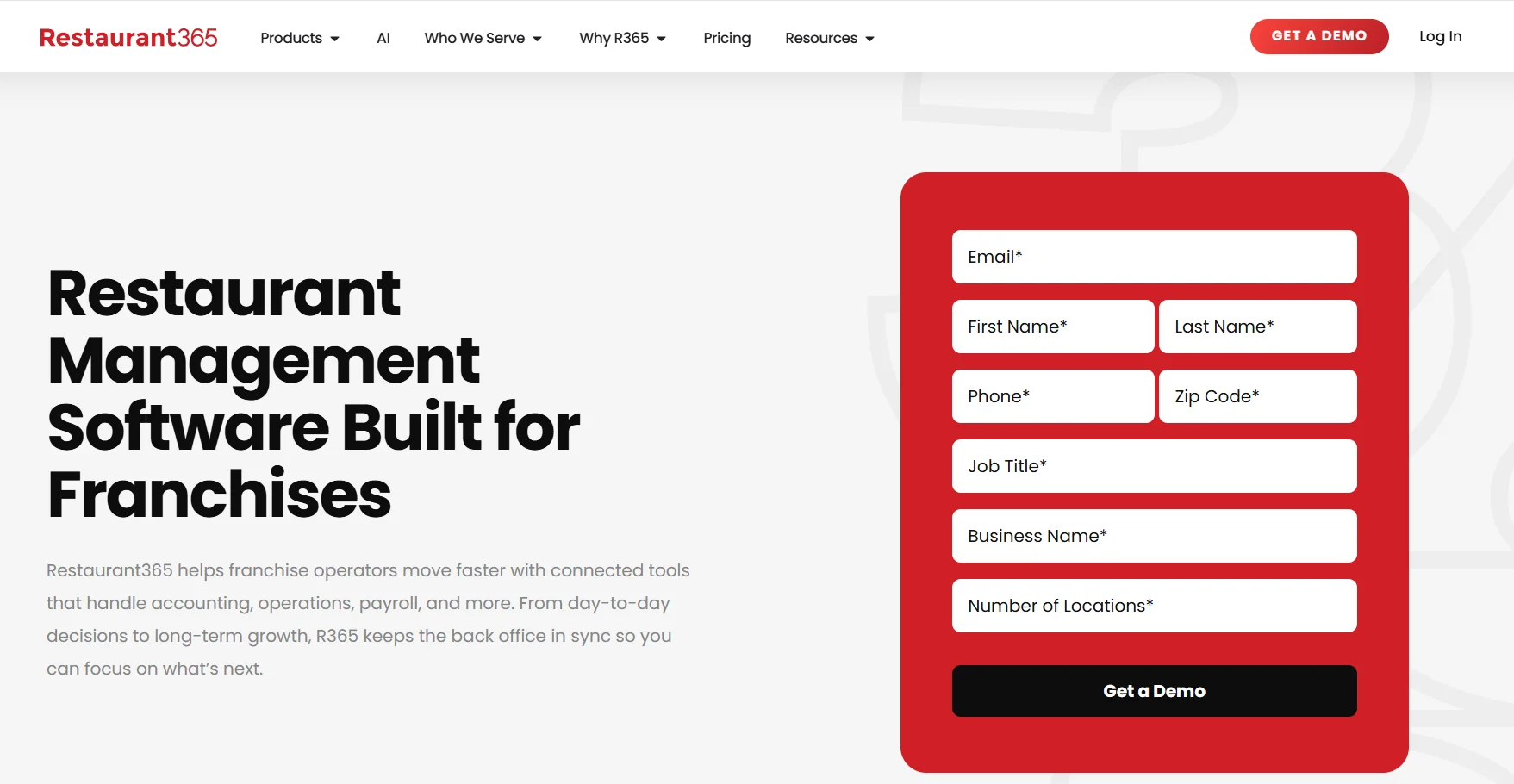
- Restaurant-Specific Accounting: Restaurant365 automatically connects financial and operational data with your accounting tools. This leads to faster financial closing, easier reconciliation, and real-time visibility into your P&L across franchise locations.
- Inventory and Purchasing: You can manage recipes, purchasing, vendor management, inventory counts, and food costs in one place, making it easier to control margins.
- Multi-Location Financial Reporting: The platform allows you to compare performance across brands, concepts, or franchise locations with consolidated reports that help you make faster business decisions.
- Flexible Tech Stack: You can tailor R365 to connect with your franchise’s existing POS, banks, and vendor systems rather than switching your entire tech stack.
What You’ll Like
- The system is tailor-made for restaurant back-office operations
- Wide integration ecosystem for seamless operations
- Easy to use and navigate
What Could Be Better
- Doesn’t include a native restaurant POS system.
- R365 has a steep learning curve and a complex implementation process, especially across multiple locations or concepts.
- Users report issues with certain integrations, such as payroll.
Pricing
Contact their sales team for custom pricing.Ratings
G2: 4.6/5 Capterra: 4.1/5What Makes Franchise Restaurant Software Different from Independent Restaurant Software?
 A lot of restaurant management systems are built with a single business in mind. But franchise businesses have very different priorities.
You still need the basics, like POS, inventory, employee scheduling software, and reporting. Once multiple locations enter the equation, you lose centralized control. That’s why franchise platforms are designed for that next level of complexity, giving you the tools to manage an entire network instead of individual restaurants.
Here’s what sets franchise management platforms apart.
A lot of restaurant management systems are built with a single business in mind. But franchise businesses have very different priorities.
You still need the basics, like POS, inventory, employee scheduling software, and reporting. Once multiple locations enter the equation, you lose centralized control. That’s why franchise platforms are designed for that next level of complexity, giving you the tools to manage an entire network instead of individual restaurants.
Here’s what sets franchise management platforms apart.
- Centralized Control: When you update a menu, launch a promotion, or revise a recipe, those changes should reach every franchise location. Franchise software lets you manage menus, pricing, recipes, and permissions from one place, so every outlet stays aligned with your brand.
- Multi-Location Reporting: Restaurant franchise management software lets you compare locations side by side, from sales and inventory usage to waste and menu performance, so it’s easier to identify your bestsellers, identify struggling stores, and understand the operations.
- Process Standardization: Customers expect the same experience no matter which franchise they visit. Built-in recipes, SOPs, checklists, and workflows help every location follow the same operating standards without relying on manual training alone.
- Inventory and Supply Chain Management: Franchise networks often share suppliers, recipes, and purchasing agreements. The right franchise management software keeps inventory, approved vendors, and procurement connected, giving you better visibility into stock levels, food costs, and purchasing across every location.
- Financial Management: As your franchise grows, so does the complexity of your finances. Franchise software brings together sales, royalties, franchise fees, and profitability reports, giving you a clear view of how every location and your business as a whole are performing.