
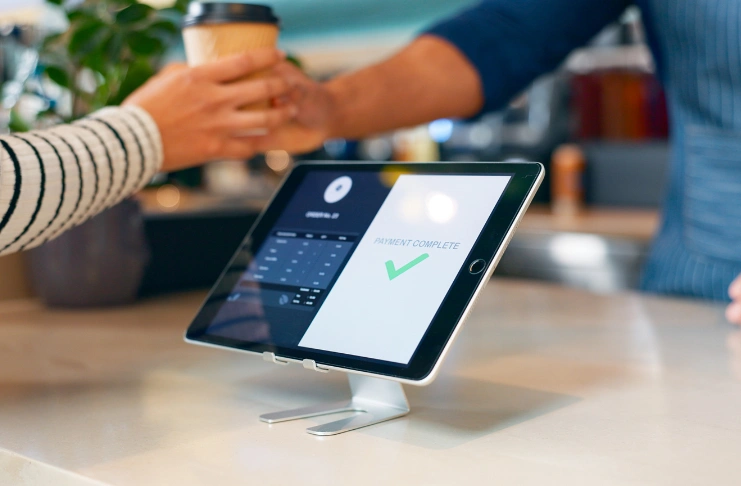

Should you go for a tablet POS or a desktop POS for your ice cream shop?
It’s a tricky question. Tablets look modern, take up less space, and are mostly affordable. At the same time, desktop POS systems have always been around and seem more reliable. And at the same time, both can process payments, track sales, and support your daily operations quite efficiently.
In reality, neither option is automatically just “better” than the other. The right choice depends on how your shop operates, how busy you get, and what you want your POS system to handle.
Before you invest in a new system, let’s compare tablet vs desktop POS systems for ice cream shops so you can decide which one makes the most sense for your business.
What you will learn
- What is a desktop and tablet POS system?
- How do desktop POS systems and tablet POS compare for your ice cream shop?
- Factors to consider when choosing the right POS hardware
Understanding the Core Differences: Tablet and Desktop POS Systems Explained
A tablet POS looks modern. A desktop POS looks dependable.
That’s the simplified version, anyway.
The thing is, both POS systems can handle many of the same tasks. They let you process payments, track sales, manage inventory, and access business insight. And they’re equally popular in the restaurant industry.
In fact, the global tablet POS market was valued at $5.16 billion in 2024 and is projected to reach $7.28 billion by 2030. Traditional desktop POS systems aren’t going anywhere either, with the market valued at $8.7 billion in 2025 and expected to grow to $14.2 billion by 2034.
In other words, businesses are still investing in both technologies. But the most important difference is the proprietary hardware they choose.
What is a Tablet POS System?
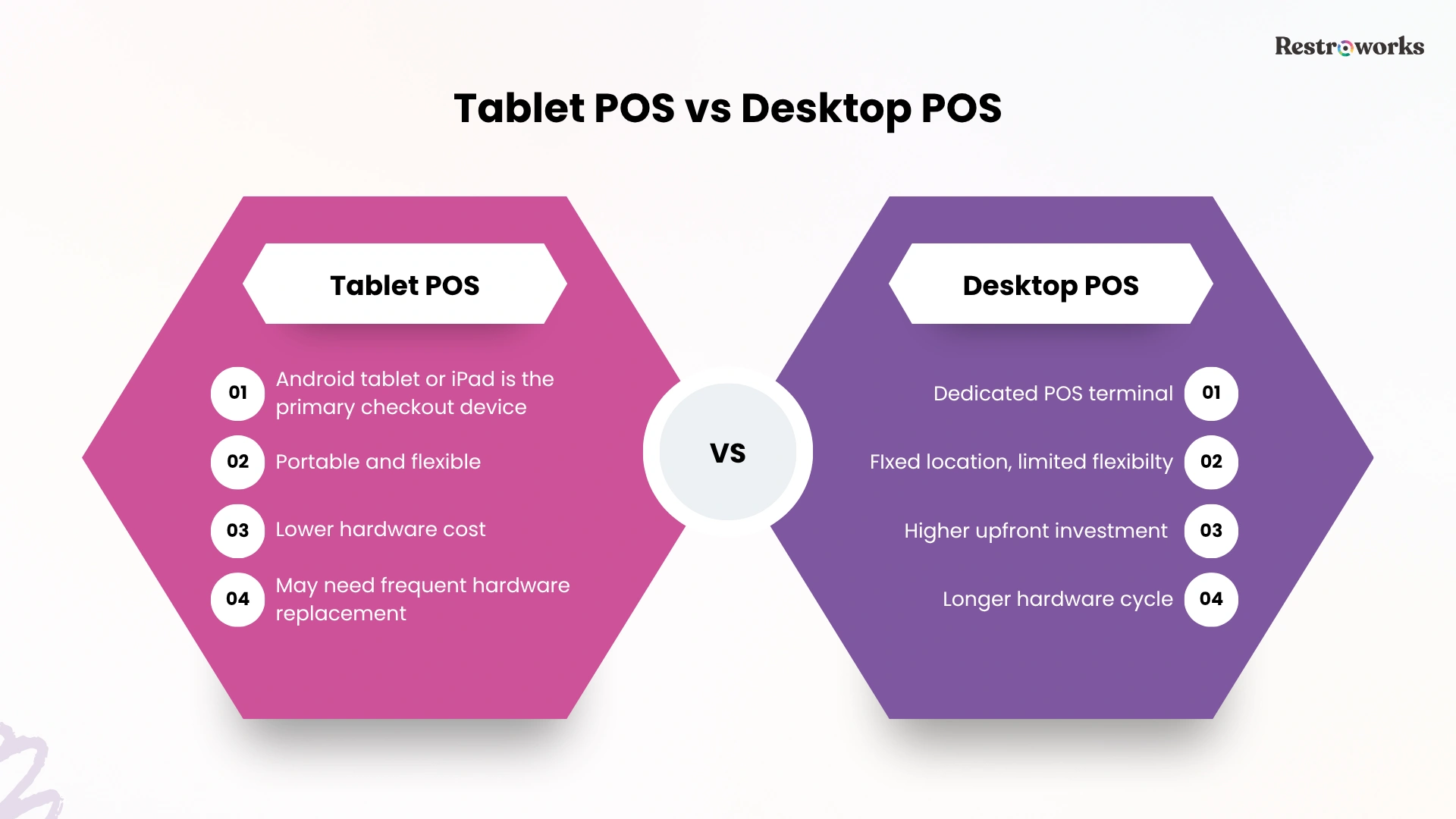
A tablet POS system uses an Android tablet or iPad as the primary checkout device. You can buy any tablet and connect it with external hardware such as card readers, receipt printers, cash drawers, and barcode scanners to create a complete POS setup.
Because the hardware is compact and portable, tablet POS systems are often more flexible and feature lower upfront costs.
What Is a Desktop POS System?
A traditional POS system uses a dedicated desktop terminal designed specifically for point-of-sale operations. The hardware is fixed in place and built for regular use. While these systems require more counter space and a higher upfront cost, they’re more durable and reliable in the long term.
Tablet POS vs. Traditional POS Systems: Quick Comparison
Of course, these differences don’t automatically make one POS system better than the other. The real question is how they work in a busy ice cream store environment.
Tablet vs Desktop POS for Ice Cream Shops: Which System is Better for Your Ice Cream Shop?
Now that the basics are covered, let’s look at how tablet and desktop POS systems perform in areas that matter most to your ice cream store.
1. Space and Portability
Space is valuable in an ice cream shop. Between freezers, topping stations, display cases, and prep areas, you may not have enough counter space to fit in a POS, especially if it’s a small shop.
This is where tablet POS systems have a clear advantage. Since it’s only a tablet, your staff can take it with them to punch in and close orders for tableside service. And as for your printers or barcode scanners, you can even keep them under the counter to free up valuable counter space and create a less cluttered checkout area.
Plus, if you run a small shop, kiosk, food truck, or seasonal stand, a tablet setup can fit comfortably in tight spaces.
Traditional POS systems, by comparison, have a large interface. While that limits flexibility, it’s useful if you want a dedicated checkout station
2. Speed of Service
When a line of customers is waiting for ice cream on a hot afternoon, speed matters. It directly impacts customer satisfaction, retention, and revenue.
Tablet POS is built for this. Your staff can carry tablets to different service points, which simplifies the sales process. And they’re easy to learn with an intuitive interface, so your employees can carry out order and payment processes quickly, reducing wait times.
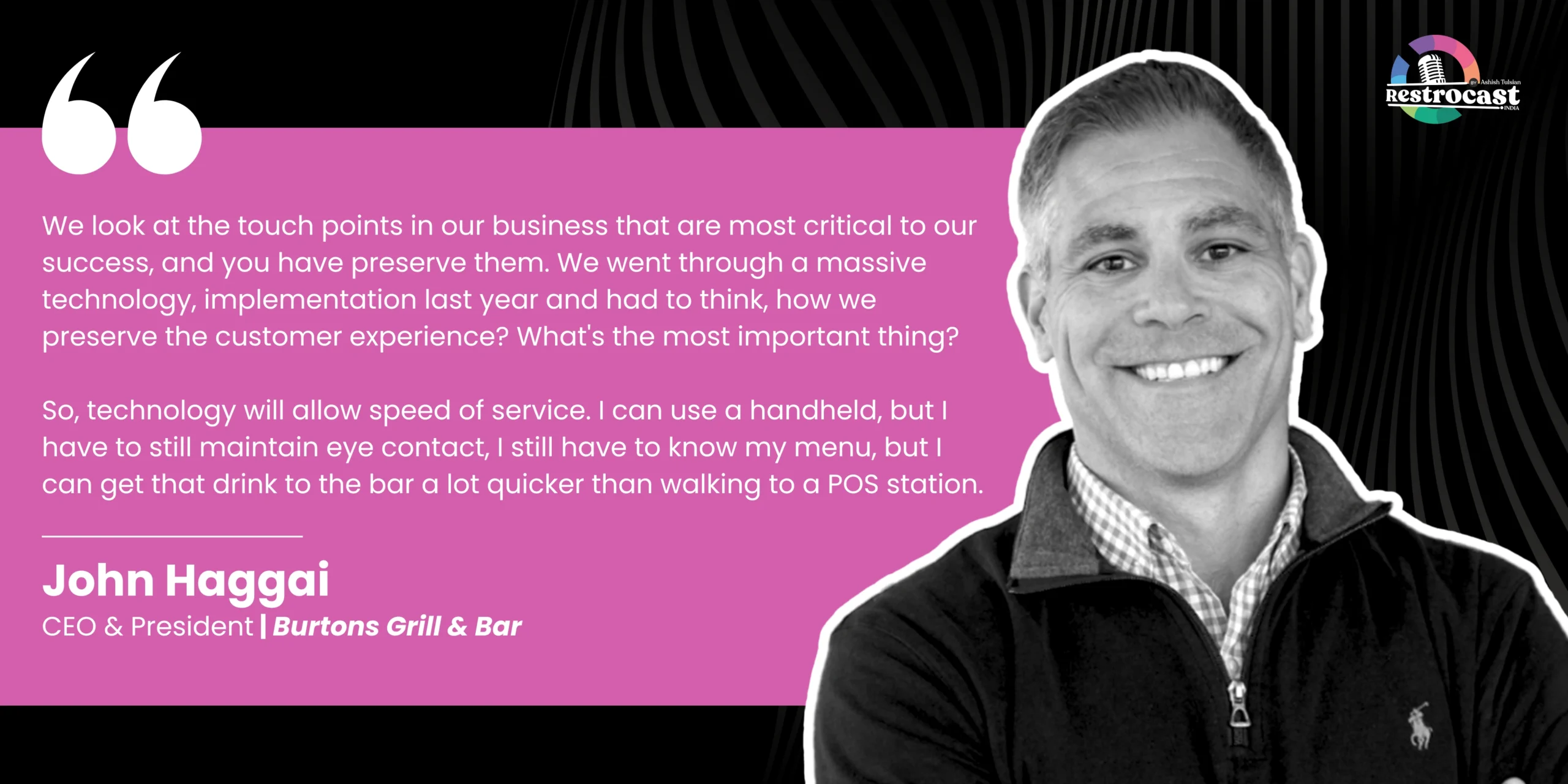
John Haggai, CEO of Burtons Grill & Bar, talks about critical touchpoints of customer experience, including speed, and how handheld technology can deliver on it.
That said, desktop POS isn’t slower by any means. Ice cream shop POS systems are built for high-volume environments and can process transactions just as quickly.
The difference comes down to convenience. Tablets offer greater flexibility and a more modern user experience, while traditional systems provide a dedicated workstation that streamlines the customer flow and improves customer service.
3. Total Cost of Ownership
Here’s where it gets interesting. You can’t choose one POS system over the other based on the upfront cost alone. The tablet sitting on your counter is only one part of the equation.
Whichever POS system you choose will also include software subscriptions, payment processing, replacement hardware, and extra costs for additional features that you want.
A. Hardware Costs: Tablet vs. Desktop POS
Let’s say you’re building a single-register setup in your ice cream store. Here’s the estimated hardware cost breakdown for desktop vs tablet POS systems-
Tablet POS systems are more budget-friendly than traditional POS systems, with lower hardware investment. But tablets also have a shorter replacement cycle. They’re portable, which means they can face battery degradation, screen damage, or performance issues and need to be replaced every 3-5 years.
B. Software Costs
Now comes the other part of the costs: your software. Many vendors charge a monthly or one-time subscription fee for the software, along with extra costs for payment processing and advanced features.
And believe it or not, payment processing can easily become your largest POS-related expense. Say, your ice cream shop processes $250,000 in card sales annually. At a processing rate of roughly 2.6% + 15¢ per transaction, you’re looking at several thousand dollars per year in payment fees alone.
That’s why choosing a POS based just on hardware pricing can be misleading.
4. Staff Training
The faster new team members can learn the POS system, the faster they can start serving customers confidently.
Tablet POS can feel familiar to most people since they run on Android or iOS. Most employees already use smartphones and tablets every day, so this will reduce training time for the mobile POS systems.
Traditional systems aren’t necessarily difficult to learn, but they feature more specialized hardware and advanced features. This means for new hires, it may take a little longer to become comfortable.
That said, the POS software itself often has a greater impact on training than the hardware does. Choosing an intuitive, user-friendly software with strong onboarding support will save you training time and process transactions faster.

5. Scalability and Growth
If you’re planning to add locations, open seasonal kiosks, or simply add more checkout stations during peak months, scalability becomes an important consideration.
Tablet POS systems make it relatively easy to scale up on demand. So, for a seasonal business like your ice cream shop, you can choose to add extra handheld POS to manage higher customer traffic. All that, without affecting your entire infrastructure.
Traditional POS systems offer a scalable solution to manage high order volume without adding a new device for each employee. They allow you to easily connect external devices like barcode scanners or printers to scale your checkout capabilities.
6. Environmental Durability
Take a look at the area around your register at the end of a busy day.
There’s a good chance you’ll find melted ice cream, sticky syrup, water rings from cold drinks, and a thin layer of whatever customers and employees have touched over the last few hours. If you operate a walk-up window or outdoor counter, add heat, humidity, and dust to the mix.
Mobile POS systems can work well in these environments, but it’s also wise to invest in protective cases, stands, and screen protectors to reduce wear and tear.
On the other hand, desktop POS systems are designed with commercial environments in mind. They’re fixed at the counter and have a more rugged build, which makes them better suited for your business.
Mobile POS Systems or Desktop POS Systems: Making the Right Choice for Your Business
By now, you’ve probably realized there isn’t a universal winner.
The right POS system depends on how your ice cream shop operates today, and where you want it to be a few years from now. When making your decision, consider the following factors-
- Business model: If you have a single location and see high transaction volume, a traditional POS system is a better option. Conversely, if your ice cream shop operates as a kiosk, a mobile stand, or a small business where you need flexibility, go for tablet POS solutions.
- Feature requirements: Make a list of all the features and tools you need, such as inventory management, loyalty programs, sales floor tracking, real-time updates and reporting, or multi-location support. Then verify that your preferred POS can handle them.
- Budget: Think about your budget. If you’re okay with a high upfront investment and want to save more in the long run, you can choose a desktop POS system.
- Scalability: Are you planning to add more locations or more registers at your current outlet? Consider your growth plans and choose a POS system that can support them easily.
Both POS tablet and desktop POS systems can support a successful ice cream shop. The better choice depends on your space, service style, budget, growth plans, and even individual preferences.
Tablet POS systems offer flexibility and a smaller footprint, while desktop systems provide a dedicated setup built for long-term, high-volume use.