
Restaurant Chain Management Software Compliance Requirements: Essential Standards & Best Practices

Restaurant Chain Management Software Compliance Requirements: Essential Standards & Best Practices

Home / Blog /  

Restaurant Chain Management Software Compliance Requirements: Essential Standards & Best Practices

Read summarized version with

Let’s say you’re one big/large-scale restaurateur who runs 100+ locations, and every week, you have to keep track of a number of updates around food safety, labor law, payroll, alcohol regulations, tax filings, employee certifications, etc., etc. Now, imagine doing all that on a spreadsheet. Seems not-so-effective, no?

That’s where restaurant compliance software comes in. And if you go online and search for a few, you’ll probably look for whether the system is PCI compliant, whether it will help you with potential risk mitigation and continuous improvement, whether it can handle tax regulations across locations, and what happens during an audit. And so on and so forth.

And why not? When you’re running 5, 50, or 500 locations, the risk of missing any of the updates is simply too big. The right compliance software is what keeps your restaurant operations on track, your brand reputation intact, and your teams focused on operational excellence and overall operational efficiency.

Hence, this guide. It lists the exact compliance requirements your preferred restaurant chain management system must meet and what your system needs to support before you make that investment.

What You’ll Learn

  • What are the exact regulations that apply to multi-location restaurant operators, and how do evolving regulatory changes impact your tools?
  • What key features and capabilities should your compliance management software include to maintain compliance across operations?
  • How does the right compliance software help your business mitigate risks, protect its reputation, reduce costs, and drive continuous improvement?

What are the Two Categories of Compliance Restaurant Operators Should Keep Tabs On?
What are the Two Categories of Compliance Restaurant Operators Should Keep Tabs On?

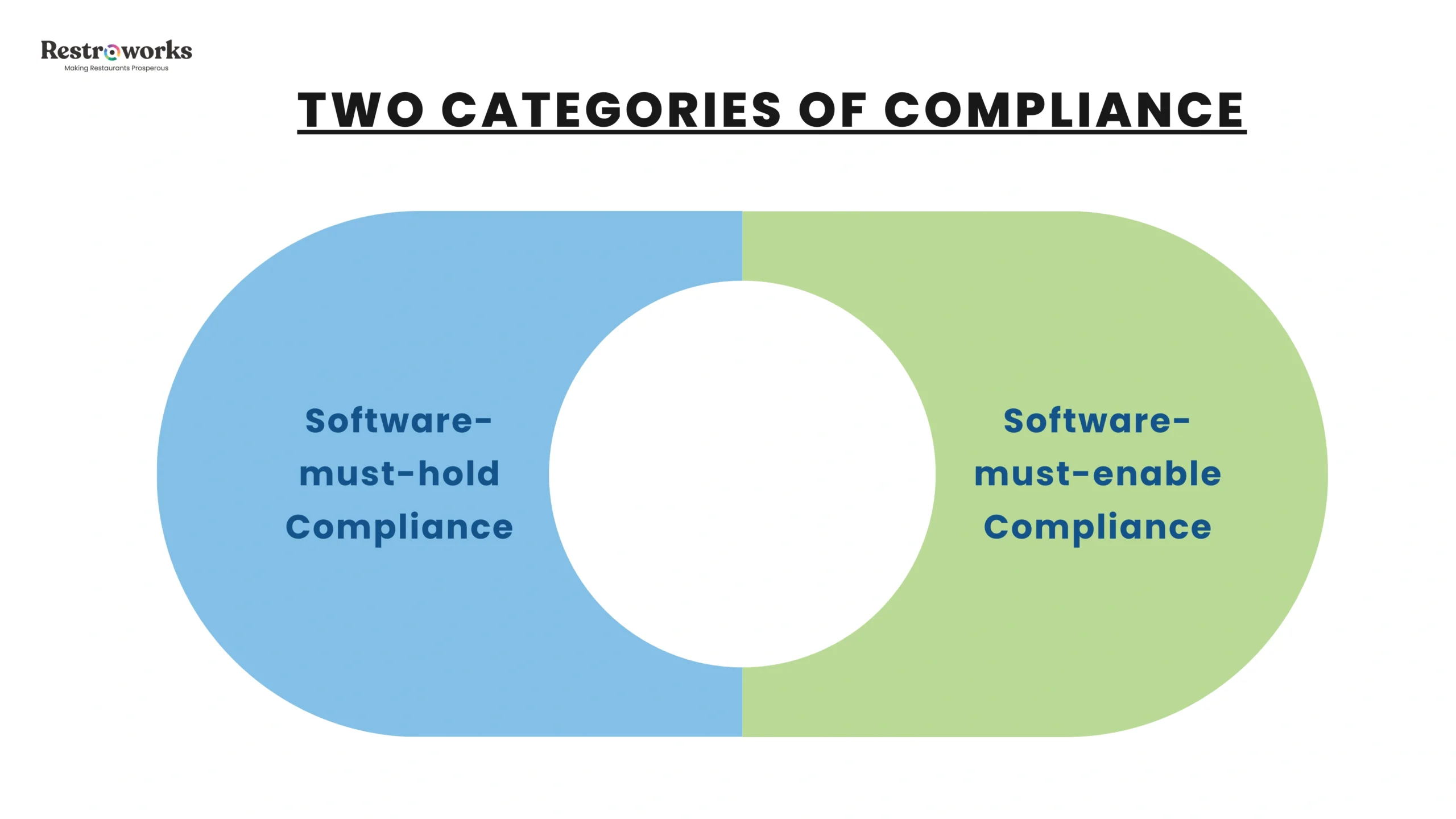
Before evaluating any platform, it helps to categorize compliance management into two buckets:

Software-must-hold compliance means the vendor itself carries a certification that you can verify and require by contract. This includes PCI DSS v4.0.1 (by PCI Security Standards Council) and SOC 2 Type II.

So, for example, if your platform processes and transmits cardholder data but the vendor can not give you a current attestation of compliance, it’s not for you.

As of March 31, 2025, all 64 updated PCI compliance-related regulatory requirements are absolutely mandatory, which means the vendor will provide you with features like multi-factor authentication enforcement, per-employee access accounts (no shared logins), anti-phishing controls, and quarterly ASV scans. Multi-Factor Authentication (MFA) is required for all staff accessing payment data or sensitive back-office systems under stricter PCI standards. 

If the vendor you’re considering still cites v3.2.1 equivalence, beware, it’s not current.

The second category is software-must-enable compliance. These include FSMA 204, Fair Labor Standards Act (FLSA) obligations, FDA menu labeling rules, and state privacy laws like CCPA and GDPR. Notice how each of them regulates the operator rather than certifying a software platform.

Indeed, you need the right restaurant compliance software that covers health and safety regulations, privacy laws, and food safety obligations, but whether you actually meet them depends on how you configure, manage, and use the system. Plus, you must know that types of compliance management systems for restaurants include compliance tracking software, compliance training software, and compliance monitoring software, each serving distinct functions in ensuring adherence to regulations. 

A compliance management platform helps bridge this gap by making the operator’s obligations trackable, documentable, and auditable. Unfortunately, we’ve seen many restaurant owners learn this only after a regulatory inquiry lands on their desk.

What Does Non-Compliance Cost You?

Before you start evaluating any particular compliance software, try to sit down with what not complying to either of the two categories may cost you, because, at the end of the day, non-compliance can translate into costly penalties, damaged brand reputation, and lost customer loyalty. Enabling restaurants to avoid these outcomes is precisely what compliance management software is built to do.

FLSA violations mean you’ll have to pay up to $2,515 per violation under the Fair Labor Standards Act. I-9 verification failures carry a penalty of around $28,619 per violation. FSMA violations cost $500,000 per incident. And, child labor violations that result in injury carry a penalty close to $68,801 per violation.

INDUSTRY INSIGHT

In fiscal year 2024, the U.S. Department of Labor recovered $150 million in back wages. A year later, that number jumped to over $259 million recovered across nearly 177,000 workers.

Alongside recoveries, the Wage and Hour Division also rolled out updated guidance, audit programs, and employer-facing toolkits tied directly to the Fair Labor Standards Act and Family and Medical Leave Act of 1993.

Think about it – Restaurant chains already operate with high employee turnover, multi-location payroll complexity, and fragmented tools. With increased audits and expanded enforcement mechanisms, the exposure to risks related to compliance only compounds. Non-compliance penalties and compliance issues that go undetected are all compounded by the absence of a robust compliance management system.

So, if your restaurant chain management software does not support that level of compliance “yet”, the gaps are sure to show in audits, penalties, and back wages.

Restaurant chain compliance falls into four primary categories: Food Safety, Labor Law, Data Security, and Financial Reporting. 

PCI Compliance: Security Features for Payment Processing of Customer Data

There you go – Payment security in the restaurant industry has never been more exposed. 

As the food and beverage industry shifts towards cashless transactions, your POS software will be (and will have to) process sensitive information at every interaction. This means that for people to be able to trust you with their money and whether they should repeat or not, your system must guarantee strong security.

And that means any restaurant that accepts credit or debit cards must comply with PCI DSS, regardless of size, volume, or concept. Your compliance software MUST enforce per-user unique IDs (shared credentials are a v4.0.1 violation). It must support role-based permissions so that sensitive records are accessible only by personnel with a documented need. And it must integrate with your network security infrastructure — firewalls, anti-malware, encryption at rest and in transit — through existing systems. This becomes significantly easier when security controls operate across integrated tools rather than disconnected applications.

The system should maintain time-stamped, unalterable records of changes, inspections, and corrective actions for audit readiness. The system should support unique user IDs and role-based permissions to limit data access to authorized personnel only, to comply with privacy laws. Security measures like these are non-negotiable at scale.

Because otherwise, a payment card breach at a single restaurant location costs an average of $200,000 in forensic fees, card brand penalties, legal costs, and customer notification expenses. 

Go through this case once: 

A 67-location American family dining chain was originally facing a few issues with its on-premises IT infrastructure:

  • It was obsolete and needed major upgrades.
  • Their operations were unstructured, unstable, and undocumented.
  • They couldn’t meet PCI-DSS regulatory compliance mandates. [PCI DSS compliance requires secure firewalls, encrypted cardholder data, secure unique user IDs, and quarterly vulnerability scans. Any restaurant accepting card payments must comply with PCI DSS to protect customer data.]
  • The company was experiencing significant server downtime.
  • There was no process to assess the end-user experience.
  • There were little, if any, disaster recovery capabilities in place.

So, the chain did 3 key things: They moved to a cloud-based platform powered by Amazon Web Services, standardized their operations using the ITIL framework, and rebuilt their network with Cisco firewalls.

They also implemented automated patching, real-time monitoring, and tested disaster recovery protocols across locations.

The result? They now had documented PCI compliance, reduced downtime, faster recovery, and consistent system-wide visibility.

This meant that maintaining compliance at scale isn’t necessarily about whether a feature exists or not, but whether your tools could enforce it, continuously, across every location. After all, PCI compliance is not a one-time audit; it requires continuous operational discipline that must be integrated into every location and validated on a recurring schedule. Failure to comply with PCI DSS can lead to elevated transaction fees, mandatory forensic audits, breach liability, and, in serious cases, termination of the ability to process cards. 

Food Safety Compliance Audits: HACCP, FSMA 204, & Beyond

Food manufacturing and its safety are the cornerstone of any restaurant’s license to operate. For multi-location chains, to handle all the complexity that comes with managing food safety across dozens, if not hundreds, of sites calls for you to use technology the right way.

Food Safety and HACCP Compliance Risks Management

Compliance management software must meet HACCP compliance. HACCP mandates consistent temperature monitoring, sanitation checks, and employee training records. Automated temperature checks can alert managers if a walk-in cooler fails, preventing food spoilage and creating a permanent digital audit trail. This kind of food safety infrastructure replaces fragmented manual records with consistent, auditable digital checklists.

The system must support HACCP, track Manufacturer Lots, and manage recalls to ensure food safety at every stage of food production and service. Plus, safety standards require regular inspections of equipment like ventilation hoods, grease traps, and fire suppression tools. 

Since food safety regulations always keep evolving, a compliance management system should incorporate components such as identifying compliance obligations, assessing compliance risks, developing policies, and monitoring performance. Compliance management systems can fully automate food safety and quality assurance processes, including audits, inspections, and product monitoring, which are critical for meeting food safety standards. Non-compliance with food safety regulations can lead to costly product recalls and damage to a restaurant’s reputation, making adherence to these safety standards critical for operational excellence. 

Inventory Management and FSMA 204 Traceability

If your restaurant chain uses fresh produce, shell eggs, seafood, nut butters, or certain kinds of cheeses, you must know that the Food Safety Modernization Act’s Section 204 had a compliance date of January 20, 2026. Though the Routine FDA inspections are not expected until 2027, the obligation is live right now. That means you can not escape the $250,000 annual sales exemption threshold.

What FSMA 204 requires of you is that your inventory management software must capture Key Data Elements (KDEs) at each Critical Tracking Event (CTE) in the supply chain. That means tracking manufacturer lots from supplier to customer, recording when items change hands, where they go, and being able to produce a complete traceability record within 24 hours of an FDA request. 

The software must track ingredients from supplier to customer to comply with FSMA 204 regulations on food traceability. Choose software that tracks inventory from purchasing to the final product for rapid vendor recall responses. A good compliance software helps streamline supplier compliance by keeping documents up to date, tracking performance, and flagging risks early, which is crucial for maintaining product safety in the supply chain. 

Take what happened to Chipotle in 2015. The E. coli outbreak cost the company over $25 million in market cap because they could not trace implicated ingredients fast enough. 

FSMA 204-compliant software is the answer to exactly that failure mode. It gives you lot-level traceability tracking from purchase through final use.

FDA Menu Labeling and Food Quality

If your chain operates 20 or more locations under the same name, you are subject to FDA menu labeling requirements, as simple as that.

This says your compliance software must maintain accurate, centralized calorie and nutrition data for every menu item, consistently up to date across all locations. 

Manual tracking of allergen and nutritional information, in such cases, is a liability at best. At worst, it is the documentation failure that calls for both regulatory action and litigation after a customer raises any complaint about its quality. Compliance software that automates these records protects customer safety and ensures consistent regulatory standards. 

It also supports customer satisfaction by ensuring menu information remains accurate and aligned with evolving customer preferences around allergens, nutrition, and ingredient transparency.

Can Your System Handle Multi-State Labor Law Complexities & Regulatory Adherence?

Okay, look at these numbers – In Texas, a server can be paid as low as $2.13/hour, and they can make up the rest through tips. In California, he/she must be paid at least ~$16.90/hour directly by the employer before tips because no tip credit is allowed here. In Massachusetts, there’s a hybrid system, i.e., a base wage + partial tip credit, so part of his/her earnings can come from tips, but not all.

In all, there are seven states that have banned tip credit altogether – California, Nevada, Oregon, Washington, Montana, Minnesota, and Alaska. 

So, if your payroll system is based on your company’s headquarters (that is, let’s say, in Texas), and your server works in one of these states’ outlets, you’re already non-compliant.

There is also the FLSA multi-location hours-combining rule. That means restaurant chains must navigate complex federal and local laws, including Fair Workweek, minor work restrictions, mandatory meal breaks, and overtime calculations.

Therefore, whatever compliance software you choose must –

  • Apply labor rules by work location.
  • Track employee certifications and training sessions
  • Ensure accurate payroll records, including hours worked, wages paid, and tax deductions, to meet state/federal regulations
  • Support mandatory meal break rules by jurisdiction, and
  • Generate warnings before improper scheduling could push someone into overtime. Most software can automatically block a manager from scheduling a shift that violates local labor laws or exceeds a minor’s legal hours. 

Regulatory adherence to these rules is a must. The platform must also produce documentation sufficient to hold up in a DOL audit, which means your standard operating procedures around scheduling and payroll have to be digitally captured and consistently enforced.

How Do You Conduct Employee Training and Certification Tracking?

Employee training is one of the most frequently overlooked aspects of compliance management in the restaurant business. You should use compliance software that tracks employee certifications and training sessions to ensure staff are up to date on relevant regulations. This means connecting training completion data to scheduling and compliance status in a single system, so no one is deployed in a role they’re not certified for. Centralized training data also enables seamless communication between operations, HR, and compliance teams.

Remember: Safety standards keep changing, and regulations update. Your compliance management software should push those updates into staff training workflows automatically and maintain documentation of who completed what training, and when.

Does Your Software Handle I-9 Verification? 

Most standard restaurant chain management platforms do not include I-9 verification modules. For high-turnover industries (like restaurants that have 75%+ annual employee turnover rate), this creates a penalty exposure of up to $28,619 per violation.

Franchise renewals and brand audits also require I-9 compliance documentation. 

If your compliance software solutions do not include an I-9 module or a clean integration with a dedicated I-9 point solution, treat it as a contract-level requirement in your next vendor evaluation.

Continuous Improvement in SOX, Financial Reporting, and Operational Efficiency Through Automation

For large public chains, software must support Sarbanes-Oxley (SOX) compliance, ensuring accurate and auditable financial record-keeping, and that the CEO and CFO can attest to the integrity of internal controls over financial reporting.

The stakes here are that executives have to face fines and criminal liability for fraudulent attestations. That’s why tools must support consistent, GAAP-compliant financial reporting across all locations for audit readiness. 

One national fast-food chain, for example, was managing SOX compliance through email threads, spreadsheets, and manual document collection. Their monthly user access reviews across multiple software solutions consumed so many hours. 

The process was slow, had manual errors, and offered almost no real-time visibility into their control program. Much of the inefficiency stemmed from fragmented document management processes spread across multiple tools.

But after implementing a controls monitoring platform, the chain automated its entire user access review process through event-driven workflows and APIs. 

The result: an 89% reduction in SOX compliance workload and time. The accounting, security, and executive teams could reinvest their energy from time-consuming tasks to more value-added ones. Data integrity across financial records was restored, plus the risk of non-compliance (that usually seeps in due to human error) was also materially reduced.

By automating repetitive administrative tasks like documentation, reporting, and workflow management, compliance software reduces the burden on staff, allowing teams to focus on core restaurant operations and strategic growth initiatives. This is exactly what “enhancing operational efficiency through compliance management” actually looks like in practice.

What Does a Good Compliance Management Software Look Like in Practice?

Now, we want to ground all of the theory we discussed above in how those regulatory requirements translate into the features you should actually look for in a software:

For the record, your compliance management software must be able to –

  • Replace paper-based tracking with digital checklists and automated documentation.
  • Provide mobile access for managers conducting field compliance audits.
  • Maintain visibility through centralized dashboards. Real-time dashboards provide a unified view of compliance completion rates across all franchise or corporate locations. 
  • Support automating audits and workflow management
  • Managing compliance issues with timestamps
  • Support staff certification and training management
  • Provide centralized document management capabilities to manage records and documentation across all locations.

Most importantly, your chosen compliance management system should integrate cleanly with tools like POS software, inventory, scheduling, and payment processors through documented APIs, and enable consistent adherence across jurisdictions.

Of course, a user-friendly interface and an intuitive interface are essential too. An intuitive interface increases adoption. Usability is a critical factor when choosing compliance software; the system should be easy for staff to navigate to avoid errors and ensure compliance.

Plus, customization is essential in compliance software, allowing it to adapt to the specific needs and regulatory requirements of the restaurant industry. 

Here’s a case: GoTo Foods (the parent of Auntie Anne’s, Cinnabon, Jamba, and Carvel) implemented a GRC automation platform across their 6,000 locations [including automated third-party vendor risk assessments for over 300 non-IT vendors]. It helped them with a 95% reduction in compliance findings and a 32% year-over-year improvement in compliance maturity. 

It also allowed rapid customization of their compliance tasks and centralized management of multi-jurisdictional requirements across 50 states and 60 countries.

For the IHOP franchisee Landmark Restaurant Group, too, digitizing audit processes helped them cut audit completion time by 60% and eliminate manual data entry entirely. Report generation that previously took them hours to complete is now done automatically at audit close.

How Should You Evaluate Your Compliance Software – Key Features and Vendor Assessment 

When you sit down with your vendor, ask them questions around both the compliance categories – 

Regulatory compliance at the platform level starts with verifiable certifications. For software-must-hold compliance, ask your vendor to show their current PCI DSS v4.0.1 attestation, SOC 2 Type II report, and a clear explanation of scope, like what parts of their platform are actually covered and what are not.

For software-must-enable compliance, test – 

  • Can the system apply different overtime rules by state? 
  • Does inventory management capture the KDEs required under FSMA 204? 
  • Can the platform generate a complete ingredient traceability record within 24 hours? 
  • Does it support documentation of HACCP temperature logs, cleaning schedules, and corrective actions in a format suitable for regulatory inspection? 
  • Is there a mobile access option for field compliance audits?

Also, probe for API connectivity with your existing tech stack.

Remember – Compliance data that is disconnected from your POS terminals, your scheduling platform, and your payroll platform is compliance data you cannot act on in time.

As for the compliance management itself, look for software that “yes’s” these:

  • Does the platform streamline operations across locations with a single dashboard?
  • Can it help you quickly identify trends and make informed decisions from compliance data?
  • Does it minimize risks through automated processes?
  • Does it reduce reliance on manual processes?
  • Can it support the standard operating procedures your team needs to document?
  • Is risk mitigation proactive or only reactive?

The right software is basically an integrated solution that makes your tools auditable, your processes documentable, and your team’s work defensible in front of a regulator.

Choose accordingly (and wisely!).

KEY TAKEAWAYS

  • Compliance management systems are designed to help food businesses adhere to laws, regulations, and standards, acting as a digital toolbox for regulatory compliance. 
  • Compliance software can automate record-keeping and generate reports, making audit preparation faster and more efficient, ensuring businesses are always ready for inspections. 
  • In the food industry, compliance software helps businesses navigate complex food safety regulations and ensures operational efficiency, which is essential for consumer safety. 
  • Automating compliance processes with software reduces the administrative burden on staff, allowing teams to focus on core operations and strategic growth initiatives, which is vital for maintaining food safety. 
  • A compliance management system is essential for restaurants to ensure adherence to brand, food and beverage industry, and regulatory standards, which includes identifying compliance obligations and assessing compliance risks. 
  • When selecting compliance software for your restaurant, consider factors such as usability, customization, security, and customer support services offered by the provider.
  • Modern POS systems use end-to-end encryption, meaning the actual card number is never stored locally, significantly reducing security risks. 
  • The PCI DSS framework consists of 12 core requirements that include network security, access control, and regular monitoring and testing of networks. 
  • Implementing a compliance management system can automate food safety and quality assurance processes, including supplier and vendor compliance, which is critical for safeguarding brand reputation and customer trust. 
  • Chains must follow HACCP and FDA FSMA standards, maintaining strict temperature logs, cleaning schedules, and allergen labeling.

Frequently Asked Questions

1. What ERP do restaurants use?

At the enterprise level, you’ll mostly see restaurants using a powerful tool like Oracle NetSuite and SAP S/4HANA for financial control and audit readiness. Mid-sized operators, on the other hand, use Microsoft Dynamics 365.

2. What are the functional requirements of a restaurant management system?

At a minimum, your system must be able to run:

  • Inventory from purchasing to usage, including vendor and lot tracking
  • Labor and scheduling with payroll integration and location-based rule enforcement
  • POS integration capabilities that could feed real-time sales into reporting
  • Food safety workflows like temperature logs and HACCP tracking
  • Traceability with recall readiness
  • Financial reporting across all locations with audit-ready records

Once you scale to 20+ locations, menu labeling also becomes part of the system requirements.

Newsletter subscription banner

Talk to a restaurant expert today and learn how Restroworks can help your business.

Request Demo >

Share

Discover More Insights to Power Your Journey

Cloud Kitchen License: Complete Guide to US Licenses, Permits & Costs

In short: A cloud kitchen license in the United States is not one document but a stack of them: a…

How to Start a Cloud Kitchen From Home: Complete 2026 Guide

Before anything else, confirm your home can legally sell food. Most US states require commercial preparation for restaurant-style delivery menus,…

Cloud Kitchen Cost in 2026: Startup, Monthly & Profit Breakdown

In short: Starting a cloud kitchen in the United States costs roughly $10,000 to $33,000 if you launch from a…

How Burgrill Built a 69-Store Burger Chain in 10 Years and Learned Everything the Hard Way

Burgers were not a part of Indian childhood. Only with the Golden Arches did this segment enter the country and…

How to Start a Fast Food Business: Complete Startup Guide 

It is not enough for anyone interested in opening a fast-food restaurant to just locate and build a menu. The…

Food Cost Formula: How to Calculate & Control Food Costs 

The biggest controllable expense in restaurants is food costs, and errors in calculating them could lead to dire consequences. A…

Join. Learn. Grow.

Sign up to receive the latest hospitality insights and stories straight to your inbox

Streamline your operations with Restroworks