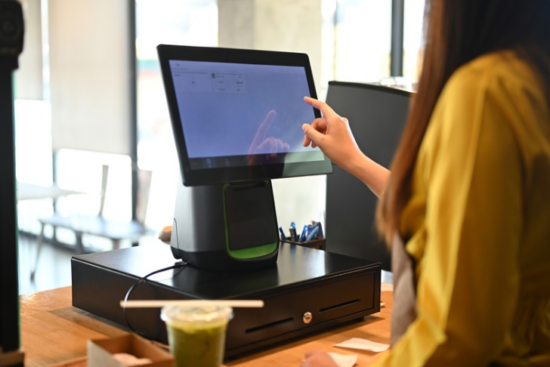


Switching to digital checklists helps restaurants run more efficiently by freeing staff to focus on other priorities, and it can save managers several hours a week.
Why Restaurant Franchises Need Digital Checklists

Digital checklists significantly reduce human error in restaurant audits by ensuring accurate data collection and consistent processes, which is a common issue with paper-based systems.
Switching from paper to digital systems allows for real-time visibility into tasks and compliance, which is often lacking in traditional paper-based checklists, leading to delayed issue identification.
They automate routine monitoring tasks, such as temperature checks, thereby reducing labor costs while improving accuracy, which is a challenge with manual paper processes.
Studies show that digital technology, along with transparency and corrective measures, is vital to an effective food safety management system in restaurants.
Digital checklists can include multimedia elements, such as step-by-step videos or photos, to aid in training new hires.
1. Ensuring Brand Consistency Across Multiple Locations
Standardized digital checklist templates ensure everyone follows the same food safety and hygiene process, regardless of shift. The franchise experience stays uniform because all locations follow the same opening checklist, closing checklist, and food safety process within the digital checklist platform, regardless of who the manager is.
That uniformity matters to customers: in a Steritech survey of 3,000 North American adults, 74% said they expect a brand to provide the same experience from one location to the next.
2. Food Safety and Food Safety Compliance
Rigorous, constantly changing health codes must be met, and digital checklists should automatically update compliance templates and save inspection-ready documents that comply with these codes.
These tools save immense effort compared with paper checklists, which is important for maintaining compliance with health code requirements at restaurants.
They make audits more efficient by improving data collection and standardizing processes, which are vital for maintaining food safety compliance.
3. Real-Time Visibility for Franchise Managers
Digital checklists also improve operations management by letting managers see who completes tasks in real time and hold people accountable across multiple locations without visiting in person.
4. Reducing Training Time and Operational Costs
Checklists can contain multimedia, such as videos or pictures showing how to perform certain tasks, which helps train new employees.
Checklists integrated into an application let employees refer to procedures while doing the task, so they don’t have to remember everything by heart or ask a manager for help. Digital management systems reduce errors in routine tasks by up to 35% in restaurants.
EXPERT INSIGHT
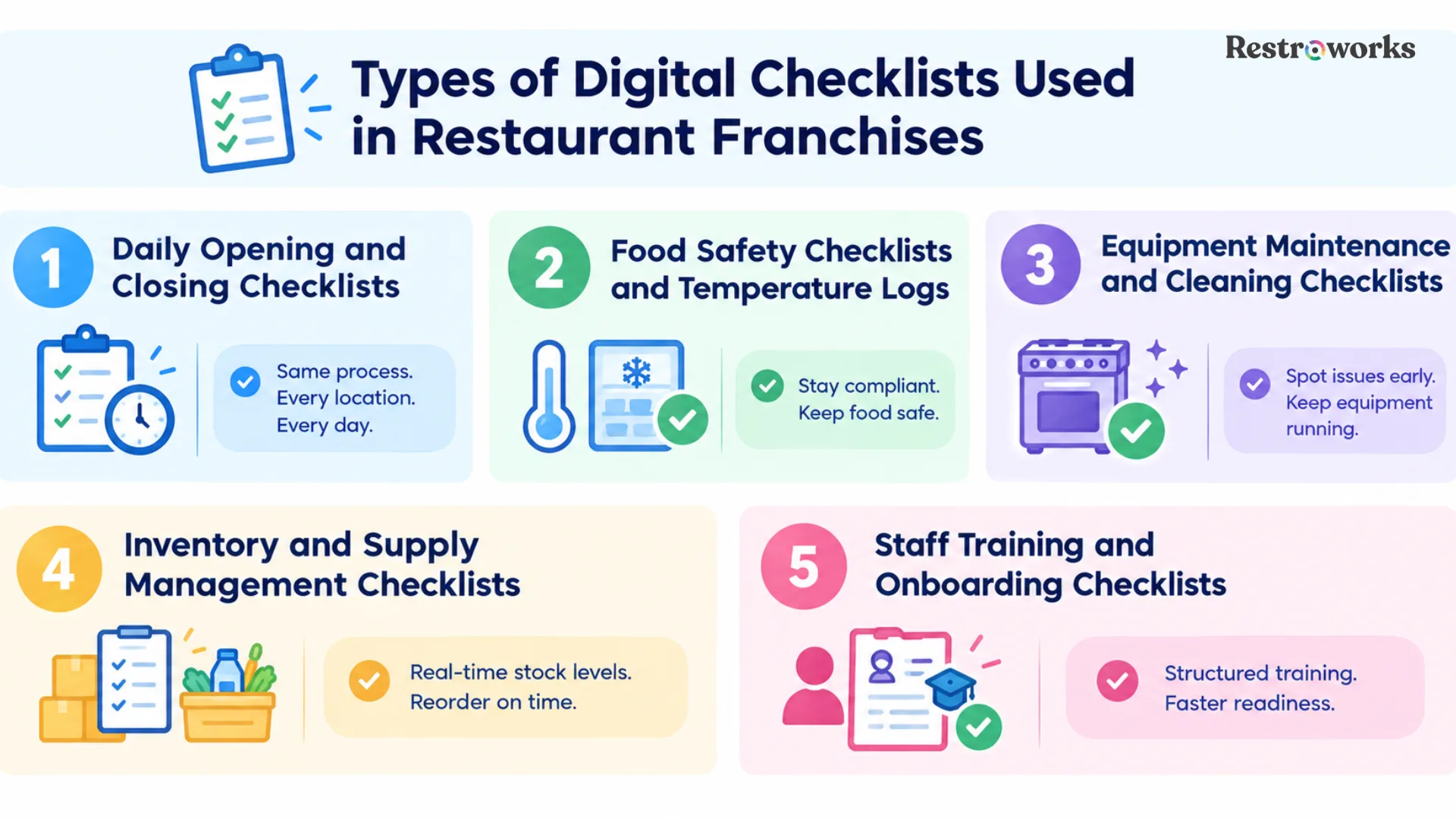
Types of Digital Checklists Used in Restaurant Franchises
Choosing the right software for digital checklists involves focusing on the specific needs of the restaurant, avoiding unnecessary features, and ensuring it enhances daily workflows.
Digital checklist systems often incorporate automated reminders and alerts, helping staff remember important tasks and deadlines, which can improve compliance and operational efficiency.
A. Daily Opening and Closing Checklists
Starting and ending checklists are the most common use cases for restaurant checklist apps. All locations need to begin and end shifts in the exact same manner. With time stamping, it ensures all crucial steps are completed, lets managers confirm them remotely, and flags inconsistencies immediately, not the next day.
B. Food Safety Checklists and Temperature Logs
Food safety and HACCP compliance checklists are the most critical use of digital checklists in any restaurant chain. These checklists automatically log temperatures, ensure any readings outside the safe range are immediately followed by corrective action, and provide the documentation needed to pass health department inspections.
The FAO digital checklist for food safety control covers 228 potential violations within four sections: structures and equipment, hygiene, food handling, and regulations.
C. Equipment Maintenance and Cleaning Checklists
One of the most common compliance risks in franchising is equipment malfunction and inadequate cleaning practices.
Digital checklists that assign equipment maintenance checks to different employees and require photos to confirm task completion help ensure accountability that traditional paper-based systems cannot provide.
Using digital checklists, franchise management can spot patterns of frequent equipment malfunctions and fix issues before they affect business processes.
D. Inventory and Supply Management Checklists
Integrating inventory checklists into your digital checklist system lets managers see inventory levels in real time and know when to reorder.
E. Staff Training and Onboarding Checklists
Staff management and onboarding checklists give new hires a structured, trackable path through their first days on the job, with in-app chat and manager sign-off at each stage. Employee scheduling integration lets you tie training completion directly to shift readiness.
Many operators are investing in this area: in the National Restaurant Association’s Restaurant Technology Landscape Report 2024, 37% of operators expected to invest in automated labor management, recruitment, or scheduling systems.
Mona Al Sayah, CEO and Co-Founder of Hostmind, came on the Restrocast and talked about how important it is to have SOPs and checklists to scale your brand.

This is the practical truth that the digital checklists seek to solve. Without established, enforceable processes that staff follow and managers can observe at any time, franchise growth simply means more inconsistency. The transition from paper-based to digital checklists isn’t just about convenience; it lays the groundwork for consistency.
Essential Features to Look for in a Digital Checklist System
Digital checklist apps allow for the creation of custom checklists tailored to specific restaurant operations, ensuring that all necessary tasks are covered and can be easily updated as needed. Effective digital checklist tools for restaurant franchises prioritize cross-location consistency, automated compliance, and real-time visibility.
1. Mobile Accessibility and Offline Functionality
Restaurant employees aren’t sitting behind a desk. The right checklist system must be designed first and foremost as a mobile application and work even without an internet connection, syncing tasks once the connection returns so you don’t lose data during the busiest times.
A mobile-first approach also fits how staff already work: according to Pew Research Center, 91% of U.S. adults own a smartphone.
2. Customization and Template Management
Modern checklist systems can be customized to a restaurant’s unique operations and help create more efficient procedures.
The best restaurant checklist apps let franchise operators configure checklists at the corporate level, deploy them to all restaurants at once, and let location managers upload photos and add context to specific tasks without changing the procedure.
3. Photo Documentation and Time-Stamping
The ability to verify that a task was performed properly through photos and videos increases accountability among workers. Uploading images directly to completed tasks, stamped and attributed to a specific employee, protects the franchise during health inspections.
4. Multi-Location Reporting and Analytics
Digital solutions let franchise leadership gather information and uncover trends across all franchises at once. Advanced enterprise checklist features will reveal compliance by location, shift, and checklist type, giving corporate leadership the data to support underperforming franchises.
Multi-unit brands are prioritizing exactly this: in Qu’s 2025 State of Digital Report, which surveyed 170 quick-service and fast-casual brands representing 85,000 locations, 55% said they want improved data orchestration and analytics.
5. Integration with POS and Management Systems
When choosing a software solution, make sure it improves workflow and integrates with other systems. Because this is still a gap for many restaurants: in a survey of 1,254 restaurant leaders by Oracle Restaurants and Informa TechTarget, 48% said their systems aren’t fully integrated, and 66% run at least four separate technology systems.
Integrating the digital checklist solution with your POS and management systems gives staff one app to use and reduces time spent on duplicate data entry.
Best Restaurant Checklist Apps: Top Solutions
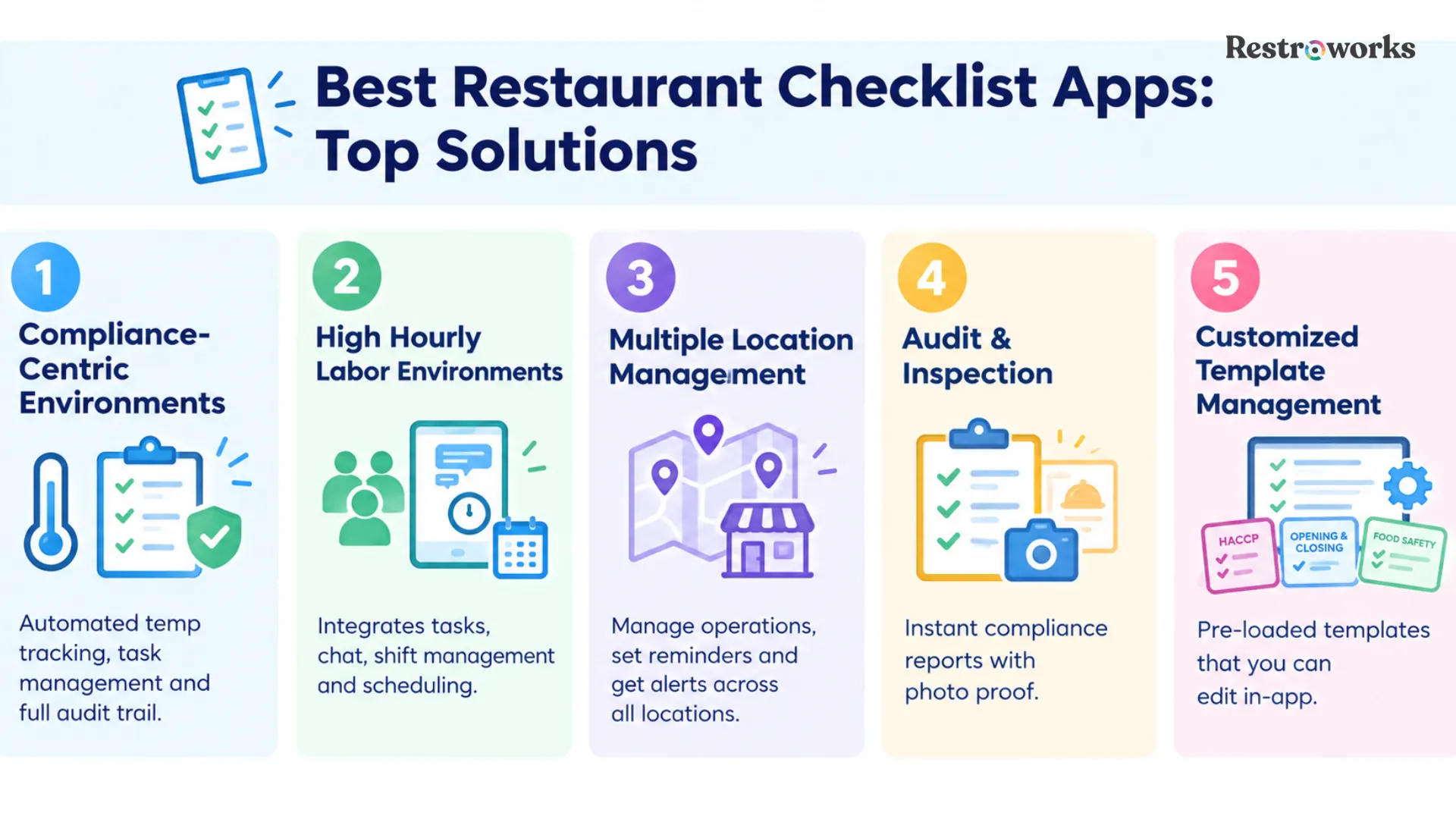
The best restaurant checklist apps for franchise operations vary by scale and use case:
- Compliance-centric environments: Applications that provide automated temperature tracking, task management, and a full audit trail for health inspections
- High hourly labor environments: Systems that integrate frontline tasks with instant messaging, shift management, and workforce scheduling in one place
- Multiple location management: Mobile applications for corporate managers to manage their operations, automate task reminders, and get alerts whenever locations fall behind on scheduled tasks
- Audit & Inspection: Dedicated checklist applications that produce immediate compliance reports for health inspections along with photographic proof for each checklist
- Customized Template Management: Applications that offer pre-loaded opening and closing checklists, HACCP templates, and food safety checklists that can be modified in the application itself
How to Implement Digital Checklists Across Multiple Locations
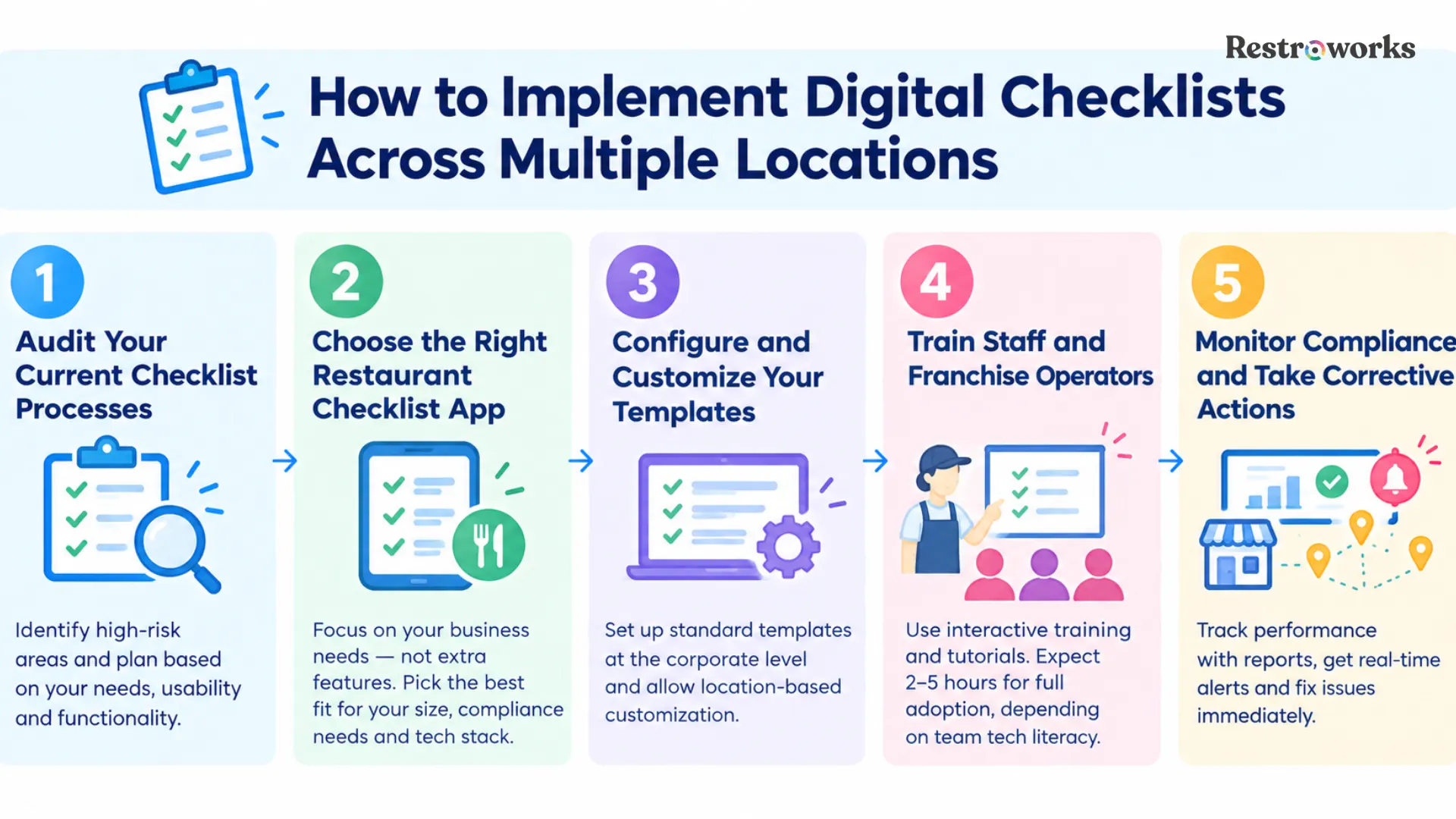
Switching from paper to digital checklists significantly reduces workload and improves overall efficiency, which is crucial for maintaining compliance with food safety standards in restaurants.
Step 1: Audit Your Current Checklist Processes
Revisit the existing checklist procedures to see which of them pose the highest risk of compliance issues, mistakes, and inconsistencies. A successful implementation of digital checklists should be preceded by a well-thought-out plan that considers functionality, usability, and the restaurant’s specific needs.
Step 2: Choose the Right Restaurant Checklist App
When choosing the right app for digital checklists, focus on the business’s specific needs, not unnecessary features. Helps franchisees pick the best app based on the size of their business, compliance needs, and available technologies.
Step 3: Configure and Customize Your Templates
Develop custom checklists at the corporate level and implement them across all locations at once. Standardizing templates within the digital checklist provides uniform food safety and hygiene procedures across all shifts, while allowing location-based customization for timing, staffing, and specific equipment.
Step 4: Train Staff and Franchise Operators
To successfully adopt the digital checklist system, offer interactive tutorials and training to help staff get used to it quickly.
Training time depends on the team’s level of technology literacy and the system’s complexity, and skills gaps are common: in a Vita Mojo hospitality research report, 44% of operators said they don’t have the in-house skills to make the most of their systems. Well-performing restaurants usually spend enough time on onboarding their teams.
Step 5: Monitor Compliance and Take Corrective Actions
After implementation, use your digital checklist system’s reporting capabilities to monitor compliance at the location level, measure performance against compliance goals, and take corrective action if any checklist items are missed. Real-time alerts allow you to solve problems immediately instead of analyzing them at the end of the period.
You get real-time visibility into task completion, allowing you to monitor operations and ensure accountability, which is crucial for maintaining standards across multiple locations.
Over time, the data you collect also helps franchise leadership identify trends, such as recurring equipment failures, and ensure accountability across every location.
Digital checklists for restaurant franchises turn paper routines into trackable, real-time workflows that keep every location consistent. They reduce errors, simplify food safety compliance, and give franchise leadership clear visibility across the network.
Start with your highest-risk processes, standardize templates at the corporate level, train your teams well, and use the data to keep improving.
KEY TAKEAWAYS