


You probably already have safeguards in place to protect cash, inventory, and equipment. But some of the most valuable assets in your cafe exist in digital form. In your POS system.
It records your customer information, payment details, transaction history, sales numbers, loyalty data, and employee access. And the risk of this data getting stolen? It’s real. Especially when nearly one-third of businesses across the retail, restaurant, and hospitality sectors report having experienced data breaches.
As your cafe becomes more dependent on digital payments, cloud-based POS systems, and connected software, protecting business data and system access becomes just as important as protecting physical assets.
So, here are some cafe POS system security best practices that will help you protect customer information, safeguard business operations, and reduce security risks.
What you will learn
- Why POS security matters for cafe businesses
- What are the key PCI DSS compliance requirements
- The best ways to improve cafe POS system security
Why POS Security Matters for Cafes?
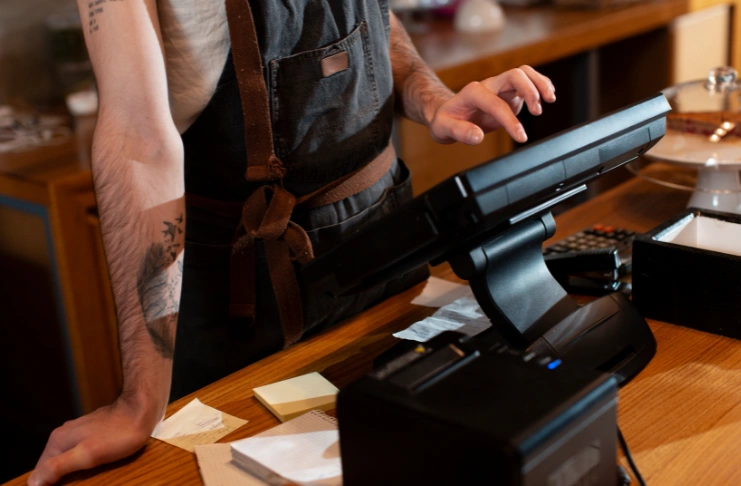
If you ever question whether POS security even matters, just think about this: 74% of businesses using POS software have experienced a data breach in their company history, leading to damage to reputation and serious financial losses.
What this means for your cafe is that ignoring POS security best practices can expose you to several internal fraud and external threats, such as-
- Phishing attacks that steal employee login credentials
- Malware infections or ransomware attacks
- Weak passwords and shared login accounts
- Unauthorized access from former employees or third parties
- Unsecured networks and connected devices
- Fraudulent transactions such as refunds, discounts, or duplicate transactions in the system
- Outdated software with known security vulnerabilities
So, POS system security is a critical part of your operations. Here’s why-
Customer Data Is Valuable
Your POS system keeps customer names, payment information, loyalty program data, and purchase histories. A security breach can expose sensitive customer data and damage the trust customers place in your business.
Operational Disruptions are Costly
A security incident can interrupt payment processing, prevent employees from accessing critical systems, create reporting inaccuracies, and disrupt day-to-day operations during business hours.
Security Risks Can Lead to Financial Losses
Unauthorized transactions, fraud, data recovery costs, compliance penalties, and lost business can all have a direct impact on profitability. For smaller cafes, even a single incident can create unexpected expenses and operational challenges.
Strong Security Protects Long-Term Growth
Establishing strong POS payment security practices early helps protect your business, customers, and reputation as you grow.
Understanding PCI DSS Compliance for Cafe POS Systems
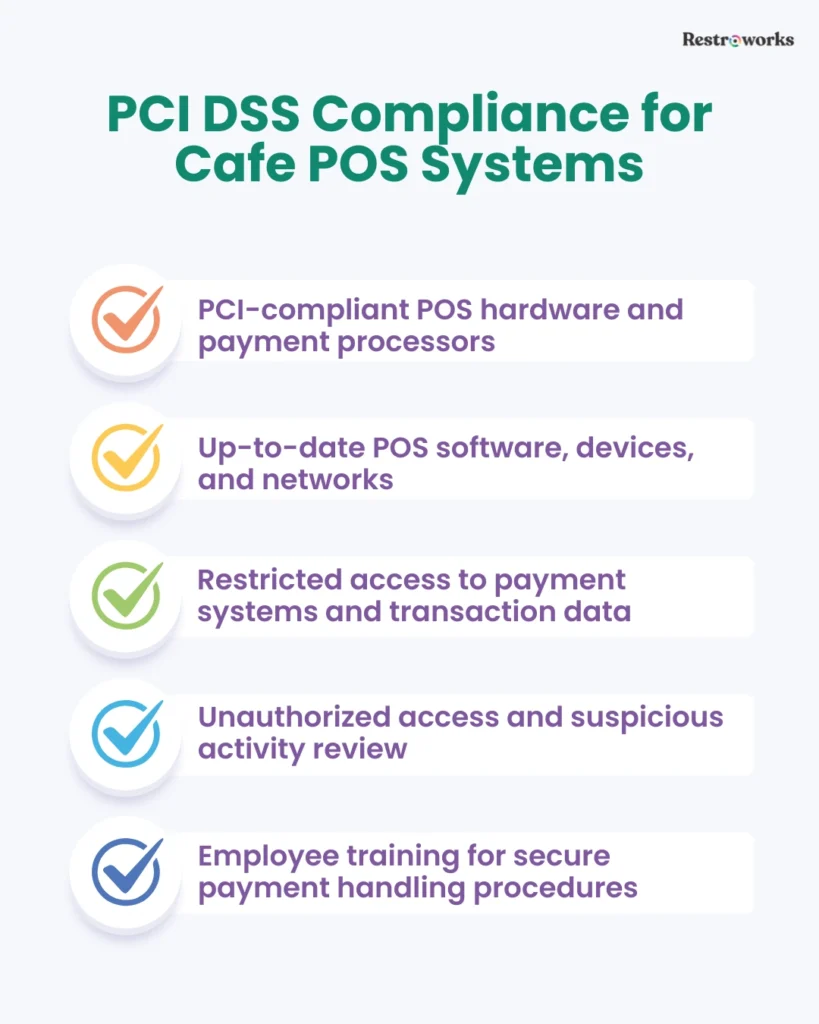
Every time a customer taps a card, inserts a chip, or places an online order, payment data passes through multiple systems before the transaction is approved. PCI DSS (Payment Card Industry Data Security Standard) is a set of security requirements to protect cardholder data and reduce the risk of payment fraud.
What PCI Compliance Means for Your Cafe
From an operational perspective, PCI compliance for cafes comes down to maintaining a secure payment environment, focusing on how you process payments. This includes-
- Using PCI-compliant POS hardware and payment processors
- Restricting access to payment systems and transaction data
- Keeping POS software, devices, and networks updated
- Securing Wi-Fi networks used by payment devices
- Monitoring unauthorized access and suspicious activity
- Training employees to follow secure payment handling procedures
Why Does It Matter?
PCI DSS is not a regulatory requirement. It’s simply a global security standard to protect one of the most sensitive types of data your business handles: your payment data.
PCI compliance helps reduce the risk of payment data breaches and card fraud. More importantly, it protects you against financial penalties, chargebacks, legal liabilities, and reputational damage.
Cafe POS System Security Best Practices
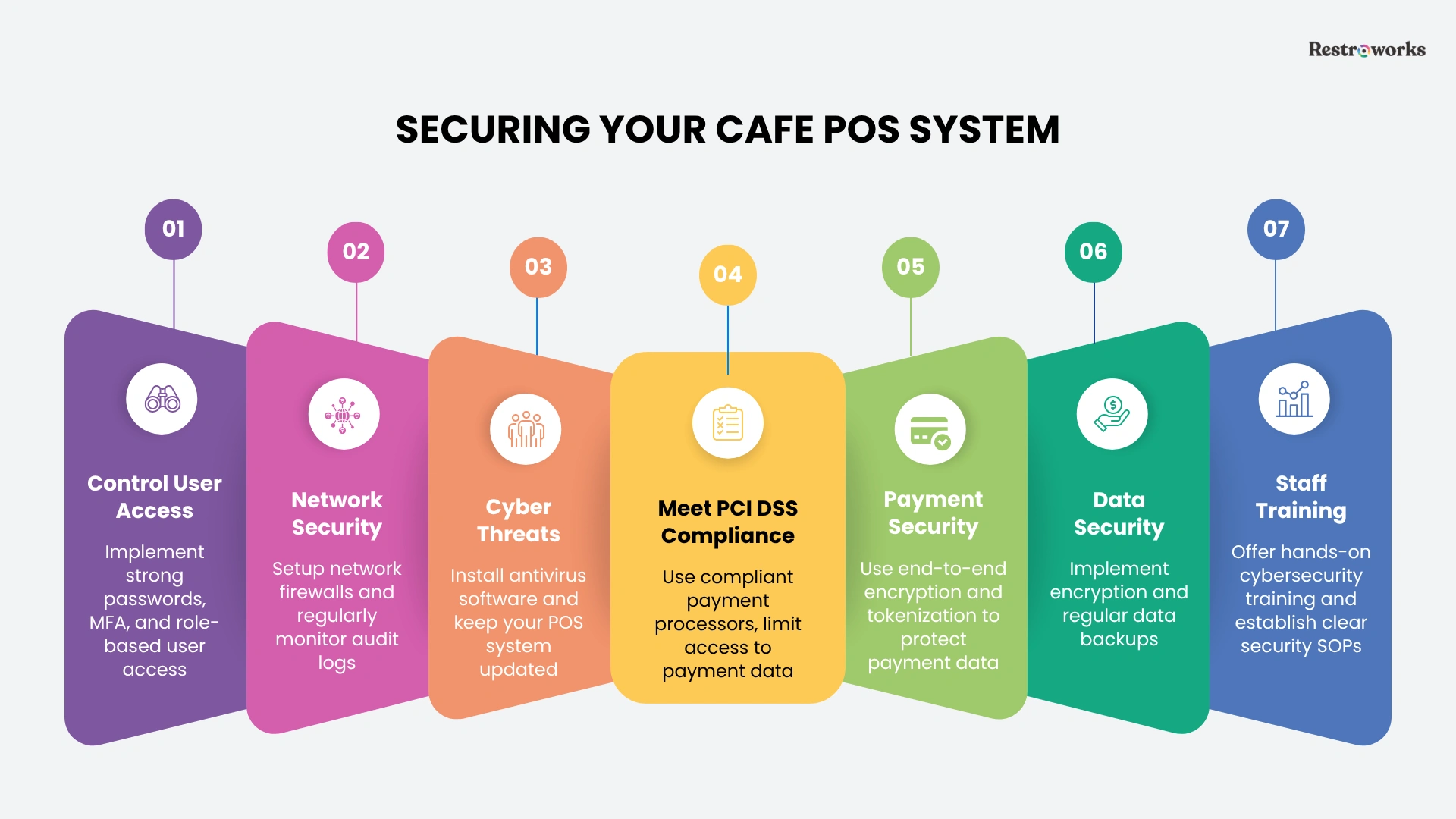
Here are the top industry-standard security practices that you, as a cafe owner, can follow with your POS system-
A. Access Control
Most POS security issues start with who can access the system and what they can do once they’re inside. The goal is simple: give your employees access to the tools they need, and nothing more.
1. Build Strong Password Policies
Passwords are the first line of defense against unauthorized access. Yet many businesses continue to rely on simple passwords, shared credentials, or the same login details for months or even years.
Have your employees create strong, unique passwords that combine letters, numbers, and special characters. You can establish a basic password update policy and discourage password sharing between team members.
2. Enable Multi-Factor Authentication (MFA)
Multi-factor authentication adds a second verification step, such as a mobile app approval code or authentication token. This extra layer of security makes it much more difficult for unauthorized users to gain access, even if they have the passwords.
3. No Shared Cash Drawers
Shared cash drawers may seem like a convenient idea when things are busy, but they create accountability and security challenges. If everyone uses the same cash drawer, it’s difficult to know who processed a refund, voided a transaction, or even changed a transaction.
Whenever possible, give each employee their own POS login and cash drawer. You’ll have a much clearer view of transactions and staff accountability when reconciling sales at the end of a shift.
4. Assign User Access Based on Job Roles
Most employees only need a small part of your POS system to do their jobs. Use role-based access controls to limit permissions according to job responsibilities.
For example, front-of-house employees can only access order entry and payment processing, while managers can access reporting, inventory controls, refunds, and administrative settings.
B. Network Security and Cyber Threats
Every connected system in your cafe, including POS terminals, payment devices, online ordering platforms, guest Wi-Fi, and back-office systems, works on a network.
That means, if the network isn’t secure, a threat to one connected device can leave the rest vulnerable to unauthorized access and cyber attacks.
1. Segment Network and Set Up Firewall
You might offer guest Wi-Fi to improve the customer experience, but your customers don’t need access to the same network that handles payments and business operations.
Segment your networks to isolate critical systems, and implement firewalls to monitor and control incoming and outgoing traffic to block unauthorized access.
2. Install Endpoint Security and Antivirus Software
Your POS terminals and connected devices handle valuable business and payment data every day. Endpoint security and antivirus software help detect and block malware before it can compromise those systems.
3. Regularly Monitor Security and Audit Logs
It’s not always possible to discover security threats immediately, unless something serious happens. Don’t let that happen.
Monitor your security systems and audit logs to see who accessed your system, when they logged in, and what actions they performed. That’ll be your defense against suspicious activity or discrepancies.
4. Update POS Software and Hardware
One of the simplest, yet surprisingly overlooked ways of ensuring POS security is keeping the software and hardware up-to-date.
Outdated systems are easy attack points for cybercriminals, while frequent updates carry security fixes to those known vulnerabilities. Update both software and hardware to maintain a more secure operating environment.
C. Payments and Data Security
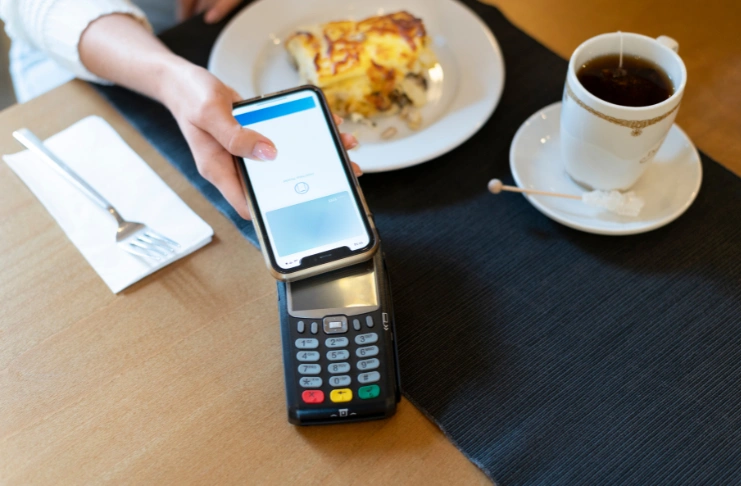
You process tons of sensitive data through your POS system. This includes customer details, card transactions, gift card purchases, online orders, and data, and so much more.
And maintaining the integrity of that payment and business data is your ethical responsibility. Along with PCI DSS compliance requirements, focus on the following-
1. Use Secure Payment Processing Systems
Use trusted payment processors, disable unnecessary payment features, and review payment settings regularly to ensure they align with current security requirements.
2. End-to-End Encryption and Tokenization
Card payment data passes through several systems before a transaction is completed. Encryption helps protect that data while it’s being transmitted, so no one can gain unauthorized access to read sensitive data such as payment details
Similarly, tokenization is another security measure that replaces actual card information with secure tokens that have no value if intercepted. This way, it limits the amount of exposed sensitive information within your POS environment.
3. Data Backup Procedures
Let’s be real, even with strong security measures in place, things go wrong. Hardware failures, cyberattacks, accidental deletions, or software issues can affect access to critical business information.
Regularly create data backups with secure cloud storage to save and recover sales data, customer records, and operational information more quickly when problems occur.
D. Staff Training and Management
Technology can only do so much if your day-to-day security practices are ignored. Sharing credentials, not changing passwords, or a lack of cybersecurity knowledge among the staff can create serious data breach issues.
1. Cybersecurity Training
You don’t need to turn your staff into cybersecurity experts, but they should know about common threats and how to deal with them. Train your floor and kitchen employees to identify suspicious phishing emails, avoid unsafe links, create strong passwords, and follow security procedures.
The more aware they are, the more likely they are to avoid security incidents.
2. Establish Security Policies for Employees
Security measures shouldn’t vary from one employee or shift to another. Create clear guidelines for how employees gain access to POS systems, handle customer information, manage passwords, and report suspicious activity.
This becomes especially important as your team grows. Having documented IT and security SOPs helps ensure everyone follows the same security standards, regardless of role or location.
Choosing Secure POS Hardware and Software: Security Features to Look for
Many of the security best practices covered in this guide depend on the capabilities of your POS system. If you’re evaluating a new platform or reviewing your current setup, it’s worth checking that it offers you the following security features to maintain compliance-
- User permissions and role-based access: Look for a POS system that allows you to control user permissions for billing, discounts, reports, inventory settings, and administrative functions.
- Audit logs and activity tracking: Audit logs within your POS system allow you to review user actions and identify when changes were made and by whom. This is a useful feature when investigating unusual refunds, voids, or account activity.
- Data encryption and tokenization: A point-of-sale (POS) system with payment encryption and tokenization features helps reduce the risk of sensitive payment data being exposed or intercepted.
- Automatic security updates: Choose a cloud-based POS systems that receive consistent updates and enhanced security features to address new threats and maintain a secure environment over time.
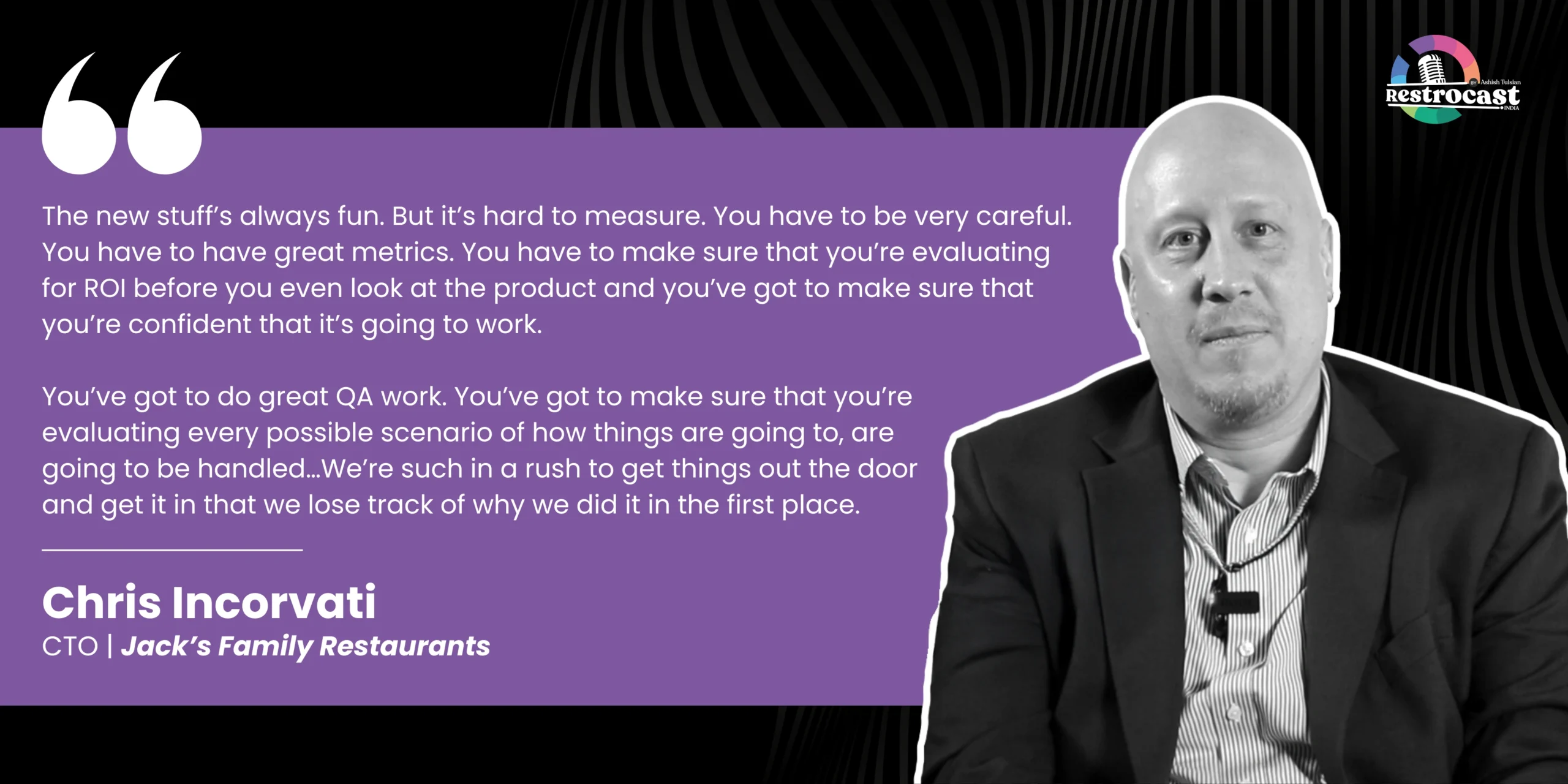
When evaluating restaurant technology, Chris Incorvati, CTO at Jack’s Family Restaurants, advises operators to look beyond product demos and marketing claims. Instead, he recommends focusing on testing, operational readiness, and measurable business outcomes-
In addition to choosing a secure POS system, partner with reliable vendors who-
- Support PCI DSS compliance
- Use secure payment processing practices
- Provide regular software updates and the latest security patches
- Offer data backup and recovery capabilities
- Maintain transparent security documentation and policies
- Clearly explain how customer and payment data is protected
A reputable POS provider should be able to explain its security controls, compliance practices, and approach to protecting customer data without hesitation.
POS Security Compliance Checklist for Cafes
Use this checklist to quickly assess whether your cafe has the essential POS system security controls in place.