

Your restaurant management software can quietly kill your margins.
Think about it. Every menu update, every inventory usage, every outlet-level decision flows through your restaurant management system. The wrong restaurant management software may not support that flow smoothly, and you will end up relying on manual checks and reporting to stay in control.
At first, this may not feel like a problem, but for restaurant groups, manual tasks are simply inefficient. Over time, it slows down decisions, creates inconsistencies, and makes it harder to scale with confidence. Which ultimately kills your restaurant margins.
That’s why choosing a management software for your chain restaurants requires a systematic approach. You need to look at how the system actually handles real operational scenarios, where it gives you control, and where it might pose challenges.
This guide will help restaurant owners understand how to choose restaurant chain management software to improve operational efficiency.
What you will learn
- How does restaurant management software work?
- What capabilities are crucial for a chain restaurant?
- How can you assess and choose a reliable management software?
Understanding Restaurant Chain Management System
Restroworks restaurant chain management software is a comprehensive digital tool in the restaurant industry that connects your entire operation, including the tools you use at individual outlets, to streamline operations.
The restaurant management software market was valued at $6.54 billion in 2025 and is estimated to reach $14.73 billion by 2031, at a CAGR of 14.52%.
At its core, it brings your key functions into one place so you can manage multiple locations without relying on fragmented systems or manual coordination. This includes your POS data, inventory, procurement, reporting, and controls, all working together instead of in silos.
For example, when you update a menu, does it reflect instantly across all outlets with the right pricing and availability? Can you track inventory transfers from the central kitchen to an outlet at the central level? Can you access comparable, real-time data when reviewing performance, or do you need to capture numbers together from different systems?
This is what defines restaurant chain management software. The software should give restaurant owners centralized control, while still allowing outlets to operate efficiently within that structure.
Must-Have Capabilities for Multi-Location Management
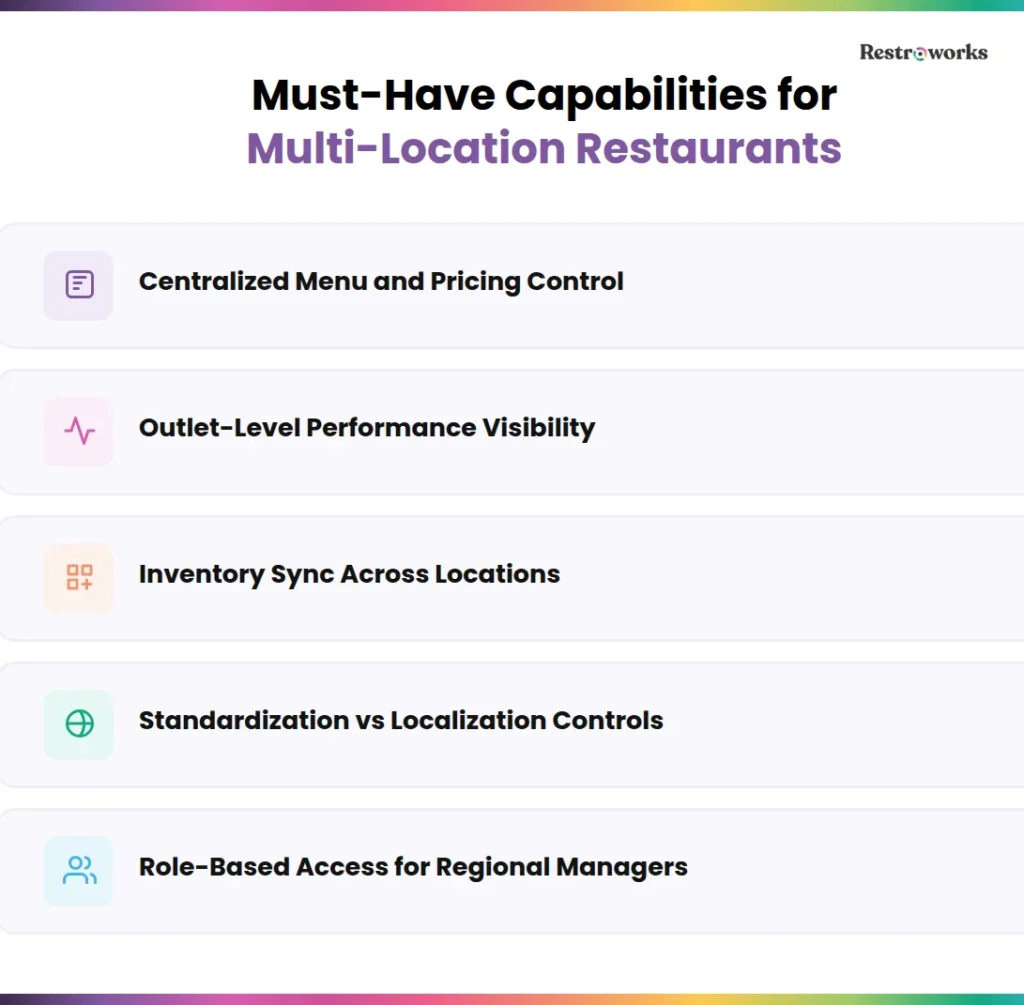
When you’re running a restaurant chain, control is all about visibility, accessibility, and coordination. Visibility into your everyday operations, access to data easily without chasing it across different systems, and coordination so that every outlet works in sync.
Sure, a restaurant management system can offer you all that, but only if it has the following capabilities-
1. Centralized Menu and Pricing Control
Any changes to your menu should not be a separate operational task that needs time and intervention. You need the ability to update items, pricing, and availability across all locations in one go, with confidence that every outlet reflects it correctly.
Because if it doesn’t, customers may keep ordering “out of stock” menu items and leave disappointed when it’s unavailable. Such delays or inconsistencies will affect your customer experience and revenue.
2. Real-time Outlet-Level Performance Visibility
You shouldn’t have to wait until the end of the day to track your sales, customer traffic, or inventory. A strong system gives you live, outlet-level visibility so you can identify underperforming menu items or monitor sales trends and take action immediately.
3. Inventory Management Across Locations
Your restaurant management software should track stock movement in real time and actively flag deviations between expected and actual consumption to minimize food waste, which
If one outlet is using more of a key ingredient than it should, or if end-of-week stock levels don’t match the sales data, you should know immediately. Without variance alerts, these gaps will lead to higher food costs or unexpected shrinkage.
4. Standardization vs Localization Controls
You need your core menu, pricing logic, and processes to stay consistent across outlets. At the same time, you may need some flexibility at the outlet level to create add-ons, combo pricing, or discount offers based on local demand.
For instance, you can set standard recipes and portion sizes across all locations but allow outlets to introduce limited-time offers or give loyalty discounts to regular customers.
The right software solutions should allow you to control aspects where outlets can make changes.
5. Role-Based Access for Regional Managers
As your team grows, control cannot stay centralized. The system should allow you to define who can see, edit, and approve what, so regional managers can operate independently.
More importantly, with role-based access, it becomes easier to track who made changes, who approved decisions, and where things went wrong. That level of accountability is important to achieve operational efficiency as you scale.
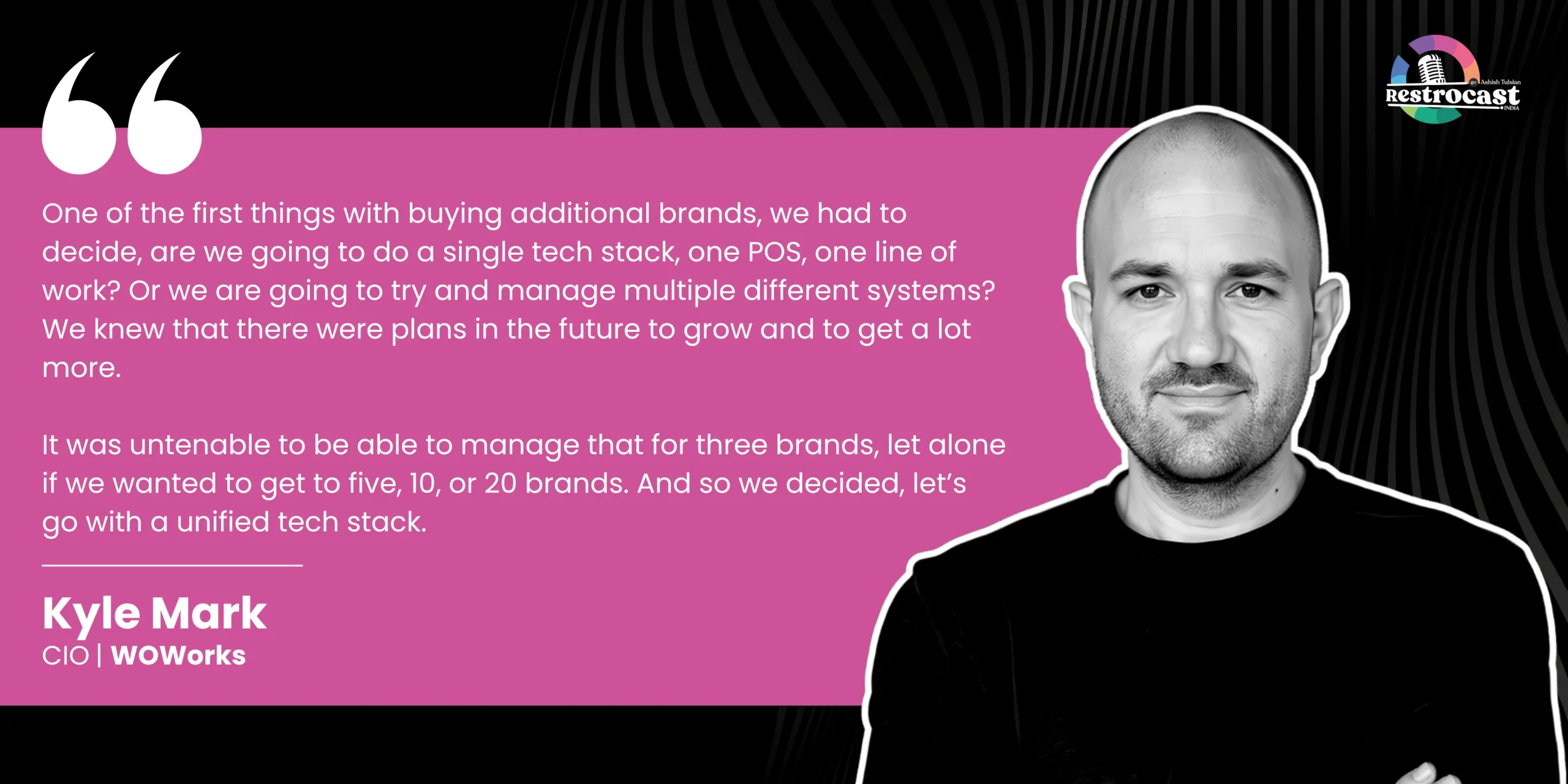
Kyle Mark, Chief Information Officer at WOWorks, talks about the realities of working with a single tech stack as outlets grow. According to him-
Watch the full episode here-
Key Features of the Best Restaurant Management Software
A restaurant chain management system is made up of multiple components that work together to support your daily operations. Each one plays a specific role, such as processing transactions, tracking inventory, or giving you visibility into performance across locations.
Let’s explore the key features and components to consider for your restaurant tech stack–
1. Integrated POS Systems
Your point-of-sale system is the heart of your restaurant tech stack. The role of modern POS systems goes far beyond billing and transactions. It also handles order management, table management, customer reservations and loyalty programs, menus, and much more.
In a restaurant chain setup, it acts as the primary source of truth for sales, item performance, and customer behavior across locations. As a result, global point of sale adoption has grown significantly, with 78% of restaurants using POS software in 2024.
So, what you should evaluate is how well the POS systems connect with other functions like inventory control, reporting, and menu management. Here are some key features of a POS system-
- Quick transaction processing to reduce wait times
- Real-time sync between sales data and inventory across all outlets
- Centralized menu updates with instant reflection at POS system terminals
- Outlet-level and consolidated sales visibility without manual consolidation
- Ability to handle high-volume transactions without lag or data loss
2. Inventory Management
In a multi-location restaurant setup, the challenge is not just tracking inventory at one outlet. It’s maintaining accuracy across all of them while ensuring that inventory data matches actual consumption.
A strong system connects inventory directly with sales and procurement. For instance, if one outlet shows higher consumption of a key ingredient compared to its sales, the system should flag that immediately.
This helps you identify issues like wastage, pilferage, or portion inconsistencies early to control food costs actively. A restaurant chain was able to achieve exactly that, reducing food costs by 18% in 2 months of using an integrated POS and inventory system. An inventory management system lets you-
- Track inventory across all outlets in real time
- Automatically deduct stock based on actual sales and usage
- Manage inventory requests and stock transfers between outlets
- Set alerts for unusual usage patterns, low stock count, or restocking to reduce waste
- Manage vendor and purchasing centrally while still tracking stock at the outlet level
With a reliable chain management system, you can also manage vendors and purchasing in one place to ensure better inventory control.
3. Kitchen Management Software
Speed, accuracy, and coordination are the pillars of a smooth-running restaurant kitchen. But something as simple as manual order tickets can create chaos during peak hours.
Kitchen management software helps you bring structure to that chaos by improving communication between the front and back of house, even helping you improve ticket times by 20%.
Think about a busy dinner service. You have orders coming in from channels including dine-in, takeaway, and delivery. Without a clear system automatically tracking these, you may duplicate tickets, get delayed, or worse, miss orders entirely.
On the other hand, a well-set-up kitchen system routes orders correctly to the kitchen display system, prioritizes tickets, and gives your team a clear view of what needs to be prepared next. It offers-
- Digital order routing to the right kitchen stations
- Real-time order status tracking for better coordination
- Visibility into preparation delays
- Reduced dependency on manual communication or printed tickets
- Kitchen prep time tracking
When your kitchen runs on a structured system, service is more predictable. Orders will go out faster, errors will reduce, and your team will spend less time managing confusion.
4. Restaurant Reservation System
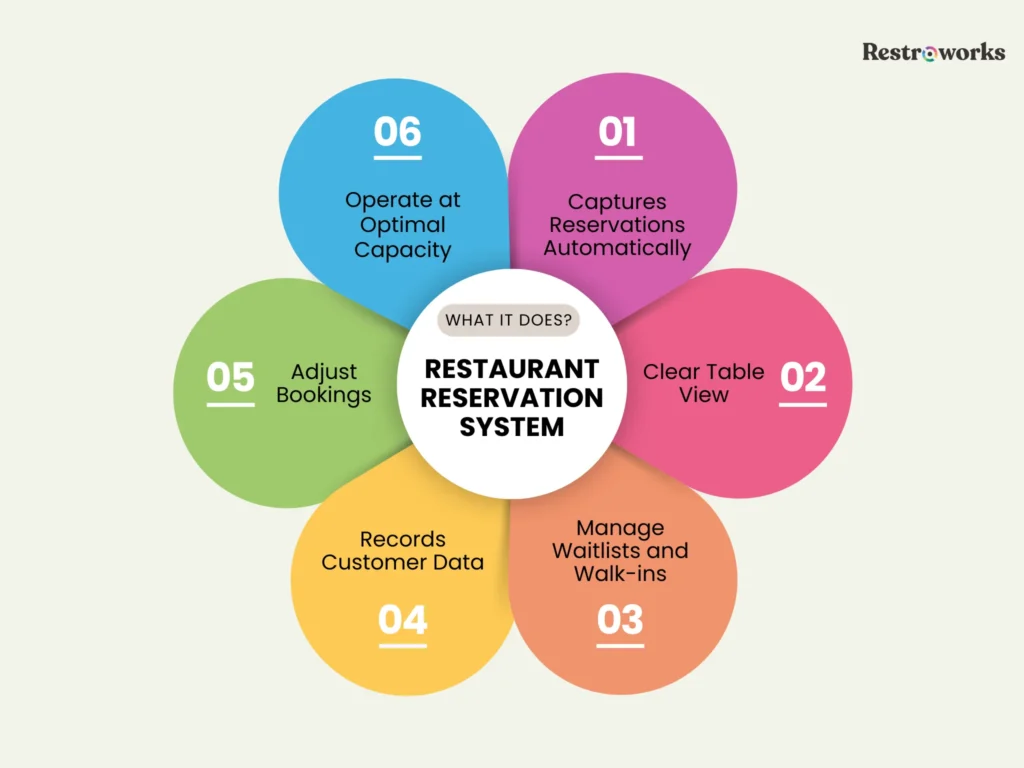
A built-in reservation system in your restaurant management software is important for controlling demand, managing peak hours, and enhancing customer experience before they even walk in. 59% diners prefer making online reservations, according to the NRA.
Without a centralized system, each outlet ends up handling bookings differently, which leads to uneven load, long wait times, or underutilized capacity.
A good reservation system simplifies table management by providing real-time restaurant availability and helps you manage seating more strategically.
For example, you can control how many bookings you accept during peak hours, stagger reservations to avoid crowding, or identify time slots where you can drive more demand. Plus, waitlist management allows you to manage walk-ins more efficiently.
Finally, most systems also record data for customer preferences and repeat visits, so you can remember your customers’ likes and dislikes and offer them a personalized service. You can improve service quality, reduce wait times, and ensure each outlet operates at optimal capacity without compromising customer satisfaction.
5. Workforce Management with Employee Scheduling Software
Staff scheduling is one of the hardest things to get right across multiple outlets. If you schedule too many people on a shift, your labor costs will go up. Too few, and the service quality will be poor and inefficient.
Most multi-location restaurants try to manage this with static staff scheduling or last-minute adjustments, which may not be a sustainable approach depending on the demand.
A good workforce system connects scheduling to real demand, attendance, and payroll. It helps you plan shifts based on expected footfall, peak hours, and outlet performance, track attendance in real time, and have those data insights flow directly into payroll.
For example, if the demand forecast indicates busy weekend dinner service at certain locations, the system will help you schedule accordingly. Or if a staff member works extra hours during that time, that will automatically reflect in attendance and payroll. You can-
- Forecast staff scheduling needs based on historical sales patterns and forecasted demand
- Auto-calculate wages, overtime, and deductions using attendance data
- Handle multi-outlet staff transfers without affecting payroll management
- Maintain a centralized record of employee performance and shift history
- Reduce payroll disputes with clear, system-backed attendance logs
All this gives you better control over labor costs, which is one of the two highest costs for any food service business.
6. Online Ordering Integration
Online ordering is no longer an add-on service you may or may not offer. It’s a core ordering and revenue channel, with 60% of consumers ordering online at least once a week. But if it’s not integrated with your system, it can create more problems than it solves.
An integrated setup ensures that every online order flows directly into your POS systems and kitchen tools, just like a dine-in order. If an outlet runs out of a menu item, the system should automatically reflect availability on all ordering channels, including third-party delivery platforms, for enhanced customer experience.
- Sync third-party delivery platforms and direct orders into a single order queue for the kitchen
- Apply outlet-specific pricing, taxes, and offers across online ordering channels
- Track channel-wise profitability instead of just overall online sales
- Manage prep time settings to avoid overloading the kitchen during peaks
7. QR Code Ordering
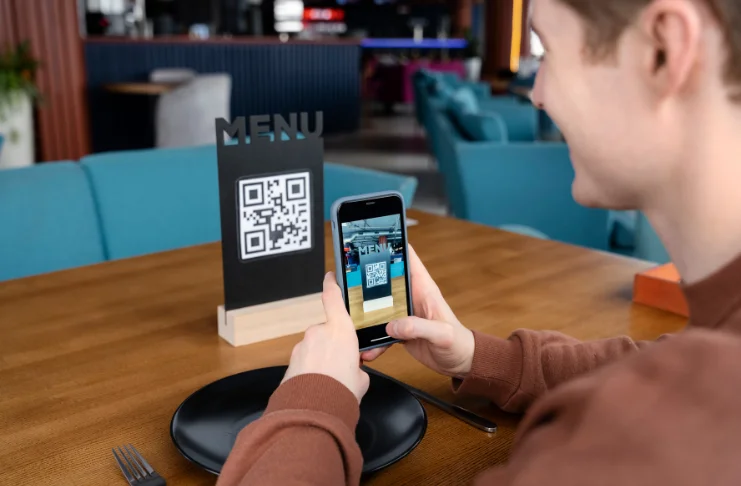
QR codes have now become a standard expectation in many markets, especially for high-volume restaurants.
Around 66% of restaurants now use QR codes in some form, and a growing share of customers prefer browsing menus or paying this way. When connected to your POS and kitchen, it removes delays in order taking and reduces dependency on staff during peak hours. It is also a good way to increase order value through add-ons and visual upselling.
When implemented properly, QR ordering helps you serve more customers without increasing staff pressure, while also improving order accuracy and speed.
8. Loyalty Programs Integration
In a conversation on Restrocast, Duncan Muir, Sr. Director, F&B and Retail at Bateel International, mentions, “I think it’s great to have such familiarity with your customer base. You know them inside out, you know who they are. They frequent you so much, it’s great. I think it builds a really nice environment and rapport.”
If you have loyalty programs at your restaurant chain, integrating them with the best restaurant management software solutions can unlock great benefits.
For starters, you can ensure that all customer data insights, from the number of transactions and ordering channels to their past orders, customer preferences, and contact information, are in one place. This allows you to share personalized offers based on their spending habits.
Next, it allows you to apply rewards, points, or discounts seamlessly, even at individual outlets.
- Allow points earning and redemption across outlets
- Segment customers and run targeted campaigns based on behavior
- Measure the actual impact of loyalty programs on repeat business
So, for example, if you know a frequent customer usually visits on weekends and orders a specific drink, you can send them a “1+1 drink offer” to incentivize their next visit.
9. Real-Time Analytics and Reporting
Most systems can generate reports. But can you access and understand them for informed decision-making? That’s what matters the most. In any restaurant setup, if you have to scramble for data from multiple sources and spend hours interpreting them, you’re already too late to act.
Real-time advanced analytics gives you a live view of what’s happening across outlets, so you can make decisions more quickly. With a reliable restaurant management system, you should be able to-
- View outlet-level and consolidated performance in real time
- Compare sales, labor costs, and trends across time periods and locations easily
- Track item-level performance and profitability
- Identify anomalies or performance issues as they happen
- Access reports without manual consolidation or delays
Integration Requirements for Chain Operations
At some point, you have to stop asking “what can this software do?” and also consider “what can it work with?” Because in a real chain setup, you’ll already have accounting software, maybe an ERP, vendor systems, or even internal workflows that your team depends on.
If your restaurant management software can’t connect with these, you will only be complicating your operations.
Plus, it should also be able to integrate with third-party apps like Uber Eats for food delivery, PayPal for payment systems and gateways, and QuickBooks for accounting software.
Digital Payment Integration

Customers notice everything. Even if their experience with food and service was good, but their last touchpoint — payments — fails to live up to their expectations, they may not come back. The cornerstone of this touchpoint? Digital payments.
A chain restaurant management system should integrate digital payment systems, along with cards, cash, and wallets. At the same time, you don’t want each location processing payments differently or reconciling them separately.
The system should standardize how payments are accepted, recorded, and reported across all locations. At the very least, the software helps-
- Split digital payments, refunds, and partial settlements without manual tracking
- Support multiple payment modes with seamless processing
- Sync transactions automatically with POS systems and advanced analytics
- Handle taxes, tips, and service charges across locations
- Maps every payment to the right order, outlet, and report
Supply Chain and Procurement Integration
Procurement becomes significantly more complex as you scale. You’re no longer ordering for one outlet; you’re managing multiple vendors, locations, and demand patterns. Without a connected system, this often leads to over-ordering, stockouts, or inconsistent supplier management.
An integrated approach to supply chain ties procurement directly to inventory tracking and consumption. For example, if stock levels drop below a defined threshold at multiple outlets, the system should help you trigger orders automatically or consolidate purchasing to optimize costs.
It can even help reduce manual coordination between outlets and suppliers.
Multi-Brand Portfolio Management with Restaurant Management System
If you have multiple brands under your restaurant business, it is a different game altogether. Each brand has its own identity, menu structure, pricing logic, and way of operating. But behind the scenes, you still need one system that keeps everything connected without making your team juggle between setups.
This is where it can get messy. Many systems may handle multiple outlets, but not multiple brands with different rules. And your teams will end up creating separate workflows and duplicating efforts.
A system built for multi-brand operations should let each brand run its own playbook, while you still have a clear, unified view of the business. This inlcudes-
- Separate menus, pricing structures, and workflows for each brand without overlap
- Centralized reporting that lets you compare performance across brands, not just outlets
- Brand-level controls for offers, promotions, and customer experience rules
- Ability to scale new brands without rebuilding systems from scratch
The result? Clear and cohesive processes that improve overall control over the restaurant business.
How to Choose Restaurant Chain Management Software?

Choosing the right restaurant management software starts with understanding operations and goals. At the same time, it’s about choosing a vendor with proven experience in the restaurant industry. Here are a few non-negotiables that you must consider-
- Assess your operations and requirements: Start with how your restaurant operates. Which tasks are the most time-consuming? What operations do you want to automate or track? Where do you make most errors? Assess your business processes to pick the right features.
- Look for cloud-based solutions: A cloud-based system gives you remote access to optimize operations, push updates, and access reports without being physically present or dependent on local servers. More importantly, it keeps your customer data consistent and available across outlets.
- Evaluate ease of use: Restaurant staff don’t have time to navigate complex interfaces or workflows. Look for a user-friendly interface and intuitive system. Can a new staff member learn it quickly and perform daily tasks without constant support? If the answer is yes, only then is this the right tool to consider.
- Check for scalability: Make sure the system can handle more outlets, more customer data, and more complexity. Adding a new location should be quick and straightforward to enhance operational efficiency.
- Consider the cost and value: Restaurant software pricing isn’t limited to a subscription fee. It includes implementation, training, delivery integration capabilities, and other ongoing costs. A lower-cost option may seem attractive upfront, but it is important to focus on long-term ROI and value.
- Security and compliance: As your operations grow, so does the volume of sensitive data you handle, from customer details to financial transactions. Your system should meet standard security protocols, protect data across locations, and support compliance requirements based on your region.
As a thumb rule, request a demo from potential vendors to see if the software’s features meet your operational requirements.
The right solution should simplify cost control, keep business data aligned, and remove the need for constant manual fixes. If it fits your workflows, scales with your business growth, and connects with your existing systems seamlessly, it will become a long-term advantage that improves operations.