
You can’t be more delusional if you still think cloud kitchens are merely a pandemic-era workaround. That too, when its global market size is set to hit USD 141.08 billion by 2030, growing at a ~11.9% CAGR.
Those who saw this early built lean, delivery-first kitchens and scaled fast. The rest are still catching up.
If you want a real shot at this market, here’s one thing you must know – the “real” determining factor whether your cloud kitchen will work or not depends on so many things that happen way before your first order goes out. Specifically, what equipment you buy, how you size it, and whether it is built for the volume you actually need.
Because in a delivery-first model, equipment is the system. It dictates how many orders you can push per hour, how consistent your food stays under pressure, and whether your margins survive peak demand.
This guide lists all the essential cloud kitchen equipment that directly impacts throughput, consistency, and cost, so you can build a kitchen that holds up at scale.
What You Will Learn
- Why do cloud kitchens have different equipment needs than regular restaurants?
- What to consider before and after buying any kitchen equipment?
- A full breakdown of must-have cooking equipment, storage, tech, and sanitation gear
- How needs shift when you run multiple virtual restaurant brands in one space
- How to size, budget, maintain, and evaluate ROI on everything you buy
Why Do Cloud Kitchens Have Different Equipment Requirements From Traditional Restaurants?
Almost every traditional restaurant is built around speed and presentation. Food needs to look good on a plate and get to the table fast.
A cloud kitchen does the same, minus the dining room, minus the table service, and plus a 10 to 45-minute delivery window in which food has to arrive hot, intact, and exactly as ordered.
That changes almost everything about what you need.
Unlike traditional restaurants, a ghost kitchen is a professional food preparation facility built entirely around delivery, and operated using a dedicated cloud kitchen system. All you need to do here is cook, pack, and hand over the item to a driver.
Now, look at it through that lens:
- Volume: During peak hours, you might handle 100+ orders at once. Your cooking equipment has to keep up with the demand.
- Packaging: Since your food will be in transit for up to 30 minutes, you’ll need specialized equipment to maintain quality.
- Space: The average ghost kitchen runs in a few hundred square feet. Every appliance needs to justify its footprint.
- Flexibility: Cloud kitchens often support multiple brands from one kitchen space. Your equipment needs to be flexible enough to switch gears fast.
In short, while traditional kitchens optimize for experience, cloud kitchens focus on execution. Your equipment must bridge that gap.
What Should You Consider Before Buying Cloud Kitchen Equipment?
Before you spend even a dollar, ask yourself these questions:
1. What is Your Culinary Style?
Different cooking styles demand completely different commercial kitchen equipment.
For example, a pizza oven is non-negotiable for an Italian restaurant concept. Similarly, a Mediterranean restaurant will need large-capacity food processors, spice grinders, and high-output ranges.
So, better assess your menu. Then, and only then, build your equipment list.
2. What is Your Projected Demand?
Think about how many orders you expect at peak. If you’re projecting 80 orders on a Friday night and each dish takes 12 minutes to cook, a single standard oven will not get you there.
3. What is Your Budget?
Cloud kitchen equipment typically costs between $40,000 and $200,000 to set up from scratch, depending on your kitchen size, equipment quality, and whether you’re opting for new or used. Do you have this amount saved?
Plus, don’t forget installation, maintenance contracts, and first-year servicing costs.
4. New or Used?
Used equipment can save you 30 to 60% upfront. In fact, we highly recommend you get second-hand low-use items like shelving units, prep tables, and food storage containers.
For high-frequency cooking equipment, new or certified refurbished is a much safer call.
5. What Are the Local Regulations?
Local regulations in the US vary significantly by city and state. Some equipment that’s standard in one market, like certain ventless fryers, requires special permits in another.
Health departments, too, have specific rules around ventilation, fire safety, sanitation setups, and food handling.
So, check with your local health department before you buy anything.
What is the Must-Have Equipment for Any Cloud Kitchen?
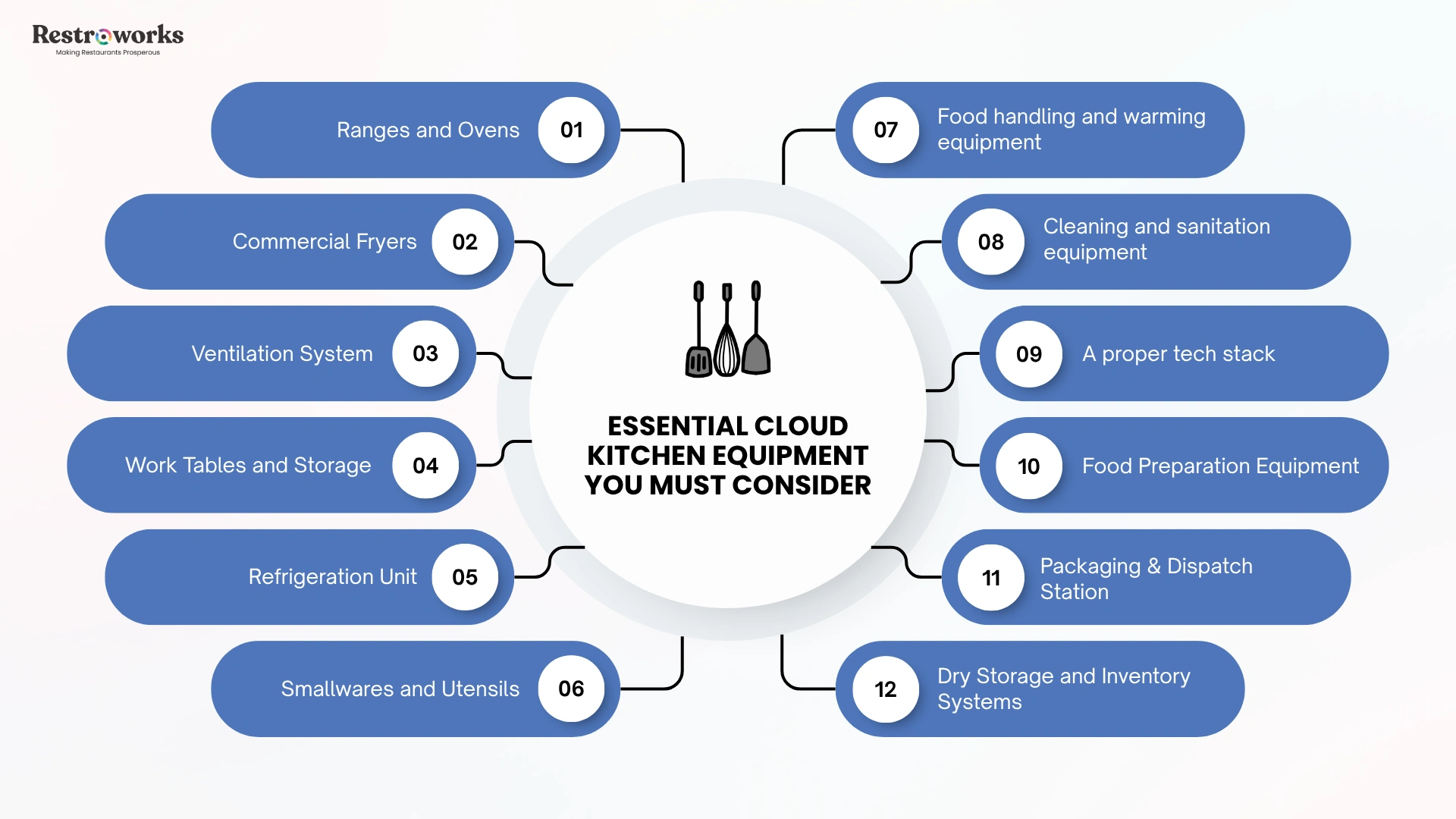
First of all, there is no single all-purpose kitchen equipment you can get your hands on and consider the job done. Below are some items that most cloud kitchens often need. Go through the list, and check for yourself which ones fit your concept the best.
Ranges and Ovens
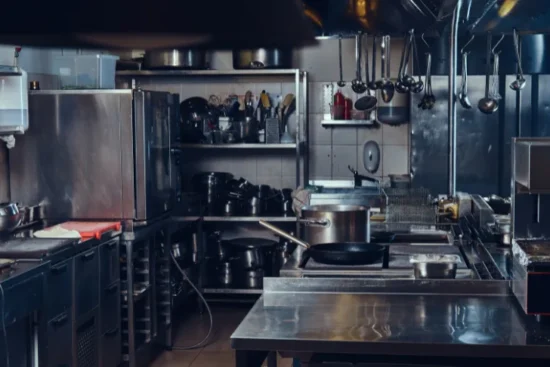
These two are basically the heart of your cooking operation. Most cloud kitchens need a combination of:
- Combi ovens: These combine convection heat and steam, giving you precise temperature control and the ability to bake, roast, steam, and reheat all from one unit. If you’re running multiple menu concepts or doing high-volume cooking, combi ovens are worth every penny.
- Convection ovens: Reliable workhorses for baking and roasting. Better heat distribution than standard ovens.
- Cooking ranges: Use for stovetop cooking (boiling, sautéing, searing, etc.). Under this, too:
- Gas ranges offer better temperature control and faster heat response.
- Electric ranges are cleaner and easier to maintain.
- Induction ranges are the most energy-efficient and generate almost no ambient heat, which matters a lot in a small kitchen space.
Now, which should YOU get? It depends on your menu. If you’re a bakery-forward concept, get an oven. Likewise, if your menu requires high-volume stir-fry daily, get the right cooking range.
Specialized Cooking Equipment
These are the supporting cast around your main cooking line. For the record:
- Commercial fryers are non-negotiable if fried foods are on your menu. Gas fryers are cheaper to run over time. Electric fryers heat up faster and are easier to install. There’s one key rule to note: A 40-lb fryer handles roughly 80 to 120 lbs of fried food per hour, so better size to your volume.
- Griddles and grills: These are used for grilling meats, sandwiches, and breakfast items.
- Blast chillers: We’ll have to mention that, out of all items mentioned here, these are the most underrated and underbought. But if you could get one (that you should), it will help lock in your food quality, reduce food spoilage, and keep food safety standards intact for anything you’re prepping in advance.
Ventilation System
In the US, local fire safety codes and health department regulations require adequate ventilation for commercial kitchens. Grease exhaust hoods are mandatory above fryers, grills, and ranges. Condensate hoods are a must for steaming and baking operations.
Important: Not cleaning the ventilation system regularly is a leading cause of commercial kitchen fires. You’d better schedule cleanings into your operations from day one.
Work Tables and Storage
Stainless steel prep tables are the standard for any food preparation area. After all, they’re bacteria-resistant, easy to sanitize, and durable enough to handle heavy daily use. Rest, if you want a separate area for cutting and chopping, get a butcher block surface alongside.
As for storage, choose vertical shelving units that use wall and overhead space.
If possible, mobile shelving units are worth the extra cost because you can move them to clean underneath and reconfigure the layout as the kitchen evolves.
Refrigeration
If you don’t want food safety officers knocking on your door, you should get the right refrigeration unit. There are different types:
- Walk-in refrigerators for bulk storage of high-volume ingredients
- Reach-in refrigerators for everyday access during a shift
- Under-counter refrigerators to keep key items close to the cooking line without eating floor space
For storing frozen ingredients, upright freezers keep things organized and accessible. Chest freezers offer more capacity and better energy efficiency, but can be a mess to handle.
Tip: Size your refrigeration to your peak order volume. If you’re doing 100 orders on a Friday, you need enough cold storage to hold the prep for all of them without restocking mid-service.
Smallwares and Utensils
These are easy to underestimate until you’re mid-service and someone can’t find a ladle.
Your cooking utensils list should include:
- Chef’s knives in multiple sizes
- Spatulas
- Tongs
- Ladles
- Whisks
- Mixing bowls
- Measuring spoons
- Pots and pans in a range of sizes
- Sheet trays
- Roasting pans, and
- Cutting boards (separate colors for different food groups)
Food processors, blenders, slicers, and mixers belong here, too. These are what make high-volume prep possible without burning out your team.
Food Holding and Warming Equipment
As far as delivery is concerned, there’s almost always a gap between when food is cooked and when it’s picked up. That’s why you might need heat lamps, holding cabinets, and CVap-style holding drawers.
They keep food at the right temperature and texture while orders are assembled.
And although it’s a small line item, it has an outsized impact on customer satisfaction.
Cleaning and Sanitation Equipment
Food safety compliance in the US requires specific sanitation setups. At a minimum, you need:
- A three-compartment sink for washing, rinsing, and sanitizing all utensils and equipment
- A dedicated handwashing sink that’s separate from the food prep and dish sink
- A commercial dishwasher for high-volume throughput during busy shifts
- Cleaning chemicals and sanitizers for all food-contact surfaces
- Disposable gloves, aprons, and hairnets for staff
Mind you, no health department worldwide will pass your kitchen inspection if you don’t have these gears in place.
Tech Stack
Well, we are in 2026, and there’s no way we can miss talking about your restaurant tech stack. And while there are a lot of kitchen innovations to make your job easier, make sure you have at least these handy:
- Kitchen Display System (KDS): It replaces printed tickets with real-time screens at each station. When you’re handling 60 orders an hour from Uber Eats, your own website, and other platforms simultaneously, a KDS is what keeps efficient order management possible.
- Inventory management software: It tracks usage, flags low stock, and connects to suppliers for reordering. It also generates data that helps you reduce food waste and avoid over-ordering.
- POS system: It connects your order intake with your kitchen and delivery workflow. Always, always, always look for one that integrates with major delivery platforms.
- IoT-enabled appliances: Smart refrigeration units and ovens that monitor their own performance and alert you when something’s off are must-haves. They are particularly useful for temperature control compliance and predictive maintenance.
INDUSTRY INSIGHT
Everything would roughly cost between $40,000 to $200,000, depending on size, quality, and whether you’re going for new or used.
When buying, remember that most equipment vendors offer monthly financing. Opt for it.
Most operators like you lease big-ticket items like combi ovens and blast chillers. It helps protect cash flow, often includes a service agreement, and makes it easier to upgrade as you scale.
If you’re just starting your own cloud kitchen, leasing the expensive stuff while owning the basics is a reasonable approach.
How Do You Handle Maintenance and Service Agreements?
Imagine what could go wrong if your fryer stops working at 6 PM on a Saturday. Potentially hundreds of unfulfilled orders and lots and lots of bad reviews.
How to avoid such situations?
- Buy from vendors with strong local service networks. So, when something breaks, you know they’ll respond quickly.
- Read the warranty before you sign. Know exactly what’s covered, for how long, and what voids it.
- Schedule preventive maintenance. Most commercial kitchen equipment needs quarterly or semi-annual servicing. Mark it in the calendar.
- Keep a maintenance log. Track every service call, part replacement, and cleaning. It helps with compliance and extends the life of your equipment.
- Train your team on proper usage and cleaning.
What Compliance and Certification Requirements Must You Meet?
Food handling should automatically ring a bell in your mind, that you’d need to follow at least some requirements. To note:
- You must check for NSF certification on any equipment that makes contact with food. NSF-certified commercial restaurant equipment means it meets public health and safety standards.
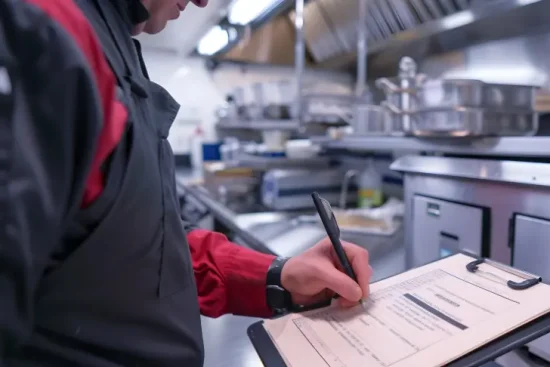
- You’d also need approval from the local health department. Expect a kitchen inspection before opening and periodic inspections afterward.
- Next is fire safety compliance. Your hood system, fire suppression system above the cooking line, and fire extinguishers need to meet local fire codes and be serviced on schedule.
- Ventilation standards, though they vary by the type of cooking you’re doing, face stricter requirements.
- In most US states, anyone who handles food must obtain a food handler’s certification or a food manager’s certification.
The biggest mistake you could be making here is buying equipment first and checking compliance later.
Do it the other way around!
How Do You Choose the “Right” Equipment for Your Cloud Kitchen?
Now, we can’t tell exactly which equipment is actually “right” for your cloud kitchen. You’ll need to make the call yourself. How?
Follow these steps:
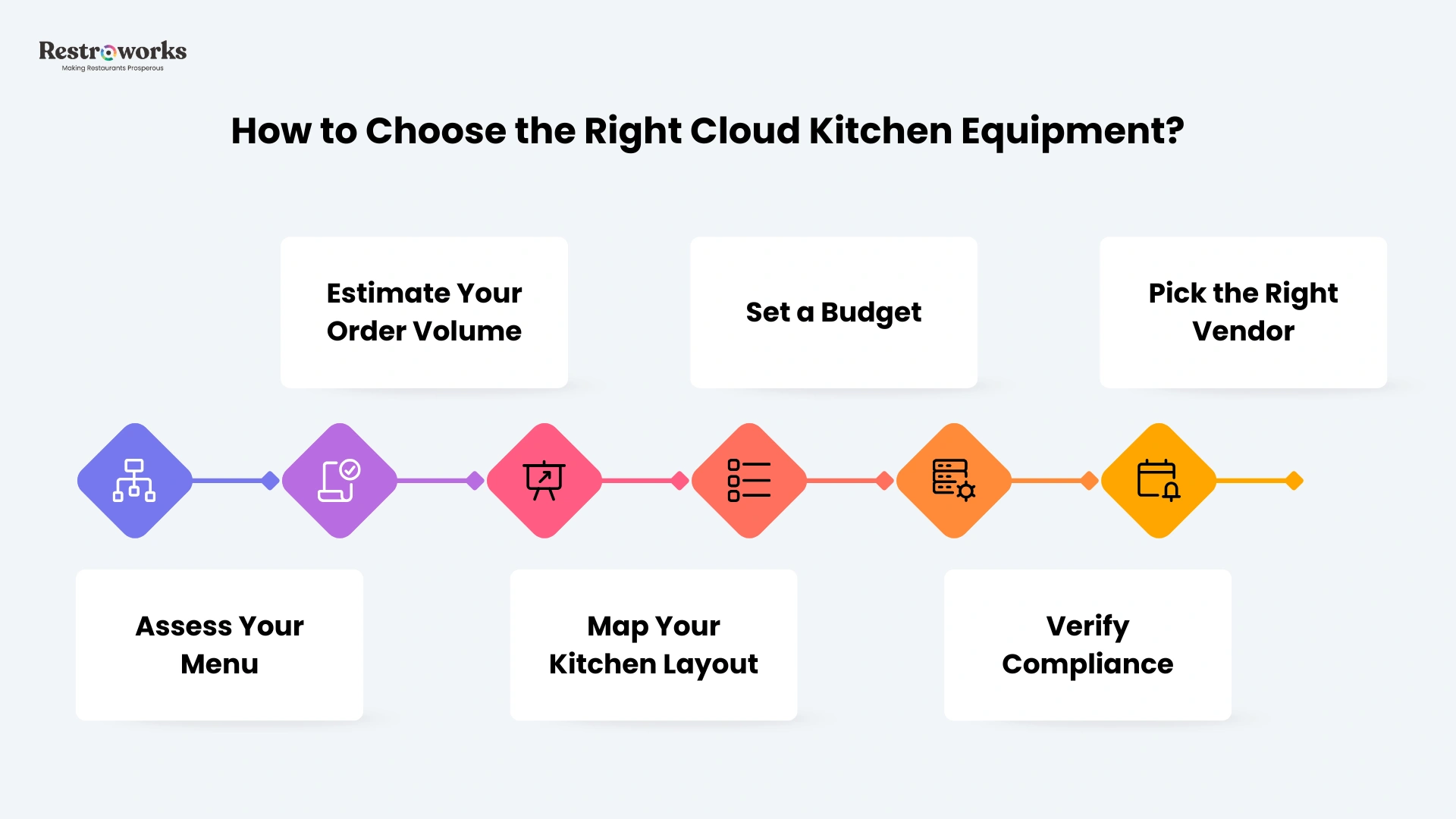
Step 1: Lock in your menu first. You cannot choose the right equipment without knowing exactly what you’re cooking.
Step 2: Estimate real order volume, that too for 6 months out. Now, size your cooking equipment to that number.
Step 3: Map your kitchen layout. Sketch the flow: prep → cooking → packaging. Keep it moving in one direction. Put the packaging station as close to the cooking line as possible.
Step 4: Set a full budget. This will include purchase cost, installation, first-year maintenance, and consumables. Factor in financing if needed.
Step 5: Verify compliance before purchasing. Confirm every piece of equipment meets your local health and fire safety regulations.
Step 6: Prioritize vendors with strong support.
What Questions Should You Ask the Vendor Before Finalizing Equipment?
When you’re out in the market scouting and finalizing your kitchen equipment, make sure you ask these questions to the vendor:
- What does the warranty cover, and for how long?
- Do you have a local service technician in my area? What’s the average response time for a breakdown?
- Is this equipment NSF-certified and compliant with US commercial kitchen standards?
- What is the standard maintenance schedule for this unit?
- Are parts readily available, and how long does it typically take to source them?
- Do you offer financing or leasing? What are the terms?
- Can I speak to another cloud kitchen or ghost kitchen operator who uses this equipment?
- What’s the energy consumption rating, and how does it compare to alternatives?
If a vendor can’t answer these clearly, that’s a sign to look for another.
How Do You Review and Improve the ROI of Your Equipment?
Buying the equipment is one decision. Making sure it keeps earning its place is another. Here’s what you should do:
Track their –
- Utilization rate – How many hours per day is it actually running? Cut out the underused items; you probably don’t need them as much as you think you do.
- Output vs. ticket time – Is this piece of equipment creating a bottleneck? If your cooking range is consistently the slowest point in the flow, it’s undersized for your volume.
- Maintenance cost over time – Add up every service call, every replacement part. If annual maintenance is approaching 20% of the equipment’s purchase price, it might be time to replace.
- Energy cost – Energy-efficient appliances reduce utility costs significantly over time. If an older unit is pulling more power than a newer equivalent, the energy savings on a replacement may justify the switch within 12 to 18 months.
- Food waste rate – Are you seeing higher food spoilage than expected? That often points to refrigeration or storage issues.
Do a full equipment audit every six months. Walk through each station, check maintenance logs, and ask your team what’s slowing them down.
Want to extend the life of your commercial kitchen equipment? Tune into this podcast.
That said, the cloud kitchen model works because it strips out everything that doesn’t contribute to making and delivering food. Your equipment list should follow the same logic.
Start with what your menu actually needs. Size it for your real order volume. Invest in quality where downtime hurts most. And layer in the technology that keeps orders moving without adding headcount.
Get those pieces right, and the kitchen runs itself.